
Optimizing Multi Gold Ai Robot EA V22.22 MT4 Settings for Success
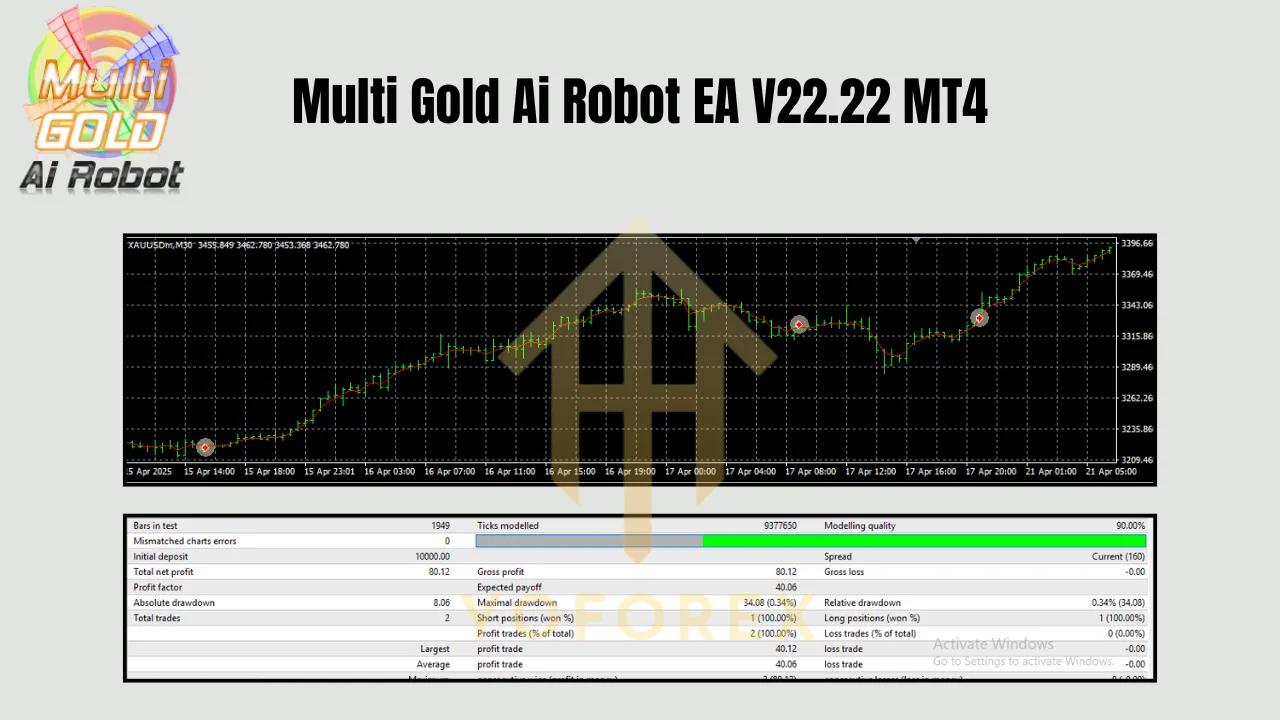
The Multi Gold Ai Robot EA V22.22 for MetaTrader 4 (MT4) is a powerful automated trading system designed to capitalize on high-probability opportunities in the XAUUSD (Gold) market, as well as Bitcoin and major forex pairs. Built on a robust, non-risky strategy that avoids dangerous techniques like martingale or grid trading, this Expert Advisor (EA) has proven its profitability through rigorous testing and real-money performance. Whether you’re a seasoned trader or a beginner, the Multi Gold Ai Robot offers a user-friendly yet sophisticated tool to enhance your trading portfolio.
To maximize its performance, proper configuration of key parameters, such as Lot default, Total Open Profit, Total Open Profit USD, MaxSpread, MaxSlippage, MaxOpenTrades, MaxLongTrades, MaxShortTrades, and NextOpenTradeAfterMinutes, is essential. This blog post will guide you through adjusting these settings based on sound money management (MM) principles, ensuring your trading aligns with your risk tolerance and account size. Let’s dive in!
Understanding the Multi Gold Ai Robot EA V22.22
The Multi Gold Ai Robot EA is engineered for the M30 to H4 timeframes and is compatible with 2-5 digit accounts. It thrives in low-spread, low-swap environments, making it ideal for ECN brokers. With a minimum account balance of $200 for a 0.01 lot size, it’s accessible to traders with modest capital. The EA’s strategy focuses on entering trades only when specific, high-probability conditions are met, ensuring a disciplined approach to trading Gold, Bitcoin, and major forex pairs.
Properly configuring the EA’s parameters is critical to balancing risk and reward. Below, we’ll explore each setting, provide recommended adjustments based on money management, and offer practical tips to optimize performance.
Key Parameters and Money Management Adjustments
Money management is the cornerstone of successful trading, and the Multi Gold Ai Robot EA allows you to tailor its settings to your risk profile. Here’s how to adjust each parameter effectively:
1. Lot Default
The Lot default determines the size of each trade. For a $200 account, the minimum recommended lot size is 0.01, as specified by the EA’s developers. However, to align with money management principles, your lot size should not risk more than 1-2% of your account per trade.
-
Calculation: For a $200 account, risking 2% means a maximum loss of $4 per trade. Assuming a stop-loss of 50 pips (500 points for XAUUSD on a 5-digit broker), the lot size should be approximately 0.01. For larger accounts, scale proportionally:
-
$1,000 account: 0.05 lot (risking $25 per trade with a 50-pip stop-loss).
-
$5,000 account: 0.25 lot (risking $125 per trade).
-
-
Recommendation: Start with 0.01 lot for $200-$500 accounts. Increase incrementally as your account grows, maintaining the 1-2% risk rule.
2. Total Open Profit and Total Open Profit USD
These parameters define the profit target at which the EA closes all open trades, either in pips (Total Open Profit) or dollars (Total Open Profit USD). Setting these too low may limit profitability, while overly ambitious targets can expose you to market reversals.
-
For small accounts ($200-$500): Set Total Open Profit to 100-150 pips and Total Open Profit USD to $6-$10. This ensures modest, achievable gains while protecting capital.
-
For larger accounts ($1,000+): Increase to 200-300 pips and $20-$50 USD, depending on your risk appetite.
-
Tip: For Gold trading, prioritize Total Open Profit USD to account for the pair’s high volatility. A $6 profit target for a 0.01 lot on XAUUSD is reasonable for small accounts.
3. MaxSpread
The MaxSpread setting prevents the EA from opening trades when the broker’s spread exceeds a specified value (in pips). Gold trading requires tight spreads due to its volatility, so selecting a low-spread ECN broker is crucial.
-
Recommendation: Set MaxSpread to 30-50 for XAUUSD on an ECN account with spreads typically below 1 pip. For non-ECN brokers, you may need to allow up to 70 to account for wider spreads during volatile periods.
-
Example: If your broker’s average spread for XAUUSD is 0.5 pips, set MaxSpread to 50 (5 pips) to avoid trading during high-spread events like news releases.
4. MaxSlippage
MaxSlippage controls the maximum allowable price deviation (in pips) when executing trades. High slippage can erode profits, especially in fast-moving markets like Gold.
-
Recommendation: Set MaxSlippage to 20-30 for ECN accounts with fast execution. For standard accounts, consider 40-50 to accommodate occasional delays.
-
Tip: Test your broker’s execution speed on a demo account to determine an appropriate slippage threshold.
5. MaxOpenTrades, MaxLongTrades, and MaxShortTrades
These parameters limit the number of simultaneous trades, helping manage exposure. MaxOpenTrades caps total trades, while MaxLongTrades and MaxShortTrades restrict buy and sell positions, respectively.
-
For small accounts ($200-$500): Set MaxOpenTrades to 5, MaxLongTrades to 3, and MaxShortTrades to 3. This limits risk while allowing the EA to capitalize on trends.
-
For larger accounts ($1,000+): Increase to 10-15 total trades, with 5-7 long and 5-7 short trades, depending on your risk tolerance.
-
Caution: Avoid setting these too high (e.g., 200, as suggested in some sources), as it could over-leverage your account, especially for Gold’s volatile movements.
6. NextOpenTradeAfterMinutes
This parameter sets the minimum time (in minutes) between opening new trades, preventing over-trading during choppy markets.
-
Recommendation: Set NextOpenTradeAfterMinutes to 15-30 minutes for the H4 timeframe, or 8-15 minutes for M30. This allows the EA to wait for clear signals while avoiding excessive trade frequency.
-
Example: For an ECN account trading XAUUSD on H4, 15 minutes is a balanced default, as suggested by the EA’s documentation.
Money Management Principles for Safe Trading
To ensure long-term success with the Multi Gold Ai Robot EA, adhere to these money management guidelines:
-
Risk Per Trade: Limit risk to 1-2% of your account balance per trade. For a $200 account, this means a $2-$4 loss per trade.
-
Account Scaling: As your account grows, adjust lot sizes and profit targets proportionally. For example, double your lot size only when your account doubles in size.
-
Broker Selection: Choose an ECN broker with low spreads (0.3-0.5 pips for XAUUSD) and commissions of $3.5-$10 per lot. Avoid brokers with high swap fees, as Gold positions may be held for hours.
-
Demo Testing: Before going live, test your settings on a demo account for at least 2-4 weeks to verify performance under real market conditions.
-
Diversification: While the EA supports Bitcoin and major forex pairs, focus primarily on XAUUSD for optimal results, as it’s the EA’s core strength.
Recommended Settings for an ECN Account
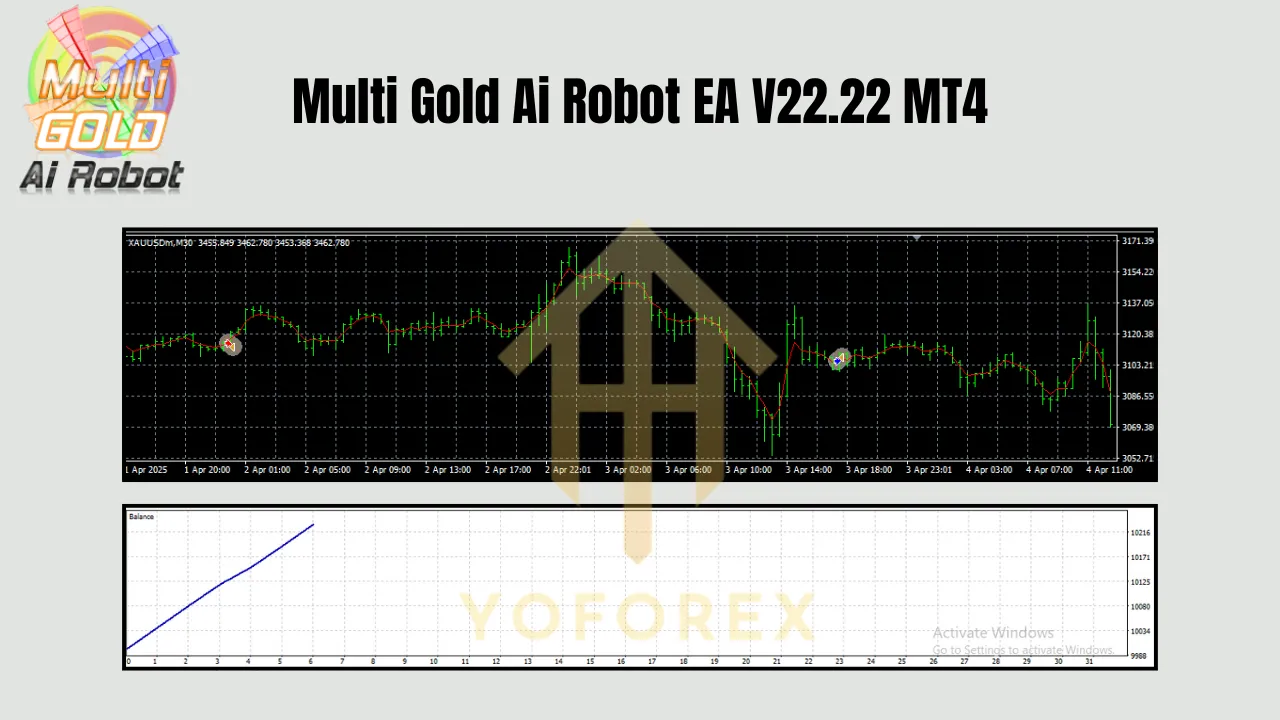
Based on the EA’s documentation and money management principles, here’s a sample configuration for a $200 account trading XAUUSD on an ECN broker (H4 timeframe):
-
Lot Default: 0.01
-
Total Open Profit: 100 pips
-
Total Open Profit USD: $6
-
MaxSpread: 50
-
MaxSlippage: 20
-
MaxOpenTrades: 5
-
MaxLongTrades: 3
-
MaxShortTrades: 3
-
NextOpenTradeAfterMinutes: 15
For a $1,000 account, scale up as follows:
-
Lot Default: 0.05
-
Total Open Profit: 200 pips
-
Total Open Profit USD: $20
-
MaxOpenTrades: 10
-
MaxLongTrades: 5
-
MaxShortTrades: 5
Tips for Success
-
Monitor Performance: Regularly review the EA’s performance using MT4’s backtesting feature or a third-party tool like Myfxbook.
-
Avoid News Overlaps: The EA performs best in stable conditions. Use a news filter (if supported) to pause trading during high-impact events.
-
VPS Usage: Run the EA on a Virtual Private Server (VPS) for 24/7 operation, ensuring uninterrupted trading.
-
Strategy Selection: Avoid enabling all strategies simultaneously, as warned by the EA’s developers. Stick to one or two strategies (e.g., Moving Average or Bollinger Bands) that suit your market conditions.
Conclusion
The Multi Gold Ai Robot EA V22.22 is a versatile and profitable tool for trading Gold, Bitcoin, and forex pairs, provided you configure it with disciplined money management. By carefully adjusting parameters like Lot default, Total Open Profit, MaxSpread, and others, you can tailor the EA to your account size and risk tolerance. Start with a demo account, select a low-spread ECN broker, and scale your settings as your capital grows. With the right approach, this EA can become a reliable component of your trading arsenal, delivering consistent results in the dynamic world of forex and commodities trading.