Day Trading Forex Indicator MT4: Your Ultimate Guide
Introduction
Day trading in the foreign exchange (Forex) market is a popular strategy for traders who seek to profit from short-term price movements. With the right tools, such as a robust indicator for MetaTrader 4 (MT4), day traders can identify high-probability entry and exit points, manage risk intelligently, and execute trades with confidence. In this comprehensive guide, we’ll explore what makes a great day trading Forex indicator for MT4, how to install and configure it, the key features to look for, strategies for maximizing its effectiveness, and tips for integrating it into your broader trading plan.
What Is a Day Trading Forex Indicator?
A Forex indicator is a mathematical calculation based on historical price, volume, or open interest data that traders use to forecast market direction. For day trading, indicators focus on capturing intraday volatility and momentum. Unlike longer-term indicators designed for swing or position trading, day trading indicators generate signals on smaller timeframes—typically ranging from one minute (M1) to fifteen minutes (M15). These signals help traders:
-
Spot momentum shifts: Identify when buyers or sellers are gaining control.
-
Determine entry/exit points: Find optimal moments to enter or exit trades.
-
Manage risk: Set stop-loss and take-profit levels based on volatility.
-
Validate setups: Confirm patterns such as breakouts, reversals, or pullbacks.
When implemented in MT4—a widely used trading platform offering advanced charting and custom indicator support—day trading indicators can be seamlessly integrated into automated or manual strategies.
Key Features of an Effective Day Trading Forex Indicator
Not all indicators are created equal. To excel in fast-paced day trading, look for the following features:
-
Real-Time Signal Generation
Accuracy and latency matter. An ideal indicator refreshes signals in real time, minimizing lag so you can act as soon as momentum shifts. -
Multi-Timeframe Compatibility
Even if you trade on M5 or M15 charts, the indicator should allow you to view higher-timeframe context—such as M30 or H1—to filter out false signals. -
Customizable Parameters
Every trader has a unique style. The best indicators let you adjust key inputs—moving average periods, threshold levels, lookback bars—to suit your risk tolerance and preferred trading pairs. -
Built-In Alerts
Automated pop-ups, sound notifications, and email or SMS alerts ensure you never miss a setup, even when you’re monitoring multiple charts. -
Clear Visuals
Signals should be displayed cleanly—arrows, colored dots, or histogram bars—with minimal chart clutter. Overcrowded charts can distract and lead to analysis paralysis. -
Risk Management Tools
Advanced indicators integrate stop-loss and take-profit suggestions based on average true range (ATR) or volatility bands, helping you size positions appropriately. -
Backtesting Compatibility
For algorithmic enthusiasts, ensure the indicator works with MT4’s strategy tester so you can validate performance over historical data.
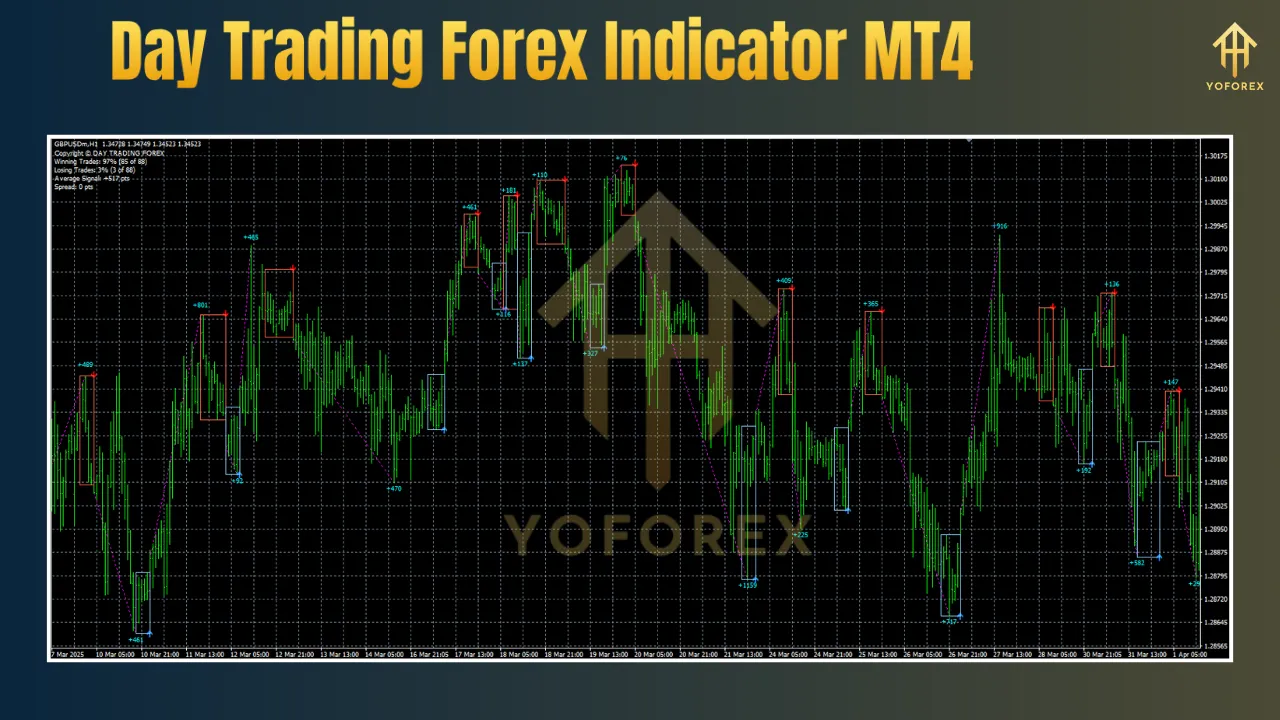
Popular Day Trading Indicators for MT4
While dozens of indicators exist, some have gained widespread adoption among day traders:
-
Moving Average Convergence Divergence (MACD)
A momentum oscillator that tracks the relationship between two moving averages. MACD crossovers on M5 or M15 charts can signal bullish or bearish momentum shifts. -
Relative Strength Index (RSI)
Measures the speed and change of price movements. Overbought (above 70) and oversold (below 30) readings can highlight potential reversals. -
Bollinger Bands®
Plots volatility bands around a simple moving average. Price touching or bouncing off the bands offers cues for mean-reversion or breakout trades. -
Average True Range (ATR)
Gauges market volatility. A rising ATR suggests increasing price swings, while a falling ATR signals consolidation—key for timing entries. -
Volume-Weighted Average Price (VWAP)
Although VWAP is more common in equity markets, MT4 scripts can calculate it for Forex. VWAP helps you trade in line with institutional flow. -
Custom Hybrid Indicators
Many developers combine multiple signals—like MACD plus ATR filters—to create bespoke “all-in-one” day trading tools.
How to Install and Configure Your Indicator in MT4
-
Download the Indicator Files
Indicators for MT4 come as.mq4or compiled.ex4files. Save them to a folder on your computer. -
Copy to the MT4 Directory
-
Open MT4.
-
Click File > Open Data Folder.
-
Navigate to MQL4 > Indicators.
-
Paste the indicator files into this folder.
-
-
Refresh the Navigator
-
In MT4, open the Navigator pane (
Ctrl+N). -
Right-click Indicators and select Refresh.
-
Your new indicator should appear in the list.
-
-
Attach to a Chart
-
Drag the indicator onto your preferred chart (e.g., EURUSD M5).
-
In the settings window, adjust inputs—such as period lengths, alert options, and visual styles.
-
-
Optimize Alerts
-
Enable pop-up or sound alerts.
-
For email or push notifications, configure Tools > Options > Email or Notifications with your credentials.
-
-
Test on a Demo Account
-
Always validate new indicators on a demo account to understand its behavior and fine-tune parameters before risking real capital.
-
Developing a Day Trading Strategy Around Your Indicator
An indicator alone does not guarantee success—it must be embedded within a robust strategy:
-
Define Your Timeframe
Choose M5 or M15 charts for primary entries and use M30 or H1 to confirm overall trend direction. Only take long signals in an uptrend and shorts in a downtrend. -
Combine Indicators for Confirmation
For example:-
MACD histogram crossing above zero signals momentum.
-
RSI moving from oversold territory confirms the move.
-
ATR expanding validates increased volatility.
-
-
Use Price Action
Look for candle patterns—pin bars, engulfing candles—at support/resistance levels highlighted by the indicator. This adds an extra layer of confirmation. -
Set Entry Rules
-
Aggressive Entry: Enter on the indicator’s exact crossover or signal arrow.
-
Conservative Entry: Wait for a candle to close beyond the signal threshold.
-
-
Establish Risk Parameters
-
Risk no more than 1–2% of account balance per trade.
-
Place stop-loss based on ATR value (e.g., 1.5 × ATR).
-
Target a minimum reward-to-risk ratio of 1.5:1 or better.
-
-
Manage Trades Actively
-
Move stops to breakeven once the trade is in profit by 1× risk.
-
Consider scaling out partial positions at predetermined targets.
-
-
Record and Review
Maintain a trading journal with screenshots of each signal, entry/exit levels, and trade outcomes. Regularly review to identify strengths and areas for improvement.
Common Pitfalls and How to Avoid Them
-
Over-Reliance on One Indicator
No single signal works 100% of the time. Always corroborate with price action and higher-timeframe context. -
Chasing Signals
Avoid forcing trades when the market does not clearly meet your criteria. Discipline is crucial in day trading. -
Overtrading
Stick to your daily loss limit and maximum number of trades. Overtrading often stems from boredom or revenge trading. -
Ignoring Market News
Major economic releases can render indicators unreliable during news spikes. Avoid trading 5–10 minutes before and after high-impact events. -
Poor Money Management
Even the best indicator cannot save reckless position sizing. Always calculate lot sizes based on current account equity and stop-loss distance.
Best Currency Pairs and Sessions for Day Trading
-
EURUSD
High liquidity, tight spreads, and clear intraday trends make EURUSD a favorite among day traders. -
GBPUSD and USDJPY
Also offer deep liquidity and respond well to technical signals, though they can exhibit higher volatility. -
Cross Pairs
EURGBP or EURJPY yield additional opportunities but may have slightly wider spreads. -
Trading Sessions
-
London Open (07:00–09:00 GMT): High volatility and strong trends.
-
New York Session (12:00–16:00 GMT): Continuation of trends and frequent retracements.
-
Overlap (12:00–16:00 GMT): When London and New York sessions overlap, liquidity peaks and technical signals tend to be more reliable.
-
Combining Automation and Manual Oversight
Many day traders blend automated scripts with manual execution:
-
Expert Advisors (EAs) can monitor your chosen indicator and send alerts or even execute trades automatically.
-
Manual Overrides allow you to pause or adjust strategies when market conditions shift unexpectedly.
-
Partial Automation: Use EAs to open trades when signals align but manage exits based on discretionary analysis.
This hybrid approach capitalizes on speed while retaining human judgment for dynamic market environments.
Tips for Maximizing Indicator Performance
-
Regularly Re-Optimize
Market volatility changes over time. Revisit indicator settings every 4–6 weeks. -
Keep Charts Clean
Limit yourself to 2–3 indicators to avoid conflicting signals. -
Use a VPS
Running MT4 on a Virtual Private Server reduces latency and minimizes downtime. -
Stay Educated
Continue learning through webinars, forums, and backtesting to refine your approach. -
Adapt to Market Structure
Indicators perform differently in ranging versus trending markets. Switch between mean-reversion and breakout strategies accordingly.
Conclusion
A well-designed day trading Forex indicator for MT4 can be a powerful ally in navigating fast-moving currency markets. By selecting an indicator with real-time signals, customizable parameters, clear visuals, and integrated risk management, and by embedding it within a disciplined trading strategy, you can enhance your ability to capture consistent intraday profits. Remember to combine indicator signals with price action confirmation, manage risk meticulously, avoid overtrading, and adapt to evolving market conditions. Through diligent testing, journaling, and continuous learning, you’ll turn your MT4 indicator into a reliable tool for day trading success.