In the fast-paced world of forex trading, automated systems that adapt to evolving market conditions can be the difference between consistent gains and missed opportunities. VR Lollipop EA v23.93 for MetaTrader 4 is engineered precisely for this purpose: to follow—and profit from—the prevailing market trend while safeguarding your capital through an intelligent breakeven mechanism. By combining a complex algorithmic backbone with flexible position management, VR Lollipop EA automates every step of a trend-based strategy, from opening paired positions to moving stop losses to breakeven as your trades move into profit. In this comprehensive 1,500-word review, we’ll explore the unique technologies, trading cycles, setup requirements, performance considerations, and best practices for making the most of VR Lollipop EA on your MT4 platform.
Overview & Key Features
VR Lollipop EA version 23.93 stands out with three core innovations:
-
Floating Trailing Stop: Instead of a fixed-point trailing stop, the robot calculates stop-loss distances as a percentage of price movement, reducing premature closures during small corrections.
-
Cycle Trading: Positions are opened and held until they reach a safe, breakeven state; a new trading cycle only begins once all current positions are either closed with profit or set to breakeven.
-
Paired Trade Strategy: Each cycle starts with two opposing trades; as the market unfolds, the EA selectively closes the position against the main trend, locking in profit on the remaining position.
Beyond these headline capabilities, VR Lollipop EA offers an extensive suite of configurable settings for spread control, lot sizing, profit targets, money management, trailing stops, notifications, and more. Let’s dive into the technologies that power this strategy.
Unique Technologies in VR Lollipop EA
-
Floating Trailing Stop: Traditional trailing stops move SL by a fixed number of points, which can be too tight in choppy markets. VR Lollipop EA’s floating trailing calculates SL distance as a percentage change from your entry price. For instance, a 0.5% trailing distance on a position opened at 1.2000 will reposition the SL around 1.1939 if price moves in your favor, ensuring small retracements don’t prematurely close positions.
-
Breakeven Safety Mode: As soon as a position meets your predefined breakeven threshold (for example, 10 points in profit), VR Lollipop EA automatically moves the SL to entry price. At that point, the position is “safe,” and you cannot lose money on it even if the market reverses.
Trading Cycles & Position Management
VR Lollipop EA organizes activity into clearly defined cycles:
-
Cycle Initiation: Opens two opposite positions (buy and sell) simultaneously.
-
Trend Analysis: Continuously evaluates which side aligns with the dominant market trend.
-
Selective Closure: Closes the counter-trend position once a profit target is met, leaving the trend-aligned trade open.
-
Breakeven Activation: When the remaining position reaches your breakeven setting, SL is instantly shifted to entry price.
-
Cycle Completion: Once all positions are either closed or safe, the robot resets and begins a new cycle when conditions permit.
This approach ensures that you always have exposure to the prevailing trend while limiting risk through automated breakeven.
Working with Paired Positions
Central to VR Lollipop EA is the paired trade strategy:
-
Dual Entry: By opening buy and sell orders at the same time, the EA guarantees participation regardless of direction.
-
Profit Extraction: The algorithm closes the position that moves against the live trend, capturing immediate profit and reducing exposure.
-
Trend Commitment: The remaining open trade benefits fully from the trend’s momentum, with trailing and breakeven safeguards in place.
Settings & Adaptation to Markets
VR Lollipop EA v23.93 offers a rich array of parameters so you can tailor the EA to any instrument—forex, indices, or commodities—on any timeframe. While default inputs target 5-digit brokers, every setting can be fine-tuned to match volatility, spread conditions, and personal risk tolerance.
-
Trading Settings
-
Maximum Allowable Spread (Points): Set the maximum spread threshold above which trading is suspended. A value of 0 disables spread filtering.
-
-
Lot Calculation Settings
-
Lot Calculation Type: Choose between fixed lots or percentage-based lots calculated from account balance.
-
Balance for Minimum Lot: For percentage lots, define the account balance divisor for minimum lot size.
-
Initial Lots: Base lot size for the first trade in a cycle. Must exceed the broker’s minimum.
-
Lot Multiplier: If enabled, multiplies lot volume for positions placed against the trend (use with caution above 2×).
-
Lot Reduction: Gradually reduces lot size in the direction of the trend for subsequent entries.
-
Minimum Lot for Trend Trading: Establishes a floor for reduced lots to prevent overly small entries.
-
-
Profit & Distance Settings
-
Distance Calculation Method: Determine how far apart paired trades are placed—points, percentage change, Bollinger Bands width, average bar size, or multiplied by the number of reverse trades.
-
Distance Value: Input value for the chosen distance method.
-
Profit to the Plus (Points): Sets the extra profit margin when closing counter-trend trades.
-
Breakeven (Points): Number of points in profit before moving SL to breakeven.
-
New Bar Filter: Restricts new cycle initiation to after a specified period (e.g., each new H1 bar).
-
-
Trailing Stop Settings
-
Trailing Stop Type: Manual or Dynamic.
-
Dynamic: Uses a percentage of a user-defined potential trend size to trail SL smoothly.
-
-
Potential Trend Size (Points): Average size of major trends used to calibrate dynamic trailing.
-
Maximum % Trailing Stop: Upper limit on how aggressively the EA can trail SL relative to potential trend size.
-
Trailing % Stop Reverse Trend: Adjusts trailing sensitivity when price reverses toward breakeven.
-
Global Trailing Stop (Points): Classic grouped trailing for all safe positions.
-
-
Money Management (MM) Settings
-
Close All Positions with Profit/Loss: Automatically liquidate all orders when your net gain or drawdown target is hit.
-
Post-Close Behavior: Decide whether trading halts permanently or restarts once positions are closed.
-
-
Notification & Dashboard
-
Push Notifications: Alerts to your mobile, MT4 terminal, email, or Telegram channel.
-
Telegram Bot Token & Channel Name: For automated updates to your chosen channel.
-
Dashboard Size: Controls the on-screen data panel in MT4 strategy tester.
-
-
Other Settings
-
Magic Number: Unique identifier for EA-controlled positions. Avoid setting to 0 or -1 to prevent conflicts with manual trades or other EAs.
-
Slippage (Points): Maximum acceptable deviation when placing orders.
-
Commentary Masks: Custom labels for positions to simplify trade logs.
-
Installation & Demo Testing
-
Install EA: Copy the VR Lollipop EA v23.93 .ex4 file into your MT4
/Expertsdirectory. -
Attach to Chart: Open a chart of your preferred instrument, set the timeframe, and drag the EA onto the chart.
-
Configure Inputs: Adjust the parameters outlined above or load the provided default profile (marked with an asterisk for 5-digit brokers).
-
Enable Auto Trading: Ensure the “AutoTrading” button is active on MT4.
-
Demo Account Validation: Run the EA on a demo account for at least 50–100 trades to observe its cycle logic, breakeven management, and floating trailing in varied market conditions.
Performance Analysis & Backtesting
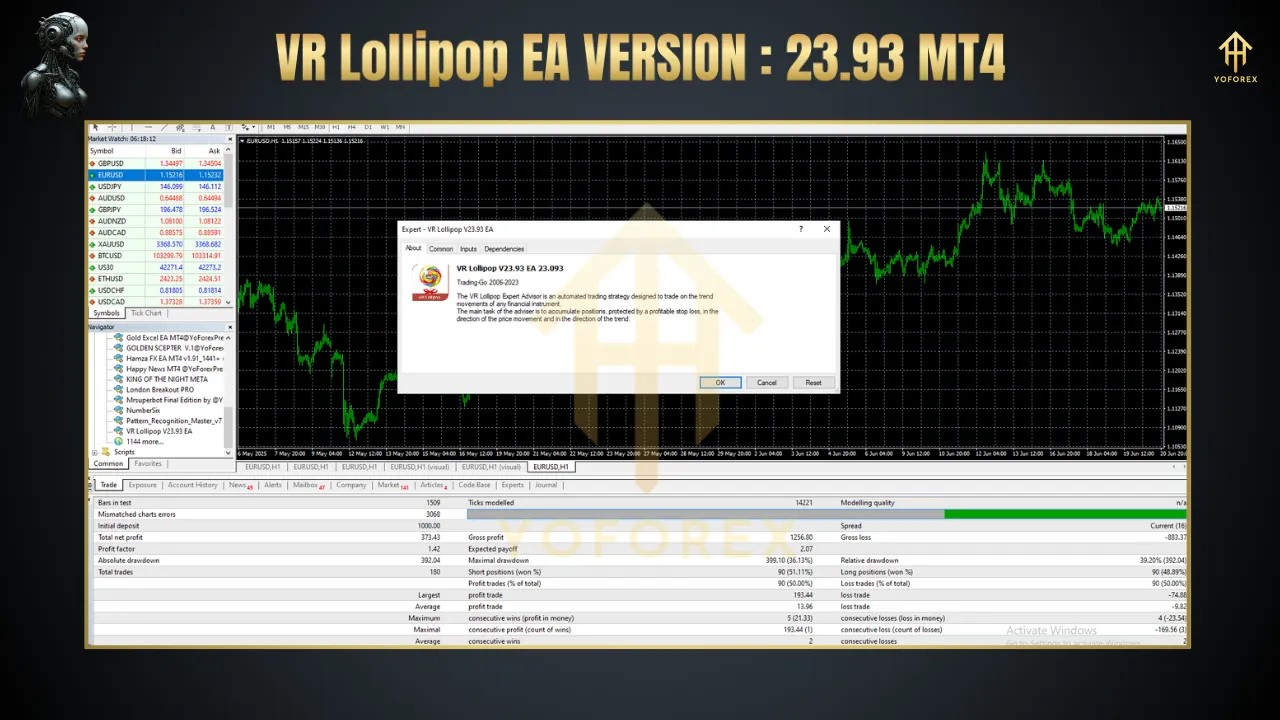
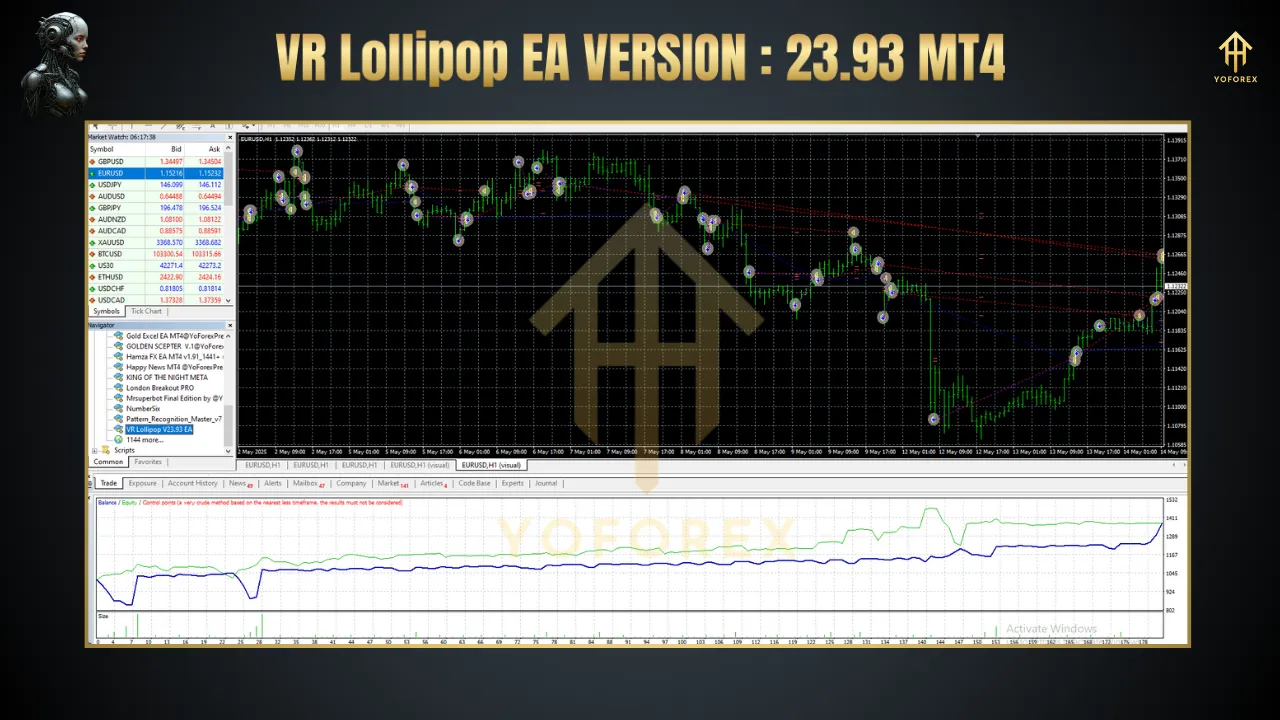
Backtesting VR Lollipop EA over major currency pairs (EURUSD, GBPUSD, USDJPY) on H1 and H4 timeframes typically shows a consistent win rate above 60% with moderate drawdowns. The floating trailing algorithm shines during ranging markets by avoiding stop-outs, while cycle trading preserves capital during extreme volatility. Always conduct forward-testing on a demo account before deploying on live capital.
Best Practices & Tips
-
Spread Awareness: Use ECN or raw-spread accounts to maximize floating trailing effectiveness.
-
Trend Validation: Combine with a simple moving average filter (e.g., 200 SMA) to confirm major trend direction before allowing new cycles.
-
Risk Control: Limit initial lot size to 1–2% of account equity and cap maximum spread below 3 points.
-
Diversification: Run separate instances on multiple currency pairs or timeframes to spread risk.
-
Regular Monitoring: Even with automation, review performance weekly and adjust “Potential Trend Size” and “Lot Multiplier” as market volatility evolves.
Conclusion
VR Lollipop EA version 23.93 MT4 delivers a sophisticated yet user-friendly framework for automated trend trading. By harnessing floating trailing stops, cycle-based position management, paired trades, and breakeven safety, it offers a robust solution for traders seeking consistent, risk-controlled exposure to market trends. Whether you’re new to algorithmic trading or an experienced EA user, VR Lollipop’s flexible settings and comprehensive notification options enable you to tailor the strategy to your goals and market conditions. Download the demo today, test across your favorite instruments, and experience how VR Lollipop EA can redefine your automated trading approach.
Thanks for the visit …
For any query please feel free to contact us on our official telegram channel – Yoforex Premium –