
The Saiteja Scalper EA V1.0 for MetaTrader 4 (MT4) is an automated trading tool designed for forex traders seeking to capitalize on short-term market movements through scalping strategies. Scalping, a high-frequency trading approach, focuses on capturing small price fluctuations for quick profits. The Saiteja Scalper EA aims to streamline this process by automating trade execution, reducing emotional interference, and enhancing efficiency. In this 800-word blog, we’ll dive into the features, setup, strategies, and considerations for using the Saiteja Scalper EA V1.0, offering insights for both novice and seasoned traders.
What is the Saiteja Scalper EA V1.0?
The Saiteja Scalper EA V1.0 is an Expert Advisor (EA) tailored for the MT4 platform, a popular choice among forex traders for its robust charting and automation capabilities. This EA is engineered to execute high-frequency trades, targeting small price movements in currency pairs or other financial instruments like gold (XAUUSD). By leveraging advanced algorithms, the Saiteja Scalper identifies micro-scalping opportunities, enters trades, and manages positions autonomously, aiming to maximize profitability while minimizing market exposure.
Key features include:
- High-Speed Execution: Designed for low-latency trade execution to capture fleeting price movements.
- Dynamic Risk Management: Incorporates stop-loss and take-profit levels to protect capital.
- Customizable Parameters: Allows traders to adjust settings like lot size, timeframes, and risk levels.
- No Risky Strategies: Avoids dangerous techniques like martingale or grid trading, focusing on safer scalping methods.
The EA is optimized for short timeframes (e.g., M1 or M5) and works best in highly liquid markets, making it suitable for major currency pairs and volatile assets like gold. Its user-friendly interface ensures accessibility for traders of all experience levels.
Why Choose the Saiteja Scalper EA?
- Eliminating Emotions: Automates trade decisions, removing fear or greed from the equation.
- Saving Time: Executes multiple trades without requiring constant market monitoring.
- Optimizing Profits: Targets small, frequent gains that accumulate over time.
- Adapting to Volatility: Uses real-time market analysis to adjust to changing conditions.
However, scalping EAs like Saiteja are not without risks. They perform best in low-spread, high-liquidity environments and may struggle during choppy or news-driven markets. Traders must also ensure their broker supports high-frequency trading and offers tight spreads to maximize the EA’s effectiveness.
Installing the Saiteja Scalper EA on MT4
- Download the EA: Obtain the .ex4 or .mq4 file from a trusted source, such as a reputable EA marketplace or developer website.
- Access MT4 Data Folder: In MT4, navigate to “File” > “Open Data Folder” > “MQL4” > “Experts.”
- Install the EA: Copy the EA file into the Experts folder.
- Restart MT4: Close and reopen MT4 to load the EA.
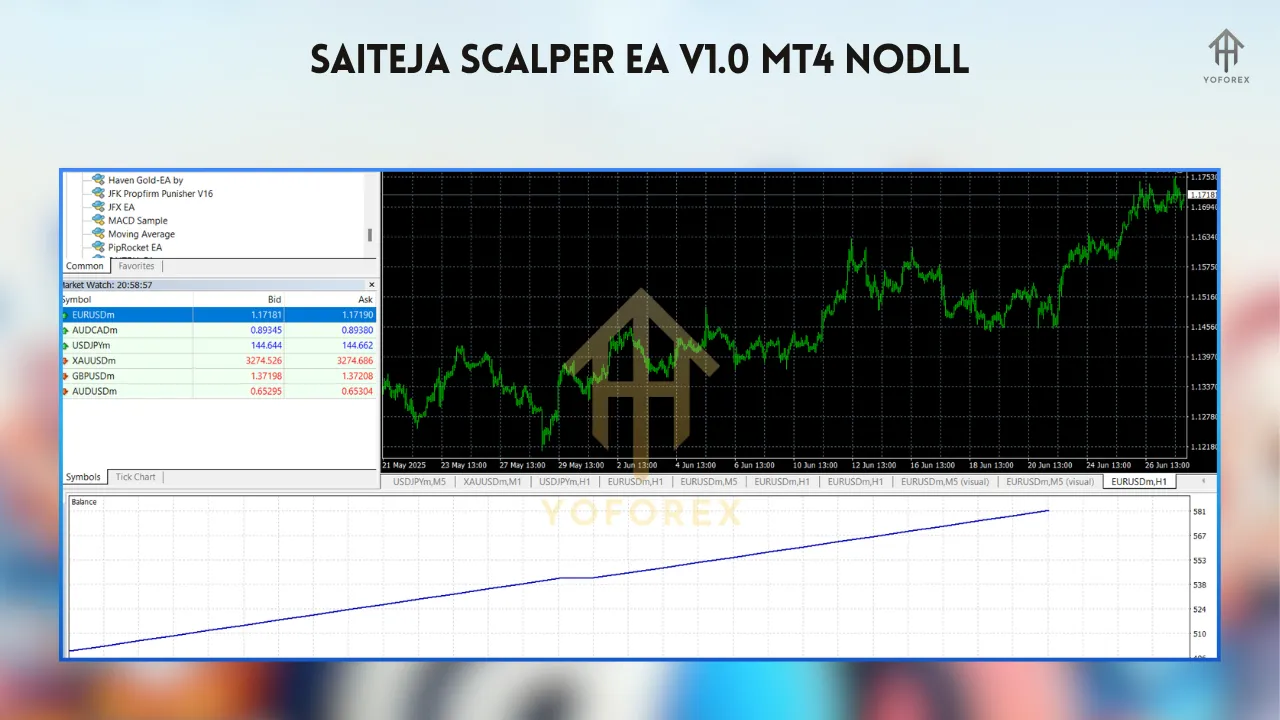
- Apply to Chart: Drag the EA from the Navigator panel onto a chart (e.g., EURUSD M5) and configure settings like lot size, HMA periods, and risk parameters.
- Enable Auto-Trading: Ensure the “AutoTrading” button on MT4 is active.
Trading Strategies with Saiteja Scalper EA
- Setup: Apply the EA to a low timeframe (M1 or M5) on a volatile pair like XAUUSD. Configure the EA to detect breakouts from consolidation zones.
- Entry: The EA enters a trade when the price breaks above resistance (buy) or below support (sell), confirmed by its internal algorithms.
- Risk Management: Set a tight stop-loss (e.g., 5-10 pips) below the breakout level and a take-profit of 10-15 pips for a 1:2 risk-reward ratio.
- Tip: Use a volatility indicator like ATR to filter out false breakouts during low-liquidity periods.
- Setup: Combine the EA with a trend indicator like the Hull Moving Average (HMA) or ADX to confirm market direction.
- Entry: The EA opens trades in the direction of the trend when short-term price retracements occur, ensuring entries align with momentum.
- Risk Management: Place stop-losses below recent swing lows (for buys) or above swing highs (for sells). Exit trades when the EA signals a trend reversal.
- Tip: Focus on high-liquidity sessions (London or New York) to avoid whipsaws.
Performance and Backtesting
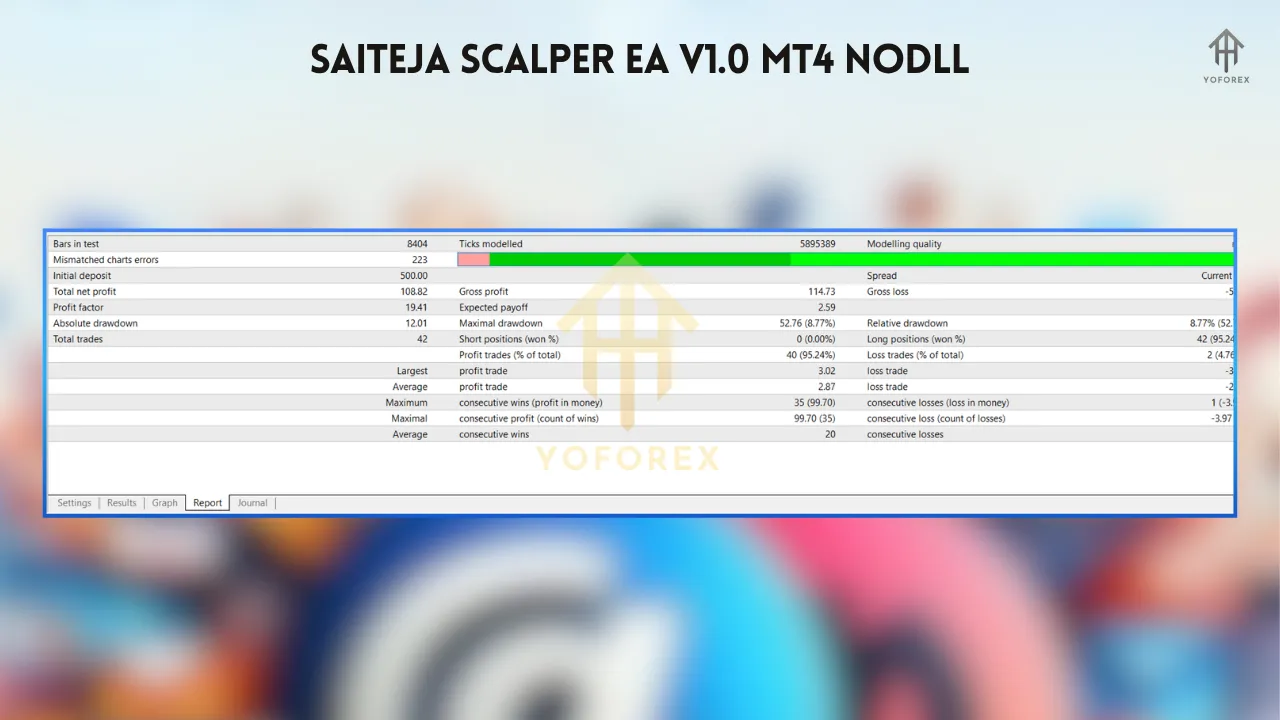
While specific performance data for the Saiteja Scalper EA V1.0 is limited, similar scalping EAs, like the RM-SCALPER, have reported monthly profits of up to 30% with drawdowns of 27-43% on a $1,000-$5,000 capital base. Backtesting with 99.9% tick data is crucial to evaluate the EA’s performance. Use MT4’s Strategy Tester to simulate trades on historical data, adjusting parameters to optimize profitability and drawdown. Real-world results may vary due to broker spreads, slippage, and market conditions.
Tips for Success
- Choose the Right Broker: Select a broker with low spreads (e.g., 0.1-0.5 pips on EURUSD) and fast execution. ECN accounts are ideal for scalping.
- Test Extensively: Run the EA on a demo account for at least 1-2 months to assess performance across different market conditions.
- Monitor News Events: Pause the EA during high-impact news releases to avoid slippage and erratic price movements.
- Combine with Indicators: Use complementary tools like RSI or Bollinger Bands to filter signals and improve accuracy.
- Manage Risk: Limit risk to 1-2% per trade and avoid over-leveraging to protect your account.
Limitations and Risks
The Saiteja Scalper EA is not a “holy grail.” It may produce false signals in ranging markets, and its performance depends heavily on broker conditions and internet stability. Over-optimization during backtesting can lead to curve-fitting, reducing real-world effectiveness. Additionally, scalping EAs require constant monitoring to ensure they align with market dynamics, and traders should avoid risky money management strategies like martingale, which the Saiteja EA reportedly avoids.
Where to Find the Saiteja Scalper EA
The Saiteja Scalper EA V1.0 may be available on platforms like MQL5.com, eafxstore.com, or other forex EA marketplaces. Ensure you download from a reputable source to avoid counterfeit or unoptimized versions. Some platforms offer free trials or demo versions, which are ideal for testing before purchase.
Conclusion
The Saiteja Scalper EA V1.0 for MT4 is a powerful tool for traders looking to automate scalping strategies in the forex market. Its high-speed execution, dynamic risk management, and user-friendly setup make it an attractive option for capturing small, frequent profits. However, success requires careful configuration, testing, and broker selection to mitigate risks like slippage and false signals. By combining the EA with sound trading practices and complementary indicators, traders can enhance their profitability while navigating the fast-paced world of scalping. Whether you’re a beginner or an experienced trader, the Saiteja Scalper EA offers a promising solution for automated forex trading.