Understanding the MT4 Cycle Indicator: A Comprehensive Guide for Forex Traders
The MetaTrader 4 (MT4) platform remains a cornerstone for forex traders worldwide due to its robust functionality, user-friendly interface, and extensive library of technical indicators. Among these, the MT4 Cycle Indicator stands out as a powerful tool for identifying market cycles, enabling traders to make informed decisions based on recurring price patterns. This blog dives deep into the MT4 Cycle Indicator, exploring its purpose, functionality, installation, and practical application in forex trading. By the end, you’ll have a clear understanding of how to leverage this indicator to enhance your trading strategy.
What is the MT4 Cycle Indicator?
The MT4 Cycle Indicator is a technical analysis tool designed to identify and visualize market cycles—repeating patterns in price movements driven by market events, economic factors, or trader behavior. Unlike trend-following indicators like Moving Averages or momentum-based indicators like the Relative Strength Index (RSI), cycle indicators focus on the rhythmic nature of price fluctuations. These cycles can span various timeframes, from short-term intraday swings to longer-term seasonal trends.
Cycle indicators help traders pinpoint potential turning points in the market, such as reversals or continuation patterns, by analyzing the periodicity of price movements. They are particularly useful in forex trading, where markets often exhibit cyclical behavior due to factors like interest rate changes, economic data releases, or market sentiment shifts. The MT4 Cycle Indicator, in its various forms, provides visual cues to identify these cycles, making it easier to time entries and exits.
Types of Cycle Indicators in MT4
The MT4 platform hosts a variety of cycle-based indicators, each with unique methodologies for detecting market cycles. Here are some of the most popular ones:
-
Schaff Trend Cycle Indicator: This oscillator combines the strengths of the Moving Average Convergence Divergence (MACD) and a smoothed Stochastic Oscillator to detect cyclical trends. It oscillates between 0 and 100, with levels at 25 (oversold) and 75 (overbought) serving as key thresholds for potential reversals. The Schaff Trend Cycle is known for its responsiveness and ability to filter market noise, making it ideal for scalping and swing trading.
-
Cycle Identifier Indicator: This indicator focuses on identifying cycle peaks and troughs, generating buy and sell signals based on price action. It is particularly valued for its non-repainting nature when configured correctly, offering reliable entry and exit points for traders.
-
Goertzel Cycle Indicator: Based on the Goertzel algorithm, this indicator analyzes price data to detect dominant cycles. It is highly customizable and often used by advanced traders for in-depth cycle analysis. The Goertzel Browser v5.53, for instance, is praised for its precision in identifying cyclical patterns.
-
Quarterly Cycles Indicator: Developed based on the Quarterly Theory by trader Daye, this indicator plots cycles visually on the chart, allowing users to select specific cycle types (e.g., AMDX or XAMD). It is particularly useful for traders focusing on longer-term market cycles.
-
Market Cycles Indicator: This tool identifies market phases—accumulation, uptrend, distribution, and downtrend—helping traders align their strategies with the broader market cycle. It is effective across multiple timeframes and markets, including forex, stocks, and commodities.
Each of these indicators serves a specific purpose, and traders often choose one based on their trading style, timeframe, and market conditions.
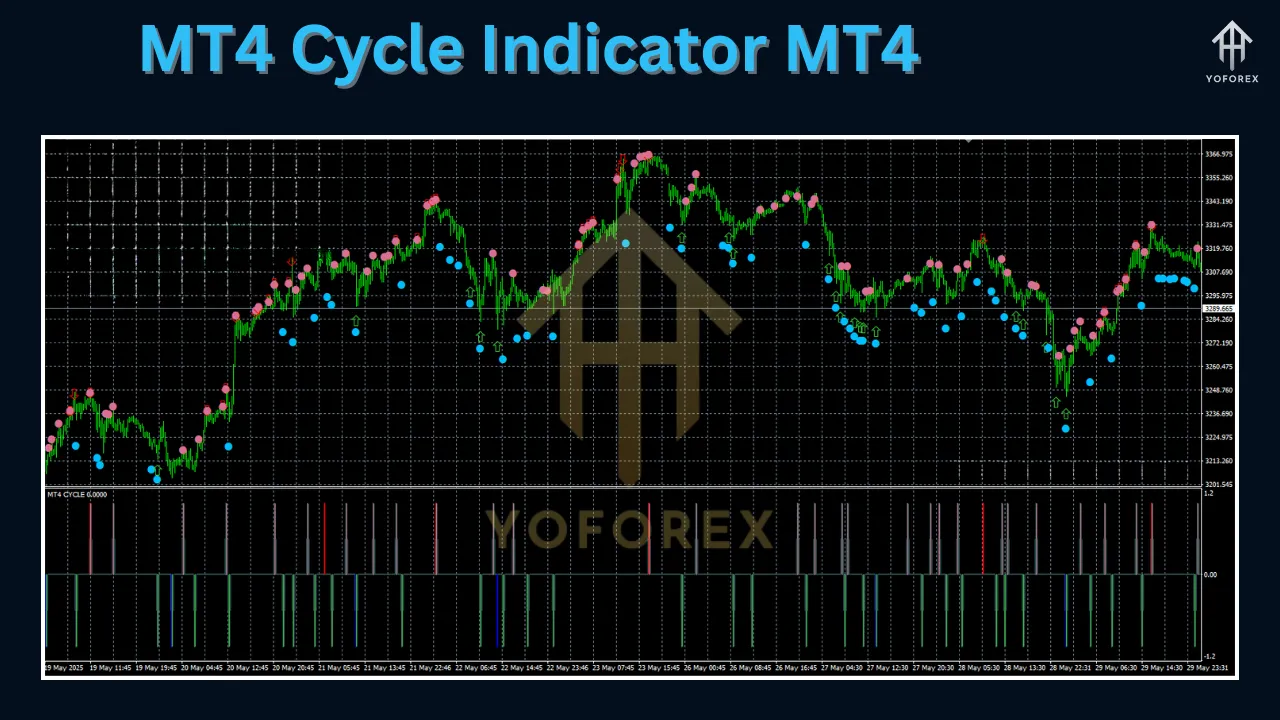
Why Use Cycle Indicators in Forex Trading?
Forex markets are inherently cyclical, influenced by recurring events such as economic data releases, central bank announcements, and seasonal trends. Cycle indicators offer several advantages:
-
Improved Timing: By identifying potential cycle peaks and troughs, these indicators help traders enter and exit trades at optimal points, reducing the risk of entering during overbought or oversold conditions.
-
Noise Reduction: Cycle indicators like the Schaff Trend Cycle smooth out price data, filtering out short-term fluctuations to reveal underlying cyclical patterns.
-
Versatility: These indicators work across various timeframes (e.g., M15, H4, D1) and markets, making them suitable for scalpers, day traders, and swing traders alike.
-
Confirmation Tool: Cycle indicators can be combined with other technical tools, such as RSI, MACD, or candlestick patterns, to confirm signals and increase trading accuracy.
However, cycle indicators are not without limitations. They may lag in highly volatile markets, and their effectiveness depends on proper configuration and market conditions. Traders should always use them in conjunction with other tools and sound risk management practices.
Installing an MT4 Cycle Indicator
Installing a cycle indicator on the MT4 platform is straightforward. Here’s a step-by-step guide using the Schaff Trend Cycle Indicator as an example:
-
Download the Indicator: Obtain the indicator file (e.g., Schaff_Trend_Cycle.mq4 or .ex4) from a reputable source, such as Forex Factory, MQL5, or Best-MetaTrader-Indicators.com. Ensure the file is compatible with MT4.
-
Extract the File: If the file is in a .rar or .zip format, extract it to access the .mq4 or .ex4 file.
-
Copy to MT4 Directory:
-
Open your MT4 platform and navigate to File > Open Data Folder.
-
Go to the MQL4 > Indicators folder.
-
Paste the extracted indicator file into this folder.
-
-
Restart MT4: Close and reopen the MT4 platform to ensure the indicator is recognized.
-
Add to Chart:
-
Open a chart for your desired currency pair and timeframe.
-
In the Navigator panel (usually on the left), locate the indicator under Custom Indicators.
-
Right-click the indicator (e.g., Schaff_Trend_Cycle.mq4), select Attach to Chart, and configure settings as needed (e.g., Fast EMA = 23, Slow EMA = 50, Cycle = 10).
-
-
Customize Settings: Adjust the indicator’s parameters, such as overbought/oversold levels (25 and 75 for Schaff Trend Cycle) or colors for bullish/bearish signals. You can also enable alerts for key signals.
-
Remove Indicator (if needed): To remove the indicator, right-click on the chart, select Indicators List, choose the indicator, and click Delete.
For detailed instructions, refer to installation guides on sites like Best-MetaTrader-Indicators.com.
Configuring the Schaff Trend Cycle Indicator
The Schaff Trend Cycle Indicator is one of the most popular cycle indicators due to its balance of responsiveness and reliability. Here’s how to configure it effectively:
-
MAShort (Fast EMA): Default is 23. This determines the shorter-period EMA used in the MACD calculation. A lower value increases sensitivity but may produce more false signals.
-
MALong (Slow EMA): Default is 50. This sets the longer-period EMA. A higher value smooths the indicator but may introduce lag.
-
Cycle: Default is 10. This defines the number of periods for the cyclical component, affecting the indicator’s sensitivity to market cycles.
-
ShowArrows: Enable this to display buy/sell arrows on the chart for clearer signal identification.
-
ShowAlerts: Activate this for desktop or mobile notifications when the indicator crosses the 25 or 75 levels.
-
Levels: Add 25 (oversold) and 75 (overbought) as markers to identify potential reversal zones.
For example, on a 15-minute GBP/USD chart, a trader might configure the Schaff Trend Cycle with the default settings and enable arrows. A buy signal is generated when the indicator crosses above 25 from below, confirmed by a bullish candlestick pattern. Conversely, a sell signal occurs when it crosses below 75, supported by bearish price action.
Trading Strategies Using the MT4 Cycle Indicator
Cycle indicators are versatile and can be integrated into various trading strategies. Below are two practical approaches using the Schaff Trend Cycle and Cycle Identifier Indicators:
1. Schaff Trend Cycle Reversal Strategy
-
Timeframe: M15 or H4 for scalping/day trading.
-
Setup:
-
Add the Schaff Trend Cycle Indicator with default settings (MAShort = 23, MALong = 50, Cycle = 10).
-
Add a 50-period Simple Moving Average (SMA) to confirm the trend direction.
-
-
Buy Signal:
-
The Schaff Trend Cycle crosses above 25 from below (oversold).
-
The 50 SMA is sloping upward.
-
Confirm with a bullish candlestick pattern (e.g., engulfing or pin bar).
-
Place a stop-loss 10 pips below the recent support level.
-
Take-profit when the indicator approaches 75 or at a risk-reward ratio of 1:2.
-
-
Sell Signal:
-
The Schaff Trend Cycle crosses below 75 from above (overbought).
-
The 50 SMA is sloping downward.
-
Confirm with a bearish candlestick pattern.
-
Place a stop-loss 10 pips above the recent resistance level.
-
Take-profit when the indicator approaches 25.
-
-
Example: On a 4-hour EUR/USD chart, the Schaff Trend Cycle drops below 25, and a bullish pin bar forms while the 50 SMA trends upward. Enter a buy trade, targeting a 1:2 risk-reward ratio.
2. Cycle Identifier Scalping Strategy
-
Timeframe: M5 or M15 for scalping.
-
Setup:
-
Add the Cycle Identifier Indicator, ensuring it’s configured to avoid repainting (check settings per source recommendations).
-
Combine with a volume indicator (e.g., Volume Spread Analysis) for confirmation.
-
-
Buy Signal:
-
The Cycle Identifier plots a buy signal (e.g., an arrow) at a cycle low.
-
Volume increases, indicating strong buying pressure.
-
Enter a buy trade with a stop-loss below the recent low.
-
-
Sell Signal:
-
The Cycle Identifier plots a sell signal at a cycle high.
-
Volume confirms selling pressure.
-
Enter a sell trade with a stop-loss above the recent high.
-
-
Example: On an M15 GBP/JPY chart, the Cycle Identifier signals a buy at a cycle low, confirmed by a spike in volume. Enter the trade, targeting a 10-15 pip profit with a 5-pip stop-loss.
Combining Cycle Indicators with Other Tools
To enhance accuracy, combine cycle indicators with complementary tools:
-
Moving Averages: Use a 50 or 100 SMA to confirm the trend direction.
-
RSI or MACD: Validate overbought/oversold signals or divergence patterns.
-
Candlestick Patterns: Look for reversal patterns like pin bars or engulfing candles to confirm cycle-based signals.
-
Support/Resistance Levels: Align cycle signals with key price levels for higher-probability trades.
For instance, combining the Schaff Trend Cycle with RSI can filter false signals. If the Schaff Trend Cycle crosses above 25 but RSI shows no divergence, the buy signal is stronger.
Best Practices and Tips
-
Test on a Demo Account: Before using any cycle indicator in live trading, backtest it on a demo account to understand its behavior in different market conditions.
-
Optimize Settings: Adjust indicator parameters to suit your trading style and timeframe. For example, reduce the Cycle period for faster signals in scalping.
-
Avoid Overtrading: Cycle indicators can generate frequent signals in choppy markets. Use confirmation tools to filter out noise.
-
Monitor News Events: High-impact news can disrupt cycles, so avoid trading during volatile periods unless your strategy accounts for them.
-
Risk Management: Always use stop-losses and maintain a risk-reward ratio of at least 1:2 to protect your capital.
Limitations of Cycle Indicators
While powerful, cycle indicators have limitations:
-
Lag in Volatile Markets: Indicators like the Schaff Trend Cycle may lag during rapid price movements, leading to late entries.
-
Repainting Risks: Some cycle indicators, if not configured properly, may repaint, giving misleading signals. Verify non-repainting settings before use.
-
Market Dependency: Cycles are less reliable in trending markets, where price movements may not follow predictable patterns.
Conclusion
The MT4 Cycle Indicator, in its various forms, is a valuable tool for forex traders seeking to capitalize on market cycles. Whether you use the Schaff Trend Cycle for its smooth oscillator signals, the Cycle Identifier for precise entry points, or the Goertzel Cycle for advanced analysis, these indicators can enhance your trading strategy when used correctly. By understanding their mechanics, configuring them appropriately, and combining them with other tools, you can improve your ability to time trades and navigate the forex market’s cyclical nature.
To get started, download a cycle indicator from a trusted source, test it on a demo account, and refine your strategy based on real-time results. With practice and discipline, the MT4 Cycle Indicator can become a cornerstone of your trading arsenal, helping you achieve greater consistency and profitability.
Support & Disclaimer
If you hit a bug or need help, ping us anytime:
- WhatsApp Support: wa.me/+443300272265
- Telegram Group: t.me/yoforexrobot
Disclaimer: Past performance is not a guarantee of future results. The MT4 Cycle Indicator is provided “as is” for educational and strategy development purposes. Always test in a demo account before trading real money, use prudent risk management, and never risk more than you can afford to lose.