In the dynamic world of forex trading, finding a consistently profitable strategy is a challenge. Many traders encounter Expert Advisors (EAs) that underperform, leading to losses rather than gains. The Reversed EA V1.1 for MetaTrader 4 (MT4) offers an innovative solution by reversing the logic of a losing trading strategy to potentially transform it into a profitable one. This blog dives into the features, mechanics, setup, and considerations of the Reversed EA V1.1, a tool designed to capitalize on the concept of reversing trade signals for enhanced profitability.
What is the Reversed EA V1.1 for MT4?
The Reversed EA V1.1 is an Expert Advisor developed for the MetaTrader 4 platform, a widely used trading software known for its robust automation capabilities. Unlike traditional EAs that aim to identify winning trades based on technical indicators or market trends, the Reversed EA V1.1 operates on a unique premise: it takes an unprofitable trading strategy and reverses its buy and sell signals. For instance, if the original strategy signals a buy, the Reversed EA will execute a sell, and vice versa. This approach is based on the idea that consistently losing strategies can be flipped to generate profits, provided certain conditions are met.
Key Features of the Reversed EA V1.1
- Trade Signal Reversal: The core functionality of the EA is to invert buy and sell signals from a base strategy, aiming to capitalize on the opposite market movements.
- Customizable Parameters: Traders can adjust settings such as lot size, stop-loss (SL), take-profit (TP), and the base strategy to reverse. This flexibility allows adaptation to various trading styles and risk tolerances.
- Risk Management: The EA includes features like fixed or percentage-based lot sizing, stop-loss, and take-profit settings to manage risk effectively.
- Compatibility with MT4: Optimized for MT4, the EA supports trading on forex pairs, indices, commodities, and cryptocurrencies, leveraging MT4’s robust charting and backtesting tools.
- Backtesting Support: The EA allows traders to backtest the reversed strategy using historical data, helping to validate its performance before live trading.
Why Use the Reversed EA V1.1?
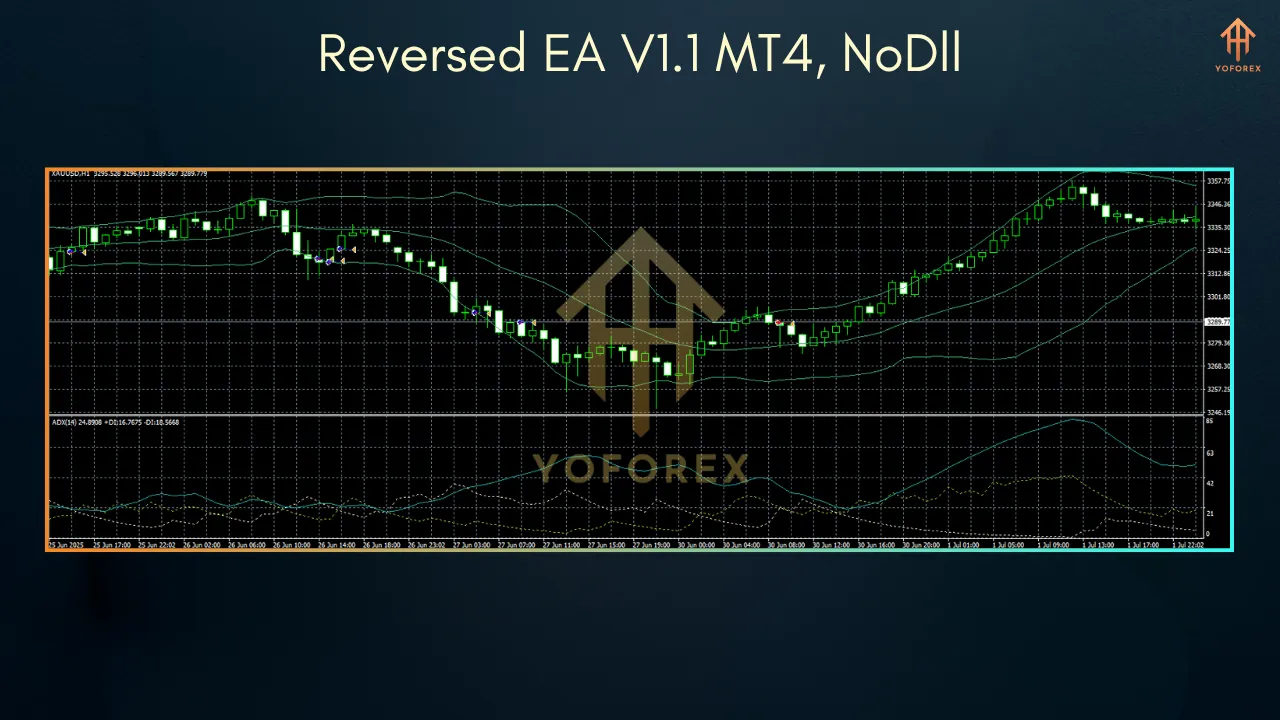
The concept of reversing a losing strategy stems from the observation that many EAs produce consistent losses due to flawed logic or market misalignments. By reversing the trade signals, the Reversed EA V1.1 aims to exploit the opposite market movements, potentially turning losses into gains. However, as noted in forex literature, this approach is not foolproof due to factors like broker spreads, which can erode profits. The Reversed EA V1.1 addresses this by allowing traders to use larger stop-loss and take-profit values to minimize the impact of spreads, making it a compelling tool for those willing to experiment with unconventional strategies.
The EA is particularly appealing for traders who have identified a consistently losing strategy or EA and want to test the reversal hypothesis. It’s also suitable for those who prefer automated trading, as it eliminates emotional decision-making and operates 24/7, provided it’s hosted on a Virtual Private Server (VPS) for uninterrupted performance.
How to Install the Reversed EA V1.1 on MT4
Installing the Reversed EA V1.1 on MT4 is a straightforward process:
- Download the EA File: Obtain the Reversed EA V1.1 file (in .mq4 or .ex4 format) from a reputable source, such as the MQL5 Market or a trusted vendor.
- Access MT4 Data Folder: Open MetaTrader 4, go to File > Open Data Folder, then navigate to MQL4 > Experts. Copy the EA file into the Experts folder.
- Refresh Navigator: In MT4, open the Navigator window, right-click on Expert Advisors, and select Refresh. The Reversed EA V1.1 should appear.
- Attach to Chart: Drag the EA onto a chart of your chosen currency pair (e.g., EURUSD on M15). Enable Allow Algo Trading in the setup window and configure parameters like lot size, stop-loss, and take-profit.
- Enable Auto-Trading: Click the Auto-Trading button in MT4 to activate the EA.
- Test on Demo Account: Run the EA on a demo account for at least two weeks to assess its performance and fine-tune settings before deploying it on a live account.
Recommended Settings and Best Practices
To optimize the Reversed EA V1.1, consider the following settings and tips:
- Timeframe: Use M15 or M30 for balanced trade frequency and signal accuracy. The M1 timeframe may be too noisy for reliable reversals.
- Currency Pairs: Focus on liquid pairs like EURUSD, GBPUSD, or XAUUSD, which have tighter spreads and higher volatility, ideal for reversal strategies.
- Stop-Loss and Take-Profit: Set larger stop-loss (e.g., 200 points) and take-profit (e.g., 100 points) to account for spreads, as smaller values may lead to losses due to transaction costs.
- Lot Size: Start with a fixed lot size (e.g., 0.01) or use risk-based sizing (e.g., 1% of equity) to manage risk effectively.
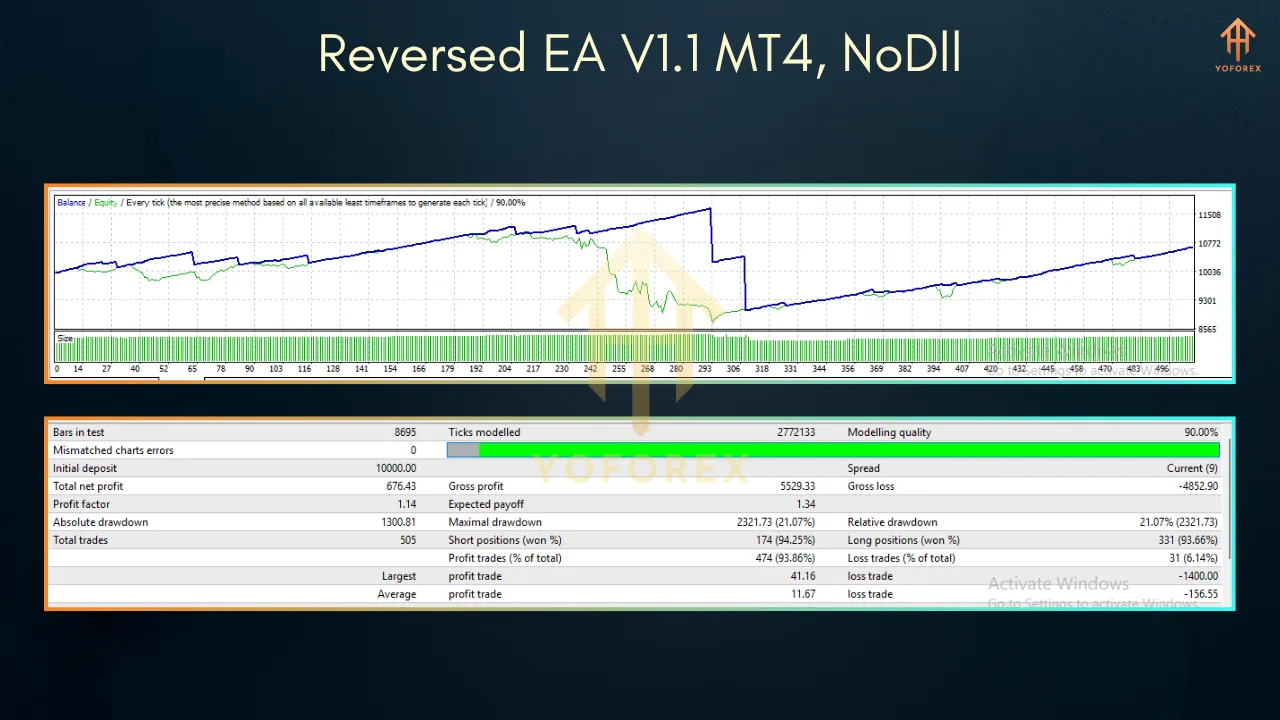
- Backtesting: Use MT4’s Strategy Tester with high-quality tick data to evaluate the reversed strategy’s performance. Ensure the base strategy is consistently unprofitable for the reversal to have potential.
- VPS Usage: Run the EA on a reliable VPS to ensure 24/7 operation, especially for high-frequency trading scenarios.
Benefits and Risks
- Innovative Approach: Reversing a losing strategy offers a creative way to potentially achieve profitability.
- Automation: Eliminates manual trading, saving time and reducing emotional bias.
- Customizability: Adjustable settings allow tailoring to specific market conditions and trader preferences.
- Spread Impact: Broker spreads can significantly reduce profits in a reversed strategy, especially with high trade frequency.
- No Guaranteed Success: Reversing an EA doesn’t always yield profits, as market dynamics and slippage can affect outcomes.
- Backtesting Limitations: Historical performance may not predict future results due to factors like slippage and changing market conditions.
Community Insights and Performance
The forex trading community has mixed views on reversal strategies. Some traders on platforms like Forex Factory have reported success with reversing poorly performing EAs, particularly when losses are consistent and significant. However, others caution that spreads and execution issues can negate potential gains, emphasizing the need for thorough backtesting. The Reversed EA V1.1 incorporates lessons from these discussions by offering adjustable stop-loss and take-profit settings to mitigate spread-related losses.
Conclusion
The Reversed EA V1.1 for MT4 is a bold and innovative tool for traders willing to explore unconventional strategies. By reversing the signals of a losing EA, it offers the potential to turn losses into profits, provided the base strategy is consistently unprofitable and settings are optimized to handle spreads. With its user-friendly setup, robust risk management, and MT4 compatibility, the Reversed EA V1.1 is a valuable addition to any trader’s toolkit. However, thorough backtesting and demo trading are essential to validate its performance.
To get started, download the Reversed EA V1.1 from a trusted source, configure it for your preferred currency pair, and test it on a demo account. With careful optimization and a reliable VPS, this EA could unlock new opportunities in the forex market. Trade wisely, and let the Reversed EA V1.1 help you explore the potential of flipping losses into gains.