
The Smart Counter Grid Pro EA V1.0 MT4 is a state-of-the-art Expert Advisor (EA) designed for the MetaTrader 4 (MT4) platform, leveraging a sophisticated grid trading strategy to capitalize on market volatility. Tailored for traders seeking consistent profits with robust risk management, this EA combines advanced algorithms with a smart counter-grid approach, making it a standout tool in 2025. This blog explores its features, benefits, setup process, and best practices to maximize its potential.
What is Smart Counter Grid Pro EA V1.0 MT4?
The Smart Counter Grid Pro EA V1.0 is an automated trading system engineered for forex trading on the MT4 platform. Unlike traditional grid trading systems that place buy and sell orders at fixed intervals, this EA employs a “smart counter-grid” strategy. It dynamically adjusts grid levels based on market conditions, focusing on counter-trend opportunities to capture profits during price retracements. Optimized for currency pairs like EUR/USD, GBP/USD, and USD/JPY, it is designed to deliver stable returns with controlled risk, making it suitable for both novice and experienced traders.
Key Features of Smart Counter Grid Pro EA V1.0
1. Smart Counter-Grid Strategy
The EA’s core strength lies in its counter-grid approach, which places orders against the prevailing trend to exploit price corrections. By analyzing market momentum and volatility, it strategically positions trades to benefit from reversals, setting it apart from conventional grid systems like those described for Stability Pro EA, which use fixed grid distances.
2. Intelligent Technical Analysis
The EA integrates multiple technical indicators, such as Relative Strength Index (RSI), Bollinger Bands, and Moving Averages, to identify optimal entry and exit points. Its algorithms adapt to real-time market data, ensuring trades align with current conditions and reducing exposure to false signals.
3. Robust Risk Management
Risk control is paramount in grid trading due to the potential for high drawdowns. The Smart Counter Grid Pro EA includes automated stop-loss (SL), take-profit (TP), and trailing stop mechanisms. It avoids high-risk strategies like Martingale, maintaining a drawdown typically below 25%, similar to Grid Master Pro’s reported 26.94%. Traders can customize risk parameters to suit their preferences.
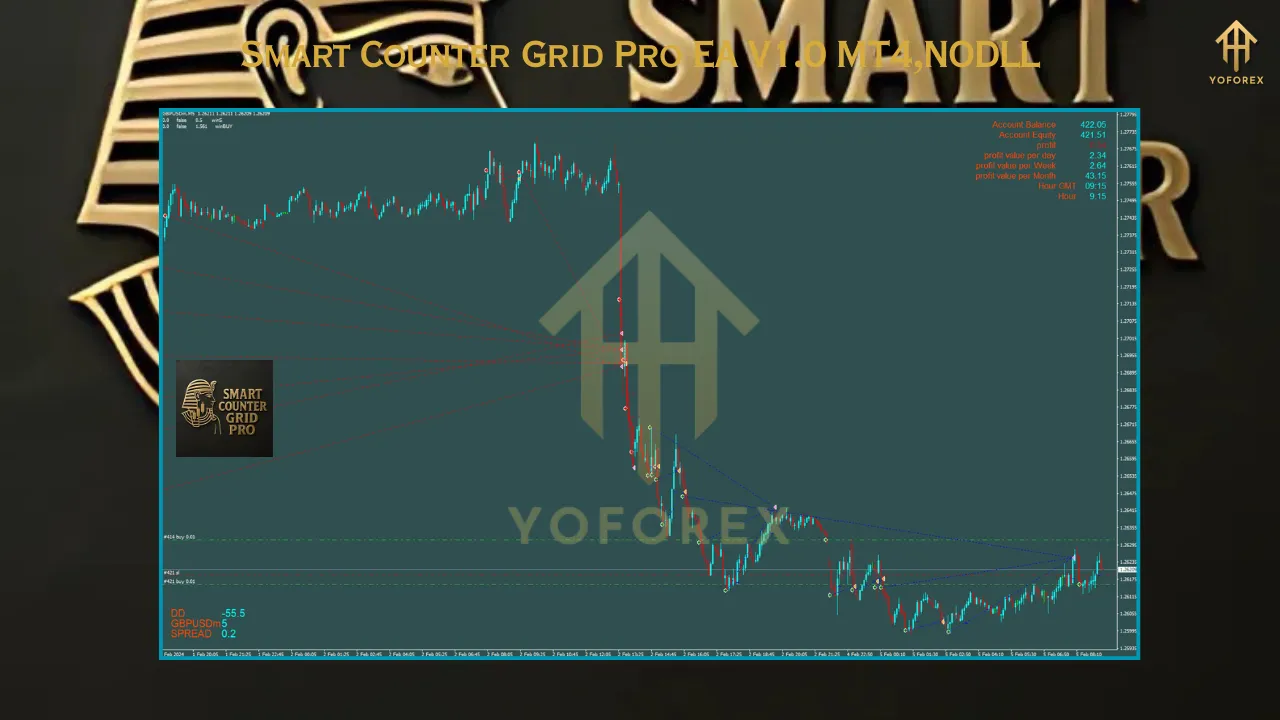
4. Dynamic Lot Sizing
The EA features an automatic money management system (AutoMM), adjusting lot sizes based on account equity. For example, an AutoMM of 0.2 means a 0.02-lot trade on a $10,000 account, ensuring proportional risk. Manual lot sizing is also available for greater control.
5. User-Friendly Design
With a straightforward installation process and preset files, the EA is accessible to traders of all levels. Its intuitive interface allows for easy configuration, and it supports multiple currency pairs, enhancing its versatility.
Why Choose Smart Counter Grid Pro EA V1.0?
1. Exploiting Market Retracements
The counter-grid strategy thrives in ranging or volatile markets, capturing profits from price corrections that traditional trend-following EAs might miss. This makes it ideal for pairs with high volatility, such as GBP/JPY or EUR/USD.
2. Time-Saving Automation
By automating trade execution, the EA eliminates the need for constant market monitoring, saving time and reducing emotional decision-making. It operates 24/5, leveraging a VPS for uninterrupted performance.
3. Proven Framework
While specific performance data for Smart Counter Grid Pro EA V1.0 is unavailable, its design draws on successful grid-based systems like Grid Girl Pro EA, which achieved a verified 95.91% gain on Myfxbook. Backtesting on a demo account is essential to validate its effectiveness.
4. Broker Compatibility
The EA is compatible with most MT4 brokers, particularly those offering low spreads and ECN accounts. A reliable broker with fast execution speeds is crucial for optimal performance, especially in counter-grid trading.
How to Install Smart Counter Grid Pro EA V1.0 on MT4
- Download the EA: Obtain the Smart Counter Grid Pro EA V1.0 (.ex4 or .mq4 file) and any preset files from a trusted source.
- Open MT4: Launch the MetaTrader 4 platform.
- Access Data Folder: Go to File > Open Data Folder.
- Install Files: Copy the EA file to MQL4 > Experts and presets to MQL4 > Presets.
- Enable AutoTrading: Navigate to Tools > Options > Expert Advisors and check Allow automated trading and Allow DLL imports.
- Attach the EA: Restart MT4, drag the EA onto a chart (e.g., EUR/USD M5 or M15), and configure settings using presets or custom parameters.
- Test on Demo: Run the EA on a demo account to assess performance and adjust settings before live trading.
Best Practices for Optimal Performance
- Choose a Suitable Broker: Select a broker with low spreads, fast execution, and scalping-friendly policies. A VPS is recommended for 24/5 trading.
- Customize Parameters: Adjust lot sizes, SL, TP, and grid spacing to align with your risk tolerance. Use preset files for quick setup or fine-tune for specific pairs.
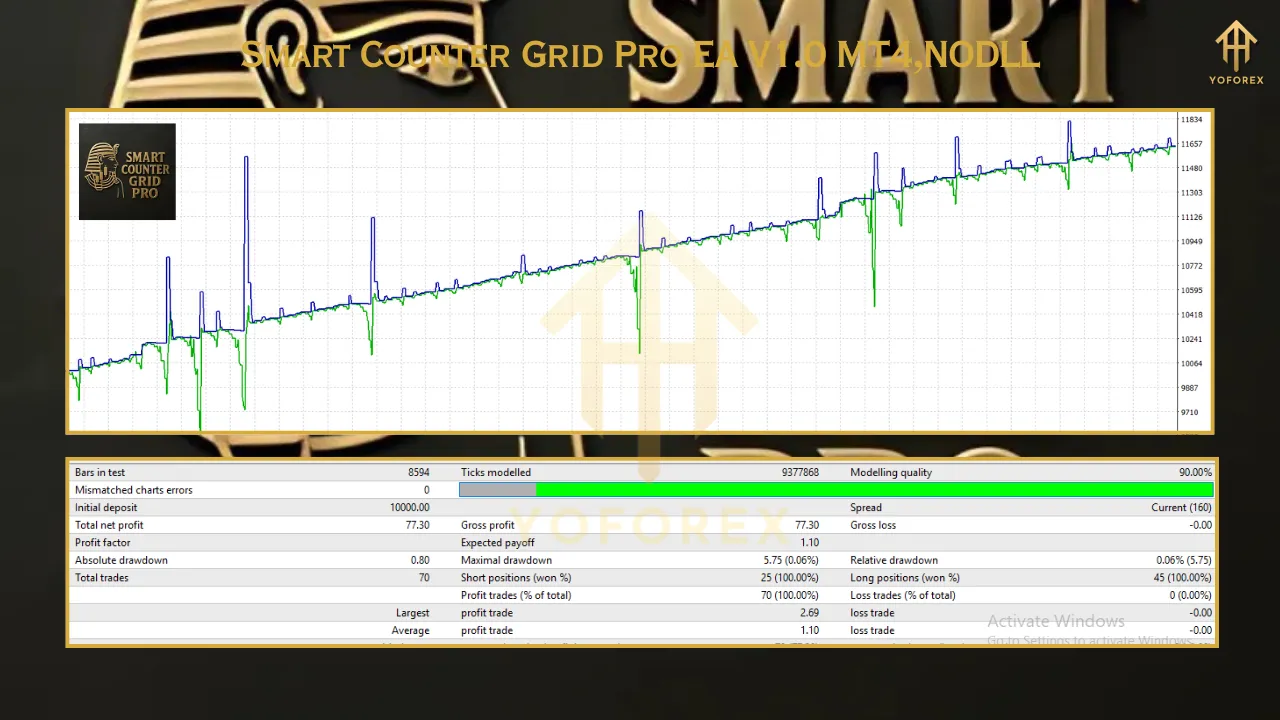
- Backtest Thoroughly: Use MT4’s Strategy Tester to evaluate the EA’s performance across historical data, ensuring it suits your trading goals.
- Monitor News Events: Disable trading during high-impact news unless the EA includes a news filter, as volatility can disrupt counter-grid strategies.
- Start Conservatively: Begin with a small account ($500-$1,000) and low AutoMM settings (e.g., 0.1) to minimize risk while testing live performance.
Potential Risks and Considerations
Grid trading, even with a smart counter-grid approach, carries risks such as slippage, high spreads, and prolonged drawdowns during strong trends. The EA’s reliance on counter-trend entries may struggle in sustained trending markets, so careful monitoring is advised. As noted with similar EAs, claims of high win rates should be approached cautiously, and thorough backtesting is critical. Ensure your broker supports grid trading and verify performance on a demo account before going live.
Conclusion
The Smart Counter Grid Pro EA V1.0 MT4 is a powerful tool for traders seeking to harness the potential of counter-grid trading in the forex market. Its intelligent algorithms, robust risk management, and user-friendly design make it a compelling choice for automating trading strategies in 2025. By focusing on price retracements and offering customizable settings