Introduction
In the fast-paced world of forex trading, automation has become the cornerstone of success for retail and institutional traders alike. Among the various Expert Advisors (EAs) designed for MetaTrader 4, Red Shark EA MT4 has carved a niche for itself with its razor-sharp trading logic, dynamic adaptability, and superior risk control. Whether you are a seasoned forex trader or a newcomer looking to boost your results with automation, Red Shark EA offers an edge worth considering.
This blog will explore the core features, strategy logic, compatibility, performance, and setup instructions for Red Shark EA. We’ll also discuss why this EA stands out in today’s competitive forex bot marketplace.
Overview of Red Shark EA MT4
Red Shark EA is a fully automated trading robot built for the MetaTrader 4 platform. It is designed to trade major currency pairs and commodities with precision and consistency. What sets it apart is its AI-enhanced signal detection engine, robust risk management, and ability to adapt in trending as well as ranging markets.
- Platform: MetaTrader 4 (MT4)
- Timeframes: M5, M15, H1
- Pairs: EURUSD, GBPUSD, USDJPY, GOLD (XAUUSD), and more
- Minimum Deposit: $100
- Strategy: Trend-following + Dynamic Recovery
- Risk Level: Adjustable (Low to Medium)
Key Features of Red Shark EA
- 1. AI-Based Trade Identification
- Red Shark EA uses advanced pattern recognition and moving average convergence strategies to detect high-probability trade setups. It combines historical data and real-time volatility metrics to find low-risk entries.
- 2. Smart Recovery Mode
- During drawdown periods, Red Shark EA activates a built-in recovery mode that uses calculated lot increases and spaced-out grid entries to recover losses without blowing the account.
- 3. News Filter Integration
- To avoid market noise and unexpected volatility during news releases, Red Shark EA integrates a real-time news filter, helping it pause trading during high-impact economic events.
- 4. Low Drawdown, High Reward
- The EA is fine-tuned to minimize drawdowns by exiting trades smartly at key support and resistance levels. It avoids overexposure, making it ideal for traders who prioritize capital preservation.
- 5. Multiple Pair Compatibility
- Red Shark EA is optimized to work not just with EURUSD but also performs well on GBPUSD, USDJPY, GOLD (XAUUSD), and even some exotic pairs, depending on broker conditions.
Trading Logic Explained
Red Shark EA is built around a hybrid trend-following and breakout strategy. It uses indicators such as:
- RSI divergence
- MACD slope
- Bollinger Band expansion
- Custom moving averages
- Price action momentum filters
When the conditions align, the EA enters a position and dynamically manages the trade using a trailing stop and partial close logic to maximize profit. If the market moves against the position, Red Shark EA may initiate additional trades based on calculated lot progression, but never over-leverages the account.
Performance Metrics
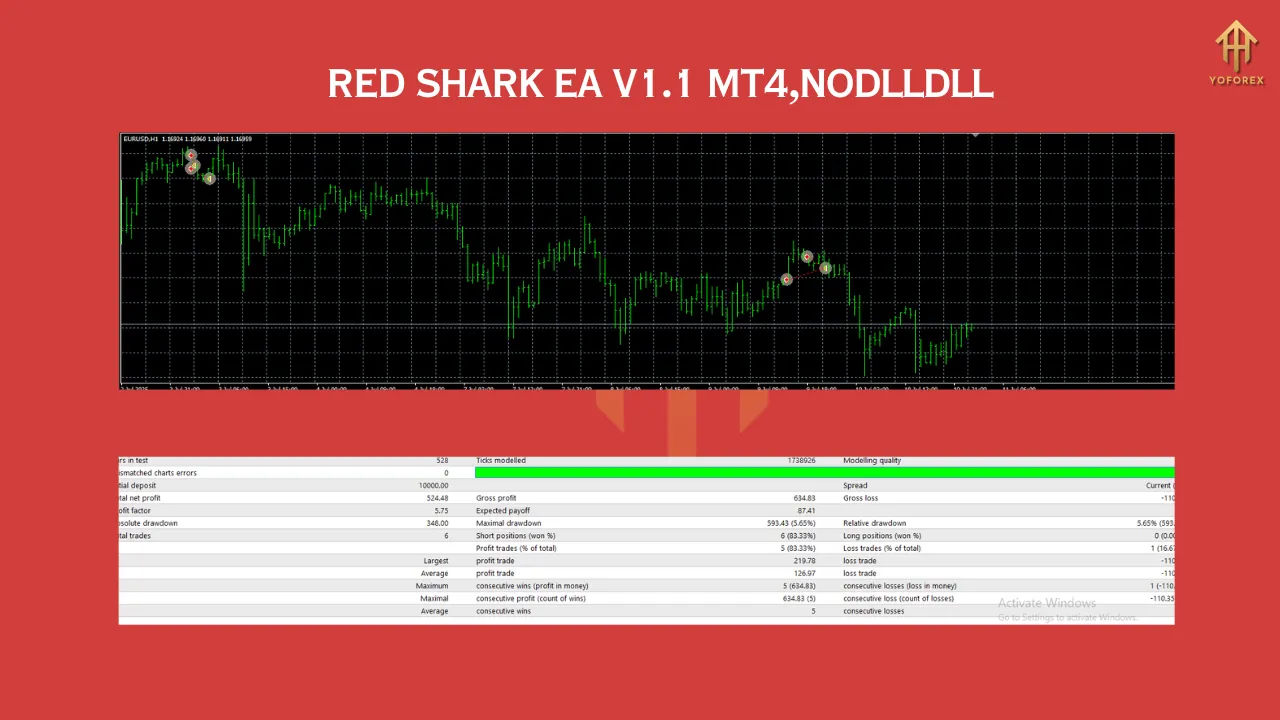
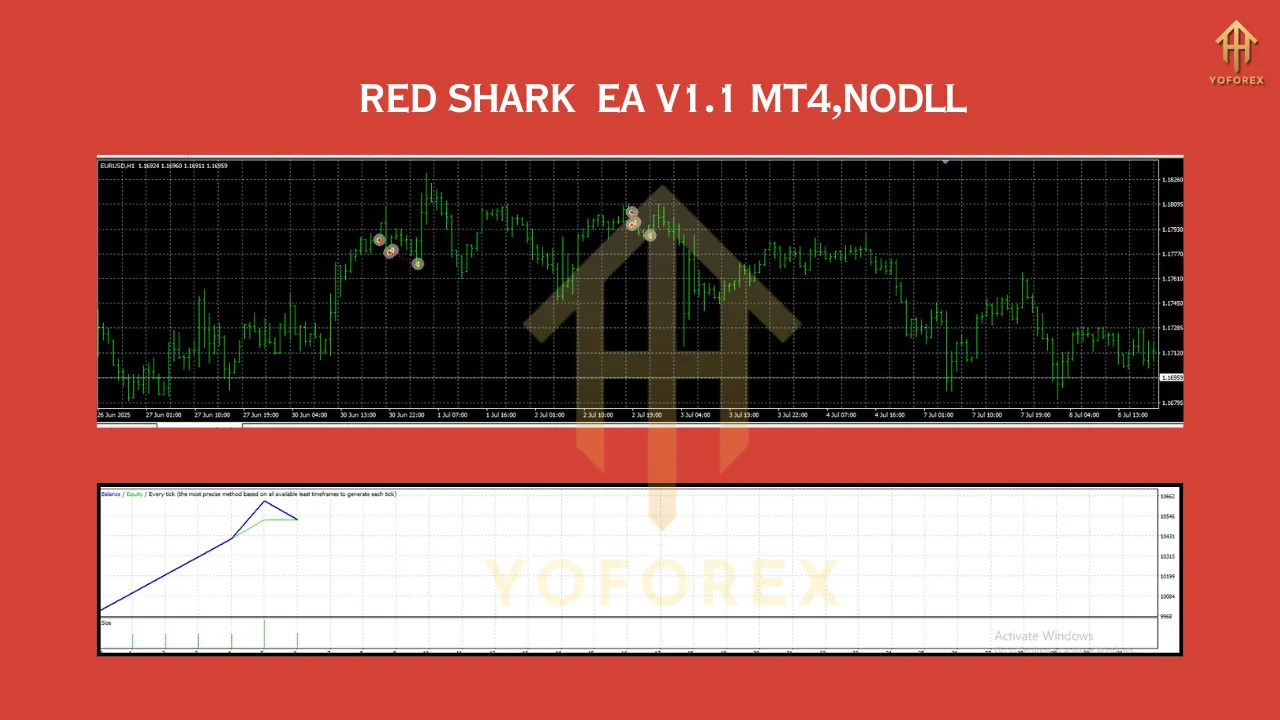
While individual results can vary depending on broker conditions and VPS latency, backtests and forward tests of Red Shark EA show:
- Win Rate: 75% – 85% on major pairs
- Monthly ROI: 10% – 25% on average
- Max Drawdown: 12% – 18% (adjustable via settings)
- Risk-to-Reward: 1:1.5 to 1:3
- Latency Sensitivity: Medium (VPS recommended)
Who Should Use Red Shark EA?
Red Shark EA is suitable for:
- Beginner traders looking for automated solutions
- Intermediate traders wanting to diversify their strategy
- Investors seeking passive income through MT4
- Signal providers who want consistent results for clients
Installation and Setup Guide
- Purchase or Download Red Shark EA from a verified source (such as MQL5 or your licensed provider).
- Place the .ex4 or .mq4 file in the Experts folder inside the MT4 directory.
- Open MT4 and enable AutoTrading.
- Attach the EA to a chart (recommended: EURUSD M15).
- Adjust input settings:
- Risk Level: Low, Medium, or High
- Lot Size: Manual or Auto
- Max Orders: Default = 5
- News Filter: On
- Start trading on a demo account first to test performance.
Best Broker Conditions
To ensure optimal results, use Red Shark EA with:
- Raw/ECN Spread Broker
- Low Commission per Lot
- Fast Execution (low slippage)
- Leverage of at least 1:100
Recommended brokers include IC Markets, Pepperstone, or Exness.
Pros and Cons
Pros:
- Fully automated and user-friendly
- Built-in risk management
- Works on multiple pairs
- Can handle volatile news markets
Cons:
- Requires a stable VPS for 24/5 trading
- Works best with moderate leverage and raw spreads
- May underperform in ultra-flat (low volatility) markets
User Reviews and Community Feedback
Red Shark EA has been gaining positive attention from the trading community:
“I’ve used over 20 different EAs, but Red Shark has been the most stable over the last 3 months. Great profit-to-drawdown ratio!” – ForexCracked.org User
“Love how it manages losses without margin calling my account. Highly recommended for anyone tired of martingale bots.” – MQL5 user
Conclusion
Red Shark EA MT4 is a powerful, intelligent, and versatile expert advisor for serious forex traders. With AI-driven logic, built-in safety mechanisms, and compatibility across multiple pairs, it offers a professional-grade tool for traders who want both performance and protection.
Whether you’re looking to trade part-time or build a passive income stream, Red Shark EA could be the smart solution you’ve been searching for. As always, test any EA on demo before going live, and never risk more than you can afford to lose.
Join our Telegram for the latest updates and support
Happy Trading