In the rapidly changing world of forex trading, having the correct tools can make a big difference. The Bands Sniper Indicator V1.0 for MetaTrader 4 (MT4) is one such tool, created to provide traders with accurate, fixed signals for scalping, swing trading, and more. This blog discusses the features, advantages, and practical uses of the Bands Sniper Indicator, offering insights into how it can improve your trading strategy.
What is the Bands Sniper Indicator V1.0?
The Bands Sniper Indicator V1.0 is a customized technical analysis tool for the MT4 platform, integrating adaptive price channels with momentum filters to create dependable buy and sell signals. Built on the concept of Bollinger Bands, it uses dynamic upper and lower bands that adjust to market volatility, combined with internal checks like RSI and volatility filters to reduce noise. The result? Clear, unchanging signals in the form of colored arrows or dots, making it simpler for traders to identify entry and exit points.
This indicator is versatile, working across various timeframes (from M1 for scalping to D1 for swing trading) and currency pairs, including majors like EUR/USD and GBP/USD. Its non-repainting nature ensures that signals stay consistent, giving traders confidence in their decision-making.
Key Features of the Bands Sniper Indicator
1. Non-Repainting Signals
Unlike many indicators that change past signals as new data arrives, the Bands Sniper Indicator ensures that once a signal appears, it remains in place. This reliability is crucial for backtesting and live trading, as it allows traders to rely on the signals without worrying about retroactive alterations.
2. Adaptive Price Channels
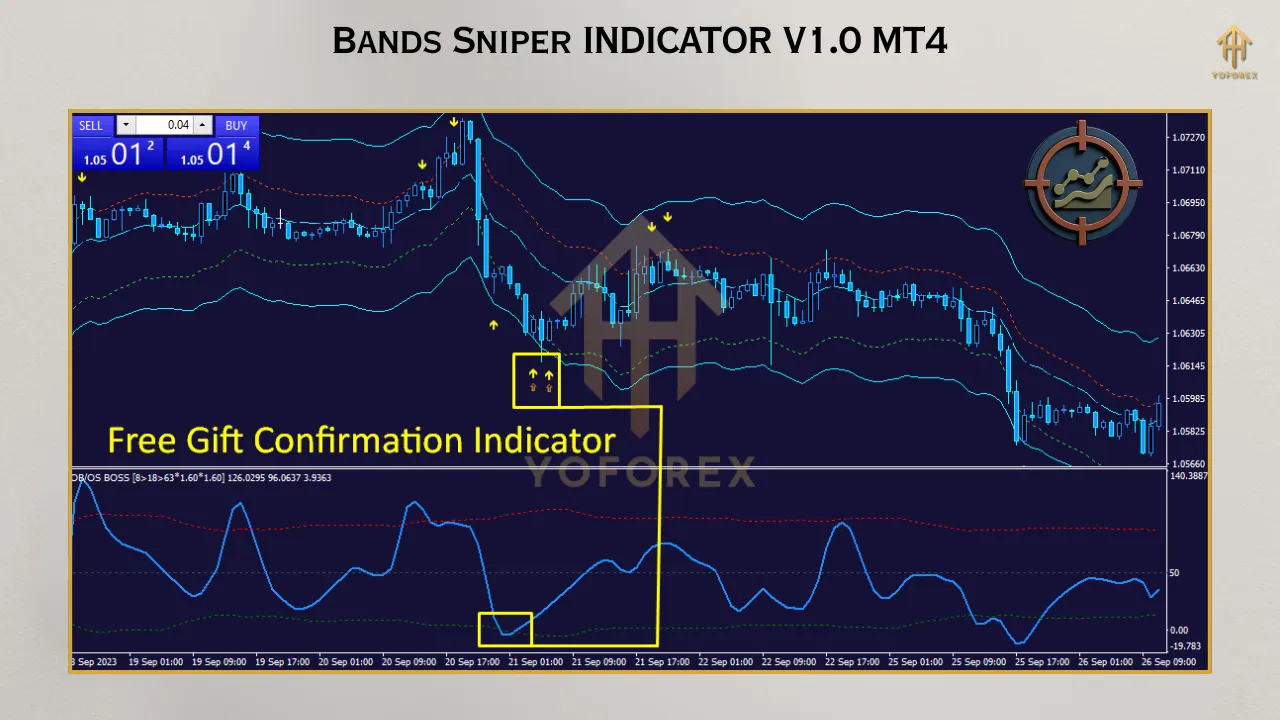
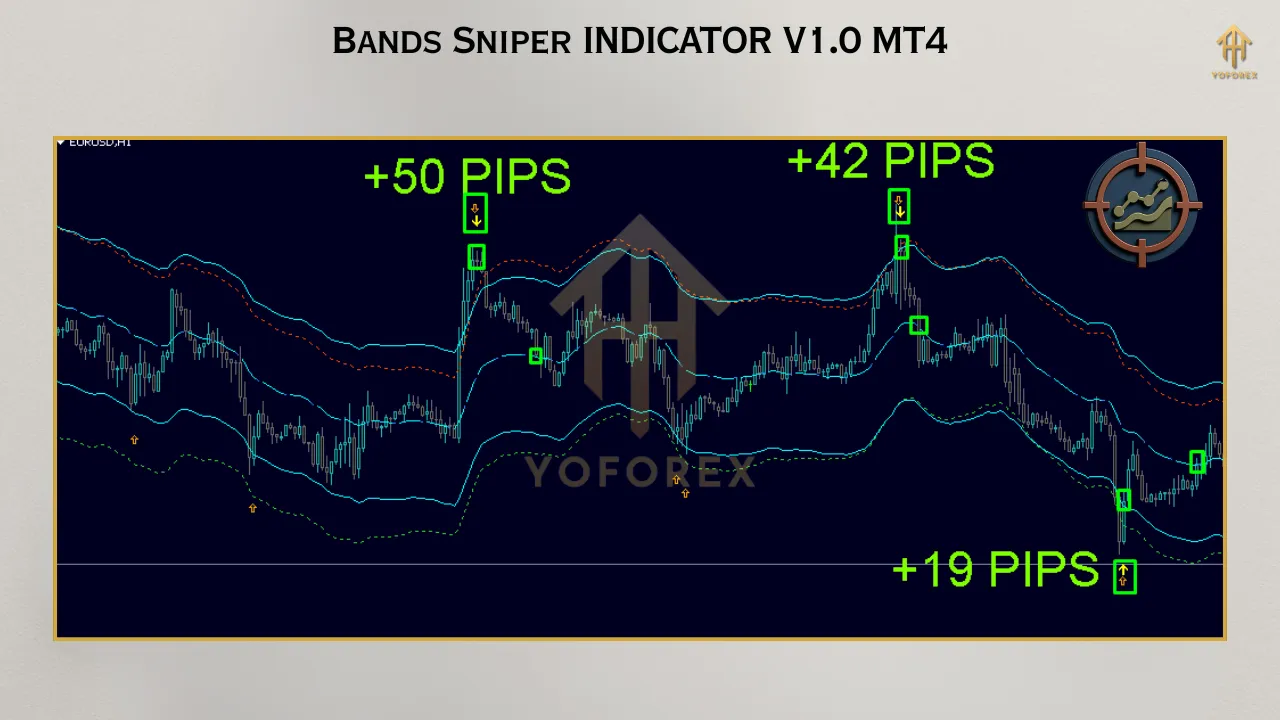
The indicator plots dynamic bands around the price, similar to Bollinger Bands but improved with adaptive algorithms. These bands adjust to recent market volatility, helping traders identify overbought or oversold situations. When the price interacts with these bands, combined with momentum checks, the indicator generates signals such as magenta dots for possible reversals or arrows for trend continuations.
3. Versatility Across Timeframes
Whether you’re a scalper aiming for quick 3–5 pip movements on the M1 chart or a swing trader analyzing daily trends on D1, the Bands Sniper adapts easily. This flexibility makes it suitable for traders of all styles and levels of experience.
4. Built-In Filters
The indicator incorporates RSI and volatility filters to lessen false signals, especially in choppy markets. Traders are advised to disable signals during high-impact news events to avoid volatility spikes, ensuring cleaner trades.
5. User-Friendly Setup
Installing the Bands Sniper is straightforward. Download the Bands_Sniper_v1.ex4 file, put it in the MT4 Experts folder, and apply it to your chart via the Navigator panel. Traders can save customized templates with preferred color schemes for quick application across multiple charts.
How to Use the Bands Sniper Indicator
Installation
Download the Indicator: Get the Bands_Sniper_v1.ex4 file from a trusted source.
Install in MT4: Copy the file to the MT4 Experts folder (File > Open Data Folder > MQL4 > Indicators).
Apply to Chart: Open MT4, go to the Indicators section in the Navigator panel, and drag the Bands Sniper onto your desired chart.
Customize Settings: Adjust the color scheme or other parameters and save as a template for future use.
Trading Strategy
The Bands Sniper Indicator excels at finding entry and exit points for both mean-reversion and breakout strategies. Here’s a basic method:
Buy Signal: A magenta dot or green arrow appears close to the lower band, indicating a possible reversal or bullish momentum. Confirm with a trend filter like a 200-period Simple Moving Average (SMA) to ensure alignment with the broader trend.
Sell Signal: A magenta dot or red arrow appears near the upper band, signaling a possible reversal or bearish momentum. Use the opposite band as a stop-loss reference.
Exit Strategy: Exit trades when an opposite signal appears or set a fixed take-profit (e.g., 3–5 pips for scalping). Always place a stop-loss 1–2 pips beyond the opposite band to manage risk.
Tips for Success
Avoid News Spikes: Disable the indicator during major economic news releases to avoid false signals caused by volatility.
Backtest Thoroughly: Use at least six months of tick data to evaluate the indicator’s win rate and optimize settings.
Risk Management: Never risk more than 1–2% of your account per trade to protect your capital.
Combine with Other Tools: Pair the Bands Sniper with trend filters like moving averages or oscillators like MACD for higher-probability trades.
Benefits of Using the Bands Sniper Indicator
1. Precision in Volatile Markets
The indicator’s adaptive bands and momentum filters assist traders to navigate volatile forex markets with confidence, decreasing the probability of entering trades during choppy conditions.
2. Suitable for All Traders
From beginners to seasoned professionals, the Bands Sniper’s intuitive design makes it accessible. Beginners benefit from its clear signals, while experienced traders can integrate it into complex strategies.
3. Free and Accessible
The Bands Sniper Indicator is available for free download from different reputable sources, making it a cost-effective addition to your MT4 toolkit.
4. Enhanced Decision-Making
By providing non-repainting signals and visual cues for support and resistance, the indicator empowers traders to make informed decisions without second-guessing.
Limitations to Consider
While the Bands Sniper Indicator is powerful, it’s not a standalone solution. Traders should:
Combine it with other technical or fundamental analysis to confirm signals.
Practice on a demo account to gain confidence before using it in live trading.
Be careful during low-liquidity periods, as the indicator may produce less reliable signals.
Real-World Applications
The Bands Sniper Indicator works well in situations like:
Scalping: Target quick 3–5 pip moves on M1 or M5 charts during high-liquidity sessions (e.g., London or New York).
Swing Trading: Use D1 charts to capture larger trends, with the bands serving as dynamic support and resistance levels.
Mean-Reversion Trades: Enter trades when the price touches the bands, expecting a bounce back to the mean.
Conclusion
The Bands Sniper Indicator V1.0 for MT4 is a robust and adaptable tool that appeals to traders seeking reliable, unchanging signals. Its adaptive bands, momentum filters, and compatibility across timeframes make it a valuable addition to any trader’s toolkit. By integrating the indicator with sound risk management and complementary tools, traders can improve their precision and profitability in the forex market. Whether you’re scalping for quick profits or swing trading for larger moves, the Bands Sniper offers a clear, actionable edge. Download it today, test it on a demo account, and see how it can transform your trading strategy.