Exploring EA Perkasa V1.25 MT4: A Guide to Automated Forex Trading
Introduction
Automated trading has transformed the Forex landscape, and Expert Advisors (EAs) like EA Perkasa V1.25 for MetaTrader 4 (MT4) offer traders a way to streamline decision‑making and execution. Designed for both newcomers and seasoned traders, EA Perkasa promises simplicity, flexibility, and the potential for attractive returns—especially on Gold (XAU/USD) and major currency pairs.
What Is EA Perkasa V1.25?
EA Perkasa V1.25 is a rule‑based trading robot built for the MT4 platform.
-
Supported Instruments:
-
Gold (XAU/USD)
-
EUR/USD, GBP/USD, GBP/JPY
-
-
Optimal Timeframes:
-
M5 (5‑minute) for scalpers
-
H4 (4‑hour) for swing traders
-
-
Core Strategy:
-
Dynamic martingale with automatic lot‑sizing
-
-
User Base:
-
Over 165 live accounts reported
-
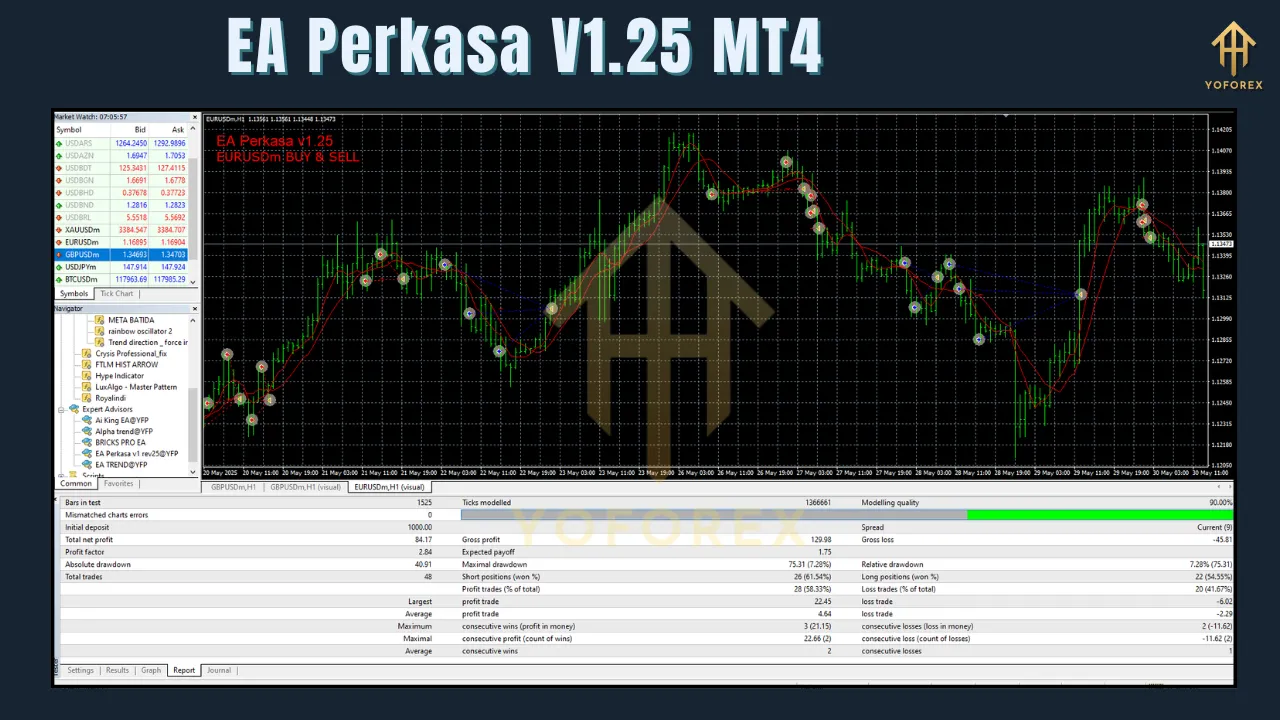
Key Features
-
Ease of Use:
-
Default settings work out of the box, ideal for beginners.
-
-
Versatility:
-
Trades multiple pairs without additional configuration.
-
-
Dynamic Martingale:
-
Smart distance and lot‑size calculations to balance risk and reward.
-
-
Safety Filters:
-
News Filter: Pauses trading around high‑impact events (e.g., NFP, FOMC).
-
Spread Limit: Ensures trades only execute under acceptable market spreads.
-
Daily Profit Target: Stops trading once your daily goal is reached.
-
Built‑in Stop‑Loss & Cut‑Loss: Caps losses on each position.
-
-
Broker Compatibility:
-
Works with any MT4 broker; recommended: OctaFX, Exness.
-
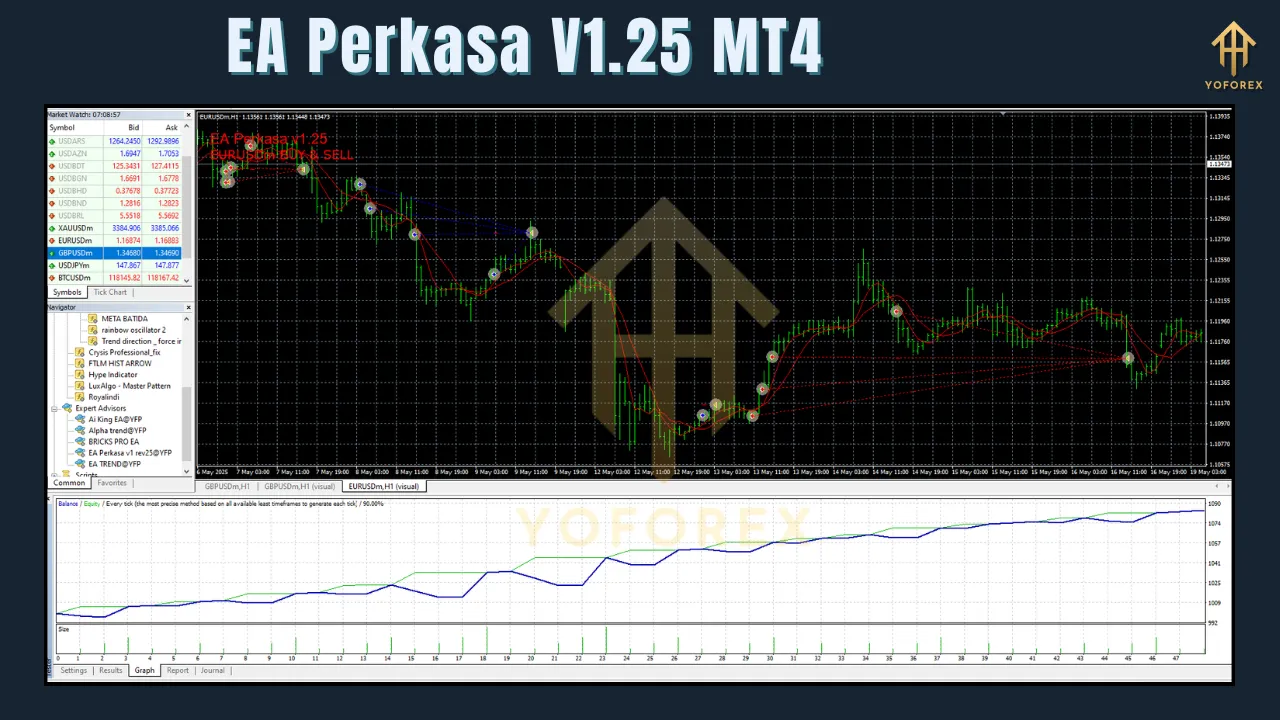
Installing EA Perkasa V1.25 on MT4
-
Download the EA File:
-
Obtain the unlimited
.ex4or.mq4version from a trusted source (e.g., rbtfx.info, ForexCracked).
-
-
Copy to MT4 Folder:
-
In MT4: File > Open Data Folder →
MQL4/Experts→ paste the EA file.
-
-
Configure MT4 Settings:
-
Tools > Options > Expert Advisors:
-
Enable Allow Automated Trading
-
Enable Allow DLL Imports
-
-
Allow Web Requests:
-
Add
http://rbtfx.info/under Allow Web Request for Listed URL.
-
-
-
Attach to Chart:
-
In Navigator > Expert Advisors, drag EA Perkasa onto your chosen chart (e.g., XAU/USD M5).
-
In the pop‑up, verify risk settings and ensure Allow Live Trading is checked.
-
Click OK.
-
-
Enable AutoTrading:
-
Click the AutoTrading button on the MT4 toolbar.
-
-
Run on a VPS (Optional but Recommended):
-
Use a 24/5 VPS (e.g., MyfxVPS, FXVM) for uninterrupted operation.
-
-
Demo Testing:
-
Always test for at least one week on a demo account before going live.
-
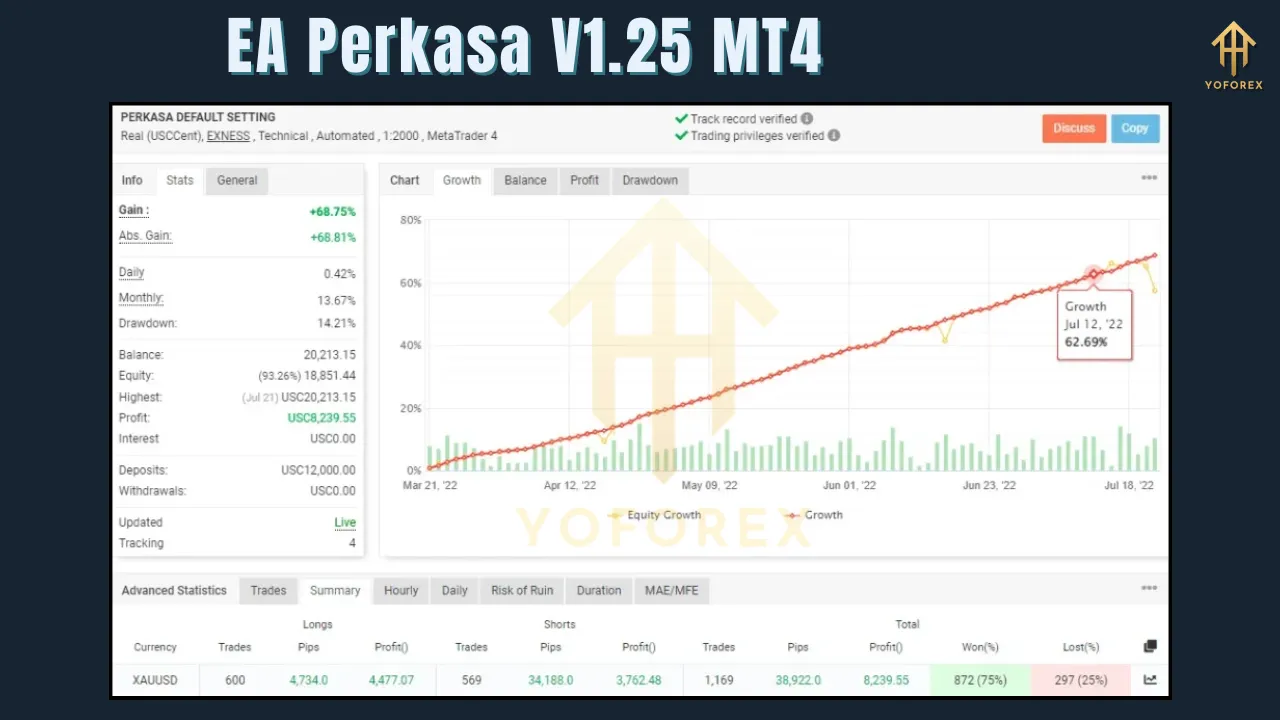
Recommended Settings & Account Requirements
-
Minimum Balance: $3,000 (or 30,000 cents on a cent account) for 0.01 lots.
-
Riskier Option: $100 deposit with immediate withdrawals after doubling (high risk).
-
Broker Type: Low‑spread ECN (OctaFX, Exness).
-
Primary Pairs: XAU/USD, EUR/USD, GBP/USD, GBP/JPY.
-
Timeframes: M5 for scalping, H4 for swing.
-
VPS: Ensures 24/5 uptime.
-
Withdrawal Strategy: Pull profits regularly to mitigate martingale drawdowns.
Benefits of Using EA Perkasa V1.25
-
Hands‑Free Trading: No need to monitor charts constantly.
-
High ROI Potential: Martingale approach can yield significant returns with disciplined withdrawals.
-
Protected by Filters: News, spread, and stop‑loss safeguards.
-
Adaptable: Works across multiple pairs and timeframes.
-
Community Support: Telegram groups and forums provide real‑time insights.
Risks & Considerations
-
Martingale Drawdowns: Successive losses increase lot sizes—risk of large equity drawdown.
-
Unexpected Volatility: Even with news filters, flash events can trigger losses.
-
Broker Variance: Execution speed and spread differences impact performance.
-
Capital Requirements: $3,000 minimum may be prohibitive; $100 method is very risky.
-
Testing Necessity: Demo trials are essential to understand behavior.
Mitigation Tips:
-
Demo‑test thoroughly.
-
Withdraw profits frequently.
-
Use conservative lot sizing.
-
Monitor performance and adjust settings as needed.
Performance & User Feedback
-
User Reports: Up to 165 live users with mixed results—high returns when following guidelines.
-
Feedback Highlights:
-
Praise for ease of use and safety filters.
-
Caution about extended unattended runs without withdrawing profits.
-
-
Community Resources: Active discussions and shared equity curves on rbtfx.info’s Telegram.
Comparison with Other EAs
| Feature | EA Perkasa V1.25 | Gold Rain MT4 EA | XG Gold Robot |
|---|---|---|---|
| Martingale Strategy | Yes (dynamic) | No | Optional |
| Multi‑Pair Support | Yes | Primarily gold only | Gold‑focused |
| Timeframe Flexibility | M5 & H4 | H1 only | Custom |
| Built‑In News Filter | ✓ | ✕ | ✕ |
Practical Tips for Success
-
Start Small: Use a demo or small live account.
-
Stay Informed: Keep an eye on economic calendars even with news filters.
-
Profit Management: “Profit fast, withdraw fast” to protect capital.
-
VPS Usage: Maintain connectivity 24/5.
-
Engage with Community: Share experiences and settings for continual improvement.
Conclusion
EA Perkasa V1.25 for MT4 is a powerful, user‑friendly tool for automating Forex trades—especially on Gold and major pairs. Its dynamic martingale strategy and safety filters make it attractive, but the high‑risk nature of martingale demands careful management, regular withdrawals, and robust testing. By following best practices and staying engaged with the trading community, you can harness EA Perkasa’s potential to enhance your trading performance.
Disclaimer: Forex trading involves substantial risk. EA Perkasa V1.25 does not guarantee profits. Trade only with capital you can afford to lose and perform thorough due diligence before deploying any automated system.