Understanding the Sonic_6 PVA Volumes (Black) Indicator for MT4: A Comprehensive Guide
Introduction
The Sonic_6 PVA Volumes (Black) Indicator is a powerful tool for MetaTrader 4 (MT4) users who want to combine price and volume analysis. As part of the Sonic R. System’s PVSRA (Price, Volume, Support & Resistance Analysis) framework, it highlights key price–volume relationships with color‑coded histograms and optional alerts. Whether you’re new to volume analysis or an experienced trader, this indicator can help you spot high‑probability setups and avoid false moves.
What Is the Sonic_6 PVA Volumes (Black) Indicator?
-
Custom MT4 indicator that displays volume in a sub‑window beneath the main chart
-
PVA stands for Price, Volume, Analysis, emphasizing the link between price action and volume
-
Black design optimizes visibility on dark‑themed MT4 charts
-
Seamlessly integrates with other Sonic R. System tools (e.g., Sonic_1 Solid Dragon, Sonic_2 PVA Candles)
Key Features
-
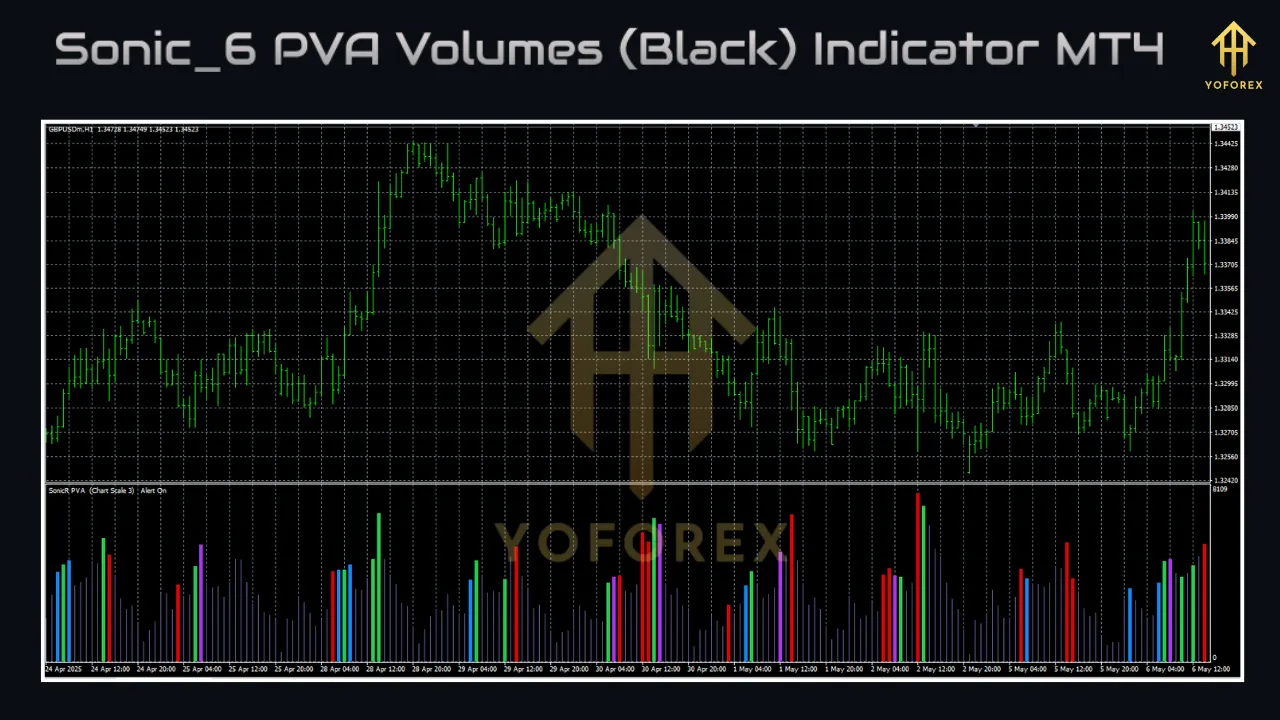
Color‑Coded Volume Bars
-
Green: Rising volume—often bullish, signaling trend strength (e.g., Leg #2 or #3)
-
Red: Heavy selling or climactic “stopping” volume—possible reversal
-
Neutral (Uncolored): Average or low activity—“dead market”
-
-
Customizable Parameters
-
Moving average filters to smooth noise
-
Volume thresholds for above‑average and climactic alerts
-
Audio and/or email alerts for selected volume events
-
-
User‑Friendly Display
-
Histogram in its own sub‑window
-
Contrasting colors for easy, at‑a‑glance decisions
-
-
Sonic R. System Compatibility
-
Works alongside Sonic_1 Solid Dragon and Sonic_2 PVA Candles
-
Enhances Classic and Scout entry methods
-
Installation & Setup
1. Downloading the Indicator
-
Visit reputable sources (e.g., mtdownloads.com, forex‑station.com).
-
Download the Sonic_6 PVA Volumes (Black).mq4 file.
2. Installing on MT4
-
Open MT4 and select File > Open Data Folder.
-
Navigate to MQL4 > Indicators.
-
Copy the downloaded
.mq4file into this folder. -
Restart MT4.
-
In the Navigator (Ctrl + N), drag Sonic_6 PVA Volumes (Black) onto your chart.
3. Configuring Settings
-
MA Filter: Enable to ignore minor volume spikes
-
Volume Threshold: Adjust sensitivity for climactic and above‑average bars
-
Alert Settings: Choose audio and/or email notifications for key events
Tip: Apply to a dark chart background for optimal contrast.
How It Works
-
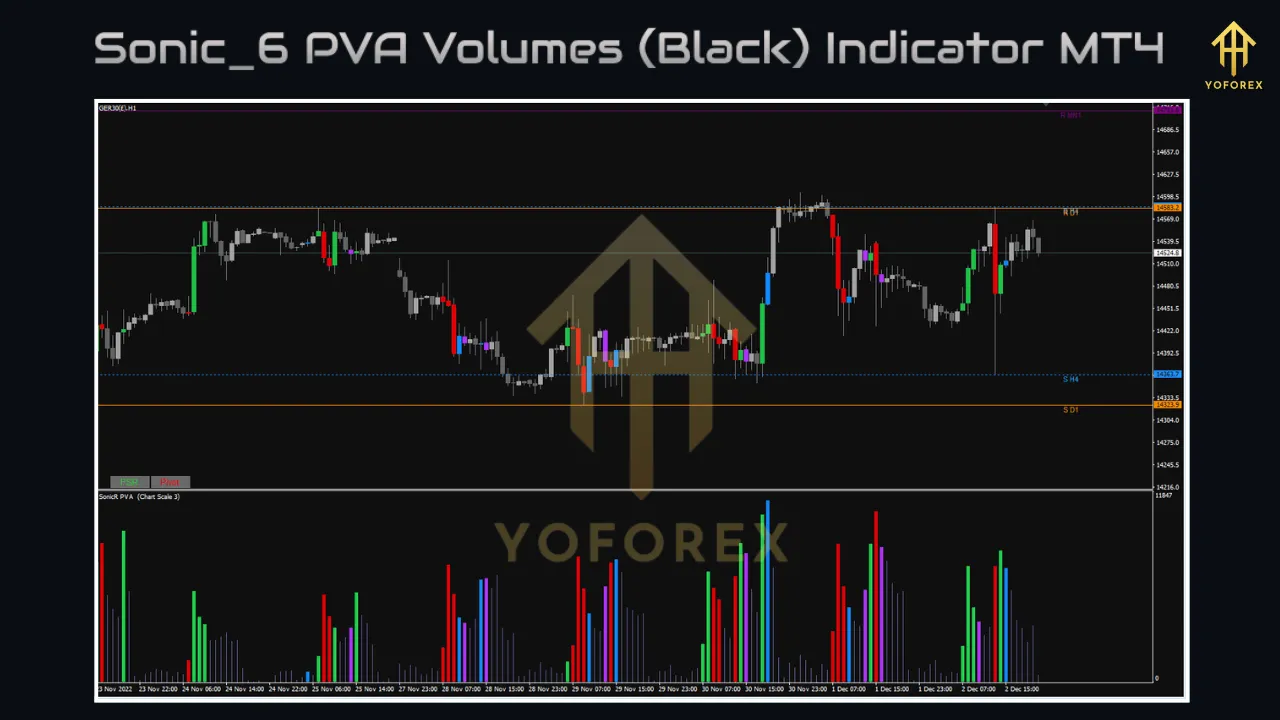
Volume Histogram: Each bar corresponds to the tick volume of its price candle.
-
Color Logic:
-
Green: Volume rising vs. previous bar
-
Red: Sudden spike in selling volume
-
Neutral: No significant change
-
By matching volume color to price action, you can confirm breakouts or anticipate reversals:
-
High‑volume green breakout → Strong trend continuation
-
Low‑volume breakout → Possible false move
-
Red spike at highs/lows → Potential exhaustion or reversal
Integration with PVSRA
Within the Sonic R. System, the indicator helps you:
-
Gauge Market‑Maker Intent: Volume spikes at support/resistance reveal institutional activity
-
Differentiate Phases:
-
Run for Profits: High volume in trending moves
-
Position Building: Heavy volume during consolidation
-
-
Confirm Patterns: Combine with candlestick formations (hammer, engulfing) and wave counts
Trading Strategies
Classic Entry
-
Price closes above/below the 50 SMA (Solid Dragon line).
-
Look for a green bar confirming strong volume.
-
Place order 5–7 pips beyond the candle’s high/low.
-
Use the 50 SMA as a stop‑loss reference.
Scout Entry
-
Seek early breakouts or pullbacks before a Classic setup.
-
High‑volume pullback (green/red bar) signals a potential re‑entry.
Practical Example
-
On EUR/USD M5, price breaks above the 50 SMA and Solid Dragon.
-
Sonic_6 shows a green bar—buyers are in control.
-
Enter long 5 pips above the candle’s high; stop below the 50 SMA.
-
Monitor subsequent green bars for trend strength; watch for red to exit.
Combining with Other Tools
-
Sonic_2 PVA Candles: Aligns volume bars with colored candlesticks.
-
Sonic_1 Solid Dragon: Defines trend direction and dynamic support/resistance.
-
Momentum Indicators (e.g., CCI): Validates overbought/oversold conditions.
Benefits
-
Deeper Market Insight: Distinguish genuine moves from low‑volume fakes.
-
Broad Applicability: Works on M1–H1 timeframes and major FX pairs (EUR/USD, GBP/USD, USD/JPY).
-
Free & Accessible: No cost, easy to source and install.
Limitations
-
MT4 Tick Volume Only: Not true traded volume—varies by broker.
-
Alert Quirks: Some versions fire alerts once and require reloads.
-
Learning Curve: Best used in conjunction with the full Sonic R. System.
-
Dependency: Needs complementary indicators for highest accuracy.
Tips for Effective Use
-
Study PVSRA Documentation: Review notes in MetaEditor (yellow “i” icon).
-
Demo Testing: Refine settings and strategies risk‑free.
-
Use M1 Charts: Spot micro‑volume spikes at swing points.
-
Blend with Price Action: Confirm volume signals with candlestick patterns.
-
Avoid Overtrading: Focus on setups backed by strong volume.
Community Feedback & Updates
-
Active threads on Forex Factory and MQL5 praise its clarity and free availability.
-
Contributors like “pips4life” and “qFish” have released fixes for bar‑width and MT4 build 600+ compatibility.
-
Adaptations for TradingView exist, but MT4 remains the execution standard.
Conclusion
The Sonic_6 PVA Volumes (Black) Indicator brings volume‑based clarity to MT4 charts, helping traders confirm trends, avoid traps, and align with market‑maker activity. By mastering its settings and integrating it within the Sonic R. System, you can elevate your PVSRA approach and trade with greater confidence.
Support & Disclaimer
If you encounter any issues—or simply want to share feedback—join our Telegram community at https://t.me/yoforexrobot or ping us on WhatsApp: https://wa.me/+443300272265.
Disclaimer: Past performance does not guarantee future results. All trading involves risk, and you should demo-test any new indicator before applying it in live markets. Use proper position sizing and never risk more than you can afford to lose.