The EURO Scalper V1.0 EA for MetaTrader 4 (MT4) is a sophisticated automated trading tool designed to capitalize on short-term price movements in the forex market, with a primary focus on the EUR/USD currency pair. This Expert Advisor (EA) is particularly appealing to traders who favor scalping strategies, aiming to secure small but frequent profits. What sets the EURO Scalper V1.0 apart is its open-source MQ4 format, allowing traders to customize the code to suit their unique trading preferences. In this blog, we’ll explore the features, strategies, installation process, and benefits of the EURO Scalper V1.0 EA, providing a comprehensive guide for traders looking to leverage this powerful tool.
What is the EURO Scalper V1.0 EA?
The EURO Scalper V1.0 EA is a fully automated trading robot designed for the MT4 platform. Optimized for the EUR/USD pair on the M1 (1-minute) timeframe, it employs a scalping strategy to exploit rapid price fluctuations, executing high-frequency trades with precision. The EA uses advanced algorithms to analyze market conditions, identify trends, and execute trades with minimal manual intervention. Its open-source MQ4 code allows traders to modify parameters like lot sizes, stop-loss, take-profit, and risk management settings, making it a versatile tool for both novice and experienced traders. The EA is noted for its high win rate, often exceeding 95%, though it incorporates a martingale strategy, which carries inherent risks.
Key Features of the EURO Scalper V1.0 EA
1. High-Frequency Scalping Strategy
The EURO Scalper V1.0 EA is built for speed, executing trades within seconds to capitalize on minor price shifts. It focuses on the M1 timeframe, ideal for capturing quick market movements, and places pending orders at potential breakout levels to maximize trade opportunities.
2. Open-Source MQ4 Code
The availability of the MQ4 source code is a standout feature, enabling traders to customize the EA’s logic, adjust risk parameters, or integrate additional indicators. This flexibility is invaluable for traders who want to tailor the EA to their specific strategies or backtest it using historical data.
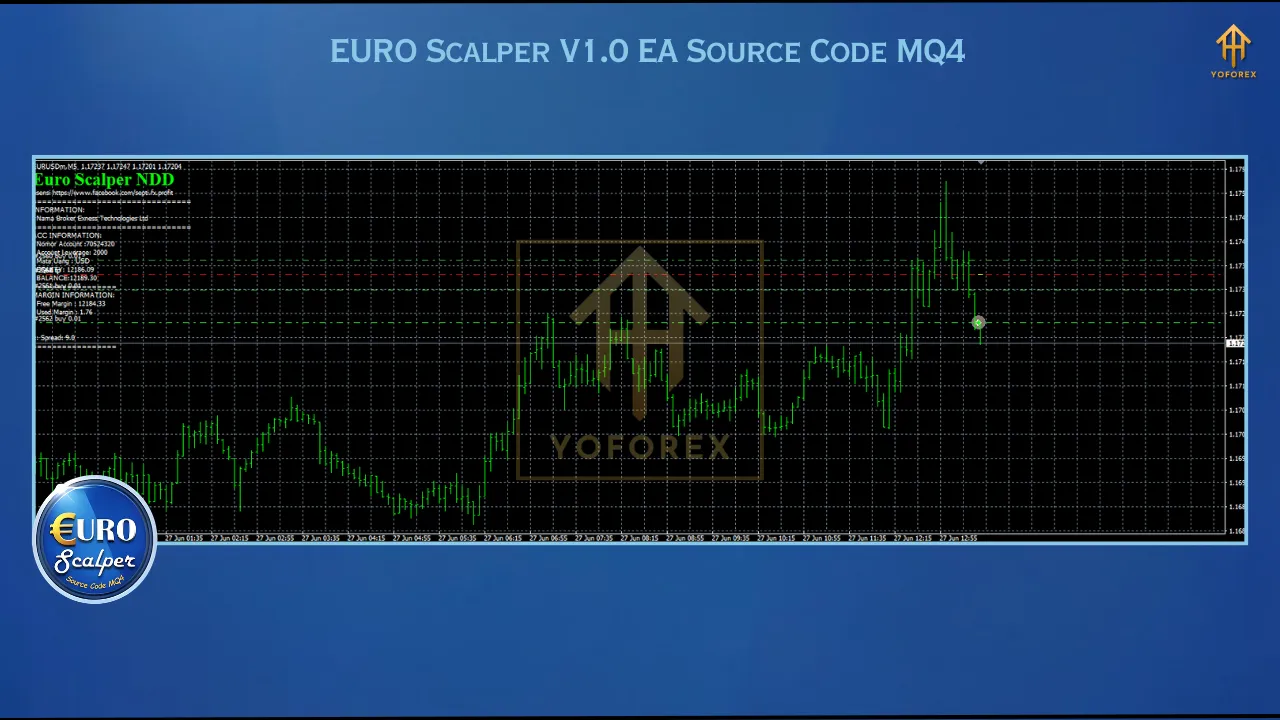
3. Martingale and Grid System
The EA employs a martingale strategy, increasing trade sizes after losses to recover previous losses, alongside a grid system that opens subsequent trades at set intervals (e.g., 21 pips) when the market moves against the position. While this can lead to significant gains (up to 423% in verified accounts), it also introduces substantial drawdown risks during trending markets.
4. Risk Management Features
The EA includes customizable stop-loss, take-profit, and trailing stop features to manage risk. Traders can enable equity stop protection (e.g., 20% total equity risk) to prevent significant account losses. It also offers market filters to avoid trading during volatile news events or sideways markets, enhancing trade stability.
How to Install the EURO Scalper V1.0 EA
- Download the EA: Obtain the .mq4 file (source code), .ex4 file (compiled EA), and any preset files from a trusted source like ForexCracked or YoForexEA.
- Copy Files: Place the .mq4 and .ex4 files in the MQL4/Experts folder and preset files in the MQL4/Presets folder of your MT4 directory.
- Load the EA: Open MT4, navigate to the Navigator panel, drag the EURO Scalper V1.0 EA onto the EUR/USD M1 chart, and load the desired preset file.
- Configure Settings: Enable “Allow automated trading” and “Allow DLL imports” in MT4’s “Tools” > “Options” > “Expert Advisors” tab. Adjust lot sizes (e.g., 0.01 per $100), stop-loss, and other parameters as needed.
- Run on a VPS: For 24/5 trading, use a reliable Virtual Private Server (VPS) to ensure uninterrupted operation.
Trading Strategies with the EURO Scalper V1.0 EA
- Focus on Asian Sessions: Some traders report better results trading during the Asian session to avoid major trends in US or UK sessions, reducing drawdowns.
- Conservative Lot Sizing: Start with a small lot size (e.g., 0.03 per $10,000) to manage risk, especially given the martingale strategy.
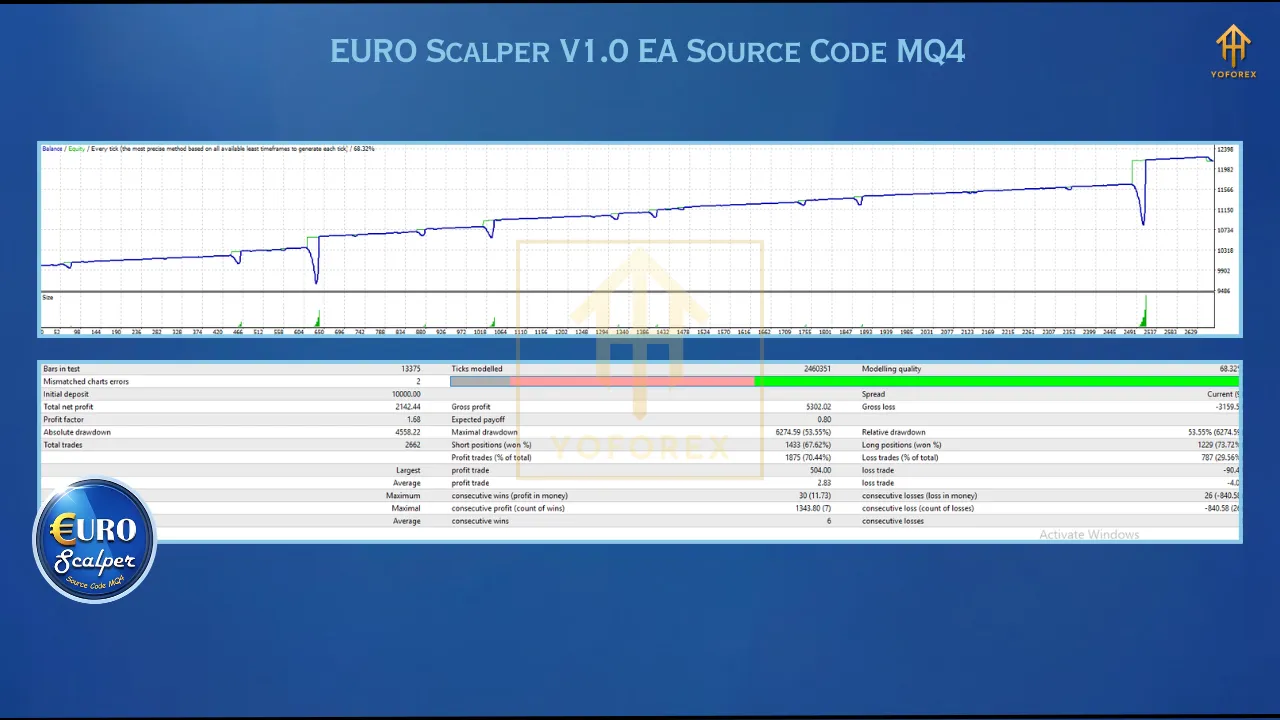
- Backtesting and Optimization: Use MT4’s Strategy Tester to backtest the EA with historical data, tweaking parameters like lot multipliers (e.g., 1.21) and grid intervals (e.g., 21 pips) for optimal results.
- Avoid High-Impact News: Enable the EA’s news filter to pause trading during volatile market events, minimizing unexpected losses.
Benefits of Using the EURO Scalper V1.0 EA
- Automation: Eliminates manual trading, executing trades with precision based on real-time market analysis.
- Customization: Open-source code allows for tailored adjustments, enhancing adaptability to various market conditions.
- High Win Rate: Achieves a reported win rate above 95% on EUR/USD, ideal for scalping enthusiasts.
- Accessibility: Requires a low minimum deposit (e.g., $100 for cent accounts), making it suitable for beginners.
Limitations and Risks
The EURO Scalper V1.0 EA’s martingale and grid strategies can lead to significant drawdowns (15-21%) during prolonged market trends, potentially risking account blowouts if not properly managed. Traders must use conservative settings and maintain sufficient capital (e.g., $800 minimum for safer operation). Backtesting in MT4 may not be fully reliable due to limitations in tick data accuracy, so real-world testing on a demo account is crucial. Additionally, the EA may not be suitable for prop firm accounts due to restrictions on grid-based strategies.
Where to Get the EURO Scalper V1.0 EA
The EA is available from platforms like ForexCracked, YoForexEA, or ForexStoreEA, often with free or low-cost downloads (e.g., $49.99-$99.99). Always verify the source to avoid corrupted files, and check for included presets or manuals.
Conclusion
The EURO Scalper V1.0 EA Source Code MQ4 is a powerful tool for traders seeking automated scalping solutions on the EUR/USD pair. Its high-frequency trading, customizable open-source code, and robust risk management features make it a compelling choice for those comfortable with its risks. However, the martingale strategy requires careful monitoring and conservative settings to mitigate potential drawdowns. By testing on a demo account, optimizing parameters, and adhering to sound risk management, traders can harness the EA’s potential for consistent profits. Always approach forex trading with caution, as past performance does not guarantee future results.