Bitcoin Scalp Pro EA V1.8 MT4: A Complete Guide to Automated Bitcoin Trading
In the fast-paced world of cryptocurrency, Bitcoin’s price can swing wildly in minutes. For traders seeking to capitalize on these rapid movements without manual oversight, automated systems have become indispensable. Bitcoin Scalp Pro EA V1.8 MT4 is one such tool, engineered to execute a scalping strategy on the MetaTrader 4 platform. By placing and managing trades based on algorithmic rules, it aims to capture small profits repeatedly—turning Bitcoin’s volatility into opportunity. Whether you’re new to algorithmic trading or an experienced trader looking to automate your strategy, this guide will walk you through everything you need to know: what the EA is, how it works, how to set it up, and what performance to expect.
What Is Bitcoin Scalp Pro EA V1.8 MT4?
Bitcoin Scalp Pro EA V1.8 MT4 is an Expert Advisor developed specifically for trading Bitcoin (BTCUSD) on MT4. Created by veteran MQL5 programmer Wim Schrynemakers, it leverages over a decade of algorithmic trading expertise. Instead of relying on manual entry and exit, the EA automatically:
-
Detects Key Levels. Identifies support and resistance on the 1‑hour chart to locate breakout zones.
-
Places Pending Orders. Fires Buy Stop and Sell Stop orders just beyond these levels to catch sharp price moves.
-
Manages Risk. Applies stop loss, take profit, and trailing stop orders to limit losses and lock in gains.
-
Adapts to Market Conditions. Dynamically recalculates trade parameters—such as lot size and distance from price—based on recent volatility and account balance.
By automating this workflow, Bitcoin Scalp Pro EA removes human emotion and hesitation from trading decisions. Users simply choose a risk profile, attach the EA to an H1 chart, and let it run 24/7.
Key Features
-
Scalping Strategy for Bitcoin Volatility
Targets quick, small-price moves by placing breakout pending orders around support and resistance levels. This high‑frequency approach seeks to capture multiple tiny profits rather than a few large ones. -
Smart Adaptive Parameter System
Automatically adjusts key settings like stop loss, take profit, trailing stop, and lot size as Bitcoin’s price range evolves. Ensures the strategy remains finely tuned to current market conditions. -
Robust Risk Management
Avoids dangerous grid or Martingale systems. Every trade includes a defined stop loss and a trailing stop to protect capital. The EA is engineered to maintain drawdowns below 3 % in conservative modes. -
User‑Friendly Setup
No coding required. Install through MT4’s “Experts” folder, load preset files for different risk levels (0.5 %–10 % per trade), and apply to an H1 BTCUSD chart. Intuitive input parameters let beginners start in minutes. -
Automated 24/7 Trading
When hosted on a Virtual Private Server (VPS), the EA runs continuously without interruptions. Captures trading opportunities around the clock—even while you sleep. -
Proven Backtesting and Live Results
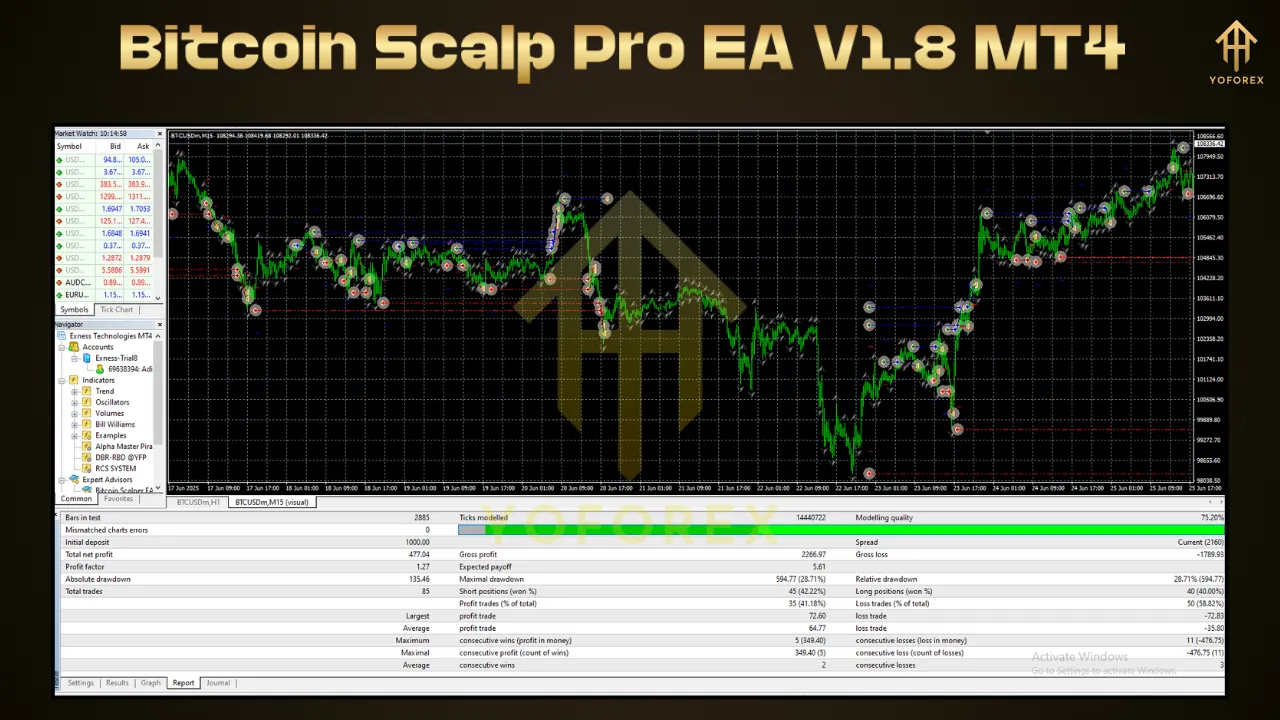
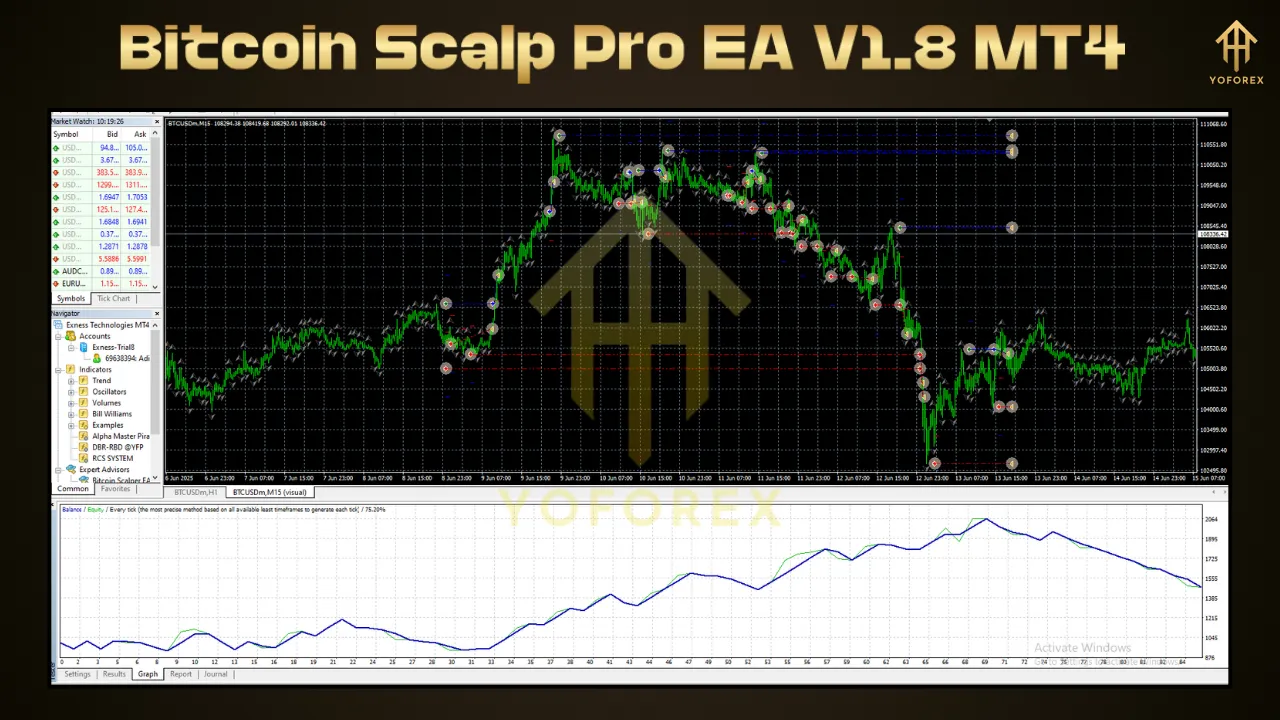
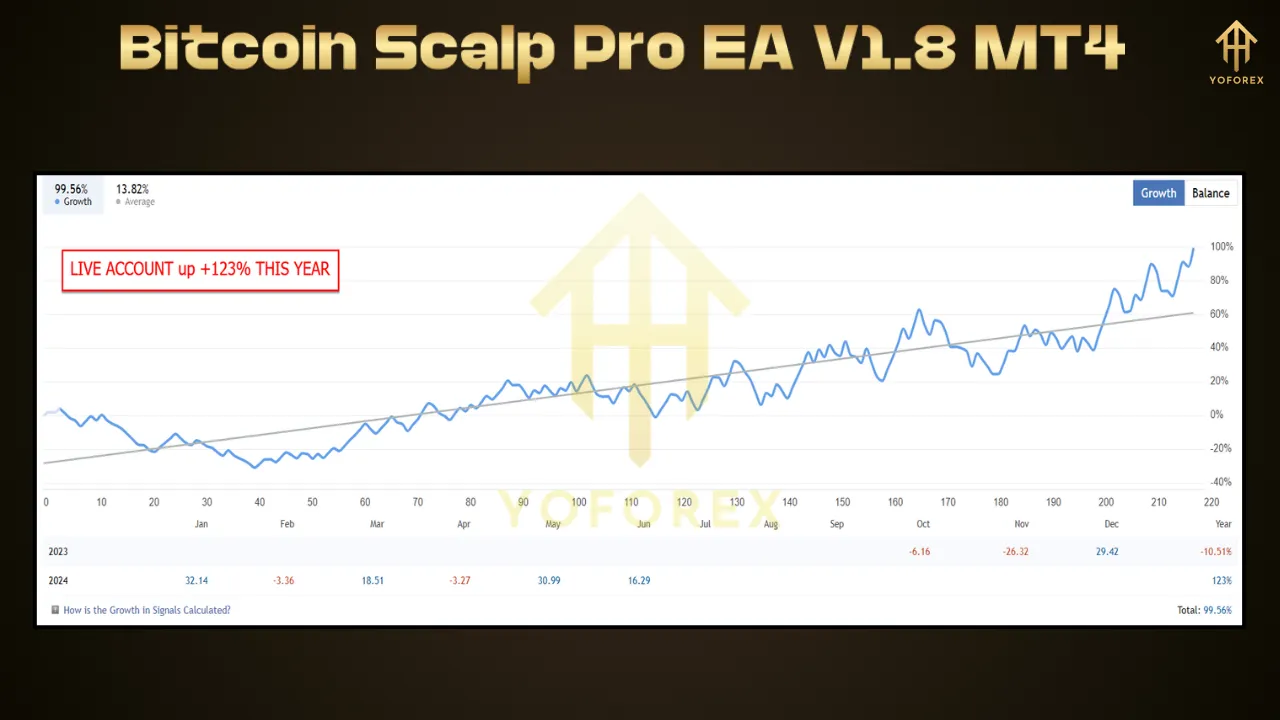
Backtests with 99.90 % modeling quality over two years show returns ranging from 74 % (low risk) up to 13,488 % (medium risk). Live accounts since June 2022 reveal consistent profits of 74 % over 46 weeks in conservative settings.
Step‑by‑Step Setup Guide
-
Choose a Broker
Select an MT4 broker offering BTCUSD with low spreads (ideally under 1,000 points). Recommended providers include RoboForex, XM, Exness, or IC Markets. -
Install MetaTrader 4
Download MT4 from your broker’s website and install it on your PC or VPS. Confirm that the BTCUSD symbol is available. -
Copy EA Files
-
Place
BitcoinScalpPro.ex4intoMQL4\Experts. -
Copy preset files (
.set) intoMQL4\Presets. -
Save the installation PDF for reference.
-
-
Configure Expert Advisor Settings
-
In MT4, go to Tools → Options → Expert Advisors.
-
Enable “Allow automated trading” and “Allow DLL imports”.
-
Drag the EA onto a BTCUSD H1 chart.
-
Load the preset matching your risk tolerance (e.g., “Risk_1pct.set”) and click OK.
-
-
Demo Testing
Before going live, run the EA on a demo account for at least one week. Verify execution speed, spread levels, and behavior during high‑impact news events. -
Deploy on VPS
For uninterrupted operation, move MT4 and the EA to a Linux or Windows VPS located near your broker’s servers. This minimizes latency and reduces slippage. -
Ongoing Monitoring
Start with conservative risk (0.5 %–1 %) and track performance over several weeks. Gradually adjust risk settings if desired, while ensuring drawdowns remain acceptable.
Performance Metrics and Real‑World Results
-
Backtesting (2020–2022)
-
Medium Risk: Turned $1,000 into $136,880 (13,488 % return) with 99.90 % modeling quality and max drawdown of 2.95 %.
-
Low Risk: Grew $1,000 to $49,000, focusing on capital preservation.
-
-
Live Trading (Since June 2022)
-
Conservative Mode (1 % risk): Achieved 74 % net profit over 46 weeks, with a maximum drawdown of 3.2 %.
-
Aggressive Mode (5 %–10 % risk): Demonstrated potential to scale $1,000 to $457,588 in one year—albeit with higher drawdowns up to 30 %.
-
-
Profitability Statistics
-
Win Rate: Approximately 90.9 % of trades closed in profit during long‑term testing.
-
Risk/Reward: Average ratio of 1 : 2, meaning every $1 risked targets $2 in profit.
-
Advantages of Bitcoin Scalp Pro EA
-
Full Automation
Eliminates emotion-driven mistakes by executing trades strictly according to algorithmic rules. -
Dynamic Adaptability
Smart parameter adjustments allow the EA to remain effective across bull, bear, and sideways markets. -
Strict Safety Controls
Built‑in stop loss and trailing stop mechanisms minimize drawdowns and protect capital. -
Simple to Use
Beginners can get started with minimal technical skill. Preset files handle most configuration tasks. -
Transparent Track Record
Detailed backtest reports and real‑account statements provide full visibility into performance metrics.
Considerations and Risks
-
Crypto Market Volatility
Bitcoin’s price can experience sudden, extreme swings. The EA’s performance will vary accordingly; past returns do not guarantee future profits. -
Broker Selection
Execution speed, spread size, and slippage directly affect scalping profitability. Always choose a reputable broker with favorable conditions. -
Demo Validation
Conduct thorough demo tests under live market conditions, including during major economic announcements that trigger high volatility. -
Risk Settings
While the EA supports up to 10 % risk per trade, aggressive configurations can lead to significant drawdowns. A gradual approach to increasing risk is advised. -
Vendor Policies
Understand the refund and update policy before purchasing. Many EA vendors do not offer performance‑based refunds.
Conclusion
Bitcoin Scalp Pro EA V1.8 MT4 offers a sophisticated, fully automated solution for traders looking to harness Bitcoin’s volatility through scalping. Its combination of a proven breakout strategy, smart adaptive parameters, and robust risk management makes it suitable for both conservative and aggressive traders. With an easy installation process and the option to run 24/7 on a VPS, it provides a hands‑off approach to capturing small, frequent profits. However, success demands careful broker selection, thorough demo testing, and disciplined risk control. By following the setup guide and monitoring performance metrics, you can integrate Bitcoin Scalp Pro EA into your trading toolkit—and potentially enjoy the benefits of algorithmic Bitcoin trading without the emotional stress of manual decision‑making.
Support & Community
Questions? Encounter an issue? The support network for Bitcoin Scalp Pro EA includes:
- WhatsApp: Reach our dedicated team at wa.me/+443300272265
- Telegram: Join the YoForexRobot group at t.me/yoforexrobot
Response times are typically within a few hours during market hours. Community members often share optimized settings for different BTC/USD conditions.