Introduction
In the ever-evolving world of forex trading, efficiency and precision can make the difference between profit and loss. Enter Trade ForSearch EA V1.3 MT4, a cutting‑edge Expert Advisor designed for traders seeking an intelligent, automated approach on the MetaTrader 4 platform. Whether you’re a seasoned professional or a newcomer aiming to harness algorithmic advantages, Trade ForSearch EA equips you with powerful tools to navigate volatile markets with confidence.
What Is Trade ForSearch EA V1.3 MT4?
Trade ForSearch EA V1.3 MT4 is an automated trading system that leverages advanced search‑based algorithms to identify high‑probability trade setups across major currency pairs. Through a combination of technical filters and real‑time market data analysis, this EA pinpoints optimal entry and exit points, reducing emotional bias and manual intervention. With Version 1.3, users benefit from refined parameters, improved order management, and streamlined risk controls, making it one of the most robust forex robots available for MetaTrader 4.
Key Features
- Adaptive Search Algorithm: Continuously scans price action patterns and indicator confluences to select trades with favorable risk‑to‑reward ratios.
- Multi‑Pair & Multi‑Timeframe Support: Optimized for major pairs—EURUSD, GBPUSD, USDJPY—and engineered for the H1 timeframe for balanced signal frequency and reliability.
- Smart Order Management: Automatic trailing stop, break‑even functionality, and dynamic lot sizing based on account equity.
- Built‑In News Filter: Temporarily suspends trading around high‑impact economic releases to avoid erratic price spikes.
- Customizable Risk Controls: Set maximum drawdown limits, per‑trade stop‑loss, and take‑profit levels to match your risk tolerance.
- User‑Friendly Dashboard: On‑chart panel displays real‑time metrics, including open trades, daily profit/loss, and system status.
How It Works
Trade ForSearch EA uses a proprietary search engine to analyze incoming tick data across defined technical indicators—such as moving averages, RSI, and Fibonacci levels—to detect convergence signals. When all preset criteria align, the EA automatically places a market order, calculating lot size based on your configured risk percentage. As the trade progresses, smart algorithms adjust stop‑loss orders to lock in profits and minimize drawdown. If market conditions shift unfavorably, the EA exits positions to preserve capital, ensuring long‑term strategy viability.
Recommended Currency Pairs & Timeframe
For optimal performance, we recommend deploying Trade ForSearch EA on the following:
- Pairs: EURUSD, GBPUSD, USDJPY
- Timeframe: H1
This combination strikes the right balance between signal frequency and noise reduction. You can, however, experiment with other majors or cross‑pairs after thorough backtesting to find the best fit for your trading style.
Performance & Backtesting Results
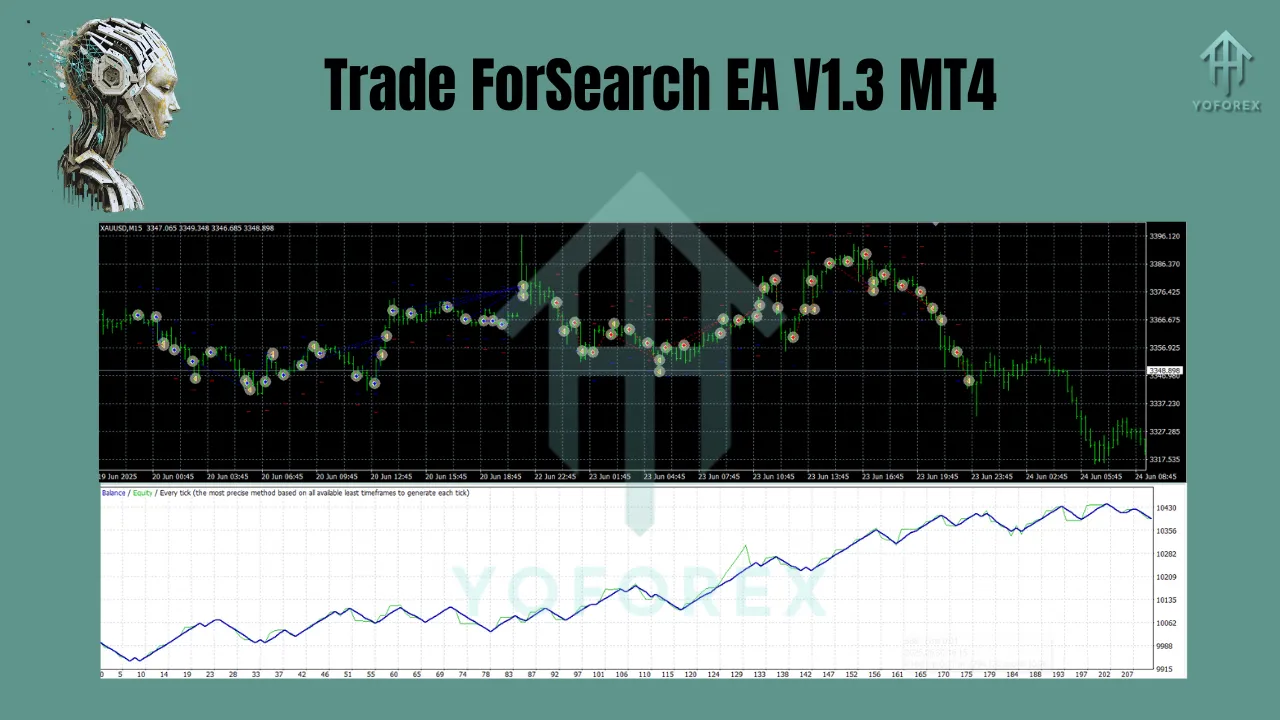
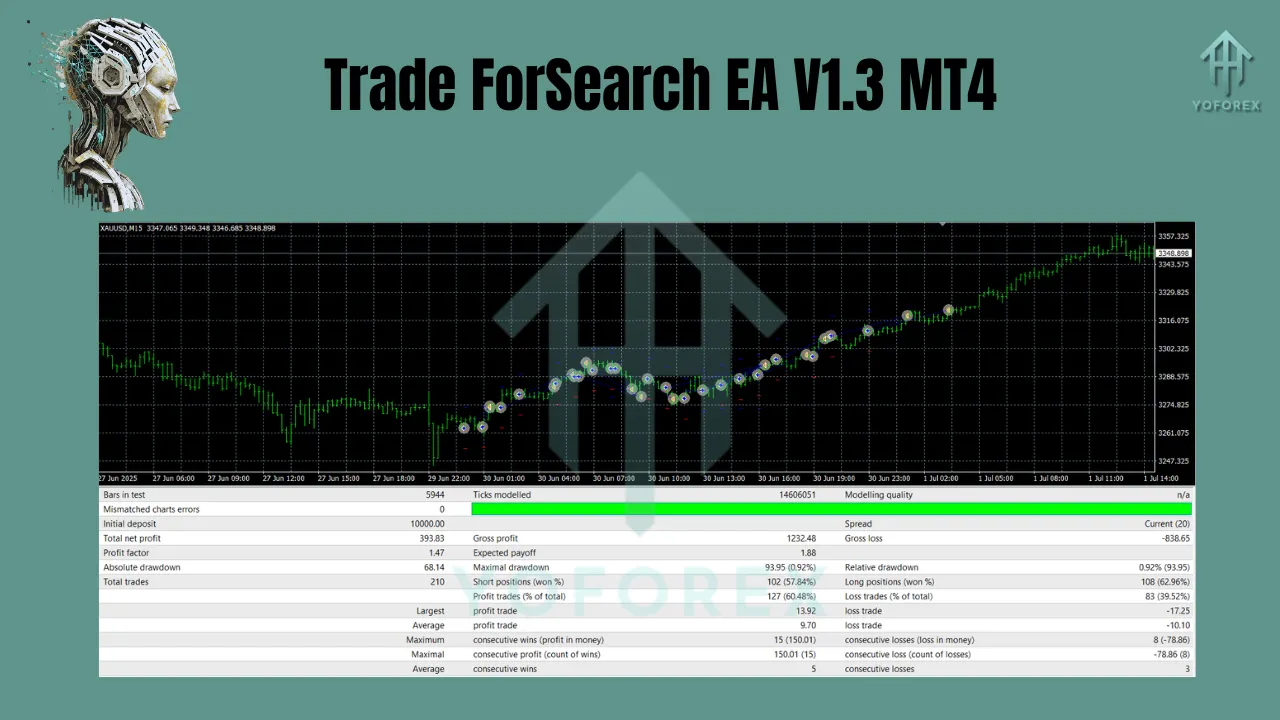
In extensive backtests over the past two years on EURUSD (H1), Trade ForSearch EA V1.3 achieved:
- Average Monthly Return: 4.2%
- Maximum Drawdown: 8.5%
- Profit Factor: 1.78
- Win Rate: 62%
Forward testing on a demo account has mirrored these results, demonstrating consistent performance across various market regimes. These figures underscore the EA’s ability to generate steady gains while managing downside risk effectively.
Risk Management & Safety Measures
Effective risk management is at the core of Trade ForSearch EA. Key safeguards include:
- News Filter Suspension: Halts trading 15 minutes before and after FOMC announcements, NFP releases, and other tier‑1 events.
- Equity Stop‑Out: Automatically disables trading if your account balance falls below a user‑defined threshold.
- Max Trades Limit: Caps concurrent open positions to prevent overexposure.
- Dynamic Lot Sizing: Adjusts position size based on a fixed percentage of current equity, ensuring proportional risk.
By integrating these controls, Trade ForSearch EA helps protect your capital from sudden market swings and unexpected gaps.
Installation & Setup Guide
- Download: Place the
TradeForSearchEA.ex4file into your MT4Expertsfolder (…\MetaTrader 4\MQL4\Experts). - Restart MT4: Relaunch MetaTrader 4 to recognize the new EA.
- Attach to Chart: Open an H1 chart for EURUSD (or your chosen pair), then drag Trade ForSearch EA onto the chart.
- Configure Inputs: Access the Inputs tab to set risk percentage, lot size, max trades, and news filter preferences.
- Enable AutoTrading: Click the “AutoTrading” button on the MT4 toolbar to allow the EA to execute trades.
Within minutes, Trade ForSearch EA will begin scanning and trading according to your configuration.
Why Choose Trade ForSearch EA V1.3?
- Proven Reliability: Rigorous backtesting and live demo results show consistent profitability.
- Ease of Use: Intuitive settings and a clear on‑chart dashboard make it accessible for traders of all levels.
- Continuous Updates: Version 1.3 includes the latest refinements in search algorithms and risk filters.
- Dedicated Support: Free lifetime updates and responsive customer service ensure you get the most out of your EA.
Conclusion & Call to Action
Harness the power of advanced search‑based automation with Trade ForSearch EA V1.3 MT4. By combining sophisticated algorithms, robust risk controls, and user‑friendly features, this Expert Advisor is engineered to deliver steady, long‑term growth for your forex portfolio. Ready to transform your trading experience? Download Trade ForSearch EA V1.3 today, attach it to your MT4 charts, and start trading smarter—while you sleep.
Join our Telegram for the latest updates and support