Exploring BEAR EA V1.0 MT5: A Comprehensive Guide to Automated Forex Trading
Introduction
Automated trading has transformed the way Forex traders participate in global currency markets. By leveraging Expert Advisors (EAs) on the MetaTrader 5 (MT5) platform, traders can execute strategies with precision, consistency, and reduced emotional interference. Among the myriad of EAs available, BEAR EA V1.0 MT5 stands out as a solution that emphasizes trend-following techniques combined with dynamic risk management. Whether you’re a newcomer seeking hands-off market exposure or an experienced trader aiming to refine your portfolio, this guide delves into BEAR EA V1.0 MT5’s objectives, mechanics, and best practices. You’ll learn what the EA offers, how to configure it, and strategies to optimize its performance in diverse market conditions.
What Is BEAR EA V1.0 MT5?
BEAR EA V1.0 MT5 is an algorithmic trading program designed specifically for the MetaTrader 5 platform. It automates trade execution by monitoring price action, technical indicators, and predefined parameters. Key characteristics include:
-
Trend-Following Orientation: The EA seeks to capitalize on sustained price movements, whether bullish or bearish, by entering trades aligned with prevailing market momentum.
-
Multi-Asset Compatibility: While optimized for major Forex pairs like EUR/USD and GBP/USD, BEAR EA V1.0 also supports commodities such as XAU/USD (gold) and select cross-currency pairs.
-
User-Configurable Settings: Traders can tailor lot sizes, stop levels, entry filters, and trading hours to match individual risk tolerances and strategy preferences.
-
Seamless MT5 Integration: Built to leverage MT5’s advanced data feeds, custom indicators, and multi-timeframe capabilities, it ensures timely signal generation and execution.
By automating routine tasks and adhering strictly to its algorithm, BEAR EA V1.0 MT5 minimizes human error and bias—elements that often undermine manual trading.
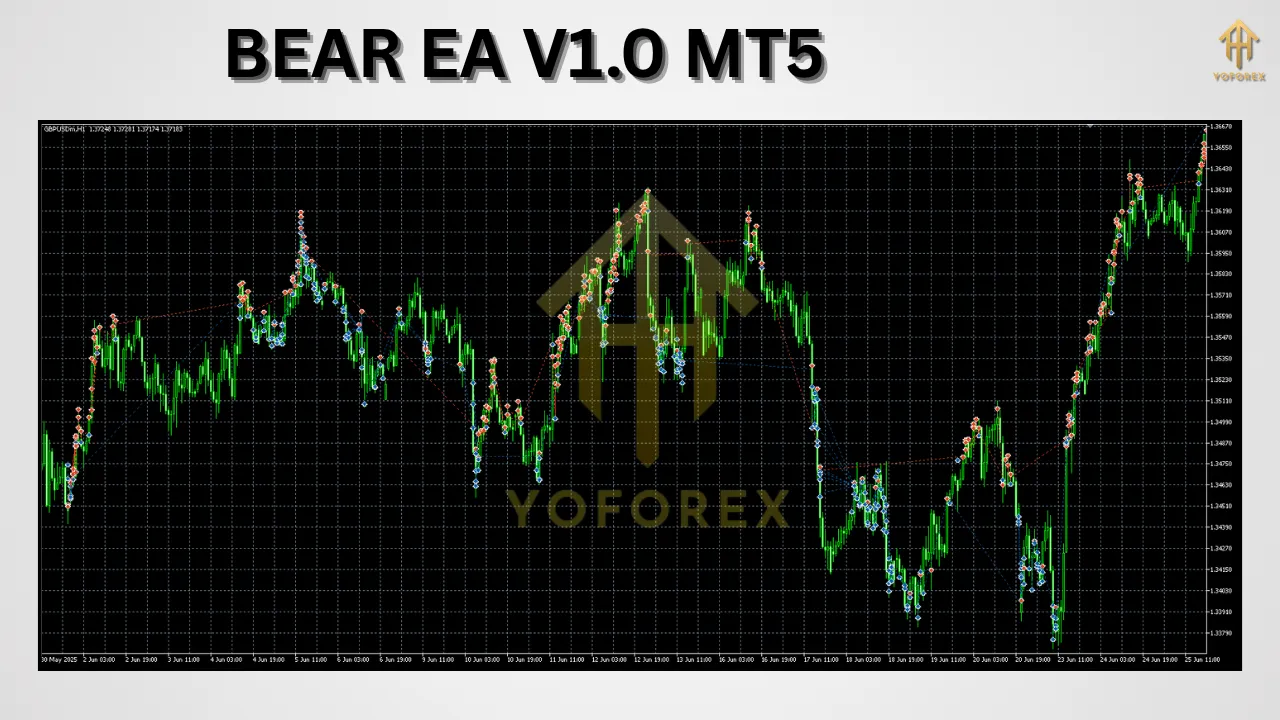
Key Features
BEAR EA V1.0 MT5 distinguishes itself through a suite of functionalities designed to optimize entries, manage risk, and adapt to evolving market conditions:
-
Dynamic Stop-Loss and Take-Profit
-
Stop-loss and take-profit levels adjust in real time based on recent volatility and average true range (ATR).
-
This flexibility ensures that positions have room to breathe in normal market swings while locking in gains when trends mature.
-
-
Volatility-Adjusted Position Sizing
-
Lot sizes are scaled according to market volatility metrics.
-
In high-volatility environments (e.g., during news releases), the EA automatically reduces position size to preserve capital.
-
-
Multi-Timeframe Analysis
-
Simultaneously evaluates signals on shorter (M15, M30) and longer (H1, H4) timeframes.
-
Confirms trend direction across intervals, reducing the likelihood of false breakouts and choppy market noise.
-
-
Trailing Stop Functionality
-
As trades move into profit, a trailing stop locks in gains by following price at a configurable distance.
-
Protects winning positions from sudden reversals without premature exit.
-
-
Session-Based Trading Windows
-
Traders can define active trading hours (e.g., London session, New York session).
-
Prevents the EA from taking positions during low-liquidity periods prone to erratic spikes.
-
-
Custom Entry Filters
-
Incorporates oscillators or momentum indicators (such as RSI or MACD) as optional entry conditions.
-
Ensures trades align with both price momentum and overbought/oversold readings for enhanced signal quality.
-
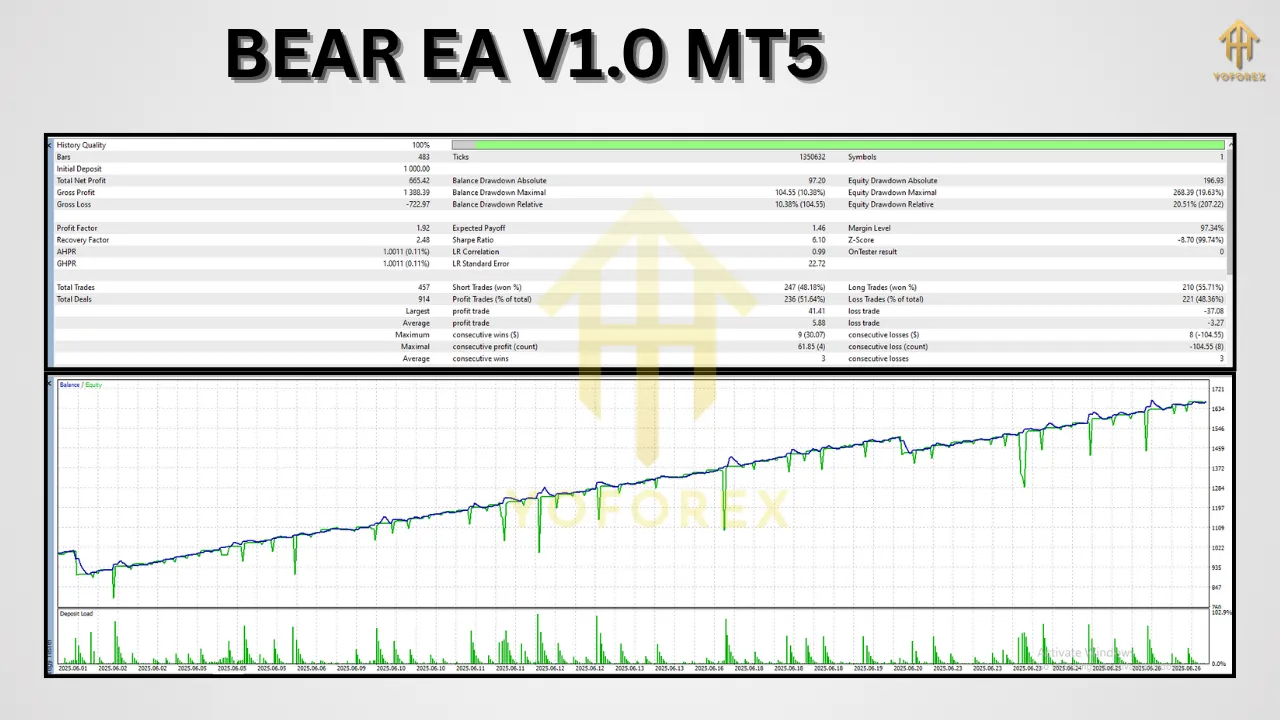
How BEAR EA V1.0 MT5 Works
Under the hood, BEAR EA V1.0 MT5 follows a structured sequence to identify opportunities and manage open positions:
-
Data Acquisition
-
Continuously pulls real-time price quotes and indicator values from the MT5 data feed.
-
Computes volatility measures (e.g., ATR) and trend substantiation metrics.
-
-
Signal Generation
-
Evaluates trend-following rules: a crossover of moving averages, confirmation on higher-timeframe trend, and momentum filter alignment.
-
Generates a “buy” signal when upward momentum is validated, or a “sell” signal when downward pressure dominates.
-
-
Position Sizing
-
Calculates appropriate lot size using a risk-percent model: maximum risk per trade (e.g., 1% of account balance) divided by the distance to stop-loss.
-
Dynamically adjusts for current volatility.
-
-
Order Execution
-
Places market or pending orders based on user preference.
-
Applies initial stop-loss and take-profit levels according to dynamic volatility bands.
-
-
Ongoing Management
-
Monitors open trades; moves stop-loss to break-even once a trade achieves a user-defined profit threshold.
-
Activates trailing stops to lock in incremental gains.
-
-
Exit Conditions
-
Closes positions when price hits take-profit or stop-loss.
-
Can optionally close all trades at the end of a session or before major news events if configured.
-
By adhering strictly to these algorithmic steps, BEAR EA V1.0 MT5 maintains consistency, minimizes slippage through optimized order placement, and reduces exposure to unpredictable market events.
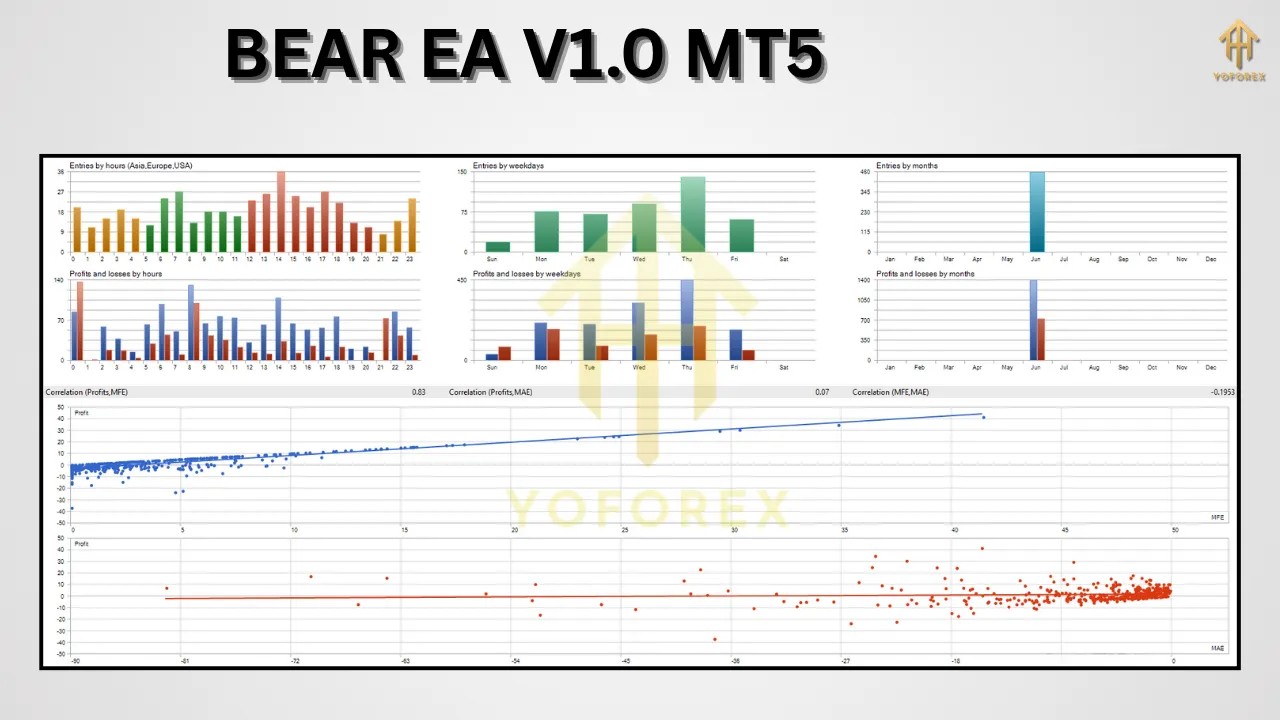
Risk Management Strategies
Effectively managing risk is central to preserving trading capital and enabling sustainable returns. BEAR EA V1.0 MT5 implements risk controls at multiple levels:
-
Fixed Percentage Risk
-
Limits risk on any single trade to a user-defined percentage (commonly 0.5–2% of account equity).
-
Prevents over-leveraging and catastrophic drawdowns.
-
-
Volatility Filters
-
Temporarily halts trading if market volatility exceeds a specified multiple of historical ATR.
-
Avoids entering positions during whipsaw conditions that can trigger stop-outs.
-
-
Maximum Concurrent Trades
-
Caps the number of open positions to avoid overexposure.
-
Users can set an absolute limit (e.g., 3 trades at once).
-
-
Daily Drawdown Cutoff
-
Stops the EA from opening new trades if the account suffers a preset daily loss (e.g., 5% of equity).
-
Allows traders to pause and reassess strategy rather than compounding losses.
-
-
Time-Based Trade Suspension
-
Disables trading around key economic announcements when slippage and spreads often widen.
-
Configurable to known major events (e.g., central bank releases).
-
These multi-layered safeguards work in concert to protect account balance while still allowing BEAR EA V1.0 MT5 to capitalize on trending conditions under controlled risk parameters.
Setting Up BEAR EA V1.0 MT5
Installation Steps
-
Obtain the EA File
-
Download
BEAR_EA_V1.0.ex5from the provider’s website or marketplace.
-
-
Add to MT5
-
In MT5, open File → Open Data Folder.
-
Navigate to
MQL5/Expertsand copy the EA file into this folder.
-
-
Restart MT5
-
Close and reopen MT5 to load the new Expert Advisor.
-
-
Attach to Chart
-
In the Navigator panel, find Expert Advisors → BEAR EA V1.0 MT5.
-
Drag onto your desired chart (e.g., EUR/USD on H1).
-
-
Enable Auto-Trading
-
Ensure the “AutoTrading” button in MT5 is enabled.
-
In the EA’s settings window, confirm “Allow live trading” and “Allow DLL imports” if required.
-
Recommended Baseline Settings
-
Lot Size: 0.01–0.02 for accounts under $5,000
-
Risk per Trade: 1% of equity
-
Timeframe: H1 for balanced signal reliability
-
Take-Profit: 40–50 pips or using ATR multiplier (e.g., ATR(14) × 1.2)
-
Stop-Loss: Dynamic based on 2 × ATR(14)
-
Max Concurrent Trades: 2–3
-
Trading Sessions: London and New York overlap (08:00–16:00 GMT)
-
News Filter: Disable trading 15 minutes before and after major USD releases
Always backtest these parameters on historical data and forward-test on a demo account to refine them for your trading style and risk tolerance.
Benefits of Using BEAR EA V1.0 MT5
Deploying BEAR EA V1.0 MT5 provides several advantages over manual trading or less sophisticated automated solutions:
-
Emotional Discipline
-
Follows predefined rules without fear or greed influencing entry and exit decisions.
-
-
24/5 Market Coverage
-
Continuously monitors global markets and executes signals even when you’re away.
-
-
Consistency Across Conditions
-
Applies the same methodology regardless of market environment, ensuring reliable performance tracking.
-
-
Scalability
-
Easily adjusts risk parameters and lot sizes as account equity grows or contracts.
-
-
Diversification
-
Simultaneously trades multiple currency pairs and instruments to spread risk.
-
These benefits help traders maintain a disciplined approach, harnessing the efficiency of automated systems while mitigating the pitfalls of emotional, manual trading.
Potential Risks and Considerations
No automated system is infallible, and BEAR EA V1.0 MT5 has limitations that every user should acknowledge:
-
Market Gaps and Slippage
-
Overnight gaps can trigger stop-loss orders at unfavorable prices.
-
Thin liquidity during off-hours may increase slippage.
-
-
Over-Optimization (“Curve Fitting”)
-
Tweaking settings to past data can degrade live performance on unseen market conditions.
-
-
Broker Constraints
-
Higher spreads, requotes, or execution delays can erode profits. Choose an MT5-compatible broker with competitive terms.
-
-
Unforeseen News Events
-
Geopolitical shocks or central bank surprises can trigger large adverse moves before the EA’s protective measures engage.
-
-
Technology Failures
-
Platform crashes, power outages, or connectivity issues can interrupt the EA’s operation. Use a reliable VPS for uninterrupted performance.
-
Understanding these factors allows traders to implement contingency plans, such as manual intervention protocols or stricter risk limits around high-impact events.
Tips for Maximizing Performance
To get the most out of BEAR EA V1.0 MT5, incorporate these best practices:
-
Demo-First Validation
-
Run the EA on a demo account for at least one market cycle (3–6 months) before allocating real capital.
-
-
Regular Parameter Reviews
-
Reassess stop-loss multipliers and session windows quarterly to align with shifting volatility trends.
-
-
Multi-Pair Allocation
-
Diversify across at least three uncorrelated pairs to smooth out drawdowns.
-
-
Combine with Fundamental Insights
-
Use the EA’s signals alongside economic calendars and market sentiment analysis for improved conviction.
-
-
Position Sizing Discipline
-
Resist increasing lot sizes prematurely. Scale risk gradually as the strategy proves itself.
-
-
Monitor Equity Curve
-
Track the EA-generated equity curve to spot plateauing performance or rising drawdowns, indicating a need for adjustments.
-
By applying these guidelines, you can enhance robustness, adapt to changing market regimes, and safeguard your trading capital.
Conclusion
BEAR EA V1.0 MT5 offers a structured, trend-focused approach to automated Forex trading, combining dynamic risk management with multi-timeframe analysis. Its ability to tailor position sizing, adjust to volatility, and operate across sessions makes it suitable for both novice and seasoned traders seeking consistent market exposure. However, successful deployment requires disciplined testing, careful broker selection, and ongoing performance reviews. By following the setup instructions, embracing risk controls, and applying optimization best practices, you can leverage BEAR EA V1.0 MT5 as a valuable component of a diversified, automated trading portfolio.
Support & Disclaimer
If you encounter any issues or have questions:
- WhatsApp support: https://wa.me/+443300272265
- Telegram group: t.me/yoforexrobot
Disclaimer:
Past performance does not guarantee future results. Forex trading carries inherent risks. Always conduct your own due diligence, backtest thoroughly, and use risk settings appropriate to your account size. The EA is provided “as is” without warranties of any kind.