Bear and Bull Scalper EA V1.10 for MetaTrader 5: In-Depth Review and Guide
Introduction
Automated trading has reshaped the forex landscape, empowering traders to capitalize on fleeting market opportunities without constant manual intervention. Among the various strategies, scalping—aimed at capturing small price fluctuations over seconds or minutes—has gained popularity for its potential to generate consistent, incremental profits. The Bear and Bull Scalper EA V1.10 for MetaTrader 5 (MT5) is designed to harness this approach, combining high-speed execution with robust risk controls. In this review, we’ll explore the EA’s core features, operational logic, setup process, performance considerations, and best practices to help you decide whether it’s the right tool for your trading arsenal.
What Is Bear and Bull Scalper EA V1.10?
The Bear and Bull Scalper EA V1.10 is a dedicated Expert Advisor built for the MT5 platform. Unlike generic MT4 scripts, it leverages MT5’s enhanced execution engine, multi-asset support, and advanced charting capabilities. Its dual-market design—optimizing both bearish (downward) and bullish (upward) trends—aims to thrive in diverse market environments. While the proprietary algorithm remains undisclosed, it likely combines momentum-based indicators (e.g., RSI, moving average crossovers) with custom filters to identify optimal entry and exit points on low timeframes (M1, M5).
Key Features
-
High-Frequency Execution
-
Places dozens of trades per hour to target small pip gains
-
Employs low-latency order routing for rapid fills
-
-
Customizable Risk Parameters
-
Adjustable lot sizing based on account equity or fixed volume
-
User-defined stop-loss, take-profit, and trailing-stop levels
-
-
Dynamic Trend Detection
-
Supports both bullish and bearish setups via multi-indicator confirmation
-
Switches seamlessly between long and short positions
-
-
News and Spread Filters
-
Pauses trading around major economic releases to avoid volatility spikes
-
Rejects trades when spreads exceed predefined thresholds
-
-
Multi-Pair Compatibility
-
Optimized for major FX pairs (EUR/USD, GBP/USD, USD/JPY)
-
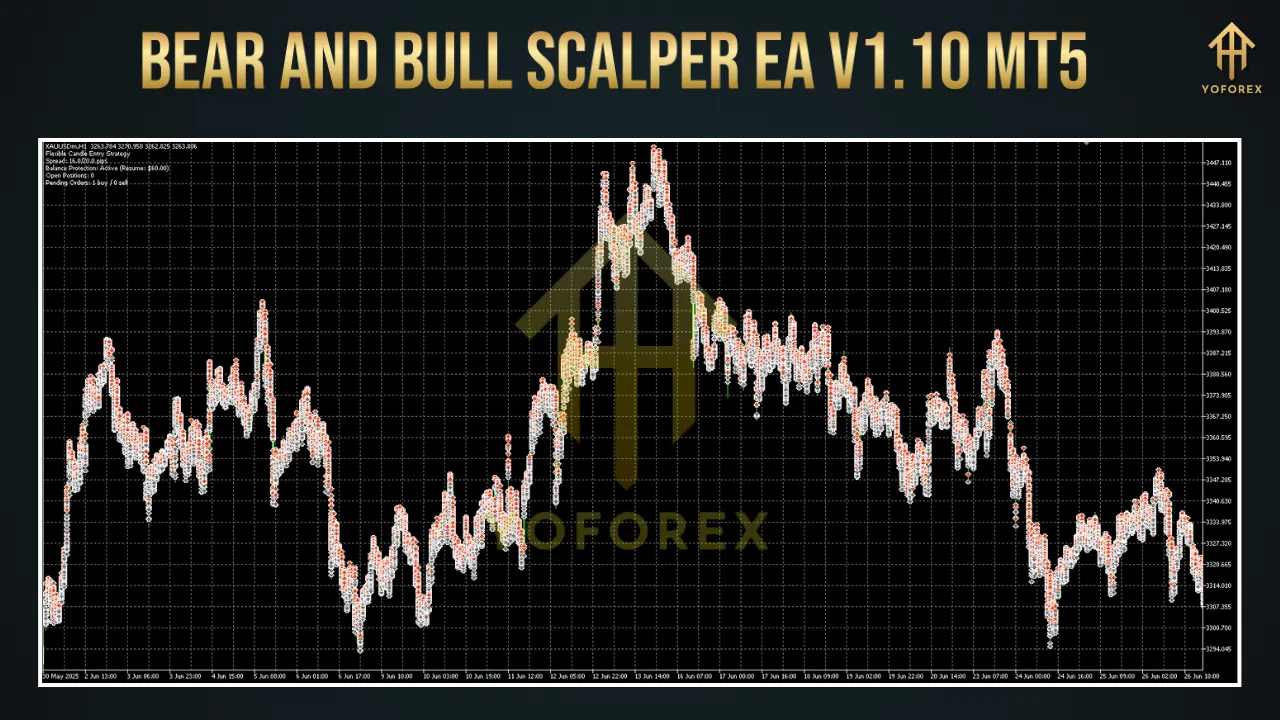
Can be configured for XAU/USD (gold) and other symbols
-
-
MT5-Exclusive Enhancements
-
Utilizes native MT5 order types (e.g., Buy Limit, Sell Stop)
-
Improved memory handling for prolonged 24/5 operation
-
How It Operates
-
Market Scanning
-
Continuously analyzes tick data on selected timeframes (M1, M5)
-
Applies momentum and trend indicators to spot overbought or oversold conditions
-
-
Signal Confirmation
-
Combines signals from multiple indicators (RSI, moving averages, custom oscillators)
-
Filters out low-probability setups via volatility and spread checks
-
-
Order Placement
-
Executes market or pending orders with user-defined SL/TP
-
Employs fixed or dynamic lot sizing based on risk settings
-
-
Position Management
-
Adjusts stop-losses via trailing stops when positions move in favor
-
Closes partial or full positions at predefined profit levels
-
-
Safety Mechanisms
-
Auto-shutdown during extreme news events or rapid spread widening
-
Equity-based maximum drawdown limiter to reduce account exposure
-
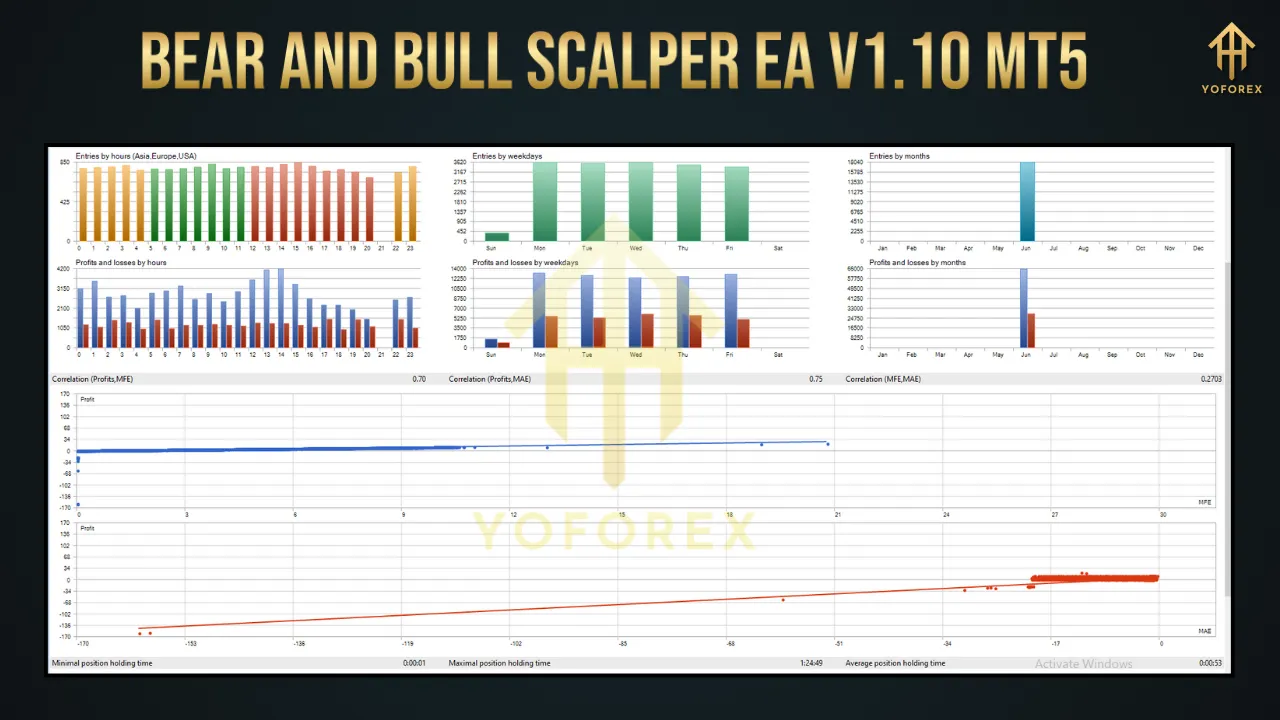
Installation and Setup
-
Acquire the EA
-
Purchase or download version 1.10 from a reputable source (e.g., MQL5 Market).
-
-
Install on MT5
-
Open MT5, navigate to File > Open Data Folder.
-
Copy the .ex5 file into
MQL5/Experts. -
Restart MT5 to compile and load the EA.
-
-
Attach to Chart
-
Open a new chart for your chosen pair (e.g., EUR/USD) on M1 or M5 timeframe.
-
Drag Bear and Bull Scalper EA from the Navigator panel onto the chart.
-
In the EA’s Inputs tab, configure:
-
Lot Size (fixed or equity-based)
-
Max Spread (e.g., 1.0 pip)
-
News Filter (enable/disable)
-
Risk % per Trade (e.g., 1–2%)
-
-
-
Activate Auto-Trading
-
Ensure the AutoTrading toggle in MT5 is enabled (green).
-
For uninterrupted operation, deploy on a low-latency VPS with 24/5 uptime.
-
-
Demo Testing
-
Run on a demo account for at least one month to fine-tune settings across different market conditions.
-
Performance and Backtesting
-
Backtesting
-
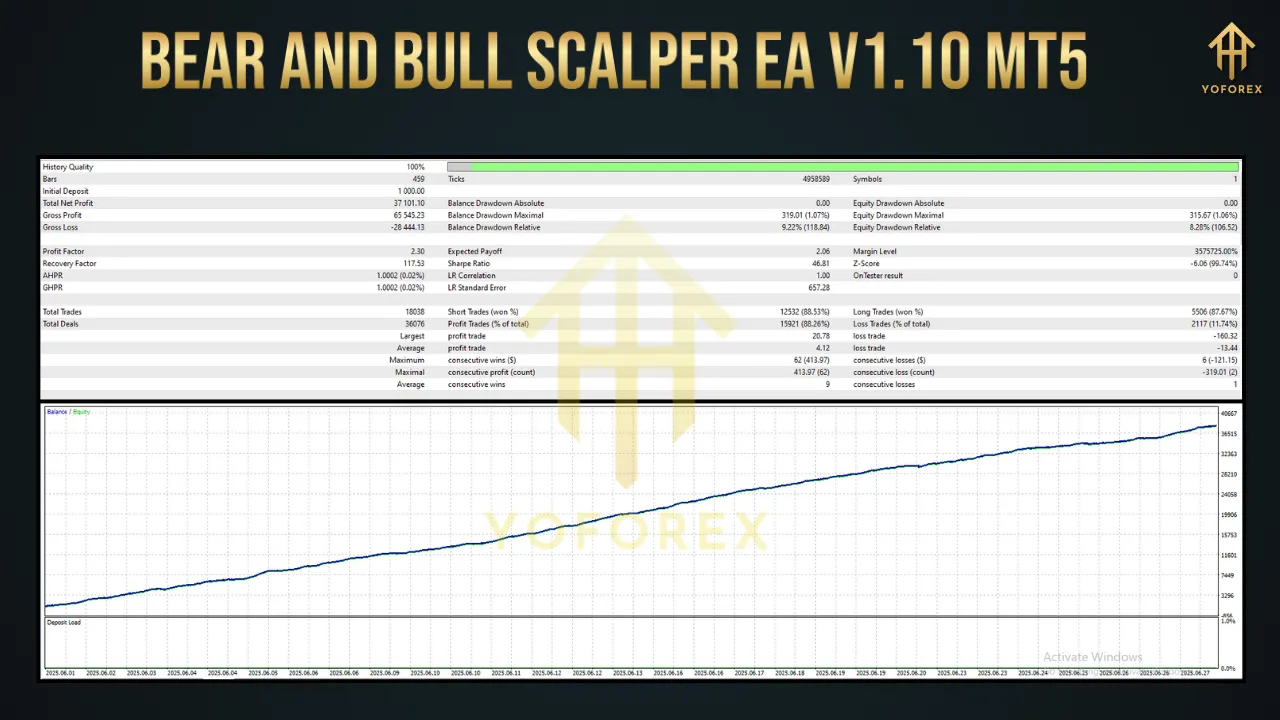
Use MT5’s Strategy Tester with 99.9% tick data for reliable simulation.
-
Run tests over a minimum of three years of historical data, covering varied volatility phases.
-
Optimize inputs for a balance between Profit Factor (>1.5), low drawdown (<12%), and acceptable trade frequency.
-
-
Forward Testing
-
Deploy on a demo or small live account for 1–2 months.
-
Monitor live metrics: win rate, average profit/loss, drawdown, and exposure to news events.
-
-
Performance Benchmarks
-
Typical scalping EAs target monthly returns of 5–15%, with annualized gains of 25–40%.
-
Expect drawdowns in the 8–12% range; tight risk controls are essential.
-
Aim for a win rate above 70% by focusing on high-probability micro-trends.
-
-
Third-Party Verification
-
Look for Myfxbook or FXBlue track records for independently verified results.
-
Beware of “curve-fitting” – unrealistic backtests that don’t account for slippage or spread widening.
-
Advantages
-
Emotion-Free Execution
-
Trades strictly according to algorithmic rules, eliminating human bias.
-
-
High Speed and Precision
-
Captures fleeting price moves that manual traders may miss.
-
-
Flexible Customization
-
Adapt inputs to suit aggressive or conservative trading styles.
-
-
Time Efficiency
-
Automates routine scalp trades, freeing you to focus on strategy refinement.
-
-
MT5 Power
-
Leverages MT5’s superior execution engine and expanded order types.
-
Risks and Considerations
-
Transaction Costs
-
High trade volume increases exposure to spreads and commissions; choose a low-cost ECN broker.
-
-
Broker Limitations
-
Some brokers prohibit scalping or impose minimum SL/TP distances; verify compatibility.
-
-
Volatility Shocks
-
Sudden market spikes or blackout periods may trigger stop-outs; news filters are vital but not foolproof.
-
-
Over-Optimization
-
Excessive parameter tuning can lead to “curve-fitting,” reducing live performance.
-
-
Maintenance Requirement
-
Periodic re-optimization may be needed as market regimes evolve.
-
-
No Profit Guarantee
-
Even the best EAs can experience extended drawdowns; always use prudent risk management.
-
Comparison with Other Scalping EAs
-
ScalperX
-
Aggressive mode targeting 25–40% annual returns; higher drawdowns (10–15%); best in low-volatility windows.
-
-
Evening Scalper Pro
-
Mean-reversion focus during U.S. session; win rates above 80% but limited to currency crosses.
-
-
Alfa Scalper
-
Offers Martingale and anti-Martingale options; user-friendly but escalates risk in Martingale mode.
-
-
Gold Scalper Pro
-
Gold-only strategy (XAU/USD) with stealth mode; advanced news filters but restricted versatility for FX pairs.
-
-
Bear and Bull Scalper EA V1.10
-
Versatile multi-pair support; balanced risk controls; no Martingale; capitalizes on both trending and ranging conditions.
-
Best Practices for Optimal Results
-
Select a Suitable Broker
-
ECN-type with spreads under 1 pip and fast order execution (e.g., IC Markets, Exness).
-
-
Thorough Testing
-
Combine backtesting with live demo runs to confirm parameter robustness.
-
-
Monitor and Adjust
-
Review monthly performance reports; tweak inputs if drawdown or trade frequency drifts.
-
-
Use a Reliable VPS
-
Ensure minimal latency (<50 ms) and 24/5 uptime for uninterrupted trading.
-
-
Implement Risk Caps
-
Limit exposure with a maximum daily loss threshold (e.g., 3% of equity).
-
-
Stay News-Aware
-
Verify the EA’s news filter covers all high-impact releases relevant to your instrument list.
-
-
Diversify Across Pairs
-
Distribute capital over multiple currency pairs to reduce correlation risks.
-
Conclusion
The Bear and Bull Scalper EA V1.10 for MT5 represents a compelling option for traders seeking a balanced, dual-market scalping solution. By leveraging MT5’s advanced capabilities and offering a suite of risk management and optimization tools, it aims to deliver consistent micro-profits while protecting against market shocks. However, like all automated systems, success hinges on thorough testing, disciplined risk controls, and ongoing maintenance. If you’re prepared to invest time in proper setup and monitoring, this EA can become a valuable addition to your forex trading toolkit.
Support & Disclaimer
If you encounter any issues—bugs, broker incompatibilities, or optimization questions—our support team is ready to help:
- WhatsApp: https://wa.me/+443300272265
- Telegram: https://t.me/yoforexrobot
Disclaimer: Past performance does not guarantee future results. Trading involves risk. Always demo-test the Bear and Bull Scalper EA under your broker’s conditions before deploying on a live account. Adjust settings conservatively and trade responsibly.