
Unlocking Multi-Timeframe Insights: The Channels MTF Indicator for MT4 Traders
In the dynamic world of forex, stocks, and cryptocurrency trading, having reliable tools for technical analysis is crucial for making informed decisions. The Channels MTF Indicator for MT4 stands out as a powerful instrument that simplifies the process of identifying support and resistance levels across multiple timeframes. This innovative indicator provides traders with a clear visual representation of these key levels, enabling them to spot potential entry and exit points more effectively. Whether you’re a beginner trader looking to enhance your technical skills or an experienced professional seeking to refine your trading strategies, the Channels MTF Indicator offers valuable insights that can boost your profitability. By automatically generating support and resistance channels, this tool saves time while improving accuracy, making it an essential addition to any trader’s toolkit. In this comprehensive guide, we’ll explore what the Channels MTF Indicator is, how it works, and why it’s beneficial for traders using MetaTrader 4 platforms.
Understanding the Channels MTF Indicator
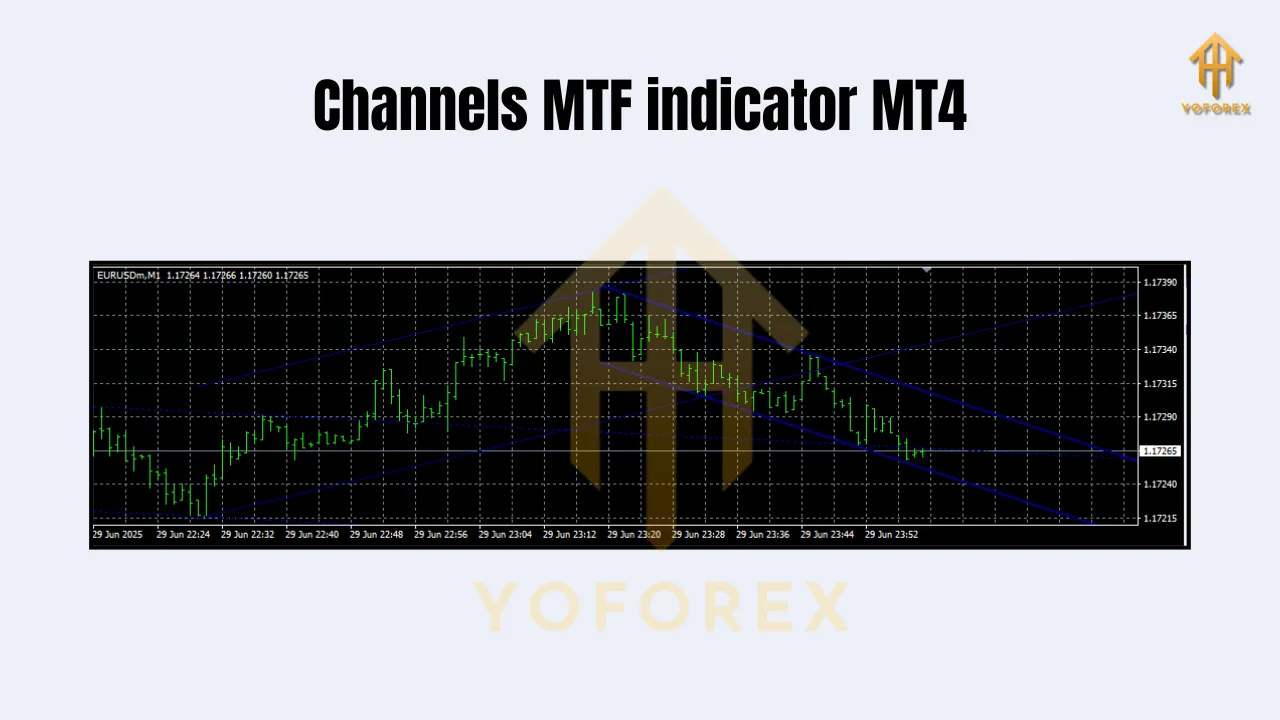
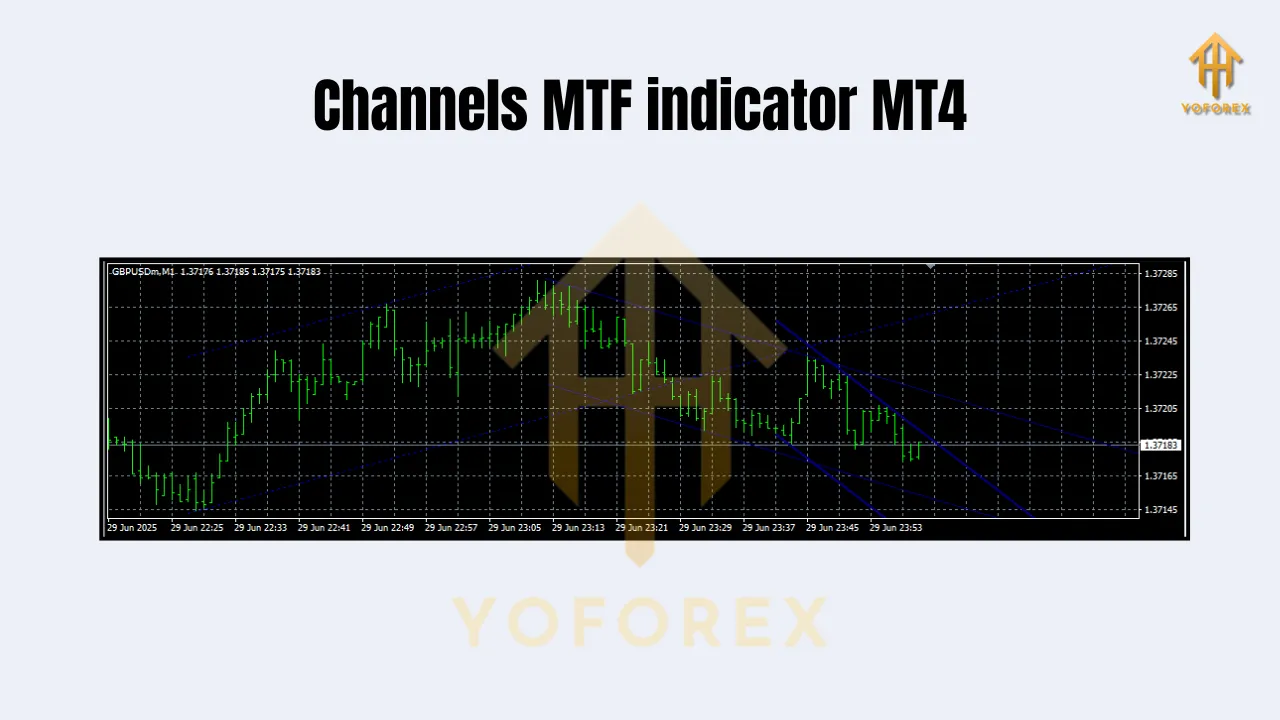
The Channels MTF (Multi-Time Frame) Indicator for MetaTrader 4 is designed to provide a visual display of support and resistance levels across different timeframes simultaneously. Unlike traditional technical analysis methods that require manual drawing of trend lines, this indicator automates the process by analyzing multiple timeframes (such as 1-minute, 5-minute, 15-minute, hourly, daily, etc.) and plotting corresponding support and resistance channels.
At its core, the indicator uses advanced algorithms to identify areas where price tends to reverse or continue its movement based on historical data from various timeframes. These channels are typically formed by connecting the highest peaks (resistance) and lowest troughs (support) across the selected timeframes, creating a visual framework that helps traders understand market structure at different scales. For example, a strong support channel on a daily chart might align with a resistance level on a 15-minute chart, providing confirmation that the price is likely to react at those levels. This multi-dimensional approach allows traders to see the bigger picture while also focusing on short-term opportunities, which is particularly valuable in volatile markets where trends can shift quickly.
Key Benefits and Use Cases
The Channels MTF Indicator offers numerous advantages for traders who rely on technical analysis. Its primary benefit lies in the automated generation of support and resistance levels, which saves significant time compared to manual trend line drawing. Additionally, the multi-timeframe functionality provides a holistic view of market behavior, helping traders identify trends and reversals across different time horizons.
Visual Clarity and Efficiency
By displaying support and resistance channels visually, the indicator eliminates guesswork and reduces errors associated with manual analysis. Traders can quickly assess whether current price action aligns with established levels, making decision-making faster and more confident.
Multi-Timeframe Strategy Integration
This indicator excels in strategies that combine long-term and short-term analysis, such as swing trading or position trading. For instance, a trader might use daily charts to confirm major support/resistance levels and then use shorter timeframes (like 1-hour) to identify precise entry points near those levels.
Versatility Across Markets
Whether you trade forex pairs, stocks, or cryptocurrencies, the Channels MTF Indicator adapts to different asset classes. Its focus on support and resistance makes it universally applicable, regardless of market volatility or liquidity.
Setting Up the Channels MTF Indicator on MT4
To begin using the Channels MTF Indicator on MetaTrader 4, follow these steps:
- Install the Indicator: Download the indicator file (usually a
.mq4or.ex4file) and copy it into your MT4 “Indicators” folder. Restart the platform to load the new indicator. - Add to Chart: Open your desired chart (e.g., EUR/USD on the 1-hour timeframe), right-click on the “Indicators” menu, select “Custom,” and choose the “Channels MTF” indicator.
- Configure Settings: Once added, access the settings panel (via the “Settings” button next to the indicator label). Configure parameters such as:
- Timeframes: Select the timeframes you want to analyze (e.g., M1, M15, H1, D1).
- Channel Type: Choose between simple or exponential moving average-based channels.
- Color and Style: Customize colors and thickness to match your chart preferences.
Optimal settings depend on your trading style; for example, shorter timeframes may require tighter channels, while longer timeframes need broader ones. Experiment with configurations until you find the most effective combination for your analysis.
Integrating with Trading Strategies
The Channels MTF Indicator serves as a powerful component in various trading strategies. Here’s how to integrate it effectively:
Trend-Following Strategies
When using a trend-following approach, the indicator helps identify continuation zones. If a strong upward trend is confirmed on higher timeframes (e.g., daily), look for buy signals near support channels on shorter timeframes (e.g., 1-hour). Conversely, sell signals appear near resistance channels during downward trends.
Mean Reversion Strategies
For mean reversion, the indicator highlights overbought/oversold conditions across timeframes. When price breaks below a strong support channel on multiple timeframes, it suggests a potential reversal back toward resistance. Similarly, breaking above resistance signals a pullback.
Combined with Other Indicators
Pair the Channels MTF Indicator with oscillators (like RSI or MACD) to confirm trend strength. For example, if price is near a support channel and the RSI shows oversold conditions, it strengthens the case for a buy signal.
Always remember to incorporate risk management: set stop-losses outside recent support/resistance levels and take profits near opposite channels.
Advantages Over Traditional Analysis Tools
Compared to manual trend line drawing, the Channels MTF Indicator offers several key advantages:
Accuracy and Consistency
Automated channels eliminate human error and ensure consistent application across all charts. Manual drawing often results in subjective interpretations, while the indicator provides objective, repeatable results.
Time Savings
Instead of spending hours analyzing multiple timeframes manually, the indicator generates instant visual feedback. This efficiency allows traders to focus on strategy execution rather than data collection.
Enhanced Market Structure Understanding
The multi-timeframe perspective reveals hidden patterns that might be missed with single-chart analysis. For example, a support channel on a weekly chart may align with a resistance zone on a daily chart, confirming a stronger trading opportunity.
Adaptability to Volatile Markets
In fast-moving markets, the indicator quickly updates channels as price changes, ensuring traders stay aligned with current market dynamics.
Conclusion
The Channels MTF Indicator for MetaTrader 4 is a valuable tool for traders who prioritize technical analysis in their decision-making process. By providing automated support and resistance channels across multiple timeframes, it enhances clarity, efficiency, and accuracy in market analysis. Whether used as a standalone analysis tool or integrated into existing trading strategies, this indicator supports both novice and experienced traders in identifying profitable opportunities.
As you implement the Channels MTF Indicator into your trading routine, experiment with different timeframes and settings to optimize performance for your specific trading style. Remember that no single indicator guarantees success, so always combine it with fundamental analysis and sound risk management practices. With proper use, the Channels MTF Indicator can become an indispensable part of your trading toolkit, helping you navigate markets with greater confidence and precision.