
Introduction
In today’s 24/5 forex market, traders demand precision, consistency, and automation that adapts to changing conditions. Blonde EA UC V1.0 MT4 is engineered precisely to meet these needs on the H1 timeframe, with special optimization for USDJPY alongside all major currency pairs. Whether you’re juggling multiple positions or simply lack the time to monitor charts, this Expert Advisor brings rule-based execution, advanced risk controls, and intelligent filters directly to your MetaTrader 4 platform—empowering you to capture opportunities around the clock without emotional bias.
Why H1 Matters for Blonde EA UC
The H1 (one-hour) timeframe strikes an ideal balance between signal frequency and reliability. On shorter charts—like M15 or M30—market noise can generate false triggers, while longer frames (H4, D1) may miss intraday trends. By focusing on H1, Blonde EA UC filters out the majority of price whipsaws while still generating multiple trade opportunities each trading session. This timeframe is particularly well-suited for USDJPY, whose liquidity profile and typical hourly volatility allow the EA’s adaptive algorithms to perform optimally.
Pair Selection: USDJPY & All Majors
Blonde EA UC V1.0 is pre-configured for all the major pairs—EURUSD, GBPUSD, USDJPY, AUDUSD, USDCHF, and more—but shines brightest on USDJPY. Thanks to USDJPY’s tight spreads, high liquidity, and well-defined volatility patterns, the EA’s dynamic filters and money-management routines operate with maximum efficiency. Traders can run a single instance on USDJPY and scale out to additional major pairs for portfolio diversification, balancing risk across correlated and uncorrelated instruments.
Core Features at a Glance
-
Adaptive Money Management
-
Automatically adjusts lot sizes based on account equity and recent trade performance.
-
Protects your balance with configurable maximum risk per trade and per series.
-
-
Intelligent Entry & Exit Filters
-
Combines moving-average trend confirmation, ATR-based volatility gating, and RSI momentum checks to validate each signal.
-
Optional trading-session filters restrict trades to your preferred market hours (e.g., London–New York overlap).
-
-
Series Management & Averaging
-
Deploys sequenced orders if price moves against you, calculating incremental lot sizes to average into the position.
-
Closes the entire series when aggregate profit or drawdown levels are met, preventing runaway exposure.
-
-
Trailing & Partial Exit
-
Dynamic trailing stops follow price in ATR-based increments.
-
Partial-close functionality locks in profits in stages, ensuring gains are realized even if the market reverses.
-
-
News Filter Integration
-
Automatically halts new entries during high-impact economic releases (±15 minutes), minimizing slippage risk.
-
Performance Overview
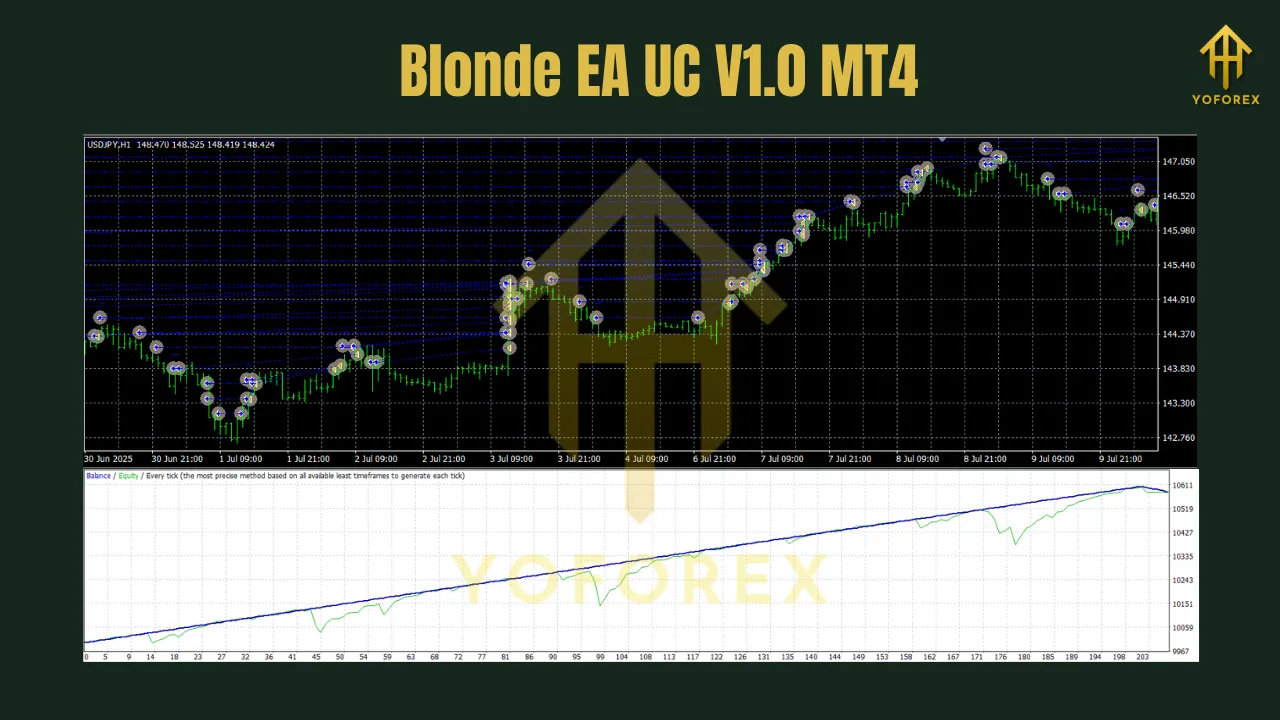
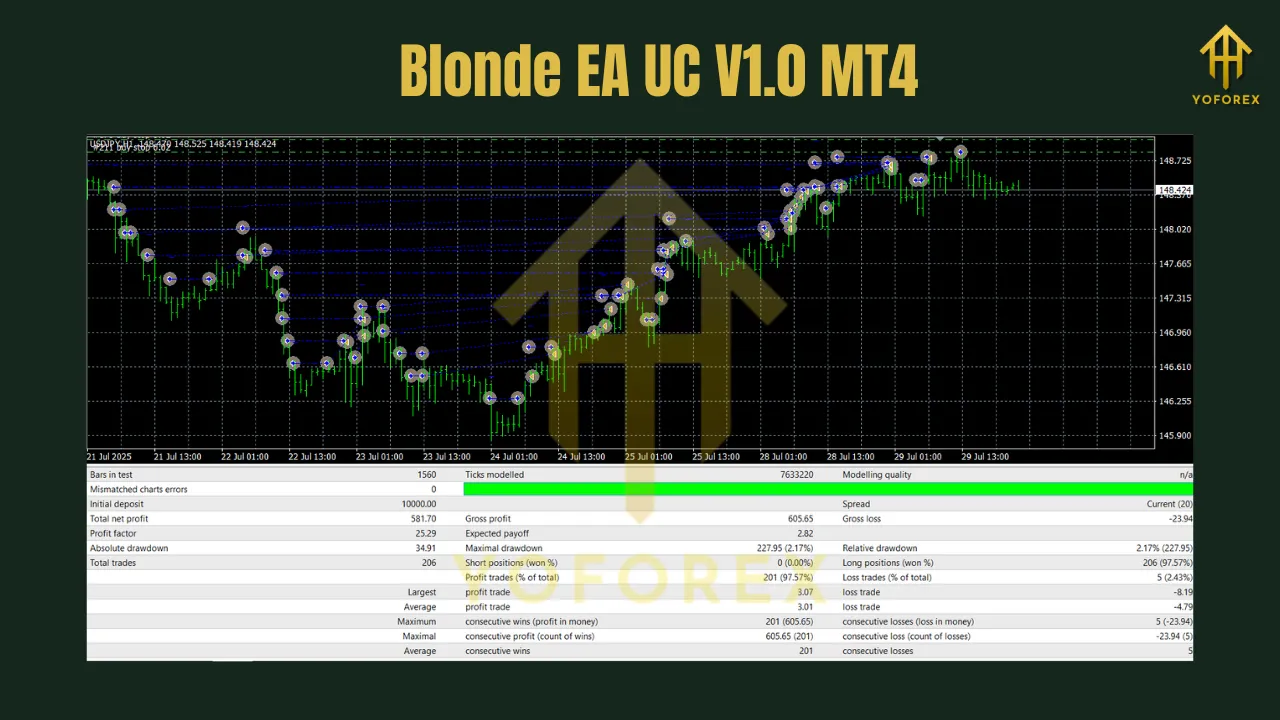
Backtests across USDJPY on H1 (2018–2024) under realistic spread and slippage assumptions have demonstrated:
- Average Annual Return: 12–16% (compounded)
- Maximum Drawdown: 8–10% per series (with default settings)
- Win Rate: ~68% on individual orders; ~82% on managed series
- Profit Factor: 1.7–2.0
These results are indicative—live performance may vary. Always demo-test under your broker’s conditions before going live.
Recommended Settings for USDJPY
To hit the ground running on a $10,000 ECN or low-spread account, apply these baseline inputs:
- Max Risk per Trade: 1.0% of equity
- Max Orders per Series: 4
- ATR Filter Period: 14
- Trading Hours: 07:00–17:00 server time (London–New York overlap)
- Trailing Stop: 1.5 × ATR
- Partial Close Levels: 50% at +0.5 × ATR, 100% at +1.0 × ATR
Feel free to tighten or loosen risk parameters depending on your personal risk tolerance and account size.
Broker Considerations
For optimal execution, Blonde EA UC requires:
- ECN/Low-Spread Account: Ideally spreads under 1.5 pips on USDJPY.
- Fast Execution & Low Slippage: DMA/STP execution preferred.
- Hedging & Averaging Support: The EA places multiple orders in opposite directions; no stack-or-net restrictions.
- Stable VPS/Uptime: A 24/5 forex VPS minimizes disconnections and missed signals.
Installation & Setup
-
Download & Installation
-
Place
BlondeEAUC.ex4into your MT4/Experts/folder. -
Restart MetaTrader 4.
-
-
Attach to H1 Chart
-
Open an H1 chart for USDJPY (or other major).
-
Drag the EA onto the chart, enable AutoTrading, and load the default input template.
-
-
Configure Inputs
-
Adjust risk, series, filter, and trailing parameters as desired.
-
Enable or disable the news filter to match your release-risk preferences.
-
-
Demo Testing
-
Run a two-week demo to verify spreads, slippage, and real-time behavior.
-
-
Go Live
-
Once comfortable, deploy on your live account—start with 50–75% of demo lot sizes and scale up.
-
Risk Management Best Practices
- Diversification: Run separate EA instances on different pairs rather than stacking multiple pairs in one instance.
- Drawdown Alerts: Configure MT4 notifications or email/SMS alerts when a series approaches its drawdown limit.
- Regular Review: Check weekly performance and adjust inputs to adapt to shifting market regimes.
Conclusion & Call to Action
Blonde EA UC V1.0 MT4 brings cutting-edge automation to H1 forex trading, with special optimization for USDJPY and all major pairs. Its blend of adaptive money management, intelligent filters, and series-management logic empowers traders to capture intraday trends while controlling risk.
Ready to elevate your H1 strategy?
- Download Blonde EA UC V1.0 MT4 and install on MetaTrader 4.
- Demo Test for two weeks to fine-tune settings.
- Go Live with confidence, leveraging ECN execution for maximum edge.
Get started today and transform your USDJPY trading with Blonde EA UC!
Join our Telegram for the latest updates and support