The Super Signal of SupDem Zone Indicator for MetaTrader 4 (MT4) is a powerful tool designed to help traders identify key support and demand zones in the forex, stocks, commodities, or any other market traded on the MT4 platform. By combining supply and demand zone analysis with precise entry signals, this indicator simplifies technical analysis and enhances trading decisions. In this blog, we’ll explore what the Super Signal of SupDem Zone Indicator is, how it works, its benefits, and practical tips for using it effectively in your trading strategy.
What is the Super Signal of SupDem Zone Indicator?
The Super Signal of SupDem Zone Indicator is a custom technical analysis tool for MT4 that highlights supply and demand zones—price levels where significant buying or selling pressure exists. These zones often act as critical reversal or continuation points in the market. The indicator plots these zones on the chart and generates buy or sell signals when the price interacts with them, helping traders make informed decisions.
Unlike traditional indicators like moving averages or RSI, which focus on momentum or trend direction, the SupDem Zone Indicator emphasizes price action within key levels. It uses historical price data to identify areas where institutional traders, or “smart money,” have placed large orders, creating zones of high liquidity. The “Super Signal” component adds an extra layer by providing clear entry and exit signals based on price behavior within these zones.
How Does the Indicator Work?
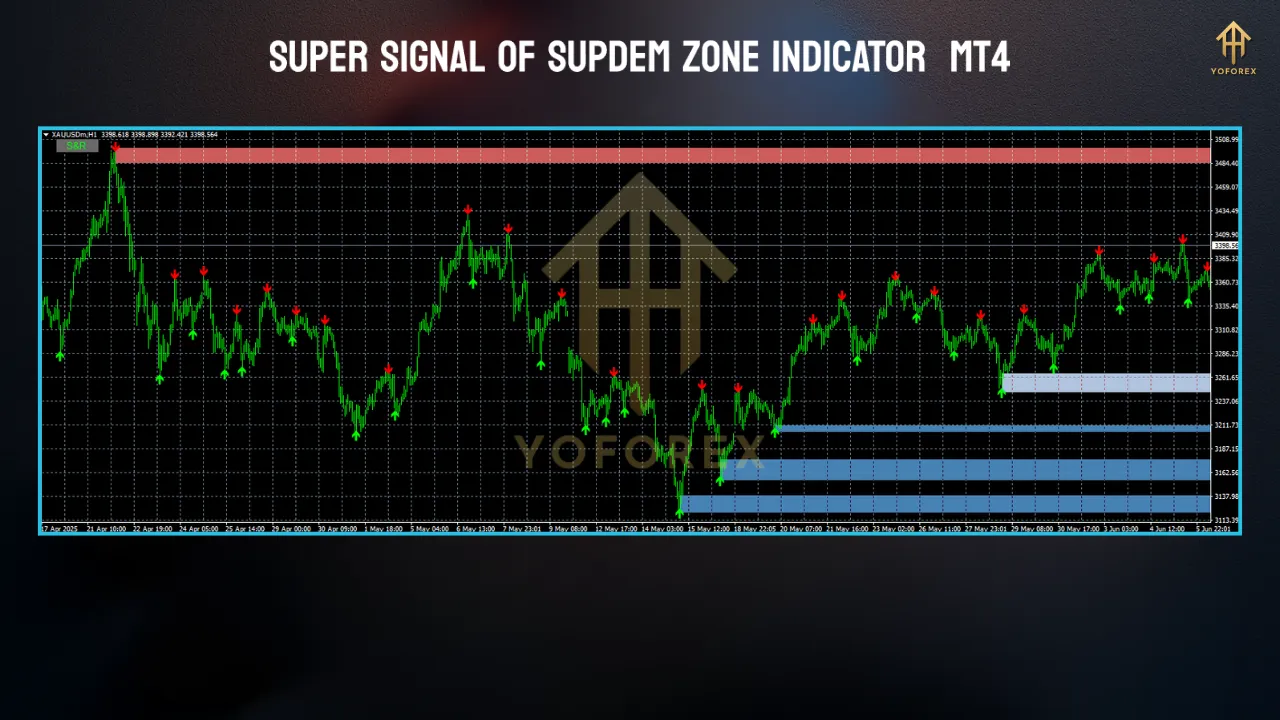
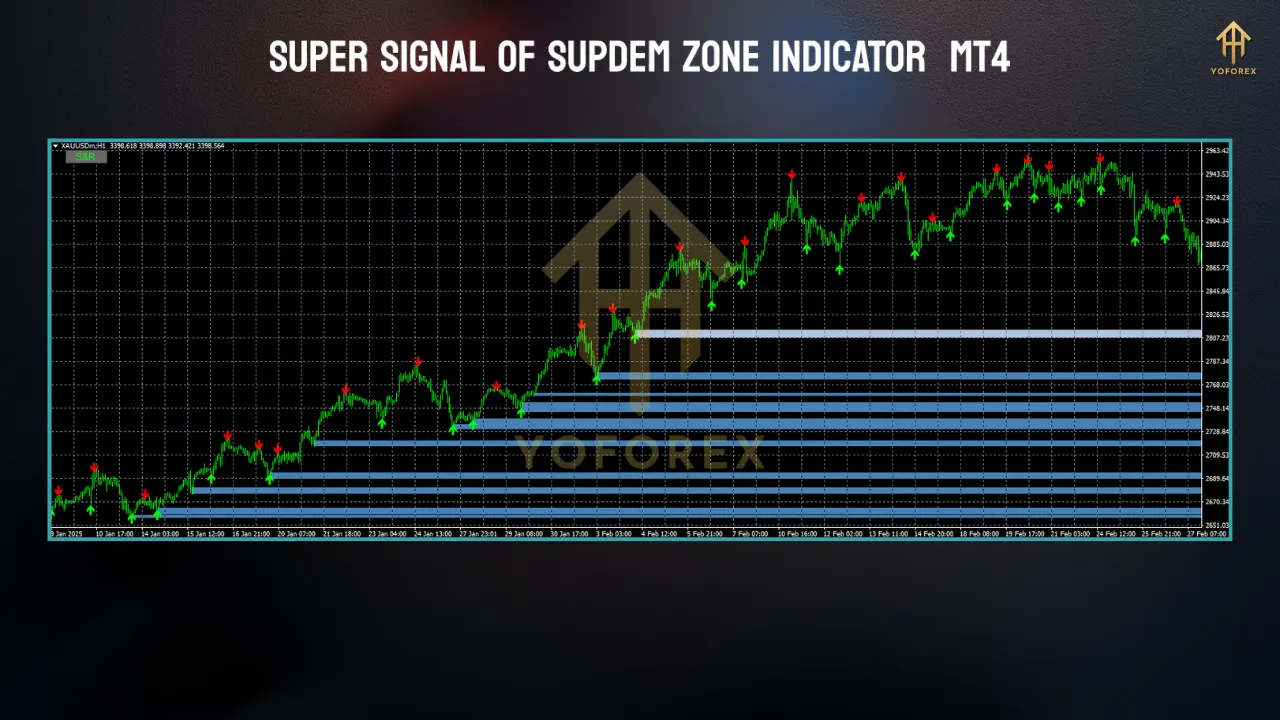
- Zone Identification: The indicator scans the chart for price levels where sharp reversals or consolidations have occurred. These are marked as rectangular zones—blue for demand (support) and red for supply (resistance).
- Signal Generation: When the price approaches or enters a supply or demand zone, the indicator generates a signal, typically in the form of arrows or alerts. A buy signal appears when the price touches a demand zone, indicating potential buying interest, while a sell signal appears at a supply zone, suggesting selling pressure.
- Customization Options: Traders can adjust the indicator’s settings, such as zone strength, timeframe sensitivity, and signal frequency, to suit their trading style. For instance, scalpers may use shorter timeframes (M5, M15), while swing traders may prefer higher timeframes (H1, H4).
- Visual Clarity: The indicator’s clean design ensures that zones and signals are easy to interpret, even for beginners. It avoids cluttering the chart, allowing traders to focus on key price levels.
Benefits of Using the Super Signal of SupDem Zone Indicator
1. Simplifies Market Analysis
The indicator does the heavy lifting by automatically identifying high-probability zones, saving traders hours of manual chart analysis. This is particularly useful for those new to supply and demand trading.
2. Enhances Trade Precision
The Super Signal feature provides clear entry and exit points, reducing guesswork. Traders can use these signals to time their trades with greater accuracy, improving win rates.
3. Versatility Across Markets
Whether you’re trading forex pairs like EUR/USD, commodities like gold, or indices like the S&P 500, the indicator adapts to various markets and timeframes, making it a versatile tool.
4. Risk Management Support
By highlighting key zones, the indicator helps traders set logical stop-loss and take-profit levels. For example, a stop-loss can be placed just below a demand zone for a buy trade, minimizing risk.
5. Compatibility with Other Strategies
The SupDem Zone Indicator can be combined with other MT4 tools, such as trendlines, Fibonacci retracements, or oscillators, to create a robust trading system.
How to Set Up the Indicator in MT4
- Download the Indicator: Obtain the Super Signal of SupDem Zone Indicator from a reputable source, such as a trusted trading forum or marketplace. Ensure it’s compatible with your MT4 version.
- Install the Indicator:
- Open MT4 and go to
File > Open Data Folder. - Navigate to
MQL4 > Indicatorsand copy the indicator file (.ex4 or .mq4) into this folder. - Restart MT4 to load the indicator.
- Open MT4 and go to
- Apply to Chart:
- Open a chart for your desired asset and timeframe.
- Drag the indicator from the Navigator panel onto the chart.
- Adjust settings like zone width, signal sensitivity, or alert preferences in the indicator’s input tab.
- Test on a Demo Account: Before using the indicator in live trading, test it on a demo account to understand its signals and optimize settings for your strategy.
Practical Tips for Trading with the Indicator
1. Focus on High-Probability Zones
Not all zones are equal. Look for zones that have been tested multiple times or align with other technical factors, such as trendlines or Fibonacci levels, to increase confidence in your trades.
2. Use Multiple Timeframes
Analyze higher timeframes (e.g., H4 or D1) to identify major supply and demand zones, then switch to lower timeframes (e.g., M15 or M30) for precise entries. This multi-timeframe approach enhances accuracy.
3. Combine with Price Action
Confirm signals with candlestick patterns, such as pin bars or engulfing candles, at the zones. This adds confluence and improves the reliability of trades.
4. Avoid Overtrading
The indicator may generate multiple signals, especially on lower timeframes. Be selective and trade only when the price reacts strongly to a zone, avoiding choppy market conditions.
5. Manage Risk
Always use proper risk management. A common rule is to risk no more than 1-2% of your account per trade. Place stop-losses outside the zone to account for market noise.
Potential Limitations
- False Signals in Choppy Markets: Like any indicator, it may produce false signals during sideways or low-liquidity markets. Always confirm with other tools or market context.
- Lagging Nature: Since it relies on historical price data, the indicator may lag in fast-moving markets. Use it in conjunction with real-time price action analysis.
- Learning Curve: Beginners may need time to understand how to interpret zones and signals effectively.
Real-World Example
Imagine you’re trading EUR/USD on the H1 timeframe. The indicator plots a demand zone at 1.0800, where the price previously reversed upward. As the price approaches this zone, a buy signal (up arrow) appears. You confirm the signal with a bullish pin bar and enter a long position at 1.0805, placing a stop-loss at 1.0780 (below the zone) and a take-profit at 1.0850 (near a supply zone). The price rallies, hitting your take-profit for a 45-pip gain. This example highlights how the indicator can guide precise entries and exits.
Conclusion
The Super Signal of SupDem Zone Indicator for MT4 is a game-changer for traders seeking to leverage supply and demand zones. Its ability to identify key levels and generate actionable signals makes it a valuable addition to any trading toolkit. By combining the indicator with sound risk management and complementary strategies, traders can improve their decision-making and profitability. Whether you’re a novice or an experienced trader, this indicator offers a straightforward yet powerful way to navigate the markets. Download it, test it on a demo account, and start exploring its potential today!