Volume Analyzer Indicator V1.0 MT4 – Unlock the Power of Volume in Forex Trading
Introduction
In forex and financial markets, traders often rely heavily on price-based indicators such as moving averages, RSI, or MACD. While these tools are valuable, they overlook one crucial element of market dynamics: volume. Volume represents the strength behind price movements — it tells traders whether a trend is likely to continue or fade.
The Volume Analyzer Indicator V1.0 MT4 is designed to fill this gap. Built for the MetaTrader 4 (MT4) platform, this custom indicator allows traders to monitor volume activity in real time, identify strong market moves, and filter out false signals. Suitable for any currency pair and any timeframe, it’s a must-have tool for both beginner and professional traders.
What is the Volume Analyzer Indicator V1.0 MT4?
The Volume Analyzer Indicator is a custom MT4 indicator that measures and displays trading volume directly on your chart. Unlike the standard MT4 volume bars, this indicator offers enhanced insights by analyzing volume patterns, highlighting spikes, and correlating volume with price action.
By doing so, it helps traders confirm breakouts, validate trends, and spot potential reversals before they become obvious on the chart.
Key Features
- Real-Time Volume Monitoring – Tracks live volume data with accuracy.
- Multi-Pair & Multi-Timeframe Support – Works across forex, indices, commodities, and cryptocurrencies.
- Volume Spike Detection – Highlights unusual volume surges that may indicate institutional activity.
- Trend Confirmation Tool – Confirms whether a breakout is supported by strong market participation.
- Divergence Alerts – Detects volume-price divergences (price rising while volume falls).
- Customizable Visuals – Color-coded bars and alerts for easy interpretation.
- Non-Repainting – Signals remain fixed once generated.
- Beginner-Friendly – Easy to install and interpret even for new traders.
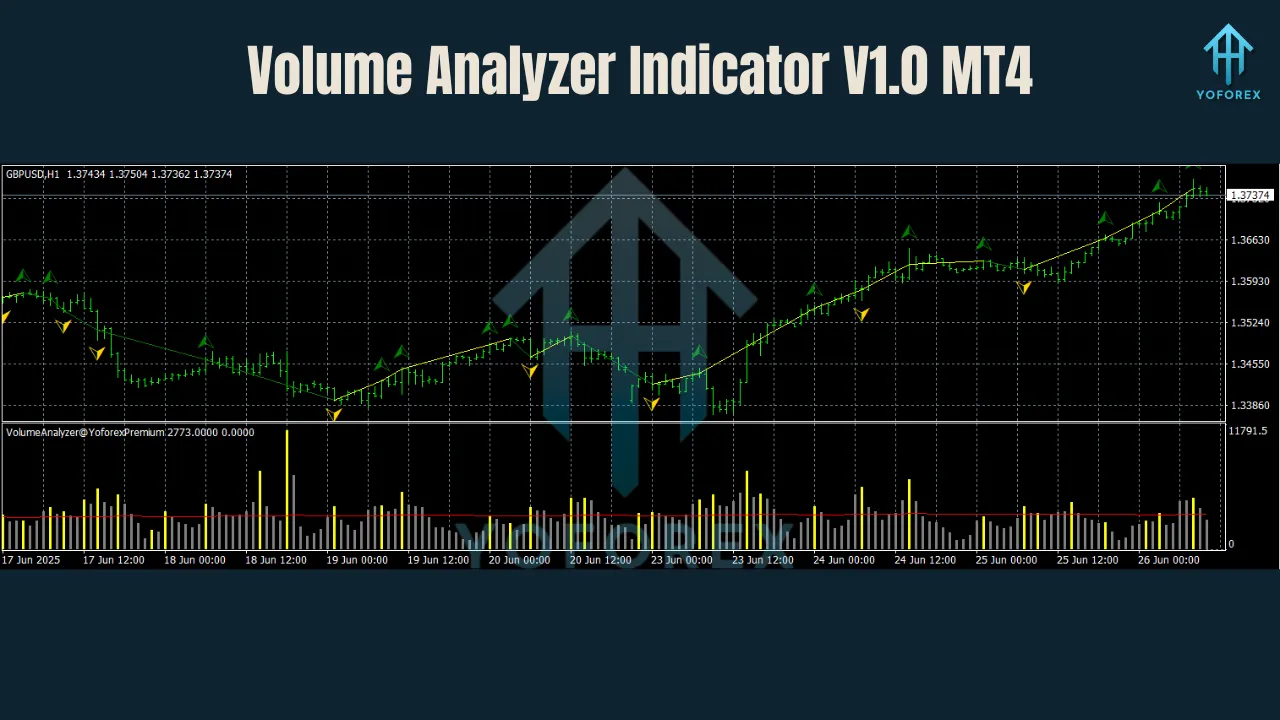
How the Indicator Works
The Volume Analyzer Indicator V1.0 MT4 works by combining volume activity with price action filters:
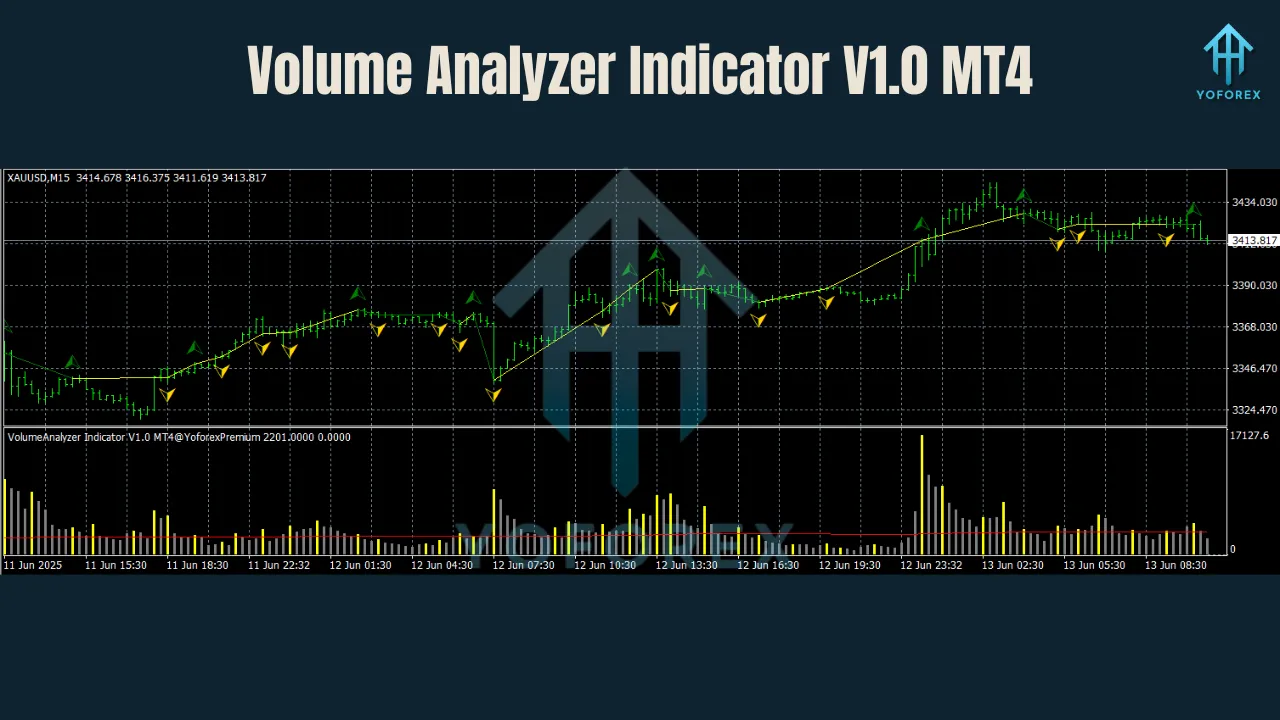
- High Volume + Strong Price Move: Confirms a breakout or trend continuation.
- Low Volume + Price Move: Signals a false breakout or weak trend.
- Volume Divergence: Warns of potential reversals when volume does not support price movement.
By analyzing the relationship between price and volume, traders gain an extra layer of confirmation before entering trades.
Trading Strategies with Volume Analyzer
1. Breakout Confirmation
- Timeframes: M15, H1
- Pairs: EUR/USD, GBP/USD, XAU/USD
- Approach: Enter trades only when breakouts are confirmed with strong volume.
- Benefit: Avoids false breakouts during low liquidity sessions.
2. Trend Following
- Timeframes: H1, H4
- Pairs: Any major forex pair
- Approach: Stay in trades as long as volume supports the direction of the trend.
- Exit: Close when volume begins to decline significantly.
3. Volume Divergence Reversal
- Timeframes: H4, Daily
- Pairs: USD/JPY, AUD/USD
- Approach: Watch for situations where price is making new highs/lows but volume decreases.
- Benefit: Early identification of trend exhaustion and potential reversals.
Best Settings & Recommendations
- Pairs: Works on all major/minor pairs, gold, indices, and crypto.
- Timeframes: Any (M15 and H1 recommended for intraday; H4+ for swing trades).
- Confirmation Tools: Combine with RSI, MACD, or Moving Averages for stronger setups.
- Risk Management: Use Stop Loss below/above recent highs/lows.
- Broker: Choose brokers with reliable volume data for accurate readings.
Advantages
Provides deeper insights than standard MT4 volume bars
Works on any pair and timeframe
Confirms breakouts and prevents false entries
Helps identify institutional activity in the market
Beginner-friendly and easy to read
Installation Guide
- Download the Indicator File (
.ex4or.mq4). - Place in MT4 Directory →
MQL4 → Indicators. - Restart MT4 so it appears in the Navigator.
- Attach to Chart – Select any pair/timeframe.
- Adjust Settings – Customize volume thresholds, colors, and alerts.
Risk Management Tips
- Always risk only 1–2% per trade.
- Use the indicator to filter entries, not as the only decision-maker.
- Avoid overtrading; focus on high-volume confirmed setups.
- Keep a trading journal to evaluate performance.
Why Choose Volume Analyzer Indicator V1.0 MT4?
Most traders lose money not because their strategies are bad, but because they fail to confirm whether the market actually supports their trades. The Volume Analyzer Indicator V1.0 MT4 eliminates this problem by giving traders clear insights into market participation.
For scalpers, it filters weak setups. For swing traders, it validates trend strength. For binary and crypto traders, it highlights the moments when “big money” enters the market.
Conclusion
The Volume Analyzer Indicator V1.0 MT4 is more than just a charting tool — it’s a market confirmation system. By combining volume with price analysis, it gives traders the confidence to enter trades only when momentum is strong and sustainable.
While no indicator guarantees profits, this one significantly improves accuracy by eliminating false signals and validating real opportunities. If you’re serious about trading forex or gold on MT4, this indicator can give you the clarity and confidence you’ve been missing.
Join our Telegram for the latest updates and support