
The world of forex trading is evolving rapidly, and automated trading systems like Expert Advisors (EAs) are at the forefront of this transformation. Among the latest innovations is GenAIBot EA V1.3 for MetaTrader 4 (MT4), a cutting-edge tool designed to enhance trading efficiency through artificial intelligence. In this blog post, we’ll dive into the features, benefits, and setup process of GenAIBot EA V1.3, exploring how it’s reshaping the trading landscape for both novice and seasoned traders.
What is GenAIBot EA V1.3?
GenAIBot EA V1.3 is an advanced Expert Advisor developed for the MetaTrader 4 platform, one of the most widely used trading platforms in the forex market. This EA leverages artificial intelligence to analyze market trends, execute trades, and manage risk with minimal human intervention. Unlike traditional EAs that rely on rigid algorithms, GenAIBot EA V1.3 uses machine learning to adapt to changing market conditions, making it a powerful tool for dynamic trading environments.
The V1.3 update introduces several enhancements over its predecessors, including improved AI algorithms, better risk management features, and enhanced compatibility with MT4’s robust trading infrastructure. Whether you’re trading major currency pairs or exploring volatile markets, this EA aims to optimize your strategy with precision and adaptability.
Key Features of GenAIBot EA V1.3
1. AI-Driven Market Analysis
At the core of GenAIBot EA V1.3 is its AI-powered decision-making engine. The EA uses sophisticated machine learning models to analyze historical and real-time market data, identifying patterns and trends that might elude human traders. This allows it to make informed trading decisions, such as entering or exiting trades at optimal points.
2. Adaptive Risk Management
Risk management is critical in forex trading, and GenAIBot EA V1.3 excels in this area. The EA includes customizable risk parameters, allowing traders to set stop-loss, take-profit, and lot-size preferences. Its AI also dynamically adjusts these parameters based on market volatility, helping to protect your capital during turbulent conditions.
3. Multi-Timeframe Trading
GenAIBot EA V1.3 supports trading across multiple timeframes, from M1 (1-minute) to D1 (daily) charts. This flexibility enables the EA to cater to various trading styles, whether you prefer scalping, day trading, or swing trading. The AI optimizes strategies for each timeframe, ensuring consistent performance.
4. User-Friendly Interface
Despite its advanced technology, GenAIBot EA V1.3 is designed with accessibility in mind. The EA integrates seamlessly with MT4, offering an intuitive setup process and customizable settings. Traders can adjust parameters like trading hours, currency pairs, and risk levels without needing extensive coding knowledge.
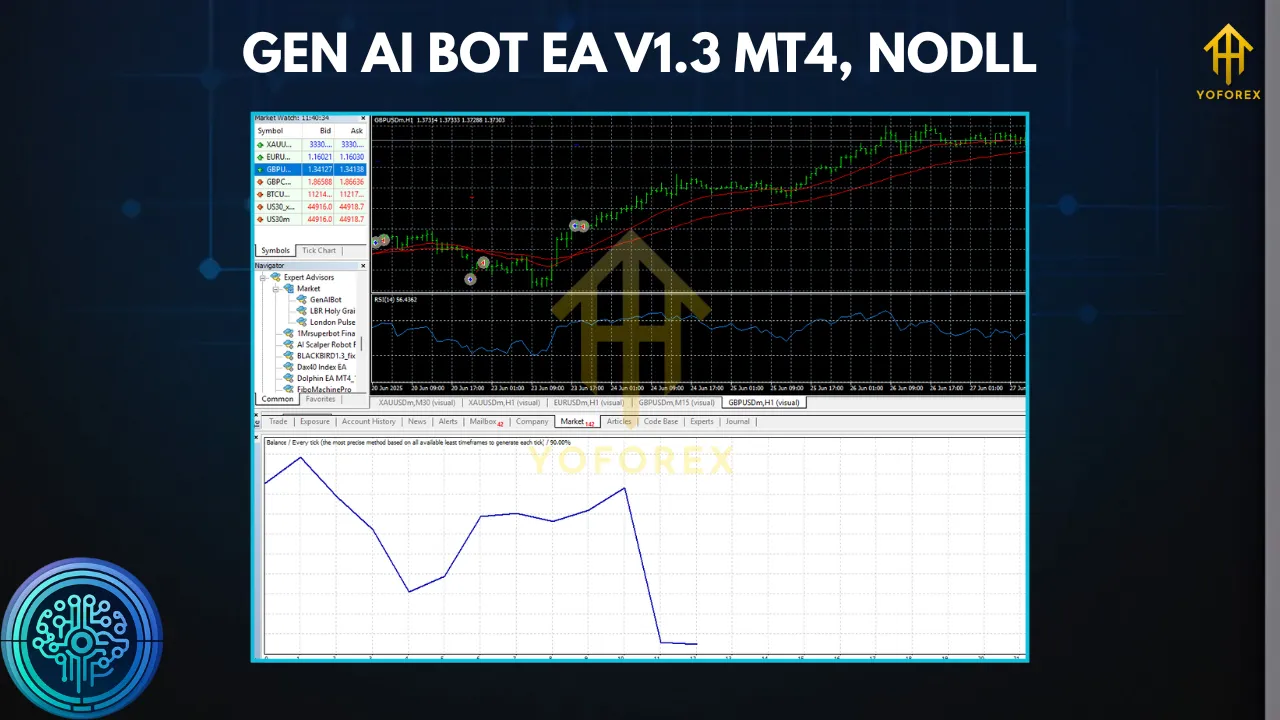
5. Backtesting and Optimization
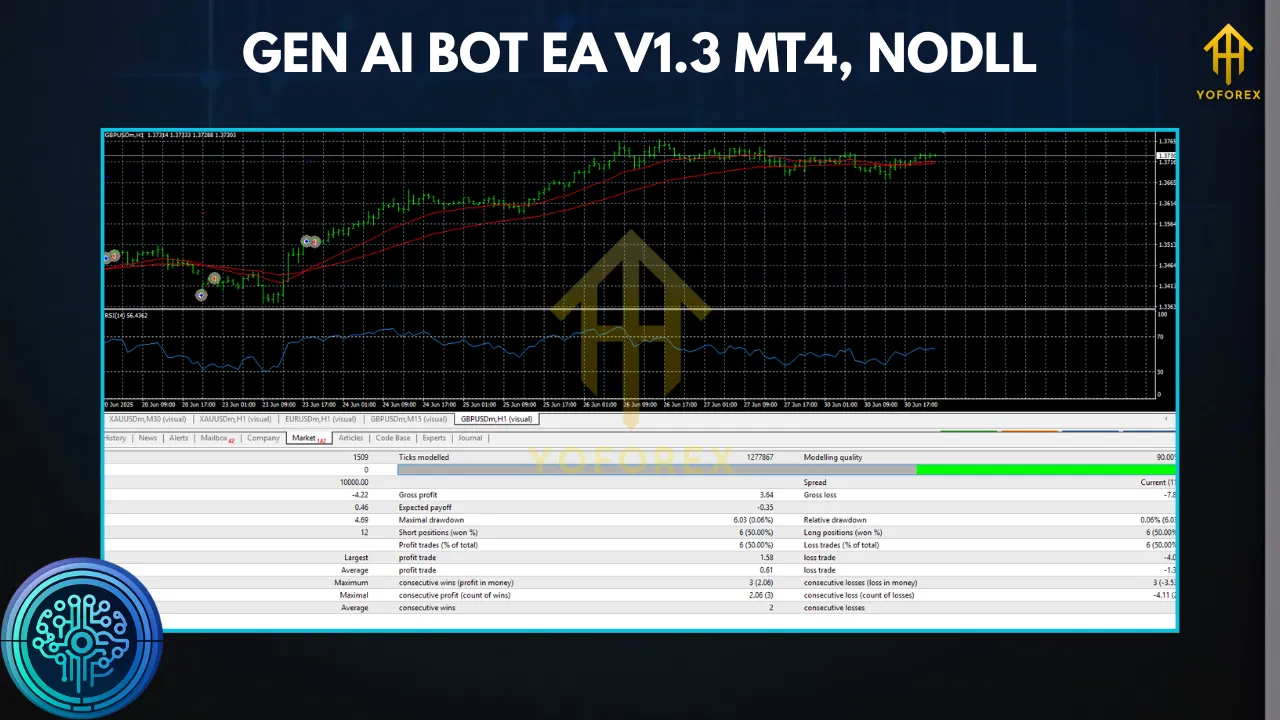
The EA comes with robust backtesting capabilities, allowing traders to test its performance against historical data. This feature is invaluable for refining strategies and ensuring the EA aligns with your trading goals. The V1.3 update includes enhanced optimization tools to fine-tune settings for maximum profitability.
Benefits of Using GenAIBot EA V1.3
Enhanced Efficiency
Manual trading can be time-consuming and emotionally taxing. GenAIBot EA V1.3 automates the entire process, from market analysis to trade execution, freeing up your time and reducing the risk of emotional decision-making.
Improved Accuracy
The AI-driven approach minimizes human error by relying on data-driven insights. By continuously learning from market patterns, the EA can adapt to new trends, potentially increasing the accuracy of trade entries and exits.
Scalability
Whether you’re managing a small account or a large portfolio, GenAIBot EA V1.3 scales effortlessly. Its customizable settings make it suitable for traders with varying levels of capital and risk tolerance.
24/5 Trading
Forex markets operate around the clock, and GenAIBot EA V1.3 ensures you never miss an opportunity. The EA can monitor markets and execute trades 24 hours a day, five days a week, even when you’re away from your desk.
Setting Up GenAIBot EA V1.3 on MT4
Getting started with GenAIBot EA V1.3 is straightforward. Follow these steps to install and configure the EA on your MT4 platform:
- Download the EA: Purchase or download GenAIBot EA V1.3 from a trusted provider. Ensure you’re getting the authentic version to avoid compatibility issues.
- Install on MT4: Open MT4, go to
File > Open Data Folder > MQL4 > Experts, and copy the EA file into theExpertsfolder. - Configure Settings: Restart MT4, navigate to the
Navigatorpanel, and drag GenAIBot EA V1.3 onto your desired chart. Adjust settings like lot size, risk level, and trading hours in the input parameters. - Enable Auto-Trading: Ensure the
AutoTradingbutton on MT4 is active (green). The EA will now start analyzing the market and executing trades based on your settings. - Monitor Performance: Regularly check the EA’s performance through MT4’s
Terminalwindow. Use backtesting to optimize settings for your preferred currency pairs and timeframes.
Tips for Maximizing Performance
- Start with a Demo Account: Before deploying GenAIBot EA V1.3 on a live account, test it on a demo account to understand its behavior and fine-tune settings.
- Regularly Update Settings: Markets evolve, and so should your EA’s parameters. Periodically review and adjust risk settings to align with current market conditions.
- Monitor VPS Performance: For uninterrupted trading, consider running the EA on a Virtual Private Server (VPS) to ensure 24/5 operation without reliance on your local machine.
- Stay Informed: While the EA automates trading, staying updated on major economic events (e.g., central bank announcements) can help you adjust settings to avoid unnecessary risks.
Potential Risks and Considerations
No trading system is foolproof, and GenAIBot EA V1.3 is no exception. While its AI-driven approach offers significant advantages, traders should be aware of potential risks:
- Market Volatility: Extreme market conditions can affect the EA’s performance. Ensure risk management settings are robust to mitigate losses.
- Over-Optimization: Excessive tweaking of settings based on backtesting can lead to curve-fitting, where the EA performs well on historical data but poorly in live markets.
- Broker Compatibility: Not all brokers support EAs equally. Verify that your broker allows automated trading and has low spreads for optimal performance.
Conclusion
GenAIBot EA V1.3 for MT4 represents a significant leap forward in automated forex trading. Its AI-driven analysis, adaptive risk management, and user-friendly design make it a compelling choice for traders looking to enhance their strategies. By automating complex tasks and adapting to market changes, this EA empowers traders to focus on strategy development rather than manual execution.
However, success with GenAIBot EA V1.3 requires careful setup, regular monitoring, and an understanding of its limitations. Whether you’re a beginner exploring automated trading or an experienced trader seeking to diversify your approach, GenAIBot EA V1.3 offers a powerful tool to navigate the fast-paced world of forex trading. Test it, tweak it, and let it work its AI magic—your trading journey might just reach new heights.