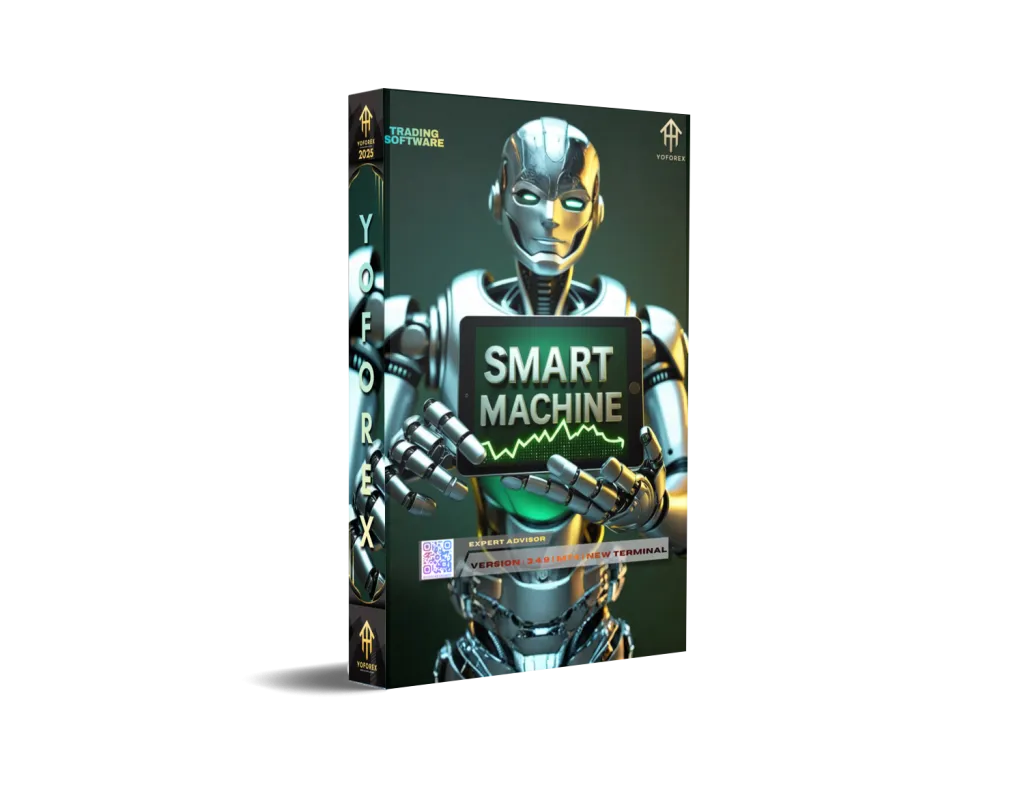
Smart Machine EA V3.4.9 MT4 Review: The Ultimate 2025 Guide to High-Yield Automated Trading
In the fast-paced world of algorithmic trading, the Smart Machine EA V3.4.9 has emerged as a powerhouse for MetaTrader 4 (MT4) users. Promising consistent returns and a “set-and-forget” experience, this Expert Advisor (EA) has caught the eye of both retail traders and institutional speculators.
But does the version 3.4.9 truly live up to the hype, or is it another “account blower” hiding behind a shiny interface? In this comprehensive review, we dive deep into the mechanics, performance, and risk management strategies of the Smart Machine EA to help you decide if it belongs in your trading portfolio.
What is Smart Machine EA V3.4.9?
The Smart Machine EA V3.4.9 is a fully automated trading robot specifically designed for the MetaTrader 4 platform. Unlike traditional indicators that require manual execution, this EA uses a complex mathematical algorithm to scan the markets 24/5, identifying high-probability entry points based on price action and volatility.
Key Technical Specifications
-
Platform: MetaTrader 4 (MT4)
-
Version: 3.4.9 (Latest 2025 Stability Patch)
-
Strategy Type: Grid / Smart Martingale / Trend-Following
-
Timeframe: Optimized for M5 and M15
-
Currency Pairs: EURUSD, GBPUSD, AUDCAD, and NZDCAD
Core Strategy: How the “Smart Machine” Thinks
Understanding the “brain” of your robot is crucial before committing real capital. The V3.4.9 version utilizes a hybrid trading strategy:
1. Market Wave Identification
The EA doesn’t just trade randomly. It uses a combination of the Relative Strength Index (RSI) and Moving Averages to determine the current market sentiment. It looks for “waves” or price swings, aiming to enter at the beginning of a correction.
2. Smart Grid Execution
Unlike “dumb” grid bots that place orders at fixed intervals regardless of market conditions, Smart Machine V3.4.9 uses dynamic spacing. If the market becomes highly volatile, the EA widens the gap between trades to prevent excessive margin usage.
3. Recovery Mode (The Martingale Element)
It is important to be transparent: this EA uses a form of Martingale. If a trade goes against the initial position, the EA opens subsequent trades with slightly increased lot sizes. This allows the system to close the entire “basket” of trades in profit even if the price only makes a minor retracement.
Performance Analysis: High ROI vs. Drawdown
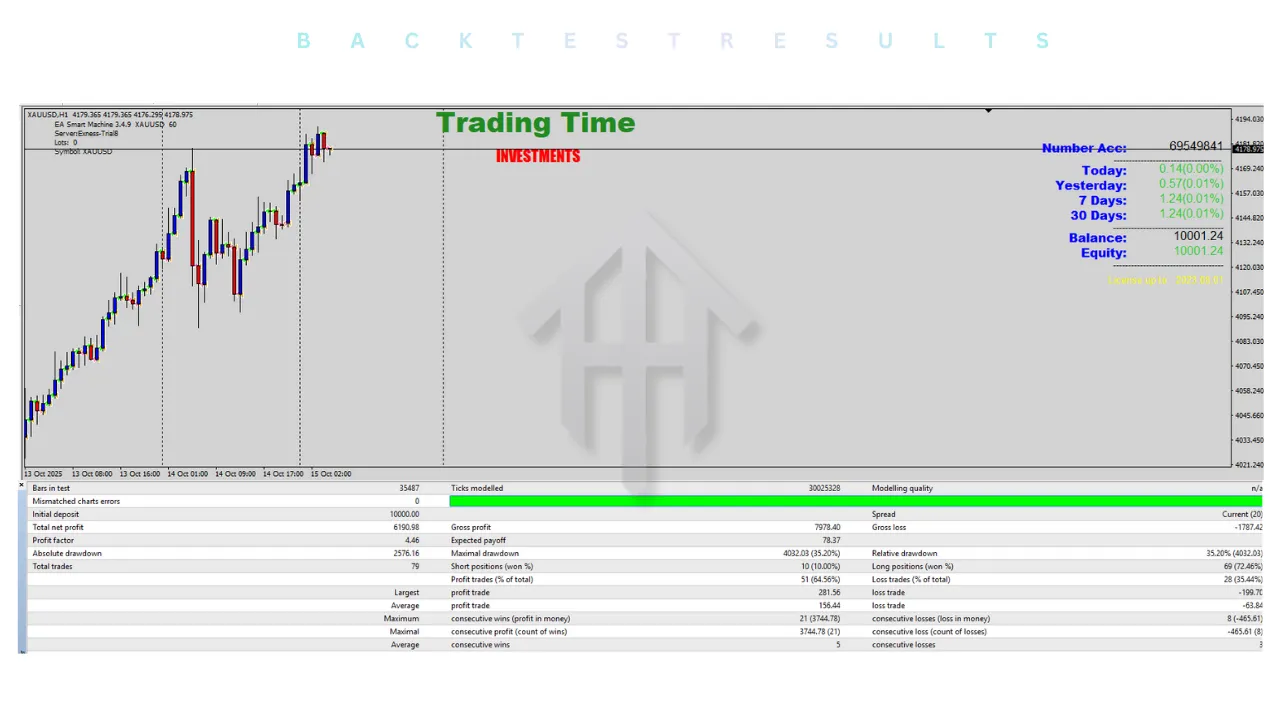
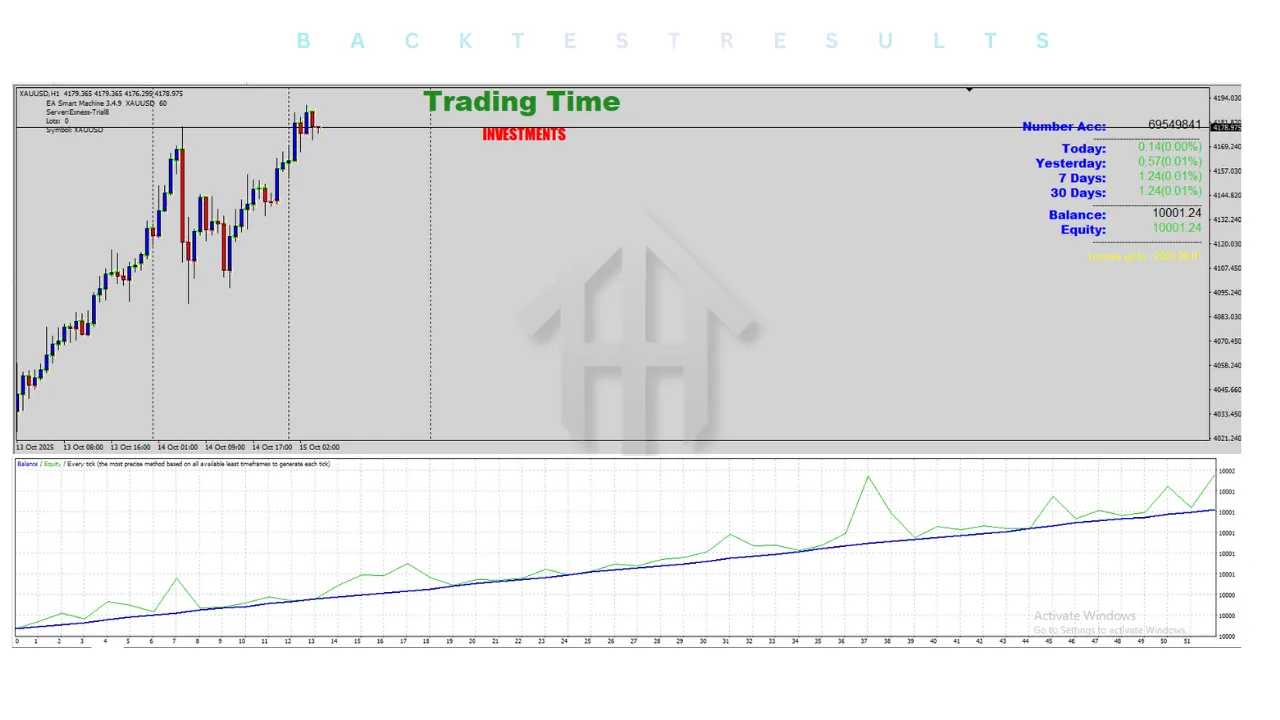
When we look at public performance data from 2024 and 2025, the results for Smart Machine EA are polarized.
The Pros: Impressive Gains
-
Monthly Returns: Many users report consistent monthly gains of 8% to 15%.
-
Compounding Power: Due to its high win rate in ranging markets, the EA is excellent for compounding small accounts.
-
Consistency: During “sideways” market phases, the EA can go weeks without a single losing day.
The Cons: The Drawdown Danger
-
Maximum Drawdown: Verified Myfxbook accounts have shown drawdowns ranging from 25% to 55%.
-
Trend Sensitivity: The biggest enemy of Smart Machine V3.4.9 is a “Black Swan” event or a relentless one-way trend (e.g., a 400-pip move without a pullback).
Pro Tip: Never trade this EA without a “Stop Out” or “Equity Protection” setting enabled. This ensures that if the market goes into a vertical trend, the EA closes all trades before your entire balance is lost.
Best Settings for Smart Machine EA V3.4.9 (2025 Optimization)
To achieve the best results on the YoForex platform, we recommend the following “Conservative” setup to balance profit and safety.
1. The “Safety First” Preset
-
Initial Lot: 0.01 per $1,000 balance (Standard Account) or 0.10 per $100 (Cent Account).
-
Multiplier: 1.4x to 1.6x (Avoid 2.0x as it escalates risk too quickly).
-
Step (Grid Spacing): 15–20 pips.
-
Max Trades: 8–10.
2. Currency Pair Selection
While the EA can trade many pairs, AUDCAD and NZDCAD are often preferred because they are “crosses” that frequently trade within a range. EURUSD is also a staple due to its high liquidity and low spreads.
Installation Guide: Setting Up on MT4
Setting up the Smart Machine EA is a straightforward process, but it requires precision.
Step 1: Download and Extract
Ensure you have the official .ex4 file for version 3.4.9.
Step 2: Open Data Folder
In your MT4 terminal, go to File > Open Data Folder. Navigate to MQL4 > Experts and paste the EA file there.
Step 3: Refresh and Load
Restart MT4 or right-click “Expert Advisors” in the Navigator panel and hit Refresh. Drag the EA onto your desired chart (e.g., EURUSD M15).
Step 4: Configure Common Settings
In the EA pop-up window:
-
Go to the Common tab.
-
Check “Allow Live Trading”.
-
Check “Allow DLL Imports” (This is vital for the EA’s licensing and calculation modules).
The Necessity of a VPS for Smart Machine EA
Because this is a grid-based system, uptime is non-negotiable. If your computer shuts down or your internet cuts out while the EA has an open basket of trades, it cannot manage the exit. This could lead to catastrophic losses.
We highly recommend using a Forex VPS with:
-
Low Latency: Under 10ms to your broker’s server.
-
99.9% Uptime: To ensure the grid is always managed.
-
SSD Storage: For fast execution.
Risk Management: How Not to Blow Your Account
At YoForex, we prioritize trader education over hype. To succeed with the Smart Machine EA V3.4.9, follow these three golden rules:
-
Use a Cent Account: If you are starting with less than $2,000, use a Cent account. This gives the EA more “room to breathe” by turning a $200 deposit into 20,000 cents.
-
Withdraw Profits Regularly: The “Martingale” strategy will eventually hit a bad trend. By withdrawing your initial investment once you’ve doubled your account, you are effectively playing with “house money.”
-
News Filter: Avoid running the EA during high-impact news events like the NFP (Non-Farm Payroll) or Interest Rate decisions. Use a built-in news filter or manually disable AutoTrading 2 hours before major releases.
Is Smart Machine EA V3.4.9 Legitimate?
The software itself is a legitimate tool, but like a high-performance sports car, it requires a skilled driver. It is not a “scam,” but the marketing often overlooks the inherent risks of grid trading. When used with a reputable, low-spread broker and conservative settings, it is a viable tool for passive income.
Pros at a Glance:
-
✅ High win rate (often over 70%).
-
✅ User-friendly dashboard for real-time monitoring.
-
✅ Works on most MT4 brokers.
-
✅ Excellent for ranging market conditions.
Cons at a Glance:
-
❌ High risk during strong trends.
-
❌ Requires significant margin for safety.
-
❌ Performance is highly dependent on broker spreads.
Verdict: Should You Buy/Use It?
The Smart Machine EA V3.4.9 is one of the more refined grid bots available in 2025. Its dynamic spacing and wave-identification logic make it superior to older versions. However, it is not for the faint of heart.
Use it if: You understand risk management, have access to a VPS, and are looking for a way to diversify a portion of your portfolio into high-yield algorithmic trading.
Avoid it if: You are looking to “get rich quick” with your last $100 and don’t understand how Martingale systems work.
Final Thoughts
The world of Forex automation is evolving. While the Smart Machine EA V3.4.9 provides a powerful engine, your success will depend on your discipline. Test it on a demo account, find your “sweet spot” settings, and always protect your capital.