
2PSAR EA Source Code V1.07 MQ4 – A Comprehensive Guide
Introduction
In the world of automated forex trading, Expert Advisors (EAs) have become indispensable tools for traders looking to maximize efficiency and profitability. Among the many EAs available, the 2PSAR EA Source Code V1.07 MQ4 stands out as a powerful tool for traders who rely on the Parabolic SAR (Stop and Reverse) indicator to make trading decisions. This EA is designed to automate the trading process by executing trades based on the signals generated by the Parabolic SAR indicator.
In this blog, we will explore the 2PSAR EA Source Code V1.07 MQ4 in depth, including its functionality, settings, and benefits. We will also provide an overview of the source code, discuss optimization techniques, and guide traders on how to make the most of this EA.
Understanding the Parabolic SAR Indicator
Before diving into the 2PSAR EA, it’s crucial to understand the Parabolic SAR indicator, as this EA is built around its trading logic.
What is the Parabolic SAR?
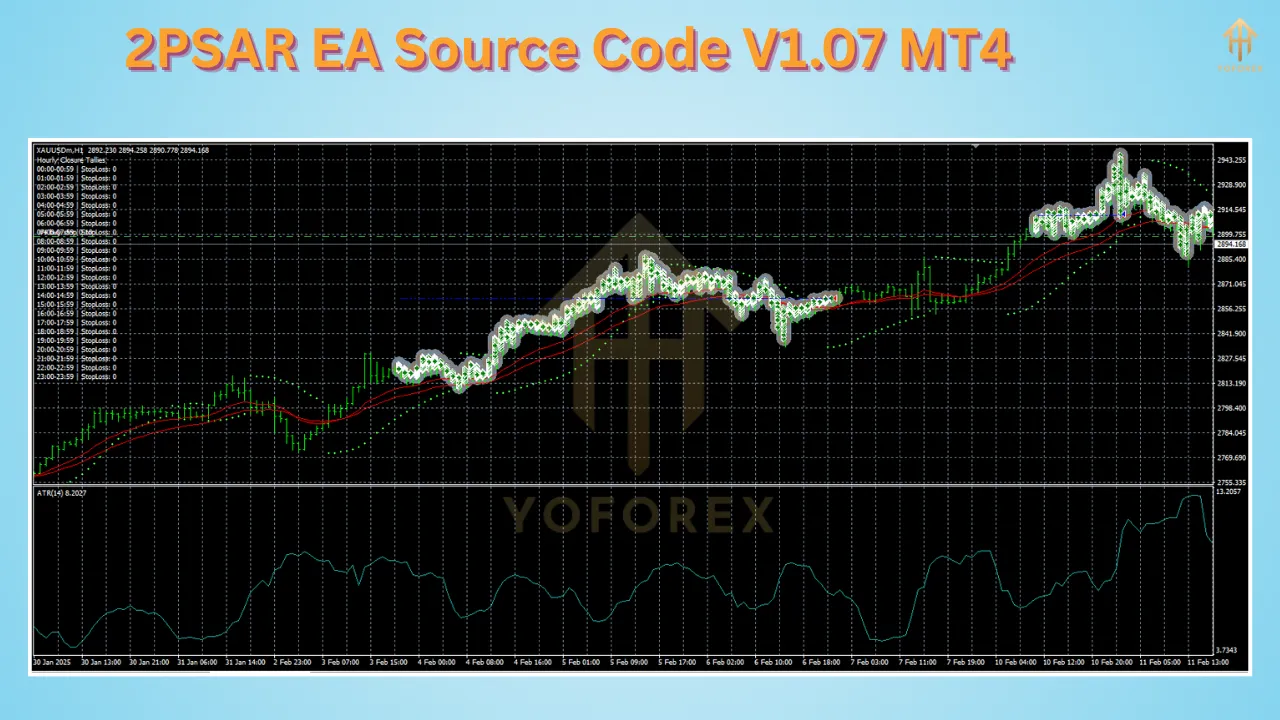
The Parabolic SAR (PSAR) is a trend-following indicator developed by J. Welles Wilder. It is widely used in forex, stocks, and commodities trading to identify potential trend reversals. The indicator appears as dots placed above or below the price on a chart:
-
When dots are below the price, it signals an uptrend.
-
When dots are above the price, it indicates a downtrend.
The PSAR is especially useful for setting stop-loss levels and trailing stops, making it a key tool for traders looking to lock in profits and minimize losses.
Overview of 2PSAR EA Source Code V1.07 MQ4
The 2PSAR EA utilizes the Parabolic SAR on two different timeframes to generate trading signals. This dual-timeframe approach helps filter out false signals and improves overall trading accuracy.
Key Features of 2PSAR EA
-
Dual Parabolic SAR Strategy – Uses two PSAR indicators on different timeframes for confirmation.
-
Fully Automated Trading – Opens and closes trades based on PSAR trend changes.
-
Customizable Parameters – Allows traders to tweak settings like step size, maximum stop, lot size, and risk management.
-
Works on Multiple Timeframes – Can be applied to different timeframes to suit different trading styles.
-
Supports Money Management – Includes risk control settings such as stop loss and take profit levels.
How the 2PSAR EA Works
The 2PSAR EA V1.07 follows a systematic approach to trading based on the Parabolic SAR indicator on two timeframes.
Entry Conditions
-
A buy trade is triggered when both PSAR indicators (on two timeframes) indicate an uptrend (dots appear below the price).
-
A sell trade is executed when both PSAR indicators confirm a downtrend (dots appear above the price).
Exit Conditions
-
The EA closes trades when PSAR reverses, signaling a trend change.
-
A stop loss and take profit are also used to protect profits and limit losses.
Additional Filters
-
Spread Control – Ensures trades are only placed when spreads are within acceptable limits.
-
Slippage Control – Prevents large slippage that could impact trade execution.
-
Time Filter – Allows traders to limit trading to specific hours.
Optimizing 2PSAR EA for Maximum Profitability
To maximize the effectiveness of the 2PSAR EA, traders should consider the following optimization techniques:
-
Optimize PSAR Settings – Test different values for step size and maximum stop to find the best configuration for specific market conditions.
-
Adjust Timeframes – Experiment with different timeframe combinations (e.g., M15 & H1, H1 & H4) for better signal accuracy.
-
Use Additional Filters – Implement moving averages or RSI as secondary confirmation indicators.
-
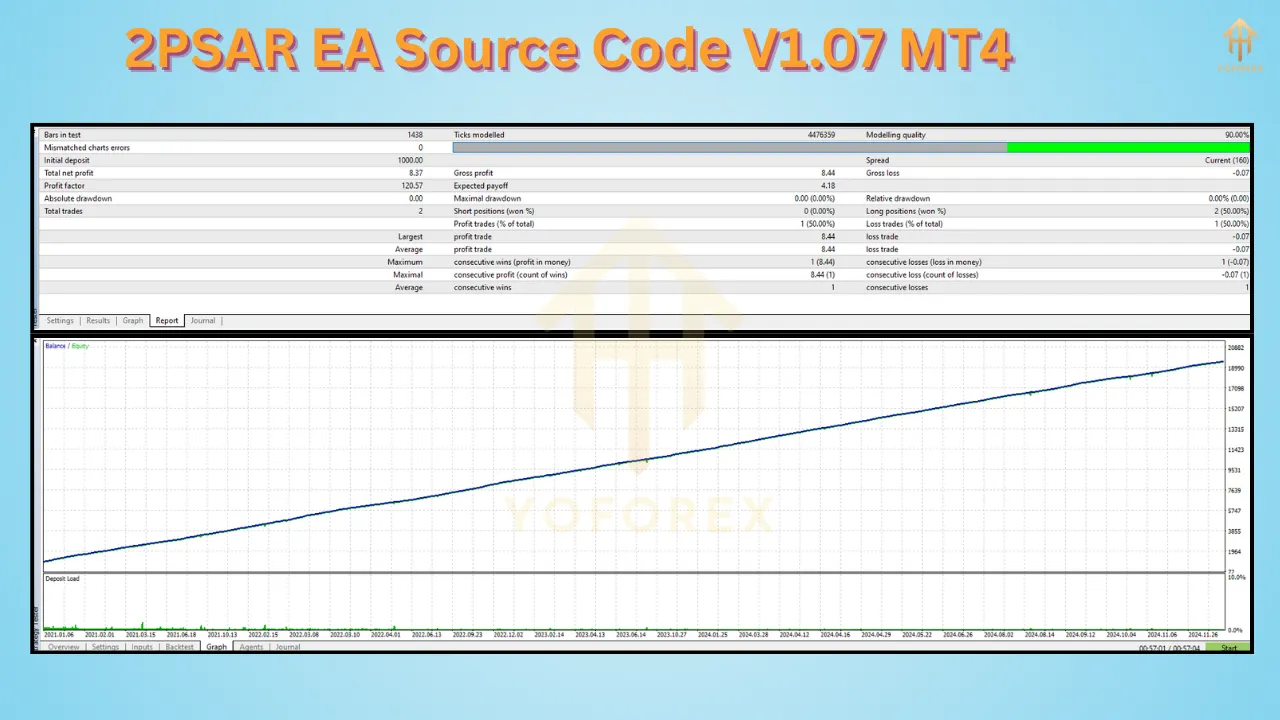
Backtest Extensively – Run the EA on historical data to analyze its win rate and risk-reward ratio before using it on a live account.
-
Avoid High-Impact News Trading – Use an economic calendar to disable trading during major news events that can cause market volatility.
Benefits of Using 2PSAR EA
✔ Fully Automated Trading – Eliminates emotional decision-making.
✔ Dual PSAR Confirmation – Reduces false signals and improves accuracy.
✔ Customizable Inputs – Allows traders to optimize settings for their strategy.
✔ Works on Any Forex Pair – Can be used on different currency pairs and even commodities.
✔ Suitable for Scalping & Swing Trading – Can be adapted for short-term and long-term trading strategies.
Conclusion
The 2PSAR EA Source Code V1.07 MQ4 is a powerful automated trading system based on the Parabolic SAR indicator on two timeframes. With customizable settings, a robust trading strategy, and automation capabilities, this EA can help traders execute precise trades with minimal effort.
By understanding the source code, optimizing parameters, and backtesting, traders can enhance their forex trading performance using this dual-timeframe PSAR strategy.
If you’re looking for a reliable and efficient trading robot, the 2PSAR EA V1.07 is definitely worth exploring! 🚀