Mission Profit EA V2.0 MT4 – Maximize Forex Profits with Smart Automation
Introduction
In the evolving world of forex trading, automation is no longer a luxury—it’s a necessity. With high market volatility and opportunities appearing in milliseconds, expert advisors (EAs) have become essential tools for modern traders. Among the top contenders in the current EA landscape is Mission Profit EA V2.0 for MT4, a robust and intelligent trading solution designed to deliver profits with minimal manual intervention.
In this in-depth blog, we’ll explore everything you need to know about Mission Profit EA V2.0: its core features, trading strategy, recommended settings, performance reviews, and how it stands out in a crowded EA market.
What is Mission Profit EA V2.0 MT4?
Mission Profit EA V2.0 is an automated forex trading robot developed for the MetaTrader 4 (MT4) platform. It is the upgraded version of the original Mission Profit EA, equipped with advanced algorithms, improved entry logic, optimized trade exits, and stronger risk control features.
Whether you are a beginner looking to automate trades or an experienced trader seeking consistency, Mission Profit EA offers an intelligent solution designed to minimize drawdown while maximizing potential profits.
Key Features of Mission Profit EA V2.0
-
Fully Automated Trading
The EA handles everything from market analysis to trade execution and closure—no manual input needed. -
Multi-Currency Support
Capable of trading on multiple currency pairs simultaneously, optimizing diversification and reducing risk concentration. -
Advanced Risk Management
Features dynamic lot sizing, stop-loss, take-profit, trailing stop, and breakeven mechanisms. -
News Filter Integration
Avoids high-impact news events to reduce exposure during volatile periods. -
Time Filter Settings
Allows users to configure the active trading hours to suit specific market conditions or sessions. -
Smart Entry Logic
Uses technical indicators like Moving Averages, RSI, MACD, and custom filters to determine high-probability entries. -
Low Drawdown Strategy
Focuses on minimizing capital risk while ensuring a steady profit flow over time. -
User-Friendly Dashboard
Includes an intuitive on-screen panel for real-time tracking of performance metrics.
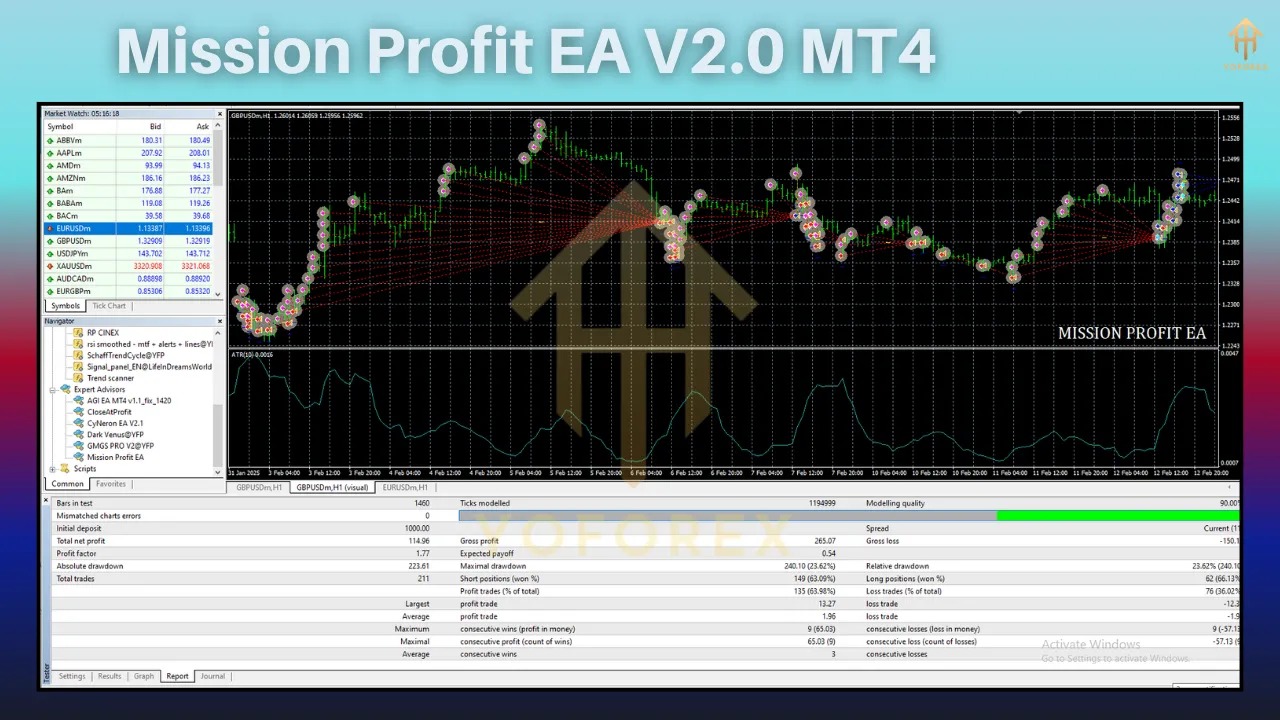
Recommended Settings
To get the best results from Mission Profit EA V2.0, it’s important to follow the recommended settings:
-
Platform: MetaTrader 4 (MT4)
-
Timeframe: M15 or H1 (depending on pair)
-
Currency Pairs: EURUSD, GBPUSD, USDJPY, XAUUSD (Gold)
-
Minimum Deposit: $300
-
Account Type: ECN or Raw Spread
-
Leverage: 1:500
-
Risk Settings: Adjustable (start with 1-2% per trade)
-
VPS Hosting: Recommended for 24/5 uptime and low latency
-
News Filter: Enabled for high-impact news events
These optimized settings are designed to balance risk and reward, especially suitable for traders looking for a conservative yet consistent strategy.
How Mission Profit EA V2.0 Works
The EA employs a trend-following algorithm combined with scalping techniques to capture both short and mid-term market moves. Here’s a breakdown of its operation:
1. Market Scanning
The EA constantly scans price movements, technical indicators, and volatility patterns to identify trading opportunities.
2. Entry Point
When the conditions align (trend confirmation, RSI divergence, MACD crossover), the EA places a buy or sell order with a calculated lot size based on account equity.
3. Trade Management
Mission Profit EA actively manages each position with:
-
Stop-loss and take-profit orders
-
Dynamic trailing stops to lock in profits
-
Optional grid/martingale tactics (if enabled)
4. Exit Strategy
Trades are closed when:
-
Take profit or stop loss is hit
-
Exit conditions are met based on indicators
-
Breakeven or trailing stop is triggered
The EA’s modular structure ensures each trade is well-managed with calculated exposure.
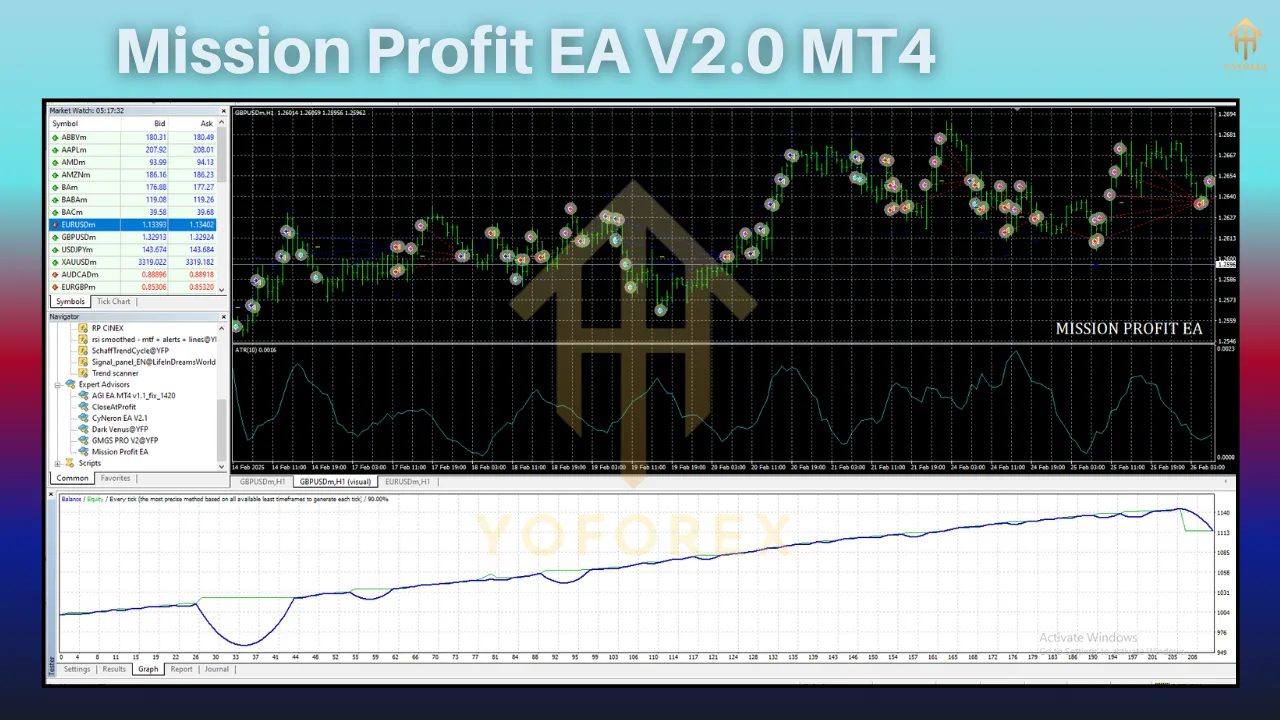
Backtesting & Live Performance
Mission Profit EA V2.0 has been backtested extensively using real tick data and variable spreads to ensure accuracy and robustness. Here are some sample stats based on a 12-month period using EURUSD on an H1 timeframe:
-
Initial Deposit: $1000
-
Net Profit: $3,850
-
Profit Factor: 2.45
-
Max Drawdown: 8.7%
-
Win Rate: 72%
-
Total Trades: 427
Live account results (as shared by early adopters and testers) show consistent monthly gains of 5% to 15%, depending on risk levels and market volatility.
Pros and Cons
✅ Pros
-
Easy to set up and configure
-
Excellent risk-reward ratio
-
Supports multiple trading styles
-
Active community and support
-
Great for both beginners and professionals
❌ Cons
-
Requires VPS for best performance
-
Optimal only with ECN/Raw accounts
-
Performance depends on broker execution speed
Who Should Use Mission Profit EA?
Mission Profit EA V2.0 is suitable for:
-
New traders who want to participate in forex without constant monitoring
-
Intermediate traders looking to automate their strategy
-
Experienced traders seeking low-risk diversification
-
Investors wanting steady returns from an automated system
The EA is particularly useful for those who cannot spend hours on charts but want to grow their capital consistently.
Installation Guide
Installing the EA is simple and takes just a few steps:
-
Download the EA file (.ex4 or .mq4)
-
Open MetaTrader 4
-
Navigate to File > Open Data Folder
-
Place the EA file into the MQL4 > Experts folder
-
Restart MT4
-
Attach Mission Profit EA V2.0 to a chart (M15/H1)
-
Enable AutoTrading
-
Set your inputs, lot size, and risk level
Make sure your broker allows expert advisor trading and that you’ve allowed DLL imports and automated trading from the EA settings.
Tips for Best Results
-
Always test the EA on a demo account before going live
-
Use low-spread ECN brokers for better execution
-
Monitor news events and adjust the EA’s filters accordingly
-
Use a reliable VPS to ensure 24/7 trading
-
Avoid over-leveraging—stick to conservative risk settings for long-term success
Pricing & Licensing
Mission Profit EA V2.0 is available on select EA marketplaces and private forex communities. Licensing options vary:
-
Single License: $149 (1 live + 1 demo)
-
Lifetime Access: $199
-
Subscription Model: $30/month with updates
Many vendors also offer a 7-day trial or money-back guarantee, so make sure to check before purchase.
Community & Support
The developers of Mission Profit EA have cultivated a strong community of users across forums, Telegram groups, and Discord. Users regularly share settings, live results, and updates.
Support is usually available via:
-
Email
-
Telegram channels
-
User manuals and FAQs
-
Update notifications via MT4 or email
Final Verdict
Mission Profit EA V2.0 MT4 delivers on its promise—a solid, intelligent trading robot for those who want to profit from forex without constantly babysitting their charts. With its blend of technical accuracy, risk control, and user-friendly customization, it’s a great tool for anyone serious about building long-term gains.
If you’re looking for a low-risk, high-efficiency EA that handles everything from entry to exit, Mission Profit EA V2.0 is worth the investment.