Average Daily Range Indicator V1.0 for MetaTrader 4: A Comprehensive Guide
The Average Daily Range (ADR) Indicator V1.0 for MetaTrader 4 (MT4) is a powerful tool designed to help forex traders gauge market volatility and make informed trading decisions. By calculating the average price movement of a currency pair over a specified period, the ADR Indicator provides critical insights into potential price targets, stop-loss levels, and realistic take-profit zones. In this 1000-word blog post, we’ll explore the functionality, benefits, installation process, and practical applications of the ADR Indicator V1.0, making it an essential addition to any day trader’s toolkit.
What is the Average Daily Range Indicator?
The ADR Indicator measures the average range a currency pair moves in a single trading day, expressed in pips. Unlike the Average True Range (ATR), which accounts for gaps and volatility, the ADR focuses solely on the daily high-to-low range, offering a clear picture of typical price movement. This makes it particularly useful for day traders and scalpers who need to understand how far a currency pair is likely to move within a session.
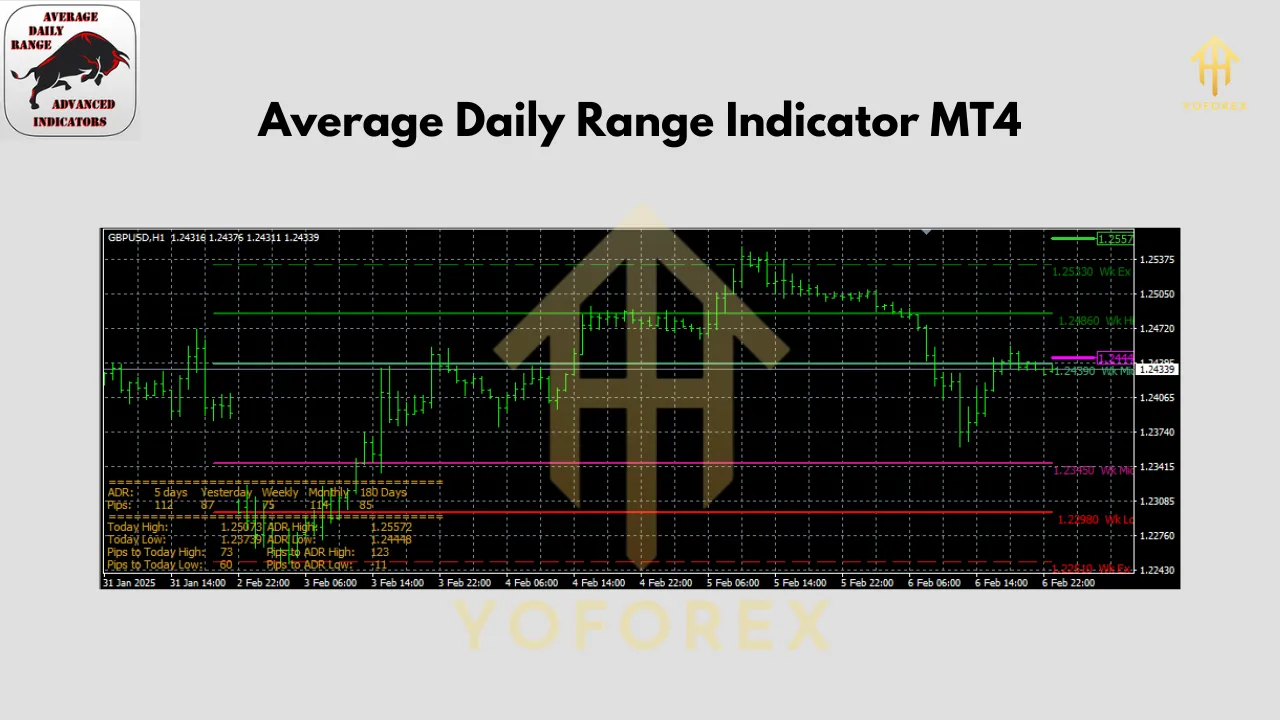
The ADR Indicator V1.0 for MT4 is a custom tool that displays the average daily range for a user-defined period (e.g., 5, 10, or 20 days) directly on the chart. It also provides real-time data, such as the current day’s range as a percentage of the average and potential price levels for the day’s high and low. This information helps traders set realistic expectations and avoid chasing unrealistic profit targets.
Why Use the ADR Indicator V1.0?
1. Realistic Profit Targets
Day traders often fall into the trap of setting overly ambitious take-profit levels that exceed a currency pair’s typical daily movement. The ADR Indicator V1.0 helps traders identify achievable targets by showing the average daily range. For example, if the ADR for EUR/USD is 80 pips, aiming for a 200-pip profit in a single day is unrealistic without significant market catalysts.
2. Informed Stop-Loss Placement
By understanding the average daily range, traders can place stop-loss orders outside the typical volatility zone, reducing the likelihood of premature stop-outs. The ADR Indicator also plots expected high and low levels, which can serve as reference points for stop-loss placement.
3. Volatility Assessment
The ADR Indicator provides insights into a currency pair’s volatility. Pairs with a high ADR (e.g., GBP/JPY) may offer more trading opportunities but come with increased risk, while low-ADR pairs (e.g., EUR/CHF) may suit more conservative strategies. Traders can use this information to select pairs that align with their risk tolerance.
4. Enhanced Trade Timing
The indicator shows the current day’s range as a percentage of the ADR. For instance, if the current range is 90% of the ADR, the pair may be nearing exhaustion, suggesting caution for new trades. Conversely, a low percentage early in the session may indicate room for significant movement.
Key Features of ADR Indicator V1.0
The ADR Indicator V1.0 is designed with simplicity and functionality in mind. Here are its standout features:
-
Multi-Period ADR Calculation: Displays the ADR for multiple timeframes (e.g., 5, 10, 20 days) to provide a comprehensive view of volatility.
-
Real-Time Range Tracking: Shows the current day’s range as a percentage of the ADR, helping traders assess whether the pair has room to move.
-
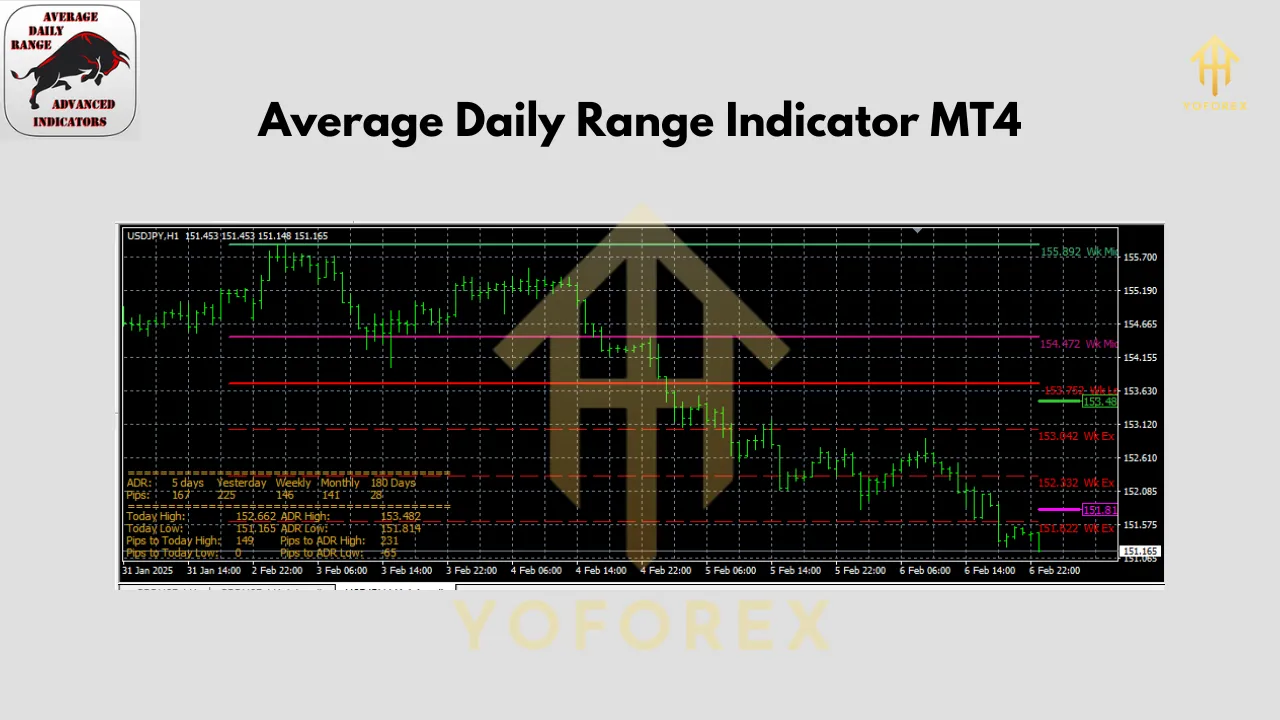
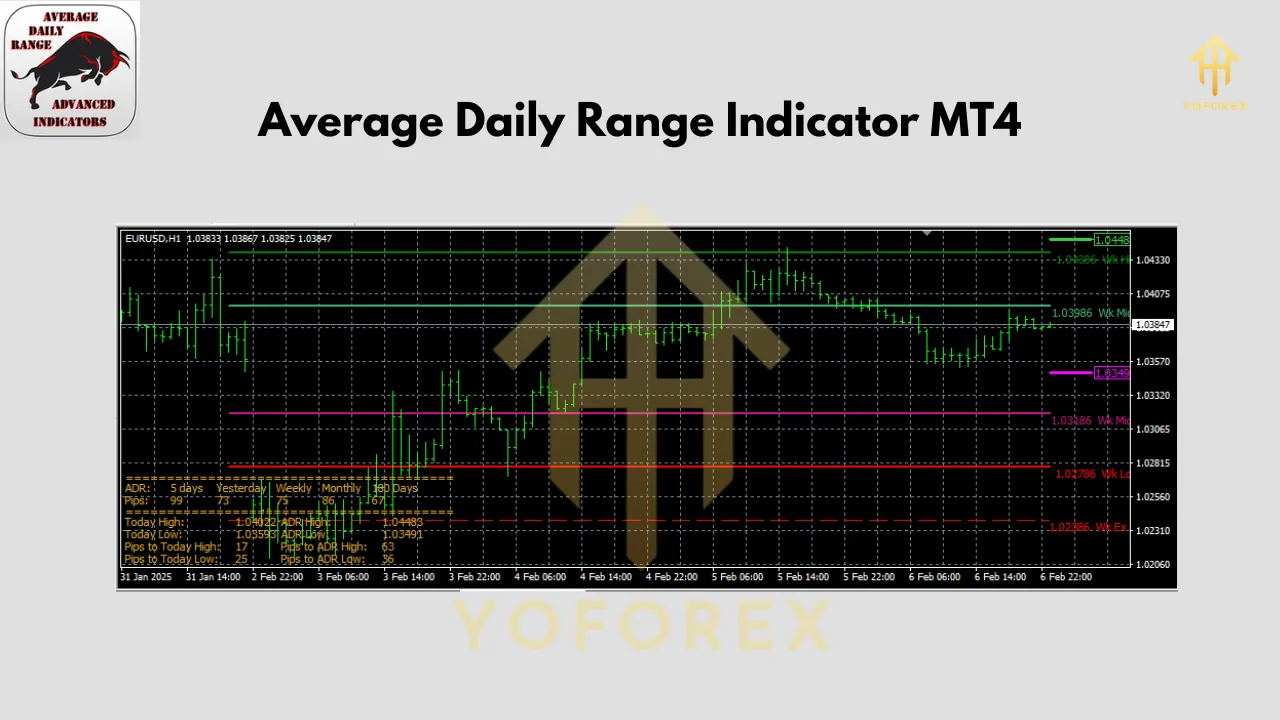
Visual Price Levels: Plots expected high and low levels based on the ADR, serving as potential support and resistance zones.
-
Customizable Settings: Allows traders to adjust the calculation period, display options, and visual elements like line colors and font sizes.
-
Information Panel: Displays key metrics, such as pips to the day’s high/low and confidence levels (e.g., 75% and 90% probability of staying within a range).
How to Install the ADR Indicator V1.0 on MT4
Installing the ADR Indicator V1.0 on MetaTrader 4 is straightforward. Follow these steps:
-
Download the Indicator: Obtain the ADR Indicator V1.0 file (typically in .mq4 or .ex4 format) from a reputable source, such as ForexMT4Indicators.com or Best-MetaTrader-Indicators.com.
-
Open MT4 Data Folder: In MT4, go to “File” > “Open Data Folder.”
-
Navigate to Indicators Folder: Open the “MQL4” folder, then the “Indicators” folder.
-
Paste the Indicator File: Copy the downloaded .mq4 or .ex4 file into the Indicators folder.
-
Restart MT4: Close and reopen MetaTrader 4 to load the indicator.
-
Apply to Chart: Open a chart, press Ctrl+N to open the Navigator, locate the ADR Indicator V1.0 under “Indicators,” and drag it onto the chart.
-
Customize Settings: Adjust the period, colors, and display options as needed, then click “OK.”
The indicator should now appear on your chart, displaying the ADR and related metrics.
How to Use the ADR Indicator V1.0 in Trading
The ADR Indicator V1.0 is a supplementary tool that enhances existing trading strategies. Here are practical ways to incorporate it:
1. Setting Take-Profit and Stop-Loss Levels
Use the ADR to set realistic take-profit targets. For example, if the ADR is 100 pips, consider placing take-profit levels within 70–80% of this range to increase the likelihood of hitting your target. Similarly, place stop-loss orders beyond the ADR high/low levels to avoid being stopped out by normal volatility.
2. Identifying Trade Opportunities
When the current day’s range is significantly below the ADR (e.g., 30–40%), there may be room for further movement, making it a good time to enter trades aligned with your strategy. Conversely, avoid entering new trades when the range approaches or exceeds 100% of the ADR, as the pair may be overextended.
3. Combining with Other Indicators
The ADR Indicator V1.0 does not generate buy/sell signals on its own, so pair it with trend-following indicators (e.g., Moving Averages) or oscillators (e.g., RSI) to confirm entries. For example, if the price is near the ADR low and an RSI shows oversold conditions, it could signal a potential reversal.
4. Scalping and Intraday Strategies
Scalpers can use the ADR to identify high-probability setups. For instance, if a currency pair has only moved 20% of its ADR early in the session, there may be opportunities for quick trades targeting a portion of the remaining range.
Best Practices and Common Mistakes
Best Practices
-
Use with Other Tools: Combine the ADR Indicator with technical analysis tools to validate trade setups.
-
Focus on Intraday Trading: The ADR is most effective for day trading and scalping, not long-term strategies.
-
Monitor News Events: High-impact news can cause ranges to exceed the ADR, so use a news indicator to stay informed.
-
Adjust for Timeframes: Apply the indicator to your preferred timeframe (e.g., M15, H1) for consistency.
Common Mistakes
-
Using as a Standalone Tool: The ADR Indicator does not provide entry signals, so relying on it alone can lead to poor trades.
-
Ignoring Market Context: Failing to account for news or fundamental factors can result in misinterpreting ADR data.
-
Overtrading Near ADR Extremes: Entering trades when the range is near 100% of the ADR increases the risk of reversals.
Limitations of the ADR Indicator V1.0
While the ADR Indicator V1.0 is highly useful, it has limitations:
-
Not a Signal Generator: It requires integration with other strategies for trade entries.
-
Historical Bias: The ADR is based on past data, which may not predict future volatility during major events.
-
No Built-In MT4 Version: Unlike ATR, the ADR Indicator must be downloaded and installed manually.
Conclusion
The Average Daily Range Indicator V1.0 for MetaTrader 4 is an invaluable tool for forex traders seeking to navigate the markets with precision. By providing clear insights into daily volatility, expected price levels, and realistic profit targets, it empowers traders to make data-driven decisions. Whether you’re a scalper, day trader, or swing trader, the ADR Indicator can enhance your strategy when used alongside other technical tools.
Join our Telegram for the latest updates and support