
In the fast-paced world of forex trading, protecting your capital is as crucial as generating profits. Market volatility, unexpected price movements, and human error can quickly erode your account balance if not managed properly. This is where the Account Protector EA V1.13 for MT5 comes in—a powerful, automated risk management tool designed to safeguard your MetaTrader 5 (MT5) trading account. In this comprehensive 1500-word blog post, we’ll explore the features, benefits, and setup process of this expert advisor (EA), and why it’s a must-have for traders seeking peace of mind and robust account protection.
What is Account Protector EA V1.13 MT5?
The Account Protector EA V1.13 MT5 is an advanced MetaTrader 5 expert advisor developed to monitor and manage your trading account with precision. Its primary goal is to protect your equity by automating critical risk management tasks, such as closing trades, disabling autotrading, or adjusting stop-loss levels when predefined conditions are met. Whether you’re a novice trader or a seasoned professional, this EA acts as a vigilant guardian, ensuring your account remains secure against unexpected market fluctuations.
Unlike earlier versions, V1.13 introduces enhanced features, improved compatibility with the latest MT5 builds (e.g., Build 4468+), and a more intuitive user interface. It’s designed to work seamlessly with any trading strategy, whether manual or automated, and supports multiple currency pairs, making it a versatile tool for all types of traders.
Why Do You Need an Account Protector EA?
-
Market Volatility: Sudden price spikes or news-driven movements can wipe out profits.
-
Overleveraging: Trading with high leverage without proper risk controls can lead to margin calls.
-
Human Error: Emotional decisions or miscalculations can result in substantial losses.
-
Technical Issues: Platform glitches or internet disruptions can leave trades unmanaged.
Key Features of Account Protector EA V1.13 MT5
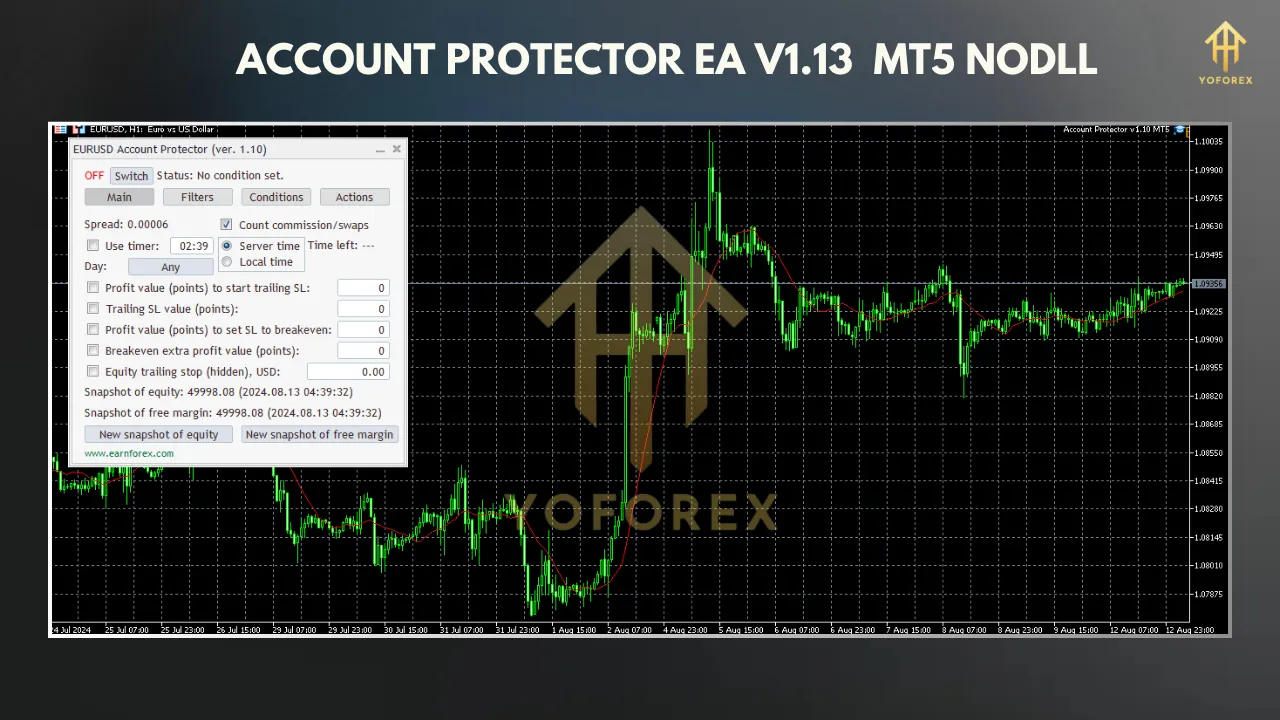
1. Graphic Panel for Intuitive Control
-
Enable or disable specific conditions (e.g., equity thresholds, daily loss limits).
-
Configure actions like closing trades or disabling autotrading.
-
Monitor real-time account metrics, such as equity, margin, and floating profit/loss.
2. Comprehensive Equity Protection
-
Equity Stop-Loss: Closes all trades if equity drops below a specified level (e.g., $9,000 on a $10,000 account).
-
Equity Profit Target: Locks in profits by closing positions when equity reaches a target (e.g., $12,000).
-
Relative and Absolute Modes: Set protection levels as percentages (relative) or fixed values (absolute) for flexibility.
3. Emergency Position Closing
In critical situations, the EA can instantly close all open positions or pending orders. This is particularly useful during high-volatility events or when margin levels approach dangerous thresholds. The emergency button on the graphic panel provides a quick way to resolve unwanted trading situations manually.
4. Mass Breakeven and Trailing Stop
-
Mass Breakeven: Moves stop-loss to breakeven for all trades once a certain profit level is reached.
-
Trailing Stop: Dynamically adjusts stop-loss to lock in profits as trades move in your favor.
-
Hidden Trailing Stop-Loss: Triggers based on account equity, adding an extra layer of protection.
5. Profit and Loss Management
-
Floating Profit/Loss: Close trades when total floating loss exceeds a set amount.
-
Daily Loss Limits: Cease trading if a daily loss threshold is hit, preventing revenge trading.
-
Margin Levels: Disable autotrading if margin falls below a specified level, avoiding margin calls.
6. Instrument Spread Display
The EA displays the current spread for your chosen instruments, helping you make informed trading decisions. This is especially useful for scalpers who rely on tight spreads to maximize profitability.
7. Customizable Filters and Conditions
-
Closing trades only for specific currency pairs (e.g., GBPUSD).
-
Applying actions at certain times (e.g., daily loss reset at midnight).
-
Filtering trades based on comments or magic numbers.
8. Asynchronous Mode (MT5 Exclusive)
For faster trade execution, V1.13 supports asynchronous mode, allowing the EA to close or modify multiple orders quickly. This experimental feature is ideal for high-frequency trading environments.
9. Real-Time Alerts
-
Visual Alerts: Pop-ups on the MT5 platform.
-
Email and Push Notifications: Stay informed even when away from your trading terminal.
Benefits of Using Account Protector EA V1.13 MT5
1. Enhanced Risk Management
By automating protective actions, the EA reduces the risk of significant drawdowns and ensures consistent risk management across all trades.
2. Time-Saving Automation
No need to manually monitor your account 24/7. The EA runs in the background, executing predefined rules while you focus on strategy or other tasks.
3. Peace of Mind
Knowing your account is protected against unexpected losses allows you to trade with confidence, free from emotional stress.
4. Compatibility with Any Strategy
Whether you trade manually, use other EAs, or focus on specific currency pairs, the Account Protector EA integrates seamlessly without interfering with your existing setup.
5. Cost-Effective Solution
Available through trusted platforms like The Trade Lovers or EarnForex, the EA offers robust functionality at a reasonable price, with some versions even available for free on GitHub.
How to Set Up Account Protector EA V1.13 MT5
Step 1: Download the EA
-
Purchase or download the EA from a reputable source, such as The Trade Lovers or EarnForex’s GitHub repository.
-
Ensure the version is compatible with your MT5 build (V1.13 works with Build 4468+).
Step 2: Install the EA
-
Open your MT5 platform and navigate to File > Open Data Folder.
-
Copy the EA file (AccountProtector.ex5) to the MQL5 > Experts folder.
-
Restart MT5 to load the EA.
Step 3: Attach the EA to a Chart
-
Open a chart for any currency pair (e.g., GBPUSD on M1 or M5 timeframe).
-
Drag the Account Protector EA from the Navigator panel onto the chart.
-
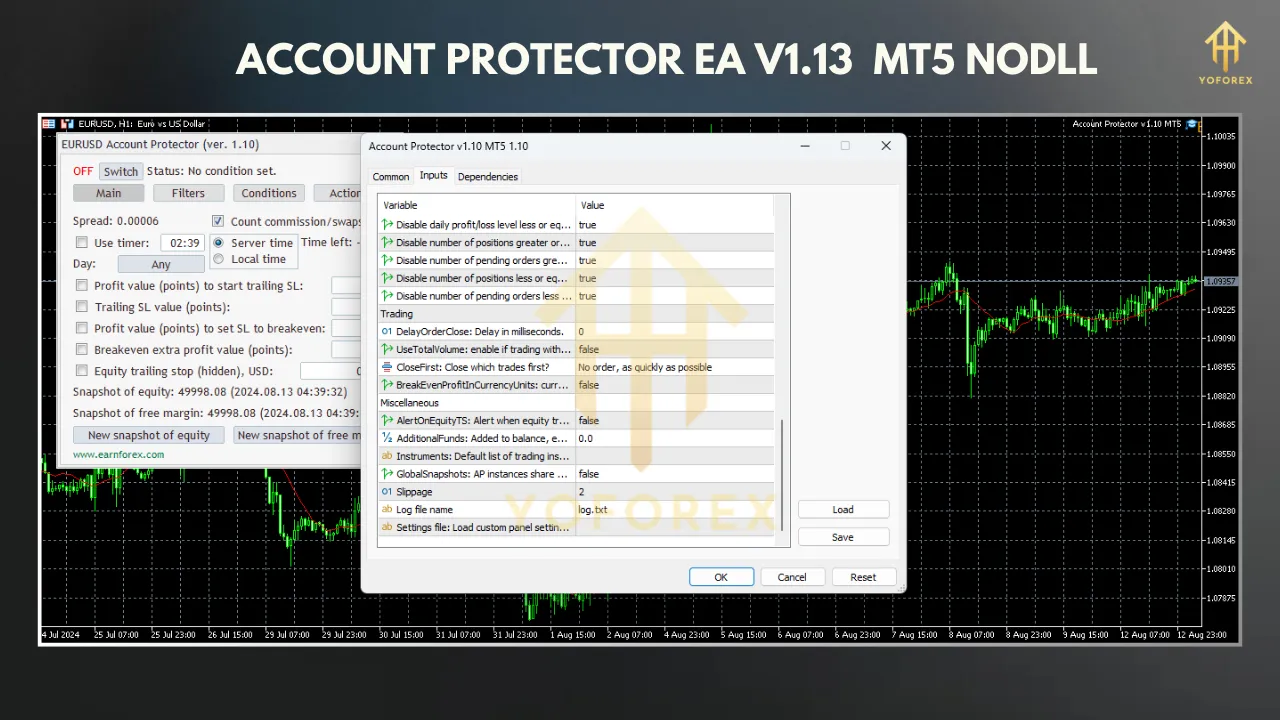
In the pop-up window, configure the input parameters or use the default settings.
Step 4: Configure Settings
Customize the EA’s settings via the graphic panel or input parameters:
-
Equity Thresholds: Set stop-loss and profit targets (e.g., $9,000 SL, $12,000 TP).
-
Daily Loss Limit: Define a maximum daily loss (e.g., $500).
-
Trailing Stop: Enable trailing stop or breakeven settings.
-
Alerts: Activate email or push notifications.
-
Filters: Specify currency pairs or timeframes.
Step 5: Test the EA
-
Run the EA on a demo account to test its performance under different market conditions.
-
Use MT5’s Strategy Tester to simulate how the EA handles various profit/loss scenarios.
Step 6: Deploy on a Live Account
Once satisfied with the demo results, attach the EA to your live account. For optimal performance, consider running it on a Virtual Private Server (VPS) to ensure 24/7 operation.
Best Practices for Using Account Protector EA
-
Start with a Demo Account: Test the EA thoroughly to understand its behavior and fine-tune settings.
-
Set Realistic Thresholds: Avoid overly tight stop-loss levels that could trigger premature trade closures.
-
Use a VPS: Ensure uninterrupted operation, especially for prop trading or high-frequency strategies.
-
Monitor Logs: Check the Experts tab in MT5 for detailed logs of the EA’s actions.
-
Combine with Other Tools: Pair the EA with indicators or other EAs for a comprehensive trading system.
Who Should Use Account Protector EA V1.13 MT5?
-
Prop Traders: Protect capital during prop firm challenges by adhering to strict drawdown limits.
-
Retail Traders: Safeguard personal accounts from unexpected losses.
-
Automated Traders: Enhance existing EAs with robust risk management.
-
Scalpers and Day Traders: Benefit from real-time spread displays and fast trade execution.
Limitations and Considerations
-
Platform Dependency: The EA is designed for MT5 and may not work on MT4 or other platforms.
-
Learning Curve: Beginners may need time to understand the full range of settings.
-
Broker Restrictions: Some brokers may have limitations on EA usage, so verify compatibility.
-
No Mobile Support: As noted in online discussions, MT5 mobile does not support EAs, so you’ll need a desktop or VPS.
Conclusion
The Account Protector EA V1.13 MT5 is a game-changer for forex traders looking to protect their capital and streamline risk management. With its intuitive graphic panel, comprehensive equity protection, and customizable features, it offers unparalleled control over your trading account. Whether you’re guarding against market volatility, locking in profits, or preventing overleveraging, this EA delivers peace of mind and operational efficiency.
By automating critical tasks and providing real-time alerts, the Account Protector EA allows you to trade with confidence, knowing your account is shielded from unexpected risks. If you’re serious about preserving your trading capital and enhancing your strategy, this EA is a must-have tool in your MetaTrader 5 arsenal.
Join our Telegram for the latest updates and support