Introduction to Candlestick Pattern EA V1.01 MT5
In the fast-paced world of forex trading, automation has become a game-changer for traders seeking efficiency and precision. The Candlestick Pattern EA V1.01 MT5 is an Expert Advisor (EA) designed for the MetaTrader 5 (MT5) platform, leveraging the power of Japanese candlestick patterns to execute trades automatically. This blog explores the features, functionality, setup, and performance of this EA, offering insights for both novice and experienced traders. By the end, you’ll have a clear understanding of how this tool can enhance your trading strategy and whether it’s the right fit for your goals.
What is Candlestick Pattern EA V1.01 MT5?
The Candlestick Pattern EA V1.01 MT5 is a fully automated trading robot that identifies and trades based on Japanese candlestick patterns. These patterns, rooted in centuries-old technical analysis techniques, are visual representations of price movements that signal potential market reversals or continuations. The EA integrates these patterns into a systematic trading approach, eliminating the need for manual chart analysis. Built for the MT5 platform, it offers compatibility with various currency pairs, timeframes, and trading styles, making it a versatile tool for forex traders.
Key Features
-
Pattern Recognition: Detects a wide range of candlestick patterns, including Bullish Engulfing, Bearish Engulfing, Doji, Hammer, Shooting Star, Morning Star, Evening Star, and more.
-
Automation: Executes trades based on predefined rules, reducing emotional bias and human error.
-
Risk Management: Includes stop-loss, take-profit, trailing stop, and breakeven options to protect capital.
-
Customization: Allows traders to enable/disable specific patterns, adjust lot sizes, and set trading hours.
-
Multi-Timeframe Support: Operates on various timeframes (M1, M5, H1, H4, D1) for scalping, day trading, or swing trading.
-
User-Friendly Interface: Displays pattern names and trading statistics directly on the chart for easy monitoring.
Understanding Japanese Candlestick Patterns
-
Single-Candle Patterns: E.g., Doji (indicating indecision), Hammer (bullish reversal), Shooting Star (bearish reversal).
-
Two-Candle Patterns: E.g., Bullish Engulfing (bullish reversal), Bearish Engulfing (bearish reversal).
-
Three-Candle Patterns: E.g., Morning Star (bullish reversal), Evening Star (bearish reversal).
How Candlestick Pattern EA V1.01 MT5 Works
-
Pattern Detection: The EA scans the chart for enabled candlestick patterns, such as a Bullish Engulfing on a support level or a Bearish Engulfing at resistance.
-
Pre-Checks: Before entering a trade, the EA assesses market conditions, such as trend direction (using indicators like Moving Averages or ADX), volatility, and spread.
-
Trade Execution: Upon confirming a valid pattern, the EA opens a buy or sell position with predefined lot sizes.
-
Trade Management: The EA applies risk management tools, including stop-loss (e.g., below the pattern’s low), take-profit (based on risk-reward ratios), and trailing stops to lock in profits.
-
Exit Strategy: Positions are closed based on opposite patterns, neutral patterns, stop-loss, or take-profit levels.
Setting Up Candlestick Pattern EA V1.01 MT5
Installation
-
Download the EA: Purchase or download the Candlestick Pattern EA V1.01 from a trusted source, such as the MQL5 marketplace.
-
Install on MT5:
-
Open MT5 and navigate to File > Open Data Folder.
-
Copy the EA file (.ex5) to the MQL5 > Experts folder.
-
Restart MT5 or refresh the Navigator panel to load the EA.
-
-
Attach to Chart:
-
Drag the EA onto a desired chart (e.g., EURUSD H1).
-
Configure the settings in the pop-up window.
-
Configuration Settings
-
Patterns to Trade: Enable/disable specific candlestick patterns (e.g., Bullish Engulfing, Doji).
-
Lot Size: Set fixed lots (e.g., 0.01) or enable auto-lot sizing based on account balance (e.g., 1% risk per trade).
-
Stop-Loss/Take-Profit: Define in pips or as a percentage of the Average Daily Range (ADR).
-
Trailing Stop: Activate to trail profits by a set distance (e.g., 20 pips).
-
Max Spread: Limit trades during high-spread conditions (e.g., 2 pips max).
-
Trading Hours: Restrict trading to specific times (e.g., 08:00–20:00 GMT).
-
Magic Number: Assign a unique identifier for trade tracking (e.g., 123456).
-
Draw Pattern Names: Enable to display pattern names on the chart for visual confirmation.
Recommended Settings
-
Currency Pairs: EURUSD, GBPUSD, AUDUSD, USDCAD (major pairs with low spreads).
-
Timeframes: H1 or H4 for balanced signals; M15 for scalping.
-
Account Balance: Minimum $100 with 50:1 leverage.
-
Broker: Use a reputable broker with low spreads and fast execution.
Advantages of Candlestick Pattern EA V1.01 MT5
-
Time-Saving: Automates pattern recognition and trade execution, freeing traders from constant chart monitoring.
-
Emotion-Free Trading: Eliminates emotional biases, ensuring disciplined execution.
-
Versatility: Works across multiple pairs and timeframes, suitable for various trading styles.
-
Robust Risk Management: Built-in tools like stop-loss and trailing stops protect capital.
-
Transparency: Displays pattern names and trade details on the chart, enhancing trust in the EA’s decisions.
Potential Limitations
-
Market Dependency: Candlestick patterns perform best in trending or range-bound markets; choppy conditions may lead to false signals.
-
Optimization Required: Default settings may not suit all markets, requiring backtesting and tweaking.
-
Broker Sensitivity: High spreads or slippage can reduce profitability, necessitating a reliable broker.
-
Learning Curve: Beginners may need time to understand and configure the EA effectively.
-
No Guaranteed Profits: Like all trading tools, the EA carries risks, and past performance doesn’t guarantee future results.
Performance Expectations
-
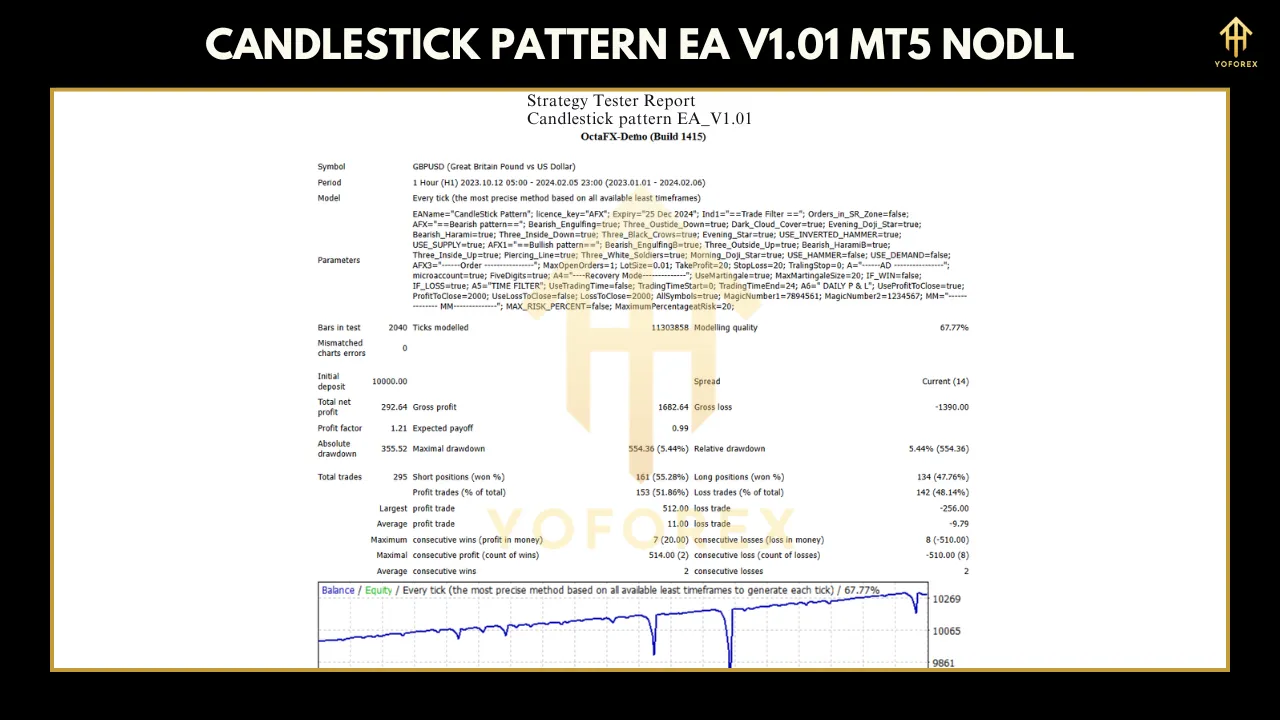
Monthly Growth: 5–15% with conservative settings, though results vary by market conditions and configuration.
-
Win Rate: Approximately 50–70%, depending on the patterns traded and timeframe.
-
Drawdown: Typically below 10% with proper risk management, though higher in volatile markets.
-
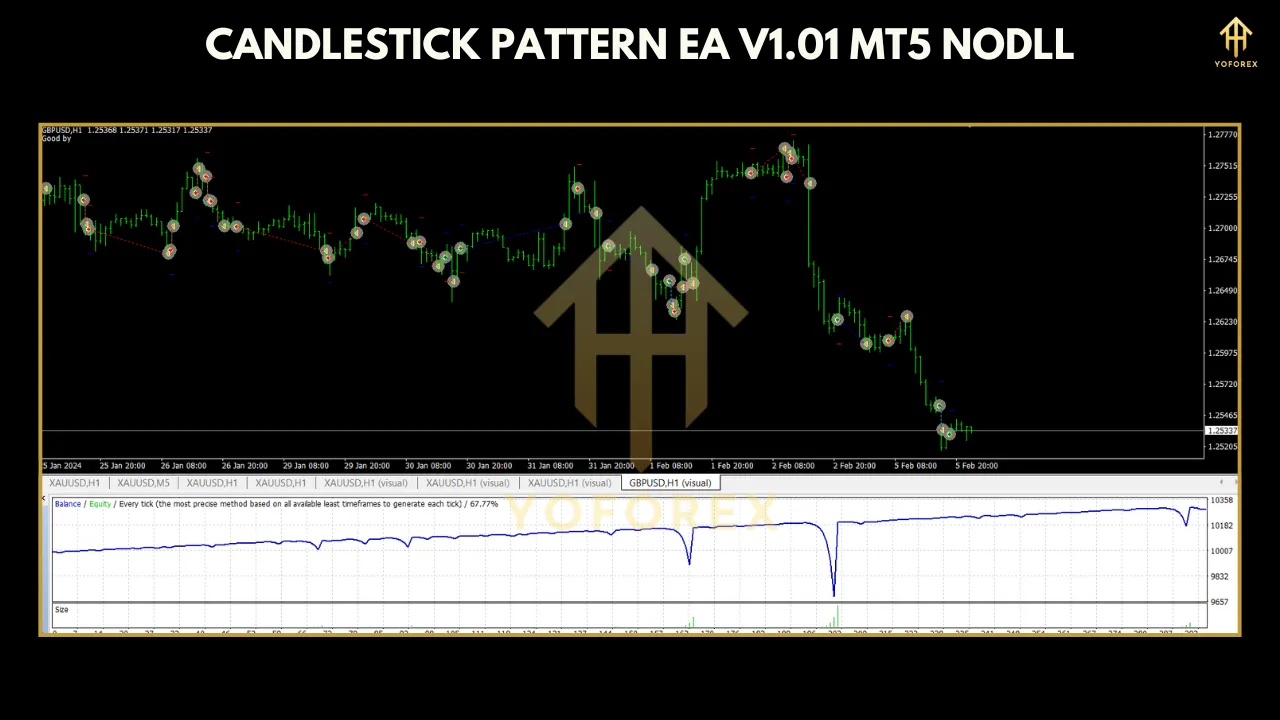
Backtest Thoroughly: Use MT5’s Strategy Tester to evaluate the EA on historical data (e.g., 1–2 years).
-
Demo Test: Run the EA on a demo account for at least 1–2 weeks to assess real-time performance.
-
Optimize Settings: Adjust parameters like stop-loss, take-profit, and lot size based on backtest results.
Strategies to Enhance EA Performance
-
Combine with Indicators: Use trend filters (e.g., Moving Averages, RSI) or support/resistance levels to confirm patterns.
-
Trade Major Sessions: Focus on high-liquidity periods (London/New York sessions) to avoid choppy markets.
-
Diversify Pairs: Run the EA on multiple currency pairs to spread risk.
-
Regular Monitoring: Review performance weekly and adjust settings as market conditions change.
-
Avoid Overtrading: Limit the number of active positions to manage exposure (e.g., max 3 trades simultaneously).
Comparison with Other EAs
-
Comprehensive Pattern Library: Includes both common and less-known patterns, offering more trading opportunities.
-
Advanced Risk Controls: Percentage-based stop-loss/take-profit and FIFO compliance make it suitable for regulated markets.
-
User-Friendly Design: Visual feedback (pattern names on charts) simplifies monitoring.
Best Practices for Using Candlestick Pattern EA V1.01 MT5
-
Start Small: Begin with a small account ($100–$500) and low risk (0.5–1% per trade).
-
Test Extensively: Use backtesting and demo trading to build confidence in the EA’s performance.
-
Choose a Reliable Broker: Opt for brokers with low spreads, high execution speeds, and MT5 support.
-
Stay Updated: Check for EA updates (e.g., V1.02) to ensure compatibility with MT5 and market changes.
-
Understand Risks: Forex trading carries inherent risks; never invest more than you can afford to lose.
Community Feedback and Support
-
Positive: Users appreciate the automation and risk management features, noting steady profits with proper optimization.
-
Negative: Some report losses in choppy markets or difficulty configuring settings without prior experience.
Conclusion
The Candlestick Pattern EA V1.01 MT5 is a powerful tool for traders seeking to automate candlestick-based strategies. Its robust pattern recognition, customizable settings, and risk management features make it a valuable addition to any trader’s toolkit. However, success requires thorough testing, optimization, and an understanding of market dynamics. By following best practices and combining the EA with sound trading principles, you can harness its potential for consistent growth.
Whether you’re a beginner looking to dip your toes into automated trading or an experienced trader aiming to diversify your strategies, the Candlestick Pattern EA V1.01 MT5 offers a methodical, disciplined approach to forex trading. Start with a demo account, tweak the settings, and let this EA help you navigate the markets with precision.