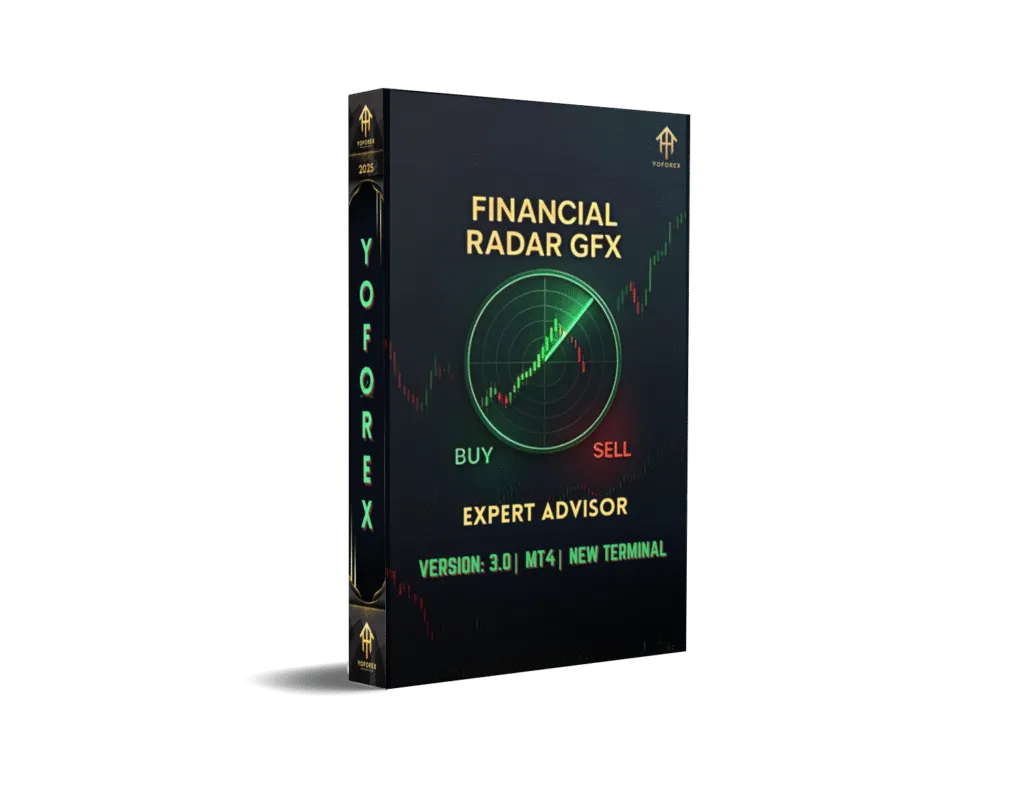
Financial Radar GFX EA V3.0 MT4: A Comprehensive Guide to Automated Gold Trading
The world of forex trading is dynamic, fast-paced, and filled with opportunities for those who can navigate its complexities. Among the tools designed to simplify and optimize trading strategies, Expert Advisors (EAs) have gained significant popularity. One such tool is the Financial Radar GFX EA V3.0 MT4, a sophisticated automated trading robot tailored for trading gold (XAUUSD) on the MetaTrader 4 platform. In this 1500-word blog, we’ll explore the features, strategies, benefits, risks, and practical considerations of using the Financial Radar GFX EA V3.0 MT4, providing a detailed guide for both novice and experienced traders.
What is Financial Radar GFX EA V3.0 MT4?
The Financial Radar GFX EA V3.0 is a fully automated Expert Advisor designed specifically for trading gold (XAUUSD) on the MetaTrader 4 (MT4) platform. It leverages a combination of technical indicators, including the Parabolic SAR, Intrabar Moving Average (IMA), Commodity Channel Index (CCI), and Moving Average Convergence Divergence (MACD), to identify high-probability trading opportunities. The EA is marketed as a robust tool that performs real-time market analysis, detects trends, and executes trades with precision, making it suitable for traders of all experience levels.
This EA is particularly noted for its focus on gold, a highly volatile asset that offers significant profit potential but also comes with elevated risks. The Financial Radar GFX EA V3.0 aims to capitalize on gold’s price movements while incorporating risk management features to protect trading capital.
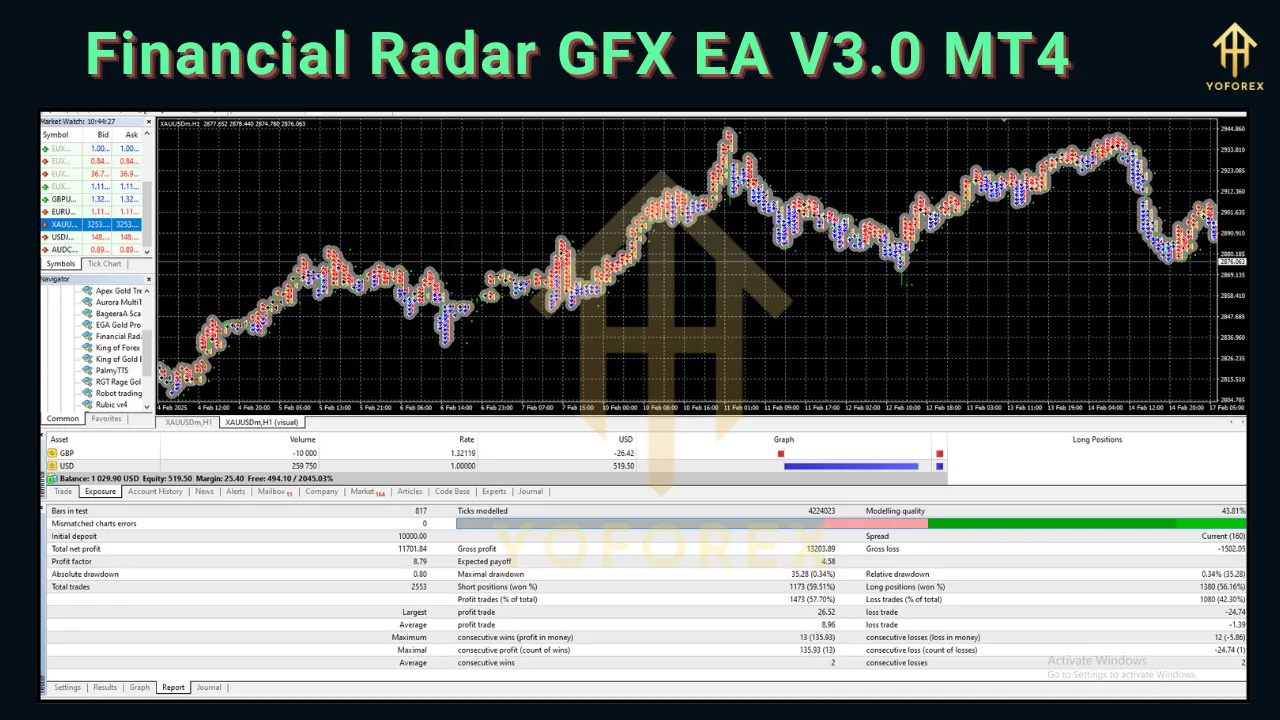
Key Features
The Financial Radar GFX EA V3.0 is packed with features that distinguish it from other EAs in the market. Below are some of its standout characteristics:
1. Advanced Technical Analysis
The EA combines multiple technical indicators to analyze market conditions:
-
Parabolic SAR: Identifies trend direction and potential reversal points.
-
IMA (Intrabar Moving Average): Smooths price data to detect short-term trends within a single bar.
-
CCI (Commodity Channel Index): Measures the deviation of gold prices from their average, helping identify overbought or oversold conditions.
-
MACD: Tracks momentum and trend strength to confirm trade entries and exits.
This multi-indicator approach enhances the EA’s ability to make informed trading decisions, reducing reliance on a single signal and improving accuracy.
2. Gold-Specific Scalping Strategy
The EA employs a scalping strategy optimized for XAUUSD, taking advantage of gold’s volatility to capture small, frequent price movements. Unlike high-frequency trading EAs, it focuses on quality trades with a single-order strategy, avoiding risky tactics like martingale or grid trading. Each trade is protected by a strict stop-loss, ensuring controlled risk exposure.
3. Customizable Risk Modes
The Financial Radar GFX EA V3.0 offers three risk settings to cater to different trading styles:
-
Low Risk (Risk = 0.1): Ideal for beginners or conservative traders unfamiliar with gold’s price swings.
-
Medium Risk: Balances profitability and safety for traders with moderate experience.
-
High Risk: Suited for aggressive traders seeking higher returns, though with increased exposure.
These settings allow users to align the EA’s performance with their risk tolerance and account size.
4. Real-Time Market Analysis
The EA continuously monitors market conditions, adapting to changing volatility and trends. Its algorithm evaluates cross-market factors to pinpoint optimal entry points, ensuring trades are executed at the most opportune moments.
5. Compatibility and Ease of Use
Designed for MT4, the EA is compatible with any broker offering the platform. Installation is straightforward, involving copying the EA’s .ex4 file into the MT4 “Experts” folder and attaching it to an XAUUSD chart. The EA’s user-friendly interface makes it accessible to traders with limited technical expertise.
6. Risk Management
Each trade includes a predefined stop-loss to limit potential losses. The EA avoids high-risk strategies like martingale, which can lead to significant drawdowns, making it a safer option for automated trading.
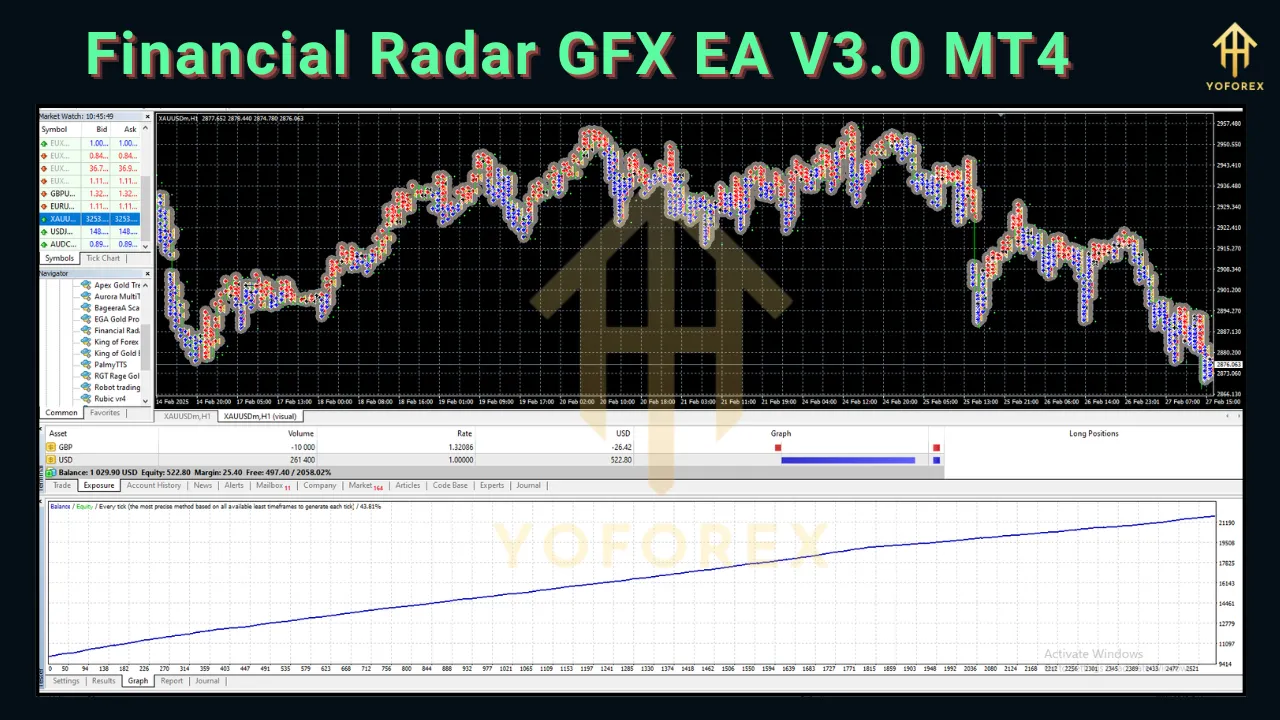
How Does Financial Radar GFX EA V3.0 Work?
The Financial Radar GFX EA V3.0 operates by analyzing gold market data in real time and executing trades based on its algorithmic strategy. Here’s a step-by-step breakdown of its functionality:
-
Market Scanning: The EA uses its suite of indicators (Parabolic SAR, IMA, CCI, MACD) to scan the XAUUSD market for trends, momentum, and potential entry points.
-
Signal Generation: When the indicators align to confirm a high-probability trade, the EA generates a buy or sell signal.
-
Trade Execution: The EA automatically places a trade with predefined parameters, including lot size, take-profit, and stop-loss levels.
-
Position Management: The EA monitors open trades, adjusting stop-loss levels or closing positions based on market conditions or profit targets.
-
Risk Control: The single-order strategy and strict stop-loss ensure that risk is minimized, even during volatile market periods.
The EA operates 24/7, allowing it to capitalize on gold market movements around the clock without requiring constant trader intervention.
Benefits of Using Financial Radar GFX EA V3.0 MT4
1. Automation and Time Efficiency
The EA eliminates the need for manual market analysis and trade execution, saving traders significant time. This is particularly beneficial for those with busy schedules or limited trading experience.
2. Emotion-Free Trading
By removing human emotions like fear and greed from the trading process, the EA ensures disciplined execution of its strategy, reducing the likelihood of impulsive decisions.
3. Optimized for Gold Trading
The EA’s focus on XAUUSD allows it to exploit gold’s unique volatility and liquidity, potentially yielding higher returns compared to trading currency pairs.
4. Accessibility
With customizable risk settings and compatibility with low-deposit accounts, the EA is accessible to traders with varying capital sizes and experience levels.
5. Verified Performance
The EA’s developers claim robust performance, with live trading results available for evaluation. While independent verification (e.g., via Myfxbook) is recommended, the EA’s transparent approach adds credibility.
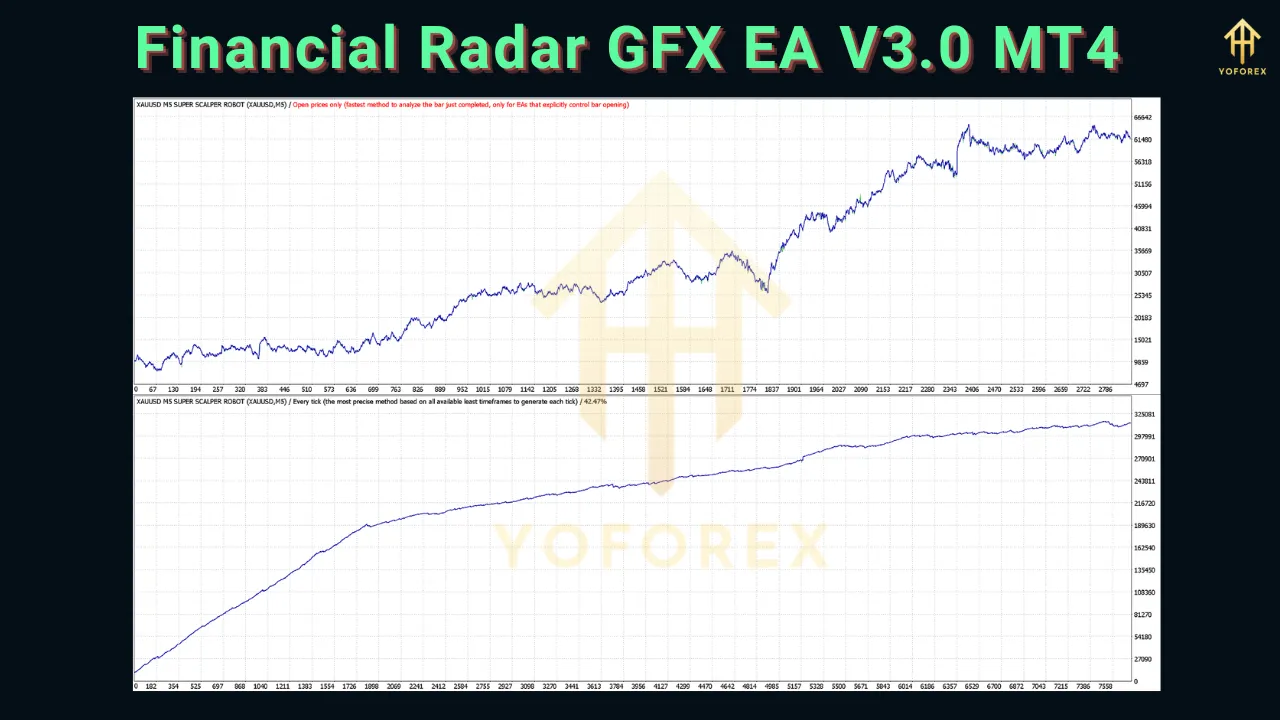
Risks and Considerations
While the Financial Radar GFX EA V3.0 offers compelling features, automated trading carries inherent risks that traders must consider:
1. Market Volatility
Gold is a highly volatile asset, and even with risk management, rapid price swings can lead to losses. Traders should ensure their account size can withstand potential drawdowns.
2. Broker Dependence
The EA’s performance may vary depending on the broker’s spreads, slippage, and execution speed. Choosing a reliable, low-spread broker is critical for optimal results.
3. No Guaranteed Profits
Like all EAs, the Financial Radar GFX V3.0 is not a “money printer.” Past performance does not guarantee future results, and market conditions can impact profitability.
4. Technical Risks
EAs require a stable internet connection and a Virtual Private Server (VPS) to run continuously. Technical issues, such as platform updates or server downtime, can disrupt trading.
5. Learning Curve
While the EA is user-friendly, beginners may need time to understand its settings and optimize them for their trading goals.
Installation and Setup
To use the Financial Radar GFX EA V3.0, follow these steps:
-
Download the EA: Purchase or download the EA from a reputable source, such as the MQL5 Market.
-
Install on MT4:
-
Copy the .ex4 file to the “Experts” folder in your MT4 directory (C:\Program Files\MetaTrader 4\MQL4\Experts).
-
Restart MT4.
-
-
Attach to Chart:
-
Open an XAUUSD chart (H1 or M15 recommended).
-
Drag the EA from the Navigator panel onto the chart.
-
Adjust settings (e.g., risk level, lot size) in the pop-up window.
-
-
Enable Auto-Trading: Ensure the “AutoTrading” button in MT4 is active (green).
-
Monitor Performance: Use a demo account initially to test the EA’s performance before transitioning to a live account.
Performance and User Feedback
The Financial Radar GFX EA V3.0 is marketed as a high-performing tool, with developers claiming consistent profitability in gold trading. However, independent user reviews are limited, and traders should seek verified performance data (e.g., Myfxbook or live account statements) to validate these claims. Feedback from similar EAs, such as Forex Fury and GPS Forex Robot, suggests that well-designed EAs can achieve steady gains but require proper configuration and risk management.
Some users on platforms like Forex Factory and Reddit caution against overhyped EAs, emphasizing the importance of backtesting and demo trading before committing real capital. Others praise EAs for their ability to automate trading and reduce stress, provided they are used with realistic expectations.
Comparison with Other EAs
Compared to other popular EAs like Forex Fury or GPS Forex Robot, the Financial Radar GFX EA V3.0 stands out for its gold-specific focus and scalping strategy. While Forex Fury targets multiple currency pairs with a broader scalping approach, and GPS Forex Robot uses a stop-and-reverse strategy, the Financial Radar GFX EA’s emphasis on XAUUSD makes it a niche tool for gold traders. Its avoidance of high-risk strategies like martingale also gives it an edge over EAs like SMART MACHINE EA, which rely on riskier methods.
Tips for Using Financial Radar GFX EA V3.0 Effectively
-
Start with a Demo Account: Test the EA in a risk-free environment to understand its behavior and optimize settings.
-
Choose a Reliable Broker: Select a broker with low spreads and fast execution to maximize profitability.
-
Use a VPS: Ensure uninterrupted trading with a Forex VPS to keep the EA running 24/7.
-
Monitor Performance: Regularly review the EA’s trades and adjust settings based on market conditions.
-
Set Realistic Expectations: Aim for steady gains (e.g., 10-20% monthly) rather than expecting overnight riches.
Conclusion
The Financial Radar GFX EA V3.0 MT4 is a promising tool for traders looking to automate gold trading on the MetaTrader 4 platform. Its advanced technical analysis, customizable risk settings, and focus on XAUUSD make it a compelling choice for both beginners and seasoned traders. However, like all EAs, it requires careful setup, realistic expectations, and ongoing monitoring to achieve optimal results.
By combining robust risk management with a scalping strategy tailored for gold, the Financial Radar GFX EA V3.0 offers a balanced approach to automated trading. Traders should conduct thorough due diligence, including backtesting and demo trading, to ensure the EA aligns with their goals and risk tolerance. With the right setup and a disciplined approach, this EA has the potential to enhance trading efficiency and profitability in the volatile gold market.