A Comprehensive Guide to the Forex Trading Robot
The world of forex trading is fast-paced and dynamic, with traders constantly seeking tools to gain an edge in the market. Automated trading systems, or Expert Advisors (EAs), have become increasingly popular for their ability to execute trades with precision and consistency. One such tool is AutoX EA V4.1 MT4, a forex trading robot designed for the MetaTrader 4 (MT4) platform. In this blog post, we’ll dive deep into what AutoX EA V4.1 MT4 is, its features, performance expectations, risks, and tips for using it effectively. Whether you’re a seasoned trader or a beginner exploring automation, this guide will help you understand if AutoX EA V4.1 is right for you.
What is AutoX EA V4.1 MT4?
AutoX EA V4.1 MT4 is an Expert Advisor (EA), a type of automated trading software designed to execute trades on the MetaTrader 4 platform based on predefined rules and algorithms. The EA aims to simplify trading by removing the need for manual intervention, allowing traders to capitalize on market opportunities 24/7. It is compatible with MT4 builds 1441 and above, ensuring it works with the latest versions of the platform.
The AutoX EA V4.1 is marketed as a versatile tool that can analyze market conditions, identify trading opportunities, and execute trades with minimal user input. It is designed to appeal to traders who want to automate their strategies while maintaining control over key parameters like risk management and trade settings. While specific details about its trading strategy are often proprietary, the EA is said to incorporate technical indicators, price action analysis, and risk management protocols to optimize performance.
Key Features of AutoX EA V4.1 MT4
AutoX EA V4.1 MT4 comes with a range of features that make it an attractive option for forex traders. Here are some of its standout capabilities:
-
Automated Trading: The EA executes trades automatically based on its programmed algorithm, eliminating the need for constant market monitoring. This is particularly beneficial for traders with busy schedules or those trading multiple currency pairs.
-
Customizable Settings: Traders can adjust parameters such as lot size, stop-loss, take-profit, and risk levels to align with their trading goals and risk tolerance. This flexibility allows both conservative and aggressive traders to use the EA effectively.
-
Compatibility with MT4: Built specifically for MetaTrader 4, one of the most widely used trading platforms, AutoX EA V4.1 integrates seamlessly with MT4’s charting tools and trading infrastructure.
-
Multi-Pair Trading: The EA can trade multiple currency pairs simultaneously, diversifying trading opportunities and potentially reducing risk through portfolio diversification.
-
Risk Management Tools: AutoX EA V4.1 includes built-in risk management features, such as stop-loss orders and trailing stops, to protect capital during volatile market conditions.
-
No DLL Requirement: Unlike some EAs that require additional dynamic link library (DLL) files, AutoX EA V4.1 operates without DLLs, simplifying installation and reducing potential security concerns.
-
Performance Optimization: The EA is designed to work efficiently on MT4 builds 1441+, ensuring compatibility with modern updates and improved performance on current market conditions.
Performance Expectations
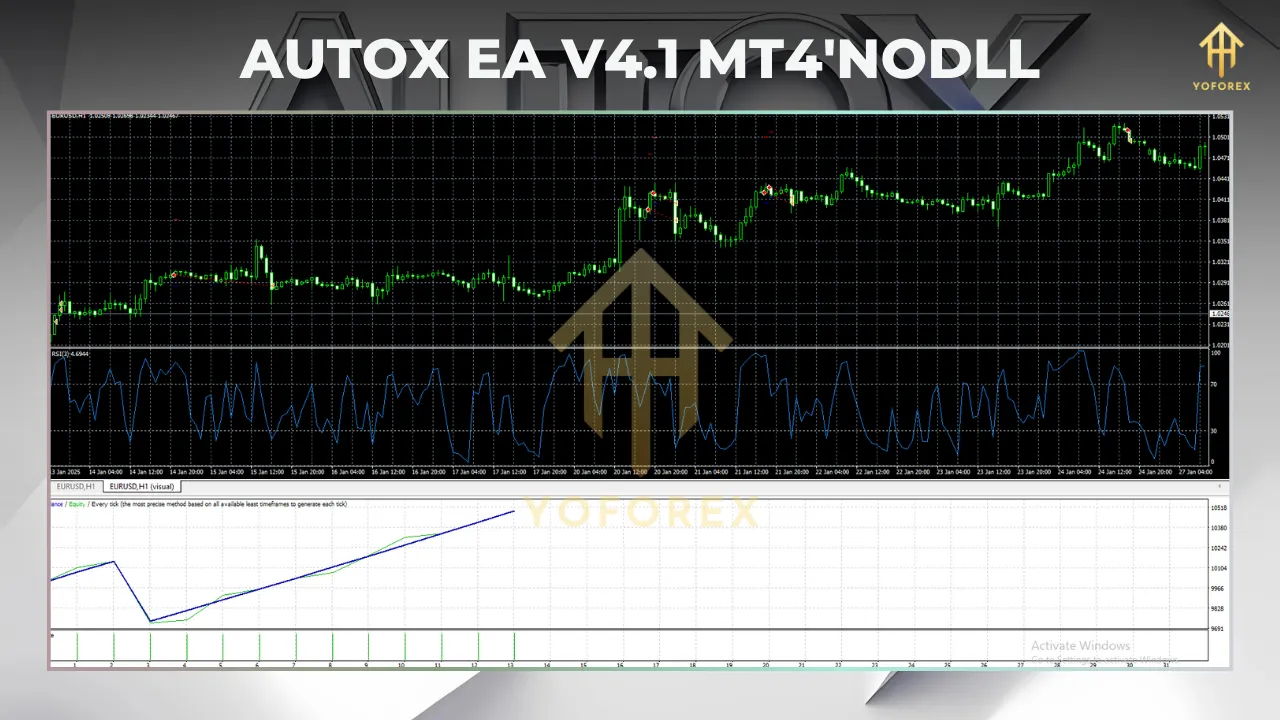
One of the most appealing aspects of AutoX EA V4.1 MT4 is its advertised performance. According to some sources, the EA aims to deliver daily returns ranging from 0.5% to 3%, which could translate to significant monthly gains depending on the account size and risk settings. However, these figures come with important caveats.
Potential Returns
The promised 0.5% to 3% daily returns suggest that AutoX EA V4.1 targets consistent, incremental gains rather than high-risk, high-reward trades. For example:
-
On a $10,000 account, a 1% daily return equates to $100 per day.
-
Over a 20-trading-day month, this could theoretically result in a 10–60% monthly return, assuming compounding and consistent performance.
However, these projections are based on ideal conditions and historical backtesting, which may not reflect real-world market dynamics. Forex markets are inherently unpredictable, and past performance is not a guaranteed predictor of future results.
Backtesting and Optimization
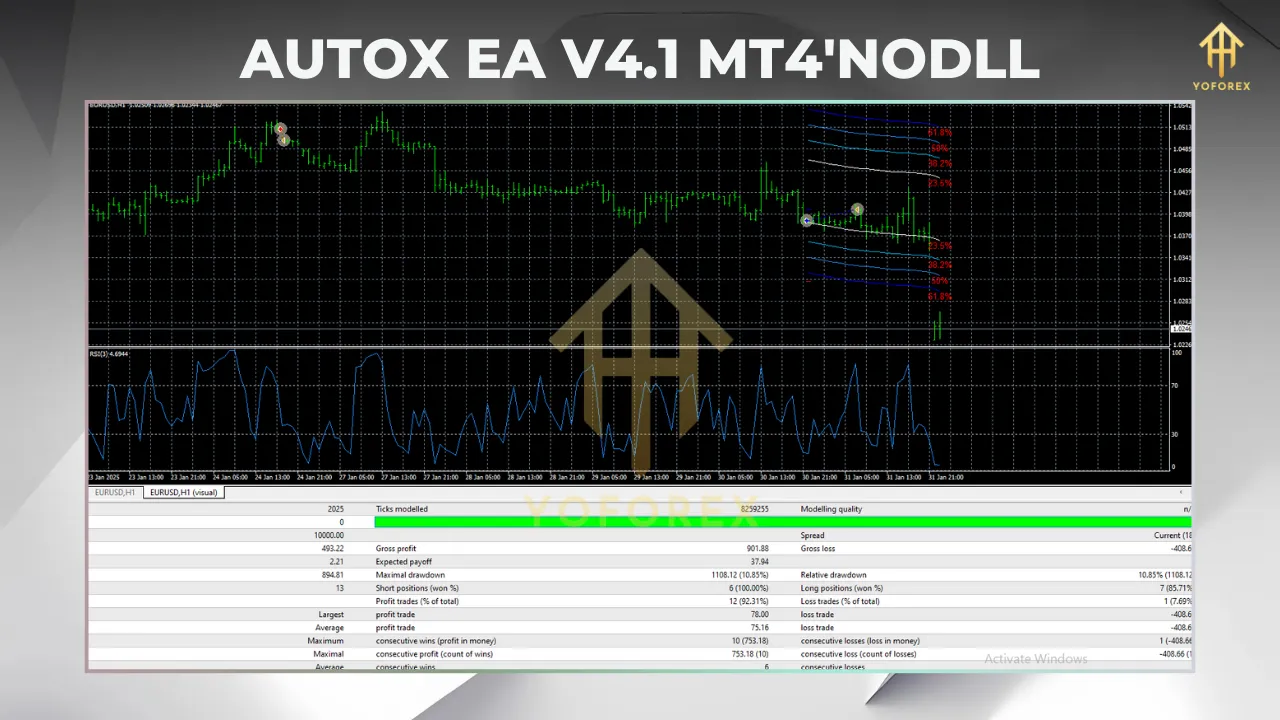
Traders are encouraged to backtest AutoX EA V4.1 on their MT4 platform using historical data to evaluate its performance under various market conditions. Backtesting allows users to:
-
Assess the EA’s profitability across different currency pairs and timeframes.
-
Identify optimal settings for their trading style.
-
Understand the EA’s drawdown (the percentage of account loss during losing streaks).
Most vendors provide recommended settings, but traders should optimize these based on their account size, risk tolerance, and preferred trading pairs.
Risks and Considerations
While AutoX EA V4.1 MT4 offers exciting possibilities, automated trading is not without risks. Here are some key considerations:
-
Market Volatility: Forex markets can be highly volatile, especially during major economic events like interest rate announcements or geopolitical developments. The EA’s algorithm may struggle to adapt to sudden market shifts, leading to losses.
-
Over-Optimization: Backtesting can lead to “curve-fitting,” where the EA is overly optimized for historical data but performs poorly in live markets. Traders should use forward testing (demo trading) to validate performance.
-
Broker Dependence: The EA’s performance can vary depending on the broker’s spreads, slippage, and execution speeds. Low-spread ECN brokers are generally recommended for optimal results.
-
Capital Risk: Automated trading does not eliminate the risk of loss. Traders should only risk capital they can afford to lose and avoid over-leveraging their accounts.
-
Technical Issues: EAs rely on stable internet connections and uninterrupted VPS (Virtual Private Server) hosting to function effectively. Technical glitches or platform downtime can disrupt trading.
-
Lack of Transparency: Like many proprietary EAs, AutoX EA V4.1 may not fully disclose its trading strategy. Traders must rely on vendor claims and independent reviews to assess its credibility.
To mitigate these risks, traders should:
-
Start with a demo account to test the EA’s performance.
-
Use conservative risk settings (e.g., 1–2% risk per trade).
-
Monitor the EA’s performance regularly and intervene if necessary.
How to Set Up AutoX EA V4.1 MT4
Setting up AutoX EA V4.1 MT4 is straightforward, but it requires careful attention to ensure optimal performance. Here’s a step-by-step guide:
-
Download the EA: Purchase or download AutoX EA V4.1 from a reputable source. Verify that the file is compatible with MT4 build 1441 or higher.
-
Install on MT4:
-
Open your MT4 platform.
-
Navigate to File > Open Data Folder > MQL4 > Experts.
-
Copy the AutoX EA V4.1 file into the Experts folder.
-
Restart MT4 to load the EA.
-
-
Attach to a Chart:
-
Open a chart for your desired currency pair (e.g., EUR/USD).
-
Drag the AutoX EA V4.1 from the Navigator panel onto the chart.
-
Adjust the settings (lot size, risk level, etc.) in the pop-up window.
-
-
Enable Auto-Trading:
-
Ensure the “AutoTrading” button on the MT4 toolbar is green.
-
Check that the EA’s smiley face icon appears in the top-right corner of the chart, indicating it’s active.
-
-
Use a VPS: For uninterrupted trading, consider running the EA on a VPS to ensure 24/7 operation, especially if you’re trading on a home computer.
-
Monitor Performance: Regularly check the EA’s performance through MT4’s Account History and Journal tabs. Adjust settings if needed based on market conditions.
Tips for Maximizing Success with AutoX EA V4.1
-
Start Small: Begin with a small account size or demo account to familiarize yourself with the EA’s behavior.
-
Diversify Pairs: Trade multiple currency pairs to spread risk, but avoid overtrading by limiting the number of active charts.
-
Stay Informed: Keep an eye on economic calendars to anticipate high-impact news events that could affect the EA’s performance.
-
Regular Updates: Check for updates to AutoX EA V4.1 to ensure compatibility with new MT4 builds and market conditions.
-
Join Communities: Engage with online forums or trading communities to share experiences and learn from other AutoX EA users.
Is AutoX EA V4.1 MT4 Worth It?
AutoX EA V4.1 MT4 has the potential to be a valuable tool for traders seeking automation in the forex market. Its customizable settings, risk management features, and compatibility with MT4 make it accessible to a wide range of traders. The advertised 0.5% to 3% daily returns are enticing, but traders must approach these claims with caution and conduct thorough testing.
Ultimately, the EA’s success depends on the trader’s ability to optimize its settings, manage risks, and adapt to changing market conditions. While it can simplify trading and save time, it’s not a “set-and-forget” solution. Traders should combine the EA with sound trading principles, such as proper risk management and market analysis, to maximize its potential.
Conclusion
AutoX EA V4.1 MT4 is a promising forex trading robot that offers automation, flexibility, and the potential for consistent returns. However, like all trading tools, it comes with risks that require careful management. By backtesting, forward testing, and using conservative settings, traders can harness the power of AutoX EA V4.1 to enhance their trading strategies. If you’re considering this EA, start with a demo account, explore its features, and make informed decisions to align it with your trading goals.