
Introduction
The forex market, with its vast liquidity and 24/5 trading window, attracts traders worldwide seeking opportunities to profit from currency fluctuations. However, the demands of constant market monitoring and rapid decision-making can be daunting. This is where Expert Advisors (EAs) like Cibola EA v1.9 MT4 come into play, offering automated trading solutions for MetaTrader 4 (MT4) users. In this blog, we’ll dive into the features, benefits, and considerations of using Cibola EA v1.9, a tool designed to streamline trading with precision and efficiency.
What is Cibola EA v1.9 MT4?
- Cibola EA v1.9 is an Expert Advisor developed for the MetaTrader 4 platform, one of the most popular trading platforms in the forex industry. EAs are automated trading scripts that execute trades based on predefined algorithms, eliminating the need for manual intervention. According to sources, Cibola EA v1.9 is engineered to analyze market conditions using advanced algorithms, aiming to identify profitable trading opportunities with high accuracy. It is compatible with MT4 Build 1431 and above, ensuring it functions seamlessly on modern versions of the platform.
- The EA is marketed as a versatile tool suitable for traders of varying experience levels, from beginners looking to automate their strategies to seasoned traders aiming to optimize their workflows. Its design emphasizes precision, making it particularly appealing for those who prioritize consistent performance in volatile markets.
Key Features of Cibola EA v1.9
- Cibola EA v1.9 stands out due to its robust feature set, tailored to enhance trading efficiency. While specific details about its algorithm are proprietary, the following features are commonly highlighted:
- Cibola EA v1.9 leverages sophisticated algorithms to scan market data, including price movements, trends, and volatility. This allows it to make informed trading decisions, adapting to changing market conditions. The EA’s ability to process large datasets quickly gives it an edge in fast-paced forex environments.
- Although earlier versions like v1.7 were noted for excelling in scalping, v1.9 builds on this strength. Scalping involves making quick trades to capture small price movements, and Cibola EA is optimized for short-term trading strategies, making it ideal for traders who thrive in high-frequency trading scenarios.
- One of the standout aspects of Cibola EA v1.9 is its flexibility. Traders can adjust parameters such as lot sizes, risk levels, and trading hours to align with their risk tolerance and trading goals. This customization ensures the EA can be tailored to suit conservative or aggressive trading styles.
- Effective risk management is critical in forex trading, and Cibola EA v1.9 incorporates features like stop-loss and take-profit settings to protect capital. These tools help mitigate losses during unfavorable market conditions, providing peace of mind for traders.
- Designed to work on MT4 Build 1431+, Cibola EA v1.9 is compatible with the latest MT4 updates, ensuring stability and reliability. Its seamless integration with the platform allows traders to set it up quickly and focus on strategy rather than technical troubleshooting.
Benefits of Using Cibola EA v1.9
- Manual trading requires constant market monitoring, which can be exhausting. Cibola EA v1.9 operates 24/5, executing trades based on its algorithms without requiring trader intervention. This frees up time for traders to focus on strategy development or other pursuits.
- Emotions like fear and greed often lead to poor trading decisions. By relying on pre-programmed rules, Cibola EA eliminates emotional biases, ensuring trades are executed based on logic and data.
- The EA’s ability to follow its algorithm consistently helps maintain discipline, a key factor in achieving long-term trading success. Unlike human traders, it doesn’t deviate from its strategy due to fatigue or external pressures.
- For novice traders, the forex market can be overwhelming. Cibola EA v1.9’s user-friendly interface and customizable settings make it accessible to those with limited experience, allowing them to participate in automated trading with minimal learning curve.
Setting Up Cibola EA v1.9
- Install MetaTrader 4: Ensure you have MT4 installed (Build 1431 or higher). Download it from a trusted broker if you haven’t already.
- Acquire Cibola EA v1.9: Purchase or download the EA from a reputable source, such as authorized vendors like Payhip or TheTradeLovers. Verify the version to ensure it’s v1.9.
- Install the EA: Copy the EA file to the “Experts” folder in your MT4 directory. Restart MT4 to load the EA.
- Configure Settings: Attach the EA to a chart (e.g., EUR/USD M5) and adjust settings like lot size, risk level, and trading hours. Use a demo account initially to test configurations.
- Monitor Performance: While the EA is automated, periodic monitoring ensures it aligns with your goals. Check trade history and adjust settings as needed.
Considerations and Risks
-
Market Conditions: EAs perform best under specific conditions. Test Cibola EA in a demo account to ensure it suits your preferred currency pairs and timeframes.
-
Broker Compatibility: Some brokers restrict EA usage or have high spreads that impact profitability. Choose a broker with low spreads and EA-friendly policies.
-
Over-Optimization: Excessive tweaking of settings can lead to overfitting, where the EA performs well in backtests but poorly in live markets. Balance customization with robust testing.
-
Cost: While Cibola EA v1.9 is a one-time purchase, ensure the cost aligns with your budget. Avoid vendors offering unrealistic profit guarantees.
Performance and User Feedback
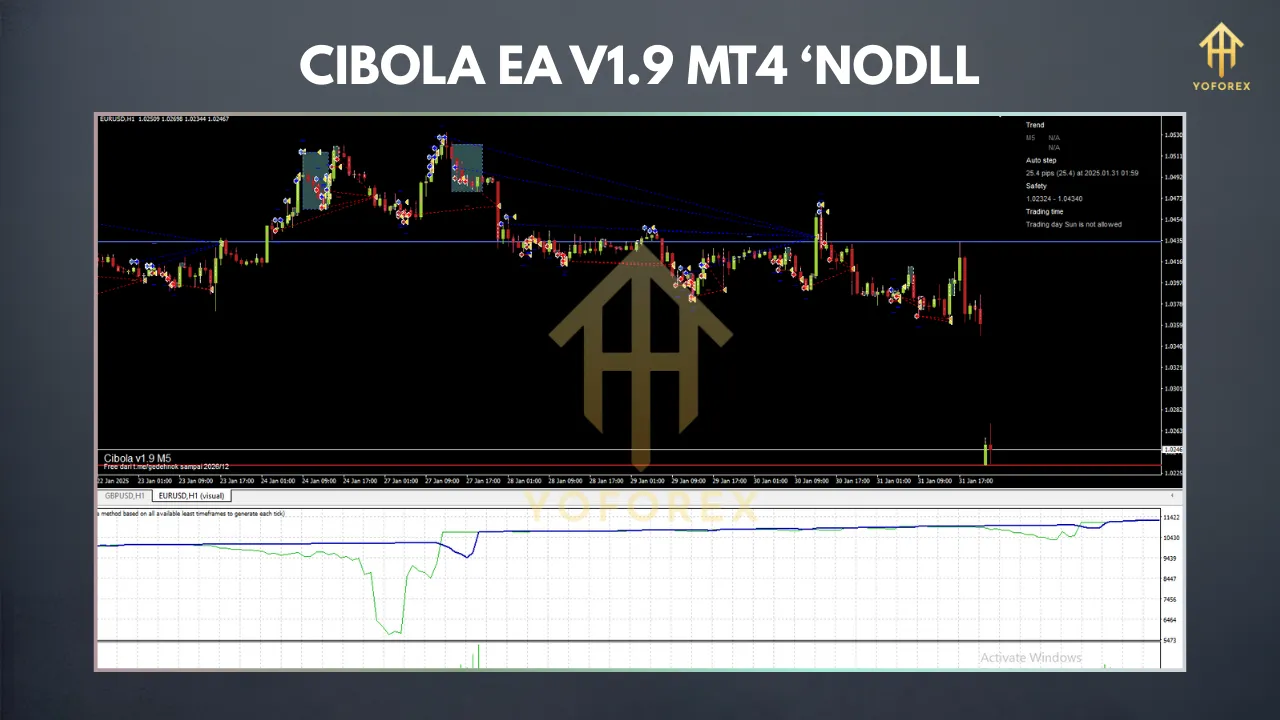
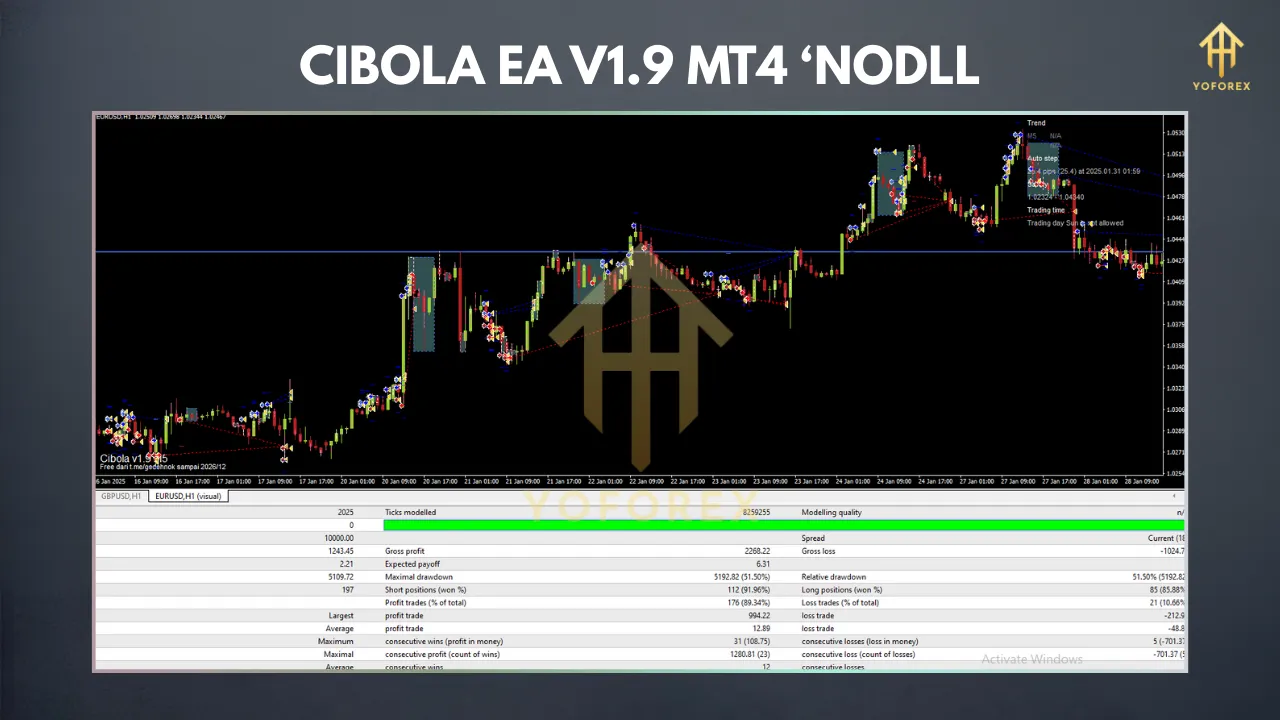
Specific performance data for Cibola EA v1.9 is limited, as results vary based on settings, market conditions, and broker environments. However, user feedback suggests it’s well-regarded for scalping and short-term strategies. Traders appreciate its stability on MT4 Build 1431+ and its ability to handle volatile pairs like EUR/USD and XAU/USD.
To gauge its effectiveness, backtest the EA using MT4’s Strategy Tester with historical data. Combine this with forward testing on a demo account to assess real-time performance. This dual approach provides a clearer picture of its potential.
Is Cibola EA v1.9 Right for You?
Cibola EA v1.9 MT4 is a powerful tool for traders seeking automation, particularly those interested in scalping and short-term strategies. Its advanced algorithms, customizable settings, and risk management features make it a compelling choice for both novice and experienced traders. However, success requires proper setup, testing, and realistic expectations.
If you’re new to EAs, start with a demo account to familiarize yourself with its functionality. For seasoned traders, Cibola EA v1.9 offers a reliable way to diversify strategies and reduce manual workload. Regardless of your experience level, always prioritize risk management and choose a reputable broker to maximize its potential.
Conclusion
In the fast-paced world of forex trading, tools like Cibola EA v1.9 MT4 provide a competitive edge by automating complex processes. With its focus on precision, scalping optimization, and user-friendly design, it’s a valuable addition to any trader’s toolkit. By understanding its features, setting it up correctly, and managing risks, you can harness the power of automation to pursue your trading goals.