
Exploring FTMO Robots EA V3.5 MQ4 for Automated Forex Trading
Introduction to FTMO Robots EA V3.5 MQ4
In the fast-paced world of forex trading, automation has become a game-changer for traders seeking consistency and efficiency. The FTMO Robots EA V3.5 MQ4 is an expert advisor (EA) designed for the MetaTrader 4 (MT4) platform, specifically optimized for traders aiming to pass proprietary trading firm challenges, such as those offered by FTMO. This blog post explores the features, setup, performance, and strategies of FTMO Robots EA V3.5, focusing on its compatibility with currency pairs AUDCHF, AUDUSD, EURAUD, EURUSD, GBPAUD, USDCAD, USDCHF, and XAUUSD, all on the M15 timeframe with a minimum deposit of $200.
What is FTMO Robots EA V3.5?
FTMO Robots EA V3.5 is an automated trading system developed to enhance trading performance by leveraging algorithmic strategies. Built for MT4, it uses the MQ4 source code format, allowing traders to customize and optimize the EA to suit their needs. The EA is tailored for prop firm challenges, where traders must meet strict profit targets and risk management rules to access funded accounts. Its design emphasizes dynamic market adaptability, robust risk management, and consistent profitability across various market conditions.
The EA supports eight specific instruments: AUDCHF, AUDUSD, EURAUD, EURUSD, GBPAUD, USDCAD, USDCHF, and XAUUSD (gold). These pairs were chosen for their liquidity, volatility, and suitability for short-term trading strategies on the M15 (15-minute) timeframe. With a low entry barrier of just $200, this EA is accessible to both novice and experienced traders looking to scale their trading with minimal capital.
Key Features of FTMO Robots EA V3.5
1. Advanced Algorithmic Trading
FTMO Robots EA V3.5 employs sophisticated algorithms to analyze market conditions, identify trends, and execute trades with precision. By focusing on price action and technical indicators, the EA ensures trades align with market momentum, reducing the likelihood of entering during unfavorable conditions.
2. Risk Management Protocols
Risk management is critical in prop firm trading, where drawdown limits are strict. The EA incorporates fixed stop-loss (SL) and take-profit (TP) levels, typically set at a 1:2 risk-reward ratio (e.g., 30 pips SL and 60 pips TP for some pairs). It also includes dynamic lot sizing to limit account risk to 0.5–1% per trade, ensuring compliance with FTMO’s risk parameters.
3. Multi-Pair Compatibility
The EA is optimized for eight instruments, allowing traders to diversify their portfolios. Each currency pair and XAUUSD has a dedicated EA file (e.g., FTMO Robot V3.5 EURUSD M15.mq4), ensuring tailored strategies for each market’s unique behavior. For instance, XAUUSD’s volatility suits scalping, while EURUSD benefits from trend-following approaches.
4. User-Friendly Interface
Despite its advanced capabilities, the EA is designed for ease of use. Traders can install it on MT4 with minimal configuration, making it accessible even for those new to automated trading. The source code availability in MQ4 format also allows advanced users to tweak parameters like indicator settings or SL/TP levels.
5. Low Minimum Deposit
With a minimum deposit of $200, the EA is ideal for traders testing strategies on smaller accounts or demo accounts before scaling up. This affordability makes it a practical choice for those preparing for FTMO challenges.
Setting Up FTMO Robots EA V3.5
Installation
-
Download the EA: Obtain the FTMO Robots EA V3.5 MQ4 files for each currency pair from a trusted source.
-
Install on MT4: Open MT4, navigate to File > Open Data Folder > MQL4 > Experts, and place the MQ4 files in the Experts folder.
-
Compile the Code: In the MT4 Navigator, right-click the EA files and select “Compile” to generate executable EX4 files.
-
Attach to Charts: Open M15 charts for AUDCHF, AUDUSD, EURAUD, EURUSD, GBPAUD, USDCAD, USDCHF, and XAUUSD. Drag the corresponding EA onto each chart.
-
Configure Settings: Adjust lot sizes (e.g., 0.01 lots per $200 for low risk), SL/TP, and magic numbers to avoid trade conflicts. Ensure the broker’s spread is below 30 points for optimal performance.
Recommended Settings
-
Timeframe: M15
-
Lot Size: 0.01 per $200 for 0.5–1% risk per trade
-
SL/TP: Default settings (e.g., 30/60 pips for EURUSD, adjustable per pair)
-
Account Size: Minimum $200 (recommended $1000 for better risk management)
-
Broker: Use a low-spread broker like LMAX or FTMO’s demo server for accurate backtesting.
Performance Insights
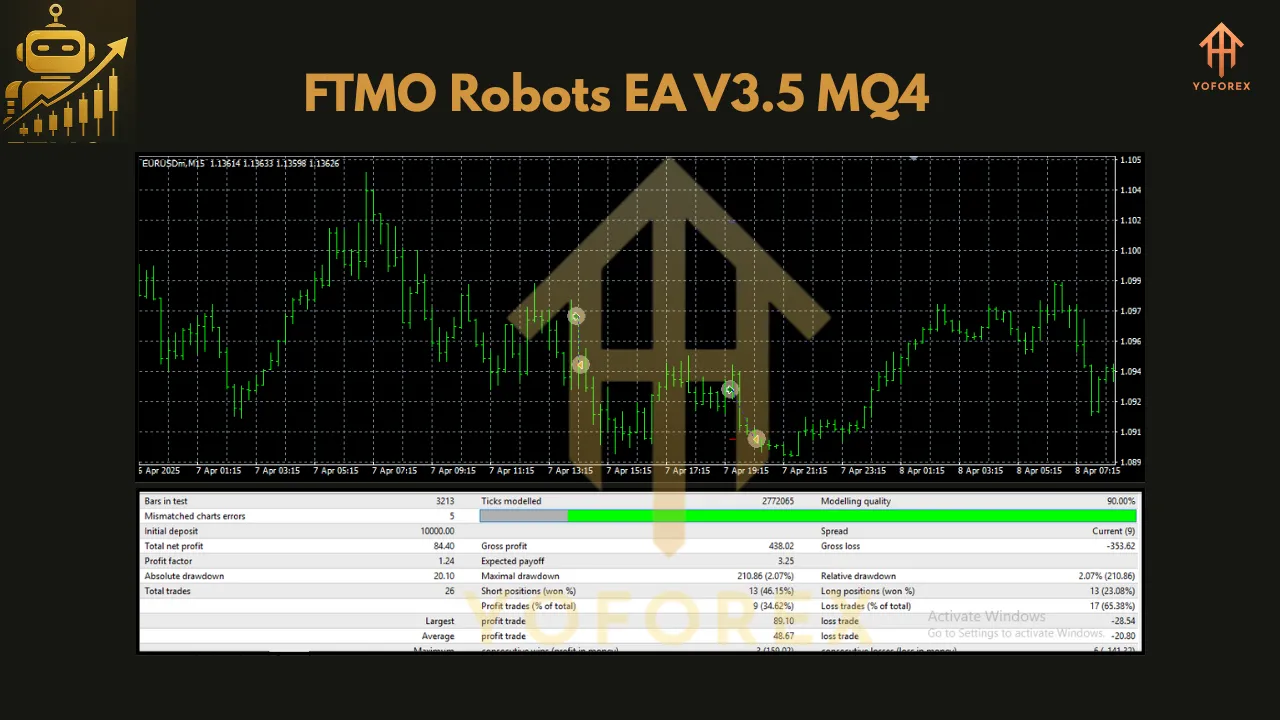
Based on community discussions and backtesting data from sources like EA Trading Academy, FTMO Robots EA V3.5 has shown varied performance across its supported pairs:
-
EURAUD and USDCHF: These pairs often rank among the top performers, with EURAUD showing steady profits and USDCHF exhibiting low drawdowns (less than 1% in some tests).
-
XAUUSD: Gold trading can be highly profitable but riskier due to volatility. Some users report lower profits in newer versions compared to earlier ones, suggesting the need for parameter optimization.
-
AUDUSD and USDCAD: These pairs perform well in trending markets but may trade flat during low volatility, requiring patience.
-
GBPAUD: Known for higher volatility, it may produce fewer trades but larger profits when conditions align.
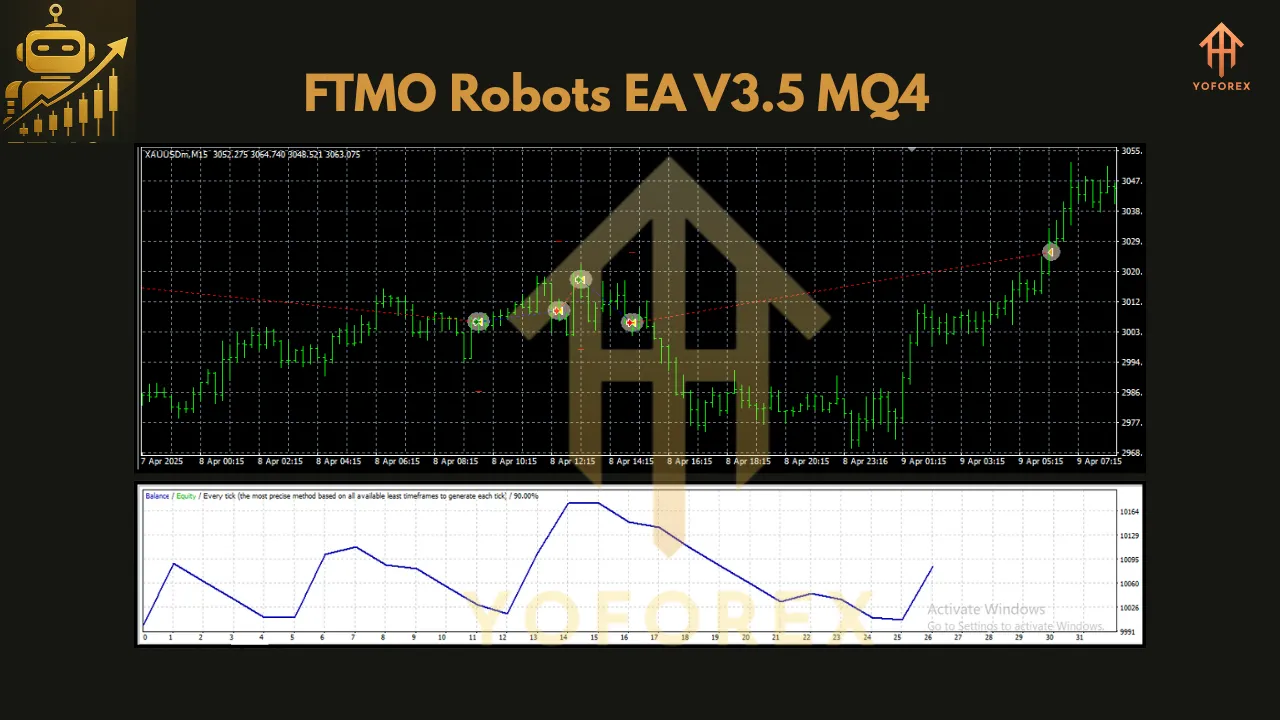
Backtests over five years indicate profitability, though results vary by broker due to differences in historical data and spreads. For example, a 2021–2023 backtest showed V5.1 yielding 7600–20485 profit across years, while V6.0 outperformed it in some cases, highlighting the importance of version updates.
Strategies for Success
-
Backtest Thoroughly: Use MT4’s Strategy Tester with FTMO’s historical data to validate performance for each pair. Adjust lot sizes to match your account size (e.g., 0.04 for AUDCHF on a $200 account).
-
Select Top Performers: Focus on the top three pairs based on recent backtests (e.g., EURAUD, USDCHF, XAUUSD). Avoid running all eight EAs simultaneously to reduce risk.
-
Monitor Weekly: Check weekly performance via tools like MyFXBook or EA Studio to identify trending pairs and adjust your portfolio.
-
Avoid Over-Optimization: While the MQ4 source code allows customization, minor changes (e.g., envelope deviation from 0.07 to 0.08) may not always yield unique entries, as seen in user tests.
-
Comply with FTMO Rules: Ensure daily drawdown is below 3% and equity drawdown below 2% to pass challenges. Use the EA’s built-in risk management to stay within limits.
Challenges and Considerations
-
Broker Variability: Differences in historical data between brokers (e.g., FTMO vs. XM) can lead to inconsistent trade execution. Always backtest with your target broker’s data.
-
Trade Frequency: Some pairs, like EURAUD, open fewer trades (e.g., one per week), requiring patience.
-
Updates: FTMO Robots frequently receive updates (e.g., V4.3, V5.0, V6.0). Ensure you’re using the latest version, as older ones may underperform.
-
Risk of Losses: No EA guarantees profits. Users report occasional losing streaks, especially during volatile market conditions. Adjust lot sizes to mitigate risk.
Conclusion
FTMO Robots EA V3.5 MQ4 is a powerful tool for traders aiming to pass FTMO challenges or enhance their forex trading. Its compatibility with AUDCHF, AUDUSD, EURAUD, EURUSD, GBPAUD, USDCAD, USDCHF, and XAUUSD, combined with a low $200 entry point, makes it accessible and versatile. By leveraging its advanced algorithms, robust risk management, and user-friendly setup, traders can optimize their strategies for the M15 timeframe. However, success requires thorough backtesting, careful pair selection, and adherence to prop firm rules. Whether you’re a beginner or a seasoned trader, FTMO Robots EA V3.5 offers a promising solution for automated trading success.
Join our Telegram for the latest updates and support