Unleashing the Power of Ranger EA V3.0 MT4: A Comprehensive Guide
Introduction: Understanding Ranger EA V3.0 MT4
In the fast-paced world of forex trading, having the right tools can make all the difference. Enter Ranger EA V3.0 for MetaTrader 4 (MT4), a cutting-edge automated trading system designed to empower traders with precision, adaptability, and efficiency. This revolutionary expert advisor (EA) combines advanced technology with user-friendly features to deliver a competitive edge in the dynamic forex market. Whether you’re a seasoned trader or just starting out, Ranger EA V3.0 offers a robust solution to optimize your trading strategies and maximize profitability. In this blog post, we’ll explore the features, setup, and best practices for using Ranger EA V3.0 MT4, with a focus on its optimized trading pairs: GBPCAD on the M30 timeframe (using the provided setfile) and AUDCAD on the H1 timeframe (using default settings).
Key Features of Ranger EA V3.0 MT4
Ranger EA V3.0 MT4 is packed with powerful features that set it apart from other trading tools. Below, we dive into the core functionalities that make this EA a must-have for forex traders.
1. Advanced Algorithmic Trading
At the core of Ranger EA V3.0 is its sophisticated algorithmic engine, designed to navigate the complexities of the forex market with precision. By leveraging machine learning and artificial intelligence, the EA adapts to changing market conditions, identifying trends and opportunities that might elude manual traders. The algorithms are fine-tuned to analyze historical data and real-time price movements, enabling the EA to make informed trading decisions. This ensures that Ranger EA V3.0 can capitalize on profitable opportunities while minimizing exposure to unfavorable market conditions.
2. Real-Time Market Analysis
Staying ahead in forex trading requires up-to-the-minute insights into market dynamics. Ranger EA V3.0 excels in this area by providing real-time market analysis. The EA continuously monitors price movements, volatility, and other key indicators to deliver actionable insights. This allows traders to execute trades with confidence, knowing they’re backed by data-driven decisions. Whether it’s detecting a breakout or identifying a trend reversal, Ranger EA V3.0 keeps you informed and ready to act.
3. Customizable Trading Strategies
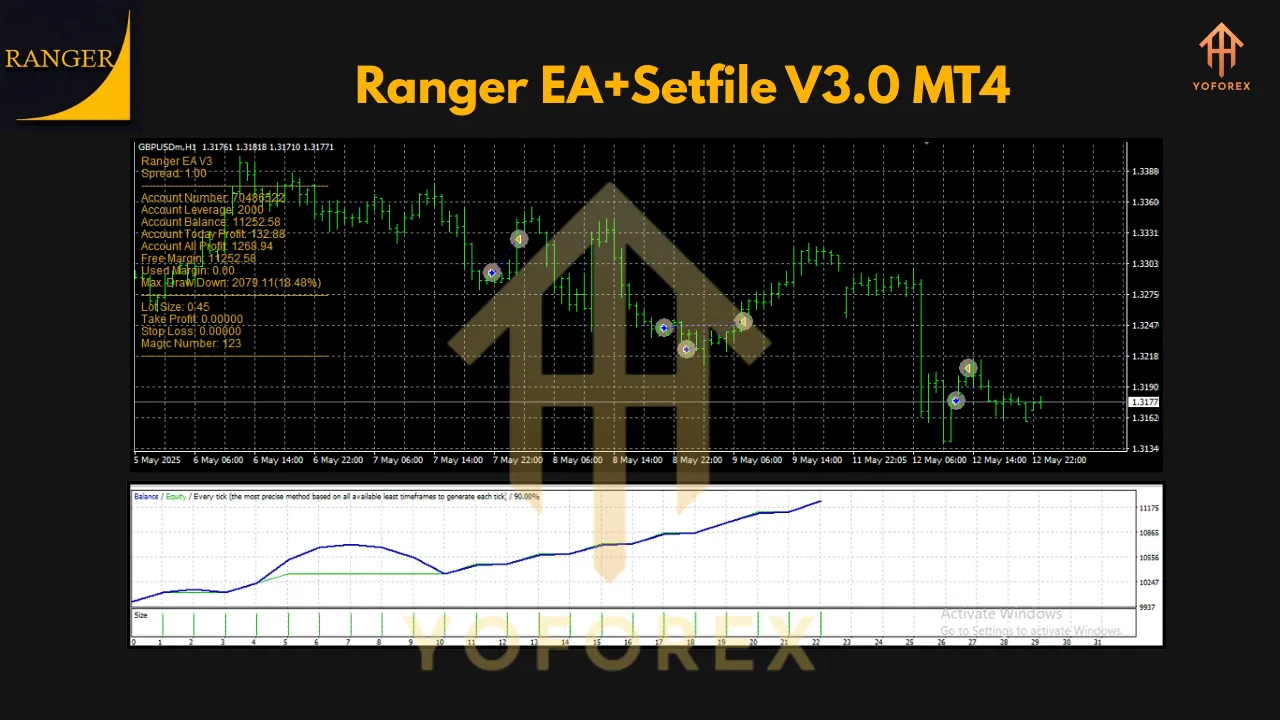
One of the standout features of Ranger EA V3.0 is its flexibility. The EA allows traders to customize their trading strategies to align with their risk tolerance, trading goals, and market preferences. Whether you prefer aggressive scalping or a more conservative approach, Ranger EA V3.0 can be tailored to suit your needs. This customization is particularly valuable for traders who want to fine-tune their strategies for specific currency pairs, such as GBPCAD and AUDCAD, which the EA is optimized for.
4. Seamless Integration with MetaTrader 4
Ranger EA V3.0 is designed to work seamlessly with MetaTrader 4, the industry-standard trading platform trusted by millions of traders worldwide. This integration ensures a smooth and intuitive user experience, allowing traders to focus on executing profitable trades rather than grappling with technical complexities. The EA can be easily installed and configured on MT4, making it accessible to traders of all skill levels.
Optimized Trading Pairs: GBPCAD and AUDCAD
Ranger EA V3.0 has been meticulously optimized for two specific currency pairs: GBPCAD and AUDCAD. To achieve the best results, it’s critical to follow the recommended settings and timeframes for each pair.
GBPCAD on M30 Timeframe (Setfile Required)
For the GBPCAD currency pair, Ranger EA V3.0 is optimized to trade exclusively on the 30-minute (M30) timeframe. To ensure optimal performance, traders must use the provided GBPCAD setfile. This setfile contains pre-configured settings tailored to the unique characteristics of the GBPCAD pair, such as its volatility and price patterns. Using the setfile ensures that the EA operates within the parameters it was designed for, maximizing profitability and minimizing risks. Attempting to trade GBPCAD without the setfile or on a different timeframe is not recommended, as it may lead to suboptimal results.
AUDCAD on H1 Timeframe (Default Settings)
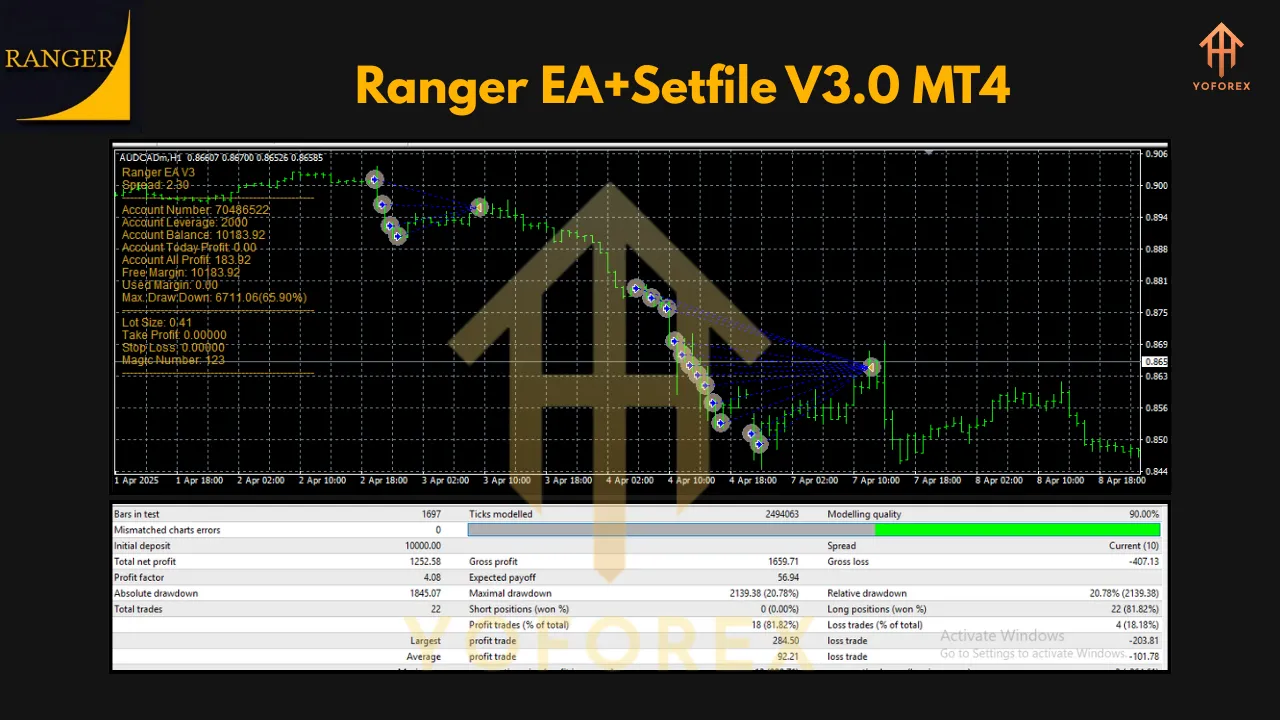
For the AUDCAD currency pair, Ranger EA V3.0 is optimized for the 1-hour (H1) timeframe, and no additional setfile is required. The default settings of the EA are specifically designed to perform best with AUDCAD, taking into account its market behavior and trends. Traders can simply apply the EA to the AUDCAD H1 chart and let it run with the default parameters. This streamlined approach makes it easy for traders to get started with AUDCAD without the need for extensive configuration.
Important Note: Stick to Optimized Pairs
Ranger EA V3.0 has been rigorously tested and optimized for GBPCAD (M30) and AUDCAD (H1). Trading other currency pairs or timeframes is not recommended, as the EA’s algorithms are tailored specifically for these pairs. Using the EA on untested pairs may result in unpredictable performance and increased risk.
How to Set Up Ranger EA V3.0 on MT4
Setting up Ranger EA V3.0 on MetaTrader 4 is straightforward. Follow these steps to get started:
-
Download and Install MT4: Ensure you have MetaTrader 4 installed on your computer or trading device. MT4 is available from most forex brokers or directly from the MetaQuotes website.
-
Obtain Ranger EA V3.0: Purchase or download Ranger EA V3.0 from a trusted source, along with the GBPCAD setfile.
-
Install the EA:
-
Open the MT4 platform and navigate to the “File” menu, then select “Open Data Folder.”
-
Copy the Ranger EA V3.0 file (typically a .ex4 or .mq4 file) into the “MQL4/Experts” folder.
-
Copy the GBPCAD setfile (usually a .set file) into the “MQL4/Presets” folder.
-
-
Apply the EA to a Chart:
-
For GBPCAD: Open a GBPCAD M30 chart, drag the Ranger EA V3.0 from the Navigator panel onto the chart, and load the GBPCAD setfile when prompted.
-
For AUDCAD: Open an AUDCAD H1 chart, drag the Ranger EA V3.0 onto the chart, and use the default settings.
-
-
Enable Auto-Trading: Ensure the “AutoTrading” button in MT4 is enabled (it should be green). Also, check that the EA is allowed to trade by verifying the settings in “Tools > Options > Expert Advisors.”
-
Monitor Performance: Once the EA is running, monitor its performance and ensure it’s trading according to your expectations. Regularly check for updates to the EA or setfile to maintain optimal performance.
Best Practices for Using Ranger EA V3.0
To maximize the potential of Ranger EA V3.0, consider the following best practices:
-
Use a Reliable Broker: Choose a reputable forex broker with low spreads and fast execution to ensure the EA performs optimally.
-
Test on a Demo Account: Before deploying Ranger EA V3.0 on a live account, test it on a demo account to familiarize yourself with its behavior.
-
Monitor Market Conditions: While the EA is automated, staying informed about major market events (e.g., economic data releases) can help you manage risk.
-
Follow Recommended Settings: Stick to the GBPCAD M30 setfile and AUDCAD H1 default settings for the best results.
-
Regularly Review Performance: Periodically review the EA’s performance to ensure it aligns with your trading goals.
Conclusion
Ranger EA V3.0 for MetaTrader 4 is a game-changer for forex traders seeking automation, precision, and flexibility. With its advanced algorithms, real-time market analysis, and seamless MT4 integration, this EA empowers traders to navigate the forex market with confidence. By focusing on the optimized GBPCAD (M30) and AUDCAD (H1) pairs, Ranger EA V3.0 delivers consistent performance when used as directed. Whether you’re looking to streamline your trading or enhance your profitability, Ranger EA V3.0 is a powerful tool worth exploring. Download it today, follow the setup instructions, and unlock the potential of automated trading!
Join our Telegram for the latest updates and support