Unleashing the Power of WyckoffSpring EA V1.0 for MetaTrader 5: A Comprehensive Guide
The forex market, with its daily trading volume exceeding $7.5 trillion, offers immense opportunities for traders seeking to capitalize on price movements. For those looking to automate their trading strategies, the WyckoffSpring EA V1.0 for MetaTrader 5 (MT5) is an exciting tool designed to harness the Wyckoff Spring pattern—a powerful price action strategy rooted in the legendary Wyckoff Method. In this blog post, we’ll explore the WyckoffSpring EA V1.0, its setup, recommended currency pairs, timeframes, and tips to maximize its potential with a minimum deposit of just $200. Whether you’re a novice or an experienced trader, this guide will help you understand how to leverage this EA for consistent results.
What is the WyckoffSpring EA V1.0?
The WyckoffSpring EA V1.0 is an Expert Advisor (EA) designed for the MetaTrader 5 platform, a robust and versatile trading environment favored by forex traders worldwide. This EA automates trading decisions based on the Wyckoff Spring pattern, a price action setup within the Wyckoff Method, which identifies potential trend reversals or continuations in accumulation or distribution phases. The Spring pattern occurs when the price briefly breaks below a support level, traps aggressive sellers, and then reverses upward, signaling strong buying interest from institutional players or “smart money.”
The WyckoffSpring EA V1.0 is engineered to detect these setups with precision, execute trades automatically, and manage risk effectively. With a low entry barrier of a $200 minimum deposit, it’s accessible to traders with small accounts, making it an attractive option for those looking to dip their toes into automated trading without significant capital.
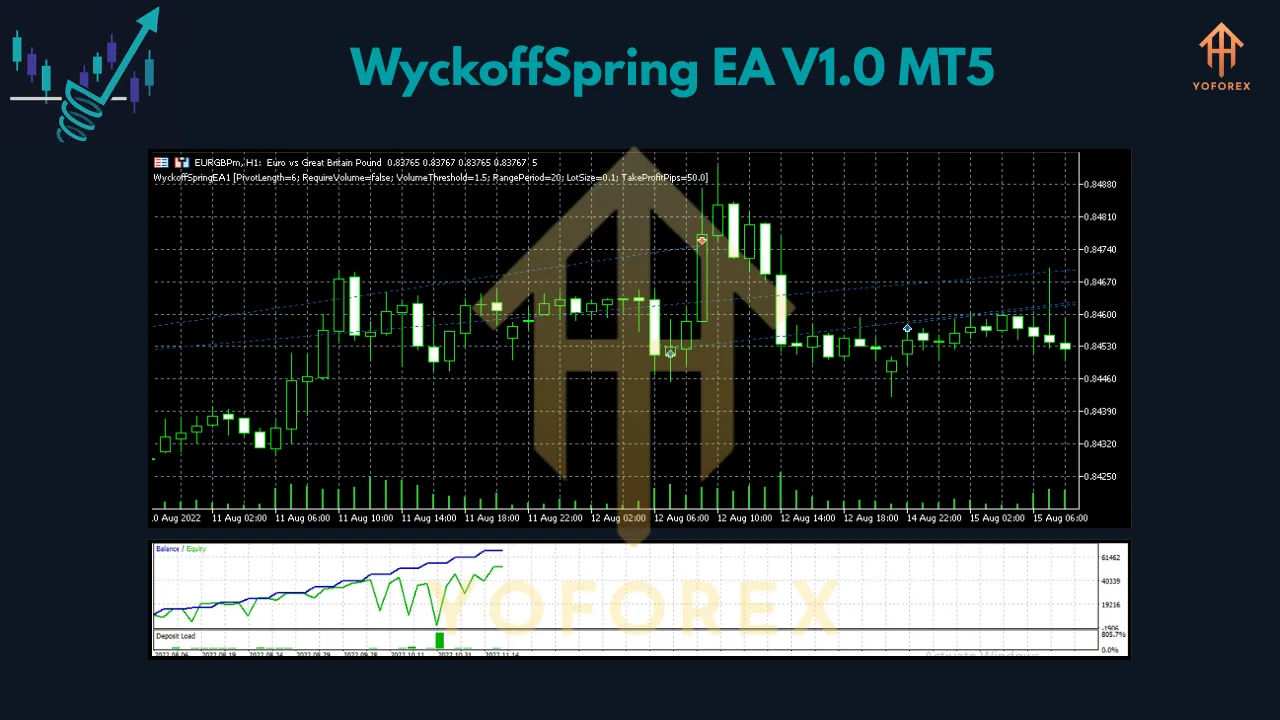
Understanding the Wyckoff Spring Pattern
The Wyckoff Method, developed by Richard Wyckoff, focuses on understanding market structure through price action, volume, and market phases. The Spring pattern is a hallmark of this methodology, often occurring in an accumulation phase where the price temporarily dips below a key support level, only to reverse as institutional buyers step in. This creates a false breakout, trapping short-sellers and providing a high-probability entry point for long positions.
The WyckoffSpring EA V1.0 scans charts for these patterns, using predefined criteria such as price action, support levels, and volume spikes to confirm setups. Unlike manual trading, the EA eliminates emotional bias, ensuring trades are executed based on logic and predefined parameters, a key advantage of automated systems.
Recommended Currency Pairs
While the WyckoffSpring EA V1.0 can theoretically work on any currency pair, certain pairs are better suited due to their liquidity and volatility, which align well with the Wyckoff Spring pattern. Based on common forex trading practices and multi-currency EA recommendations, the following pairs are ideal:
-
EURUSD: The most liquid forex pair, offering tight spreads and frequent Wyckoff setups due to high trading volume.
-
GBPUSD: Known for its volatility, this pair is suitable for capturing Spring patterns in active market sessions.
-
XAUUSD (Gold): Gold often exhibits clear accumulation and distribution phases, making it a prime candidate for Wyckoff-based strategies.
-
USDJPY: A stable pair with consistent price action, ideal for detecting Spring patterns in trending markets.
-
AUDUSD: A commodity-linked pair that often forms clear support zones, perfect for the EA’s logic.
For best results, test the EA on a demo account with these pairs to identify which ones align with your trading goals and the EA’s performance.
Optimal Timeframe
The timeframe you choose for the WyckoffSpring EA V1.0 depends on your trading style and risk tolerance. The Wyckoff Spring pattern can appear across multiple timeframes, but the following are recommended based on their balance of signal frequency and reliability:
-
H1 (1-Hour): Ideal for swing traders, the H1 timeframe offers a good balance of trade frequency and accuracy. It captures intraday price action while filtering out noise, making it suitable for the EA’s pattern detection.
-
M15 (15-Minute): For traders seeking more frequent trades, the M15 timeframe provides faster signals but may increase false positives. Use this for scalping or day trading with tight risk management.
-
H4 (4-Hour): Best for conservative traders, the H4 timeframe reduces noise and focuses on higher-probability setups, though trades occur less frequently.
The H1 timeframe is often the sweet spot for the WyckoffSpring EA V1.0, as it aligns with the EA’s ability to detect institutional price action while maintaining a manageable trade frequency. Always backtest on your chosen timeframe using MT5’s Strategy Tester to optimize settings.
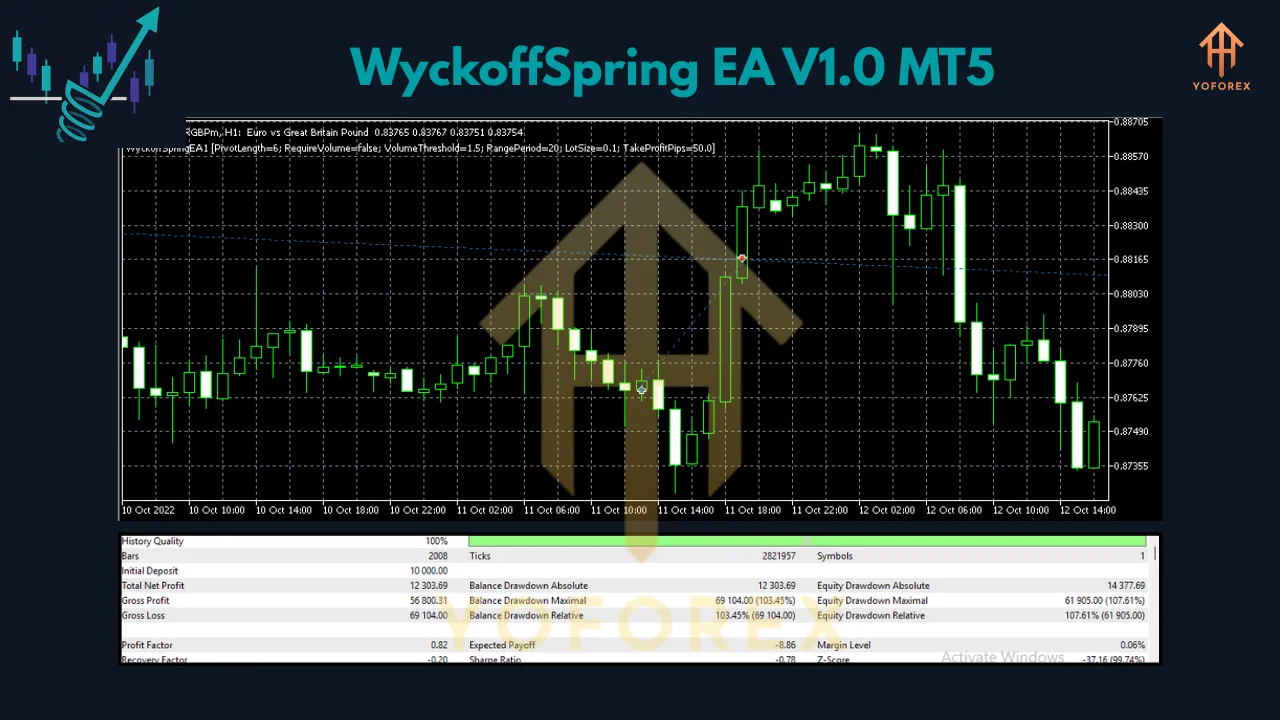
Minimum Deposit and Risk Management
With a minimum deposit of $200, the WyckoffSpring EA V1.0 is accessible to traders with limited capital. However, effective risk management is crucial to ensure longevity and profitability. Here are key tips to manage your account:
-
Lot Size: Start with a micro lot (0.01) to keep risk low. For a $200 account, risking 1-2% per trade (approximately $2-$4) is prudent. Adjust lot sizes based on backtesting results.
-
Stop-Loss and Take-Profit: The EA should include dynamic stop-loss and take-profit levels to protect against market volatility. Ensure each trade has a stop-loss to prevent catastrophic losses.
-
Account Leverage: Use moderate leverage (e.g., 1:100 or 1:200) to maximize your $200 deposit while avoiding overexposure. High leverage can amplify gains but also increases risk.
-
Martingale Avoidance: Avoid strategies like martingale, which can quickly deplete a small account. The WyckoffSpring EA V1.0 should focus on high-probability setups rather than aggressive lot doubling.
Testing on a demo account for at least one week is highly recommended to understand the EA’s behavior and fine-tune risk parameters before going live.
Setting Up the WyckoffSpring EA V1.0 on MT5
To get started with the WyckoffSpring EA V1.0, follow these steps:
-
Download and Install: Purchase or download the EA from a reputable source like the MQL5 Market. Save the EA file to the “Experts” folder in your MT5 directory.
-
Enable Automated Trading: In MT5, go to Tools > Options > Expert Advisors, check “Allow automated trading,” and enable WebRequests if the EA uses external data.
-
Attach the EA: Open a chart for your chosen currency pair (e.g., EURUSD on H1), drag the EA onto the chart, and configure input parameters such as lot size, stop-loss, and timeframe.
-
Backtest the EA: Use MT5’s Strategy Tester (View > Strategy Tester or Ctrl+R) to test the EA on historical data. Select your currency pair, timeframe, and deposit size ($200), and enable visualization to assess performance.
-
Go Live: After successful backtesting, attach the EA to a live chart and monitor its performance. Start with a demo account to ensure stability.
Tips for Maximizing Performance
-
Optimize Regularly: Markets evolve, so periodically optimize the EA’s parameters using MT5’s Strategy Tester to adapt to changing conditions.
-
Monitor News Events: The Wyckoff Spring pattern can be disrupted by high-impact news like Non-Farm Payrolls. Consider enabling a news filter or pausing the EA during major events.
-
Use a VPS: For uninterrupted trading, run MT5 on a Virtual Private Server (VPS) to ensure the EA operates 24/5 without downtime.
-
Track Performance: Regularly review the EA’s performance using MT5’s trade history and adjust settings if drawdowns exceed your risk tolerance.
Conclusion
The WyckoffSpring EA V1.0 for MetaTrader 5 is a powerful tool for traders looking to automate the Wyckoff Spring pattern with a modest $200 deposit. By focusing on high-probability setups in liquid currency pairs like EURUSD, GBPUSD, and XAUUSD, and using timeframes like H1 or H4, traders can harness institutional price action for consistent results. With proper setup, rigorous backtesting, and disciplined risk management, this EA can be a game-changer for both novice and seasoned traders. Start with a demo account, optimize your settings, and unlock the potential of the WyckoffSpring EA V1.0 to navigate the dynamic forex market with confidence.
Join our Telegram for the latest updates and support