Mastering Forex Trading with Wilder’s Indicator V1.0 for MT4
Forex trading thrives on precision, and the right tools can make all the difference. One such tool is the Wilder’s Indicator V1.0 for MetaTrader 4 (MT4), a versatile technical analysis tool designed to help traders identify trends, measure market strength, and make informed trading decisions. Developed based on the principles of Welles Wilder, a pioneer in technical analysis, this indicator leverages the power of the Average Directional Index (ADX) and Directional Movement Index (DMI) to provide actionable insights. In this blog post, we’ll explore the Wilder’s Indicator V1.0, its compatibility with currency pairs, optimal timeframes, and why a $200 minimum deposit is sufficient to start trading effectively with this tool.
What is Wilder’s Indicator V1.0 for MT4?
The Wilder’s Indicator V1.0 is a custom MT4 indicator rooted in Welles Wilder’s renowned Average Directional Index (ADX) and Directional Movement Index (DMI). These components work together to assess the strength and direction of a market trend, making it an essential tool for traders looking to capitalize on trending markets or avoid choppy, range-bound conditions. The indicator typically consists of three lines:
-
+DI (Positive Directional Indicator): Measures bullish momentum.
-
-DI (Negative Directional Indicator): Measures bearish momentum.
-
ADX: Gauges the overall strength of the trend, regardless of direction.
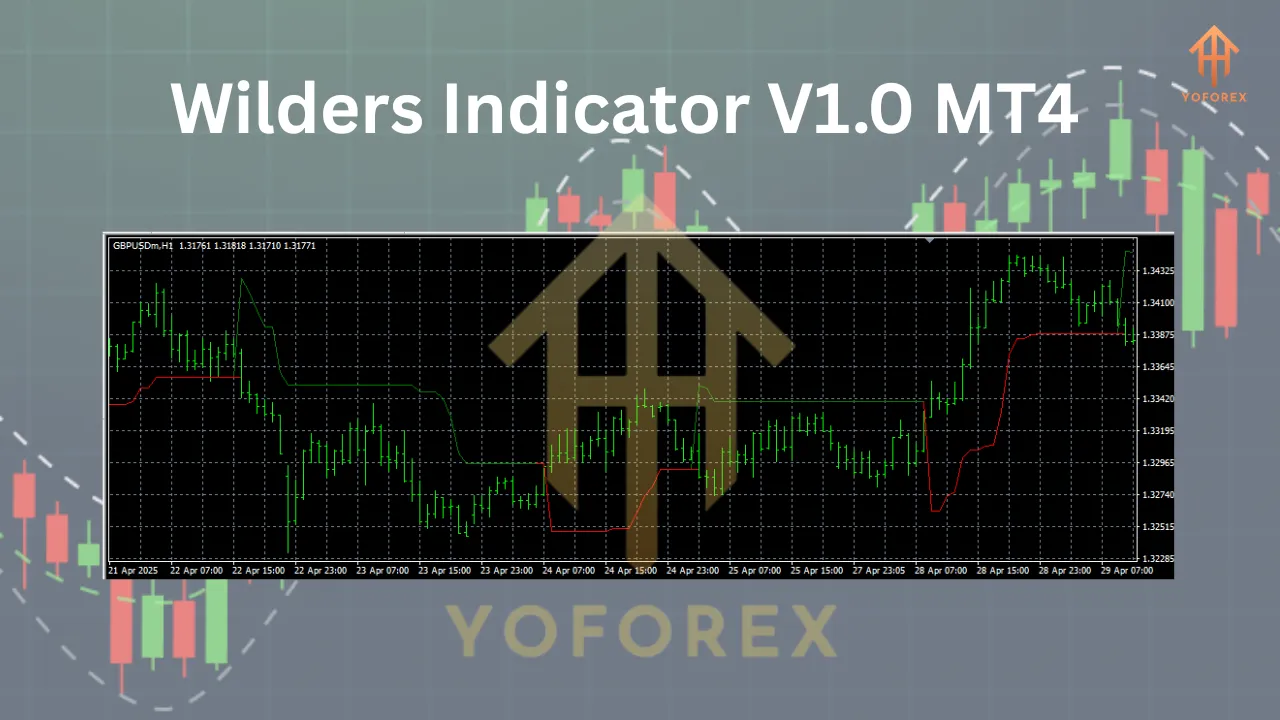
When the +DI crosses above the -DI, it signals potential bullish momentum, while a -DI crossing above +DI indicates bearish momentum. The ADX line, typically set to a 14-period default, helps traders determine whether the trend is strong (above 25) or weak (below 20). The Wilder’s Indicator V1.0 simplifies these calculations, presenting clear visual signals on the MT4 platform to guide trading decisions.
Why Use Wilder’s Indicator V1.0?
The Wilder’s Indicator V1.0 stands out for several reasons:
-
Trend Identification: It excels at identifying whether a currency pair is trending or consolidating, helping traders avoid false signals in sideways markets.
-
Versatility: It works across multiple currency pairs and timeframes, catering to various trading styles.
-
User-Friendly: The indicator is easy to install and interpret, even for traders new to MT4.
-
Risk Management Support: By identifying strong trends, it helps traders make calculated entries and exits, aligning with proper risk management strategies.
This makes it an ideal tool for both novice and experienced traders looking to enhance their technical analysis.
Compatible Currency Pairs
The Wilder’s Indicator V1.0 is highly adaptable and can be used with any currency pair on the MT4 platform. However, its effectiveness is maximized with major and minor pairs that exhibit clear trending behavior. Recommended currency pairs include:
-
EUR/USD: The most liquid pair, offering tight spreads and frequent trending movements.
-
GBP/USD: Known for volatility, ideal for capturing strong trends.
-
USD/JPY: A pair with consistent trends, especially during Asian market hours.
-
AUD/USD: Suitable for traders focusing on commodity-linked currencies.
-
EUR/GBP: A stable minor pair for lower volatility trading.
These pairs work well because they often display clear directional movements, which the Wilder’s Indicator V1.0 is designed to detect. For best results, avoid exotic pairs with low liquidity, as they may produce erratic signals due to wider spreads and lower trading volume.
Optimal Timeframes
The Wilder’s Indicator V1.0 is flexible across various timeframes, making it suitable for different trading styles:
-
Scalping (M5, M15): For day traders, the 5-minute or 15-minute charts allow quick entries and exits. The indicator can help identify short-term trends, but traders must be cautious of noise in lower timeframes.
-
Day Trading (H1, H4): The 1-hour and 4-hour charts are ideal for capturing intraday trends with less noise. These timeframes balance responsiveness with reliability, making them popular among traders using the Wilder’s Indicator.
-
Swing Trading (D1, W1): For longer-term traders, daily or weekly charts provide a broader view of market trends, reducing the impact of short-term fluctuations.
For most traders, the H4 timeframe strikes an excellent balance, offering clear trend signals while avoiding the noise of lower timeframes. The ADX’s 14-period default setting works well across these timeframes, but traders can adjust it (e.g., to 10 for faster signals or 20 for smoother trends) based on their strategy.
Minimum Deposit: Why $200 is Enough
A minimum deposit of $200 is sufficient to start trading with the Wilder’s Indicator V1.0, provided traders adhere to strict risk management principles. Here’s why:
-
Leverage Management: Most MT4 brokers offer leverage (e.g., 1:100 or 1:200), allowing a $200 deposit to control larger positions. For example, with 1:100 leverage, $200 can control $20,000 in trading volume, enabling small lot sizes (e.g., 0.01 lots) for major pairs like EUR/USD.
-
Risk Control: Risking 1-2% per trade (a common rule) means risking $2-$4 per trade with a $200 account. This allows traders to place multiple trades without overexposing their capital.
-
Micro-Lot Trading: The Wilder’s Indicator V1.0’s signals can be used with micro-lots (0.01), which are affordable even with a $200 deposit, ensuring flexibility in position sizing.
To maximize a $200 deposit, traders should:
-
Use a broker with low spreads and commissions.
-
Set stop-loss orders based on the indicator’s signals (e.g., below recent lows for buy trades).
-
Avoid over-leveraging to prevent margin calls.
Installing Wilder’s Indicator V1.0 on MT4
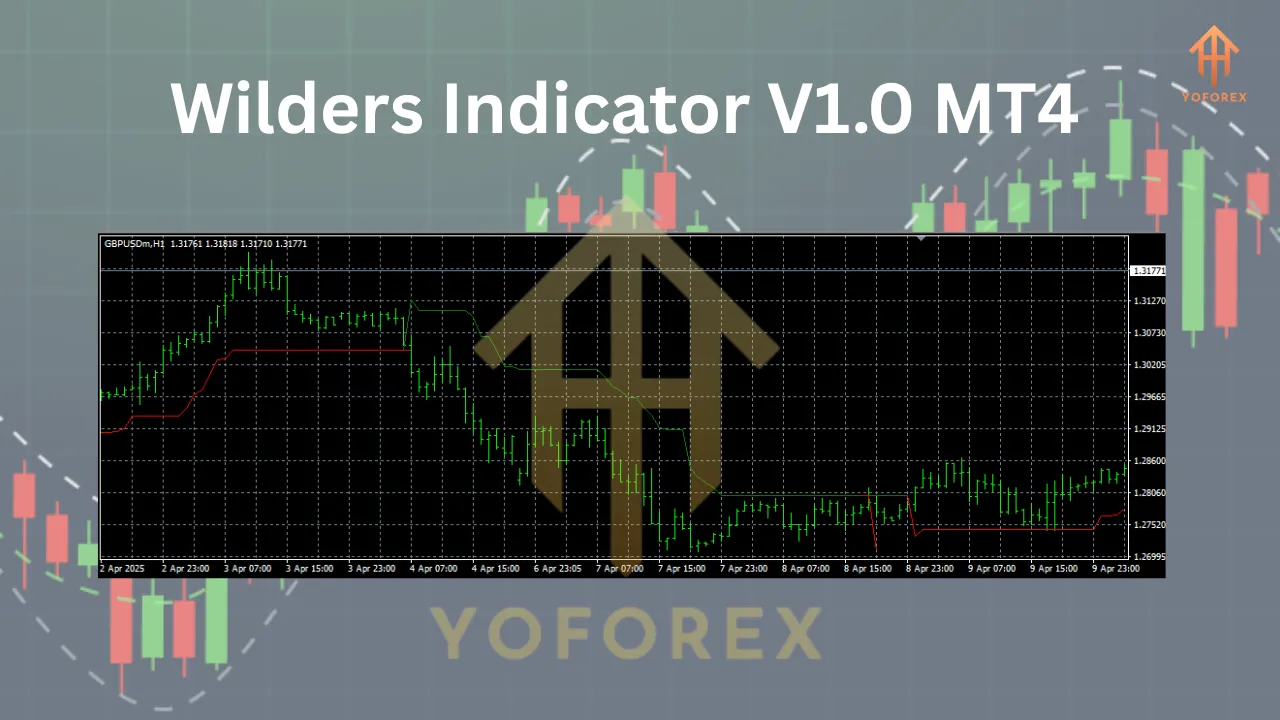
To use the Wilder’s Indicator V1.0, follow these steps to install it on your MT4 platform:
-
Download the Indicator: Obtain the Wilder’s Indicator V1.0 file (e.g., WildersDMI.mq4 or WildersDMI.ex4) from a reputable source like ForexMT4Indicators.com or Best-MetaTrader-Indicators.com.
-
Open MT4 Data Folder: In MT4, go to File > Open Data Folder.
-
Navigate to Indicators Folder: Open the MQL4 > Indicators folder.
-
Paste the File: Copy the downloaded .mq4 or .ex4 file into the Indicators folder.
-
Restart MT4: Close and reopen MT4 to load the indicator.
-
Apply to Chart: In the Navigator panel, find the Wilder’s Indicator V1.0 under Custom Indicators. Drag it onto your desired chart and adjust settings (e.g., ADX period) as needed.
Trading Strategies with Wilder’s Indicator V1.0
Here are two practical strategies to use the Wilder’s Indicator V1.0 effectively:
1. Trend-Following Strategy
-
Entry: Enter a buy trade when +DI crosses above -DI and ADX is above 25, indicating a strong bullish trend. For a sell trade, wait for -DI to cross above +DI with ADX above 25.
-
Exit: Close the trade when ADX falls below 25 or when +DI/-DI reverses.
-
Stop-Loss: Place below the recent swing low (for buys) or above the recent high (for sells).
-
Example: On EUR/USD H4, if +DI crosses above -DI and ADX is 30, enter a buy with a stop-loss below the recent low. Exit when ADX drops below 25.
2. Range-Bound Avoidance
-
Filter: Avoid trading when ADX is below 20, as this indicates a weak trend or range-bound market.
-
Confirmation: Use the indicator alongside support/resistance levels or other tools like Bollinger Bands to confirm entries in trending conditions.
-
Example: On GBP/USD H1, if ADX is below 20, wait for a breakout above resistance with ADX rising above 25 before entering a trade.
Risk Management Tips
-
Position Sizing: With a $200 account, use 0.01-0.02 lots to keep risk low.
-
Risk-Reward Ratio: Aim for a minimum 1:2 risk-reward ratio to ensure profitable trades outweigh losses.
-
Avoid Overtrading: Limit open positions to 1-2 at a time to manage margin effectively.
Conclusion
The Wilder’s Indicator V1.0 for MT4 is a powerful tool for forex traders seeking to capitalize on trending markets. Its ability to identify trend strength and direction makes it suitable for major currency pairs like EUR/USD, GBP/USD, and USD/JPY across timeframes like H4 and D1. With a minimum deposit of $200, traders can leverage this indicator to execute disciplined, low-risk trades. By combining the indicator with sound risk management and a clear trading strategy, even beginners can unlock its potential to navigate the forex market with confidence. Download the Wilder’s Indicator V1.0 today, install it on your MT4 platform, and start refining your trading approach!
Join our Telegram for the latest updates and support