The Retest Blocks Indicator V1.0 for MetaTrader 4 (MT4) is a next-generation technical tool engineered for traders who focus on price action, structure, and institutional-level setups. It identifies retest blocks—areas where price revisits previous supply or demand zones—allowing traders to enter the market with improved precision and confidence.
This indicator is ideal for those who want to trade smart money concepts, liquidity zones, or break-and-retest patterns, offering a simplified yet powerful view of market dynamics.
What Are Retest Blocks?
In trading, a retest block forms when price breaks out of a zone, then comes back to retest it before continuing in the same direction. These zones are often used by institutional traders to accumulate or distribute positions without slippage. The Retest Blocks Indicator pinpoints these levels and draws them automatically on your chart.
Core Features of Retest Blocks Indicator MT4
✅ Auto Detection of Breakout Zones
✅ Highlights Key Retest Points (Support & Resistance)
✅ Customizable Block Size and Timeframe Filters
✅ Alert System for Retest Entries
✅ Works Across All Forex Pairs and Timeframes
✅ Lightweight and Non-Lagging
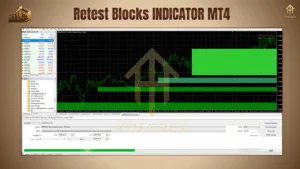
Trading Strategy Using Retest Blocks Indicator
Here’s a simplified strategy to follow:
🔹 Step 1: Identify Structure Break
Wait for the indicator to detect a break of market structure (BoS) and highlight a potential retest block.
🔹 Step 2: Wait for Price to Return
Be patient as price returns to the block. This is the moment when professional traders load positions.
🔹 Step 3: Enter on Confirmation
Look for confirmation signals—like bullish or bearish engulfing patterns, wicks rejecting the block, or volume spikes—to trigger your entry.
🔹 Step 4: Manage Risk
Place a stop-loss just below/above the retest block and use the next key zone or Fibonacci extension for your take-profit level.
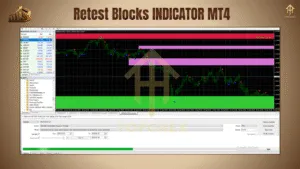
Who Should Use It?
-
Traders using smart money concepts (SMC)
-
Supply & demand traders
-
Scalpers and swing traders
-
Those seeking high R:R entry zones
Minimum Deposit & Timeframes
-
💰 Minimum Deposit: $200
-
⏱ Timeframes: M15, H1, H4, and D1
-
💹 Pairs: Works best with EURUSD, GBPUSD, US30, XAUUSD, and major FX pairs
Installation Guide
-
Download the
.ex4or.mq4file -
Open MT4 → File → Open Data Folder → MQL4 → Indicators
-
Paste the file, restart MT4, and drag the indicator to your chart
-
Adjust settings as needed
Thanks for the visit …
For any query please feel free to contact us on our official telegram channel – Yoforex Premium –