
Introduction
The LuxAlgo Liquidity Indicator for MetaTrader 4 (MT4) is a powerful tool designed to help traders uncover liquidity zones, anticipate market movements, and make informed trading decisions. This blog explores the features, benefits, and practical applications of the LuxAlgo Liquidity Indicator for MT4, offering insights into how it can enhance your trading strategy.
What is the LuxAlgo Liquidity Indicator?
The LuxAlgo Liquidity Indicator is a technical analysis tool available on platforms like MetaTrader 4 (MT4), TradingView, and NinjaTrader. It is part of LuxAlgo’s extensive library of trading indicators, which aim to simplify complex market data for traders of all levels. Specifically, the Liquidity Indicator focuses on identifying liquidity pools—price zones where significant buying or selling activity occurs, often attracting institutional traders. These zones are critical as they frequently act as support or resistance levels, influencing price action.
Liquidity in trading refers to the availability of buy or sell orders at specific price levels, enabling smooth transaction execution without significant price disruption. The LuxAlgo Liquidity Indicator analyzes price action, particularly high and low wick areas, to pinpoint zones where stop-limit orders from smaller traders are likely placed. These areas are often targeted by institutional traders who use them as liquidity pools to enter or exit large positions. By highlighting these zones, the indicator helps traders anticipate potential reversals or breakouts.
Key Features of the LuxAlgo Liquidity Indicator
The LuxAlgo Liquidity Indicator for MT4 is packed with features that make it a versatile tool for traders. Here are some of its core functionalities:
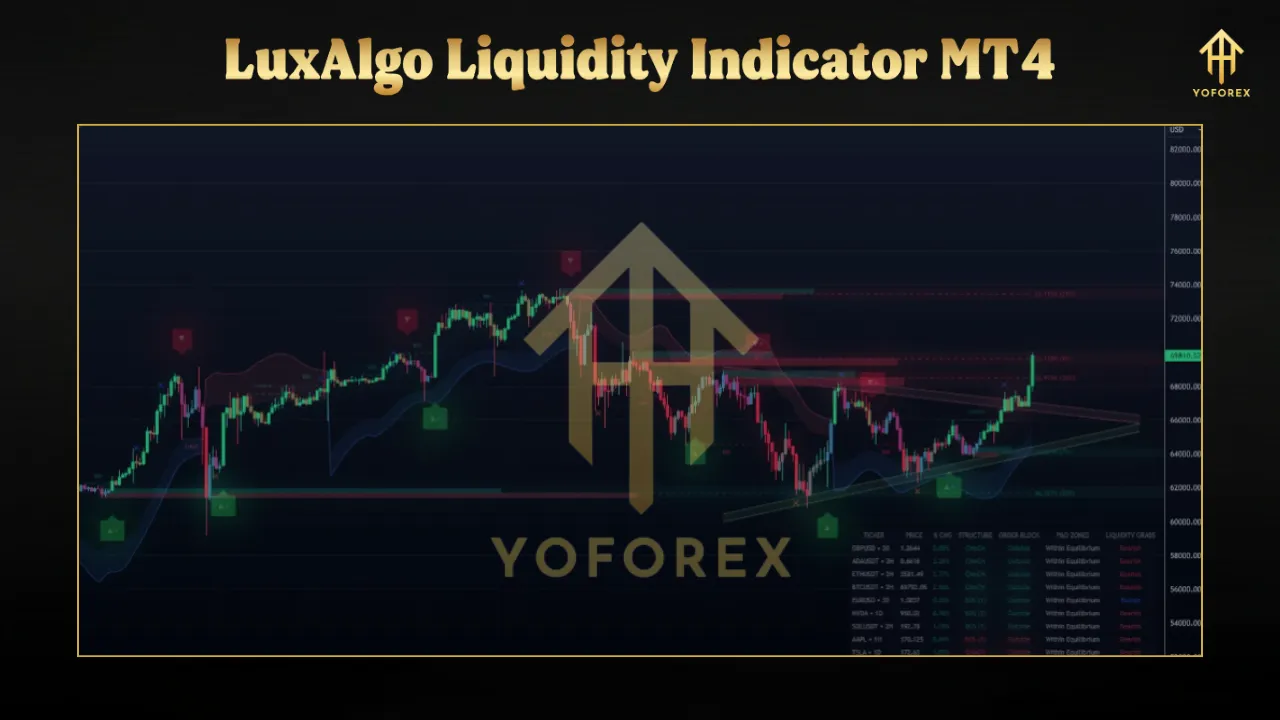
- Liquidity Pool Identification: The indicator identifies areas with high trading activity by analyzing price wicks and the frequency of price revisits to specific zones. These zones are marked on the chart, making it easy to spot potential support or resistance areas.
- Customizable Parameters: Traders can tailor the indicator to their strategies using settings like:
- Zone Contact Amount: Defines how many times a price must touch a zone to be recognized as a liquidity pool.
- Bars Required Between Contacts: Ensures temporal spacing between price interactions for more accurate zone identification.
- Confirmation Bars: Sets a waiting period to confirm a zone’s validity, reducing false signals.
- Volume Labels: Displays volume data within liquidity zones, helping traders gauge their significance.
- Visual Cues: The indicator uses color-coded candles and boundary lines to highlight liquidity zones. For example, candles within unmitigated zones may be colored to indicate ongoing relevance, and boundary lines extend until a zone is breached.
- Volume Analysis: By integrating volume data, the indicator shows the strength of liquidity zones. Zones with higher volume are often more significant, indicating stronger market interest.
- Free Access: The LuxAlgo Liquidity Indicator is available for free on the LuxAlgo Library for MT4, making it accessible to traders without additional costs.
How the Indicator Works
The LuxAlgo Liquidity Indicator operates by detecting swing points—highs or lows in price action—and monitoring subsequent price interactions with these points. When a zone meets user-defined criteria (e.g., a minimum number of price touches), it is marked as a liquidity pool. These pools often represent areas where smaller retail traders place stop-loss orders, which institutional traders may target to trigger liquidity-driven price movements.
For instance, in a bullish market, a liquidity pool might form just below a swing low, where stop-loss orders are clustered. If the price revisits this zone and triggers these stops, it could lead to a sharp upward move as institutional traders absorb the liquidity. The indicator visually represents these dynamics, allowing traders to plan precise entries and exits.
Setting Up the LuxAlgo Liquidity Indicator on MT4
To use the LuxAlgo Liquidity Indicator on MT4, follow these steps:
- Access the Indicator: Visit the LuxAlgo website (www.luxalgo.com) and sign up to access the LuxAlgo Library. Download the Liquidity Indicator for MT4.
- Install on MT4: Copy the indicator file (e.g., Liquidity Swings.ex4) to the “Indicators” folder in your MT4 platform directory. Restart MT4 to load the indicator.
- Add to Chart: Open MT4, select your desired chart, and add the indicator from the “Navigator” panel.
- Customize Settings: Adjust parameters like Zone Contact Amount, Confirmation Bars, and Volume Labels to align with your trading style. For example, use a higher Zone Contact Amount for more conservative zone identification.
- Analyze Zones: Once applied, the indicator will highlight liquidity zones on your chart. Use these zones alongside other technical tools for comprehensive analysis.
Trading Strategies with the LuxAlgo Liquidity Indicator
The LuxAlgo Liquidity Indicator can be integrated into various trading strategies, particularly those focused on price action and institutional trading concepts like Smart Money Concepts (SMC). Here are some practical ways to use it:
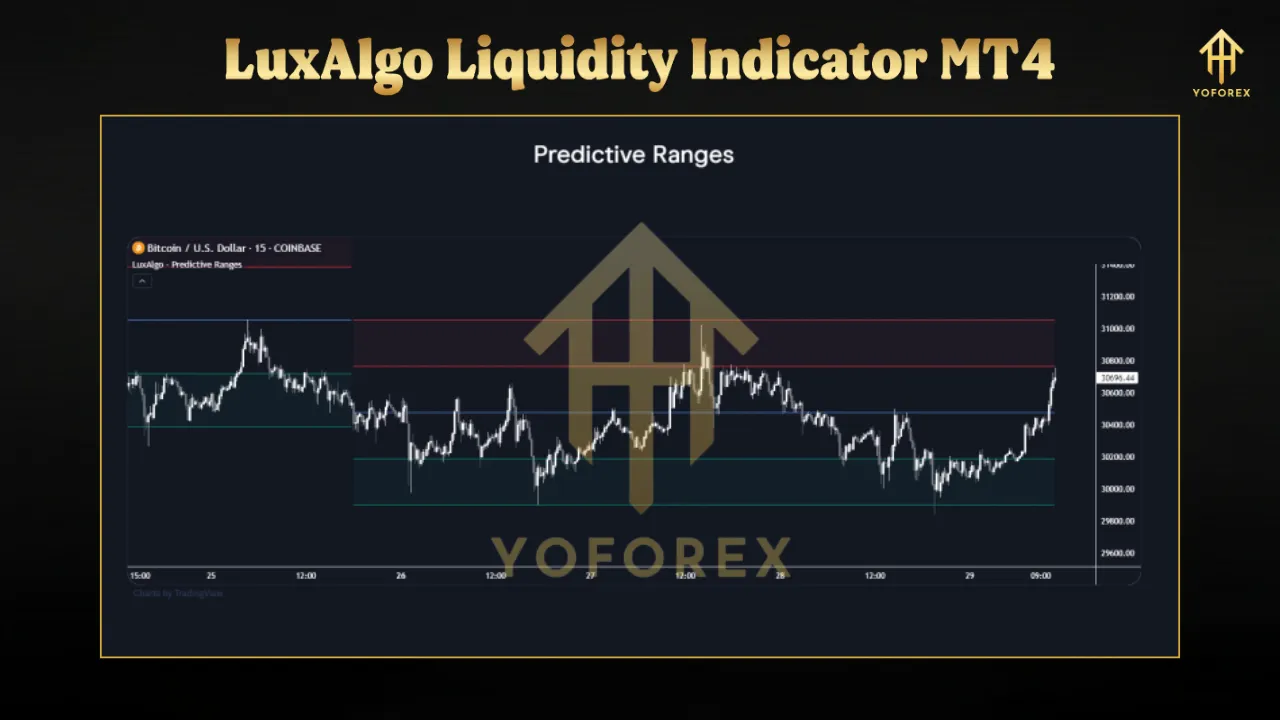
- Support and Resistance Trading: Use identified liquidity zones as dynamic support or resistance levels. For example, a frequently revisited zone with high volume may act as strong support in an uptrend.
- Breakout Trading: Monitor zones for potential breakouts. A price closing above or below a liquidity zone may signal a shift in market momentum, offering entry opportunities.
- Stop-Loss Placement: Place stop-loss orders just beyond liquidity zones to avoid being caught in institutional sweeps targeting retail stops.
- Confluence with Other Tools: Combine the indicator with LuxAlgo’s Volume Flow Indicator or Smart Money Concepts tools to validate zones and improve trade timing.
Benefits of Using the LuxAlgo Liquidity Indicator
- Enhanced Market Insight: By highlighting liquidity pools, the indicator provides a clearer view of where institutional traders may act, helping you align with market movers.
- Customizable and User-Friendly: The indicator’s settings allow for personalization, catering to both novice and experienced traders.
- Free Access: Unlike many premium tools, this indicator is freely available, making it accessible to a wide range of traders.
- Versatility: It works across various markets (forex, stocks, crypto) and timeframes, offering flexibility for different trading styles.
Limitations and Risks
While powerful, the LuxAlgo Liquidity Indicator has limitations. It relies on historical data and simulated performance, which may not always reflect real-time market conditions. Factors like low liquidity or unexpected news events can affect its accuracy. Additionally, trading carries inherent risks, and the indicator should not be used in isolation. Always combine it with robust risk management and comprehensive market analysis. LuxAlgo emphasizes that its tools are not financial advice, and traders should consult qualified professionals for trading decisions.
Conclusion
The LuxAlgo Liquidity Indicator for MT4 is a valuable tool for traders seeking to understand and capitalize on market liquidity dynamics. By identifying key liquidity zones, it empowers traders to anticipate price movements, optimize entries and exits, and align with institutional trading patterns. Its customizable settings, visual clarity, and free availability make it a must-have for forex traders using MT4. However, like any tool, it should be used as part of a broader strategy, incorporating risk management and other technical analysis methods. Explore the LuxAlgo Liquidity Indicator today at www.luxalgo.com and elevate your trading game.