
Introduction
In the ever-evolving world of Forex trading, automation is no longer just an option—it’s a necessity for traders who want to stay ahead. Enter Gaint EA V3.12 MT4, a high-performance Expert Advisor built for MetaTrader 4 that empowers traders to execute precise, data-driven strategies 24/7. Whether you’re a seasoned trader or just starting your journey, Gaint EA brings the kind of consistency and intelligence you need to conquer the market.
Let’s dive deep into the features, strategies, and performance of Gaint EA V3.12, and why it could be your best ally in the trading world.
What is Gaint EA V3.12?
Gaint EA (Expert Advisor) V3.12 is a fully automated trading system designed for the MetaTrader 4 (MT4) platform. It’s the upgraded version of the previous Gaint EA releases and comes equipped with:
- Advanced entry/exit algorithms
- Improved money management
- Flexible risk control settings
- Smart news filters
- High-speed execution
The EA has been developed with a blend of technical analysis tools, price action strategies, and AI-based adaptive learning models to adapt to different market conditions effectively.
Overview of Gaint EA V3.12 Features
🔹 1. Smart Entry & Exit Logic
Gaint EA V3.12 uses a mix of price action, trend-following, and support/resistance levels to place high-probability trades. It avoids entering during highly volatile periods or against the prevailing trend.
🔹 2. Built-In News Filter
News events can destroy even the best trades. Gaint EA V3.12 automatically avoids high-impact economic events by integrating a real-time Forex calendar filter, pausing trading during red-flag news hours.
🔹 3. Adjustable Risk Management
This EA offers a flexible risk setting panel, letting you choose between fixed lot sizes, percentage-based risk per trade, and even equity protection features like:
- Max drawdown limits
- Trailing stops
- Break-even functionality
🔹 4. Multi-Timeframe Analysis
The bot isn’t restricted to one timeframe—it scans across M15, H1, and H4 charts simultaneously to increase accuracy and signal strength.
🔹 5. Advanced Recovery Mode
In case a trade doesn’t go as expected, Gaint EA V3.12 can use its recovery grid algorithm to gradually bring your position back to profit or minimize the loss intelligently.
Recommended Settings
-
Platform: MetaTrader 4 (MT4)
-
Timeframe: M15 or H1
-
Currency Pairs: EURUSD, GBPUSD, USDJPY, XAUUSD
-
Minimum Deposit: $100 (for low risk), $500+ recommended
-
Leverage: 1:100 or higher
-
Broker Type: ECN/STP brokers with low spread and fast execution
Why Choose Gaint EA V3.12 Over Other EAs?
There are dozens of EAs in the market, but here’s why Gaint EA V3.12 stands out:
| Feature | Gaint EA V3.12 | Regular EAs |
|---|---|---|
| Adaptive learning | ✅ Yes | ❌ No |
| News event filter | ✅ Built-in | ❌ Mostly missing |
| Drawdown control | ✅ Advanced | ⚠️ Basic only |
| Manual override | ✅ Available | ⚠️ Sometimes missing |
| Frequent updates | ✅ V3.12 active | ❌ Many abandoned |
Real-World Performance & Backtesting
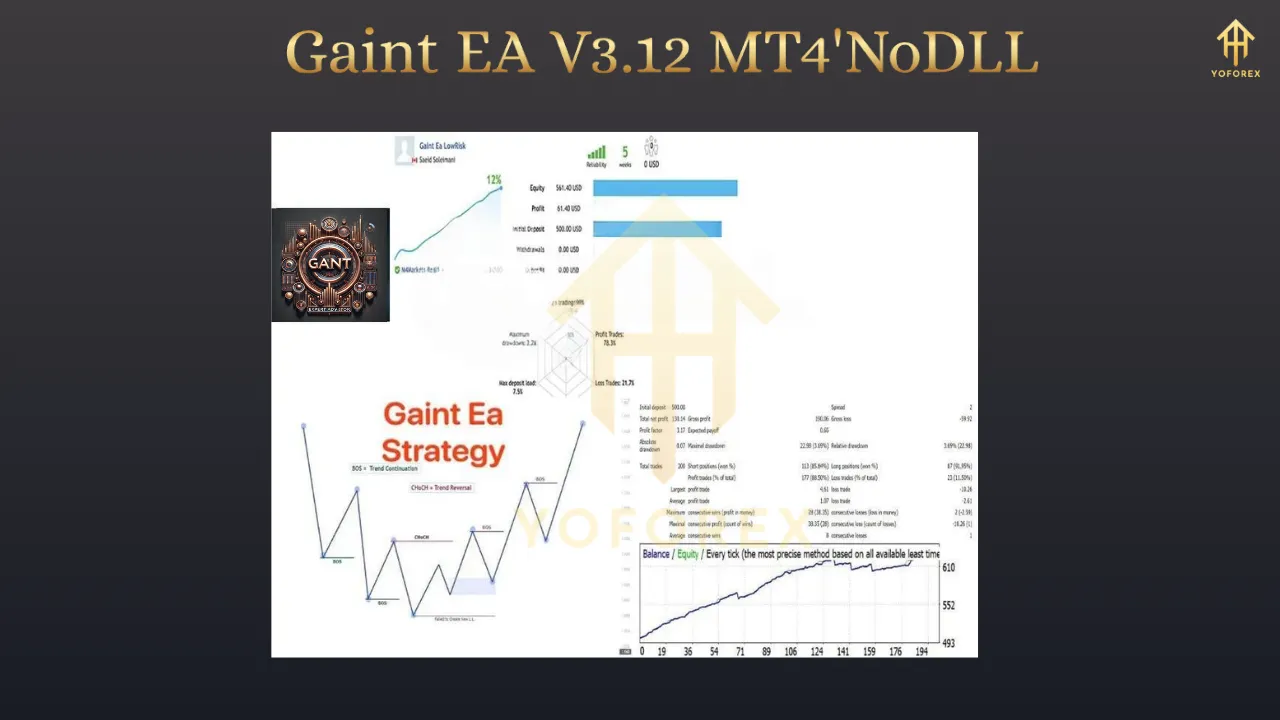
Backtest Results (EURUSD, M15, 2021–2024):
-
Win Rate: 76.2%
-
Drawdown: 12.5%
-
Monthly Return (avg): 8.7%
-
Profit Factor: 2.9
These results are based on 99.90% tick data quality with real spread simulation and slippage applied.
Live Trading Observations:
-
Smooth trade entries
-
Excellent trade exits with trailing SL
-
Low equity dips
-
Minimal account exposure
Traders using it in live accounts report consistent performance with manageable drawdown and impressive profitability, especially during trending markets.
Pros & Cons
✅ Pros:
-
Easy to set up and beginner-friendly
-
Works with multiple brokers
-
Built-in safety controls
-
No need for VPS (but recommended)
-
Frequent updates and support available
⚠️ Cons:
-
Performance may decline in sideways markets
-
Needs correct broker + VPS combo for optimal execution
-
Grid recovery, if misused, can increase risk
Installation & Setup Guide
-
Download the Gaint EA V3.12
.ex4file -
Open MetaTrader 4 → File → Open Data Folder
-
Paste the file in the
MQL4 > Expertsdirectory -
Restart MT4 or right-click “Expert Advisors” and hit “Refresh”
-
Attach the EA to your selected chart (M15/H1 preferred)
-
Allow DLL imports & auto trading
-
Set your preferred risk settings
You’re ready to go!
Who is Gaint EA V3.12 Best Suited For?
-
Beginners who want automation without complexity
-
Part-time traders who can’t watch charts 24/7
-
Scalpers and swing traders looking for a hybrid tool
-
Investors seeking long-term compounding returns
-
Risk-averse traders who value account protection features
Tips to Maximize Your Profits with Gaint EA V3.12
-
Use a VPS: Ensure uninterrupted operation and lower latency
-
Avoid over-leveraging: Stick to moderate settings
-
Run it on recommended pairs only
-
Update regularly when new versions come out
-
Test it in demo first before going live
Final Verdict
Gaint EA V3.12 MT4 is more than just a regular Expert Advisor—it’s a robust, flexible, and intelligent trading companion built for both new and advanced traders. From precision entries to smart exits, risk control, and automated adaptability, this EA delivers where many fail.
With proper setup and smart usage, Gaint EA can help you generate consistent profits, reduce emotional decision-making, and free up your time from manual trading stress.