Thunder Force Forex System Indicator MT4 – A Comprehensive Review
Introduction
Forex trading is a dynamic and highly competitive field where traders rely on various tools and indicators to make informed decisions. One such tool gaining popularity is the Thunder Force Forex System Indicator for MT4. This indicator is designed to help traders identify high-probability trade setups, minimize risks, and maximize profits.
In this blog post, we will delve deep into the Thunder Force Forex System Indicator, exploring its features, how it works, its advantages, potential drawbacks, and tips for using it effectively.
What is the Thunder Force Forex System Indicator?
The Thunder Force Forex System Indicator is a MetaTrader 4 (MT4) technical analysis tool designed to assist traders in spotting profitable trading opportunities. It combines multiple technical indicators into a single, easy-to-read system that generates buy and sell signals.
This indicator is particularly useful for scalpers, day traders, and swing traders who need quick and accurate signals to capitalize on market movements.
Key Features of the Thunder Force Forex System Indicator
-
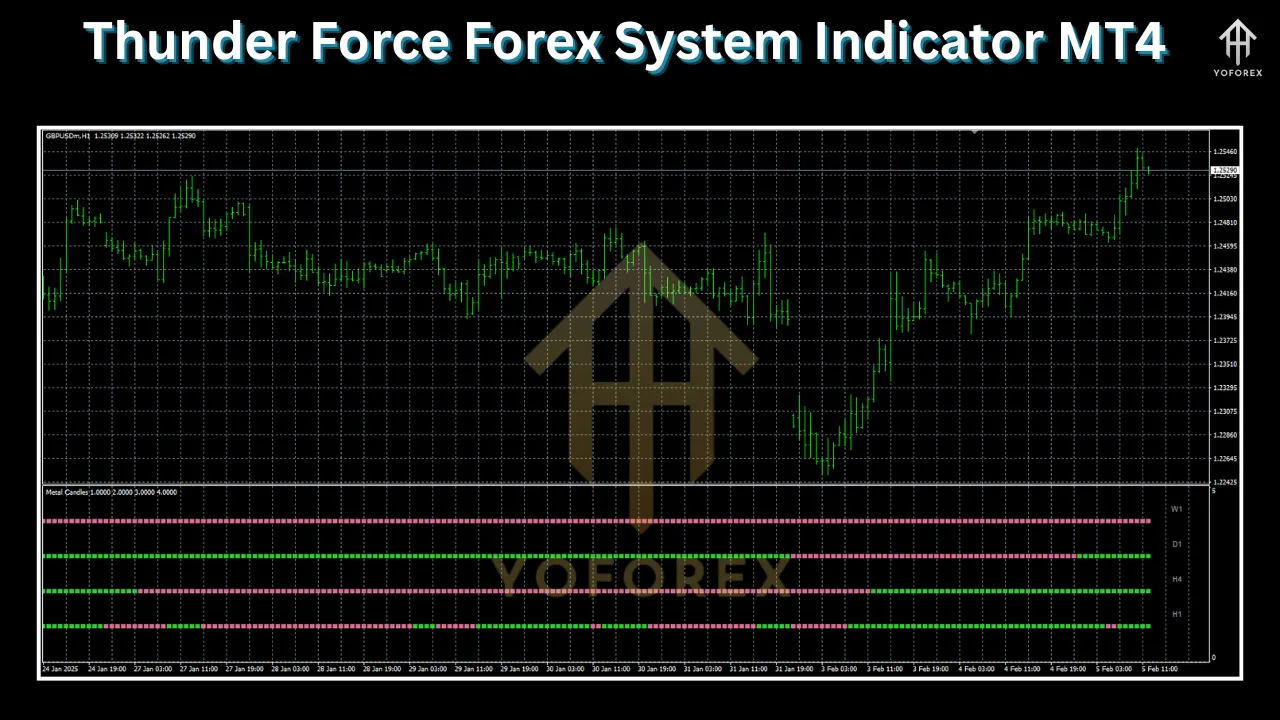
Multi-Timeframe Analysis – Works across different timeframes (M1, M5, M15, H1, H4, D1).
-
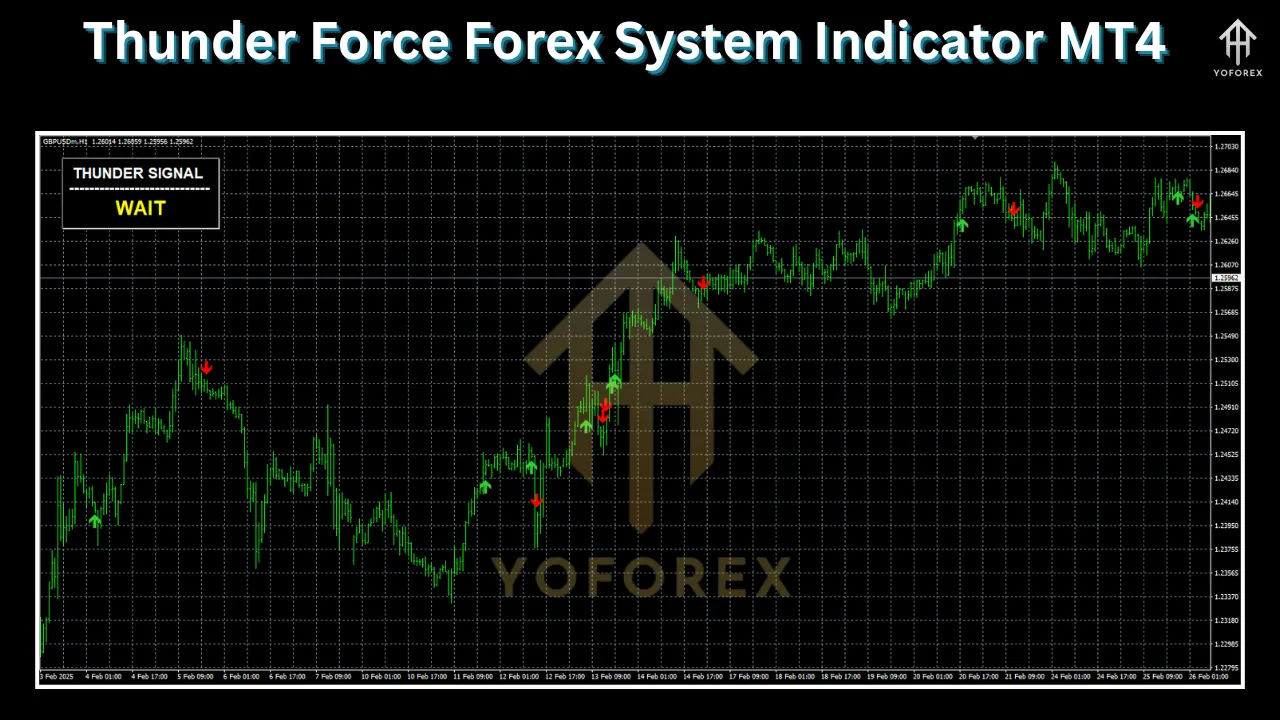
Clear Buy/Sell Signals – Provides arrows and alerts for entry points.
-
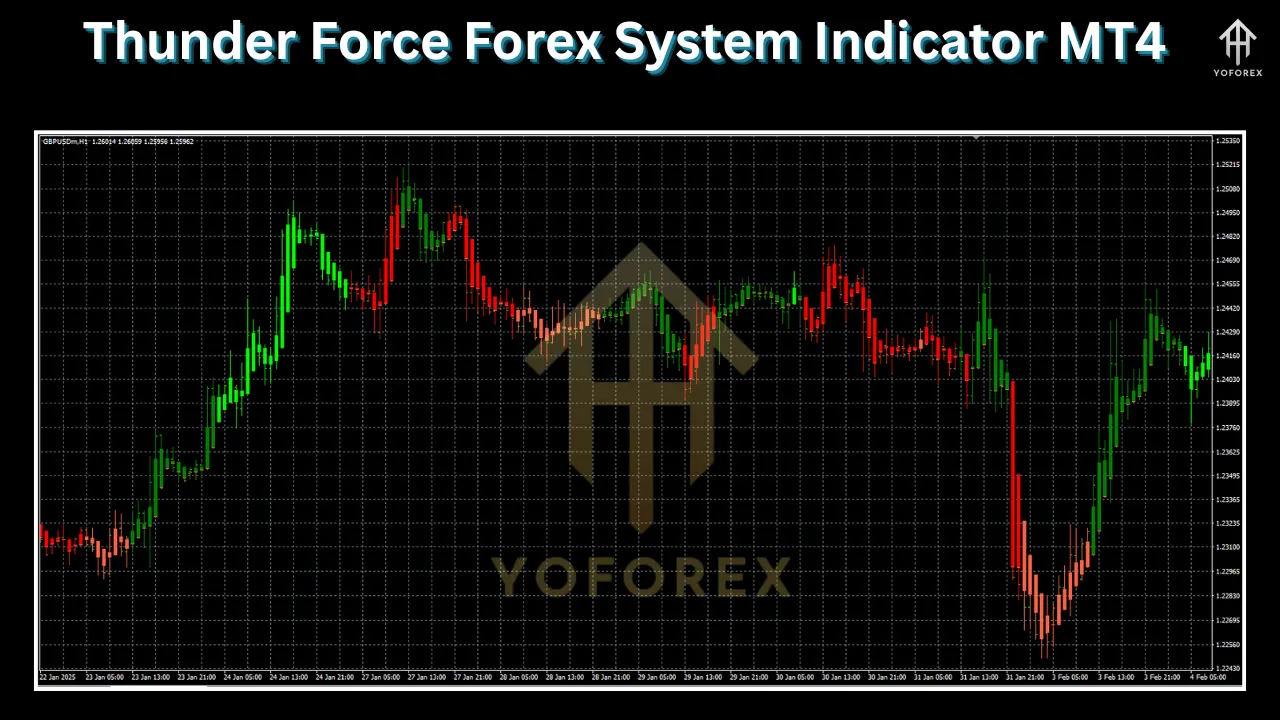
Trend Confirmation – Uses a combination of moving averages and momentum oscillators to confirm trends.
-
Customizable Settings – Traders can adjust sensitivity and filters to match their trading style.
-
Non-Repainting Signals – Ensures signals remain consistent and do not disappear after formation.
-
Works on All Currency Pairs – Compatible with major, minor, and exotic forex pairs.
How Does the Thunder Force Forex System Indicator Work?
The Thunder Force Forex System Indicator is built using a combination of technical indicators, including:
-
Moving Averages (MA) – Helps identify the trend direction.
-
Relative Strength Index (RSI) – Measures overbought and oversold conditions.
-
Bollinger Bands – Detects volatility and potential reversals.
-
MACD (Moving Average Convergence Divergence) – Confirms trend strength and momentum.
Signal Generation Mechanism
-
Buy Signal (Blue Arrow)
-
The price is above a key moving average (uptrend).
-
RSI indicates bullish momentum (not overbought).
-
MACD shows upward momentum.
-
A blue arrow appears below the candle, suggesting a long entry.
-
-
Sell Signal (Red Arrow)
-
The price is below a key moving average (downtrend).
-
RSI indicates bearish momentum (not oversold).
-
MACD shows downward momentum.
-
A red arrow appears above the candle, suggesting a short entry.
-
Example Trade Setup
-
Currency Pair: EUR/USD
-
Timeframe: H1
-
Signal: Blue Buy Arrow
-
Entry: At the close of the candle with the arrow.
-
Stop Loss: Below the recent swing low.
-
Take Profit: At the next resistance level or using a 1:2 risk-reward ratio.
Advantages of Using the Thunder Force Forex System Indicator
-
User-Friendly – Easy to install and interpret, even for beginners.
-
Versatile – Works on multiple timeframes and currency pairs.
-
High Accuracy – Reduces false signals with multiple confirmation filters.
-
Saves Time – Automates market analysis, allowing traders to focus on execution.
-
Customizable – Adjust parameters to fit different trading strategies.
Potential Drawbacks & How to Mitigate Them
-
No Indicator is 100% Accurate – Always use additional confirmation (support/resistance, candlestick patterns).
-
Requires Proper Risk Management – Use stop-loss and avoid over-leveraging.
-
Not a Standalone Tool – Best used alongside fundamental analysis and other indicators.
How to Install the Thunder Force Forex System Indicator on MT4
-
Download the Indicator File (usually a
.ex4or.mq4file). -
Open MT4 > File > Open Data Folder > MQL4 > Indicators.
-
Paste the downloaded file into the “Indicators” folder.
-
Restart MT4.
-
Attach the Indicator to a Chart (Insert > Indicators > Custom > Thunder Force).
Best Trading Strategies with Thunder Force Forex System Indicator
1. Scalping Strategy (M1-M5 Timeframes)
-
Use tight stop-loss (5-10 pips).
-
Target small, quick profits (5-15 pips).
-
Trade only during high-liquidity sessions (London/New York overlap).
2. Day Trading Strategy (M15-H1 Timeframes)
-
Combine with Fibonacci retracement levels.
-
Aim for 20-50 pips per trade.
-
Avoid trading during major news events.
3. Swing Trading Strategy (H4-D1 Timeframes)
-
Use wider stop-loss (30-50 pips).
-
Hold trades for several hours to days.
-
Confirm signals with trendlines and price action.
Conclusion
The Thunder Force Forex System Indicator for MT4 is a powerful tool that simplifies trading by providing clear buy/sell signals. While it enhances trading efficiency, traders should combine it with risk management, additional technical analysis, and market awareness for the best results.
If you’re looking for a reliable forex indicator to improve your trading accuracy, Thunder Force Forex System Indicator is worth considering.
Final Tips for Success
✅ Backtest the indicator before live trading.
✅ Start with a demo account to practice.
✅ Avoid overtrading—wait for high-probability setups.
✅ Combine with price action for better confirmation.
Happy Trading!