Mastering the ADX Crossing BB Alert Arrows Indicator for MT4: A Comprehensive Guide
The ADX Crossing BB Alert Arrows Indicator for MetaTrader 4 (MT4) is a powerful tool that combines the trend-following capabilities of the Average Directional Index (ADX) with the volatility-based signals of Bollinger Bands (BB). This hybrid indicator is designed to help traders identify trend reversals, confirm momentum, and execute trades with precision. By generating clear buy and sell arrow signals, it simplifies decision-making, making it a favorite among forex traders, particularly those engaged in scalping, swing trading, or binary options. In this 1500-word blog, we’ll explore the mechanics of the ADX Crossing BB Alert Arrows Indicator, its components, setup, trading strategies, and tips for maximizing its effectiveness in the dynamic forex market.
Understanding the Core Components
To fully leverage the ADX Crossing BB Alert Arrows Indicator, it’s essential to understand its two primary components: the ADX and Bollinger Bands.
Average Directional Index (ADX)
Developed by J. Welles Wilder, the ADX is a trend strength indicator that measures the intensity of a market trend, regardless of its direction. It consists of three lines:
-
ADX Line: Indicates the strength of the trend (values above 25 typically suggest a strong trend).
-
+DI (Positive Directional Indicator): Measures bullish momentum.
-
-DI (Negative Directional Indicator): Measures bearish momentum.
A crossover between the +DI and -DI lines signals potential trend reversals. For instance, when +DI crosses above -DI, it indicates a bullish reversal, while a -DI crossover above +DI suggests a bearish reversal. The ADX Crossing BB Alert Arrows Indicator simplifies this by plotting arrows based on these crossovers, filtering them for reliability using a threshold (e.g., ADX above 20 or 25).
Bollinger Bands (BB)
Bollinger Bands, created by John Bollinger, are volatility bands placed above and below a moving average. They consist of:
-
Middle Band: A simple moving average (typically 20-period).
-
Upper and Lower Bands: Calculated as standard deviations from the middle band, adjusting dynamically to market volatility.
In the context of the ADX Crossing BB Alert Arrows Indicator, Bollinger Bands help identify overbought or oversold conditions and potential reversals. The BB Alert Arrows component generates buy or sell signals when price action interacts with the bands, often in confluence with ADX crossovers.
How They Work Together
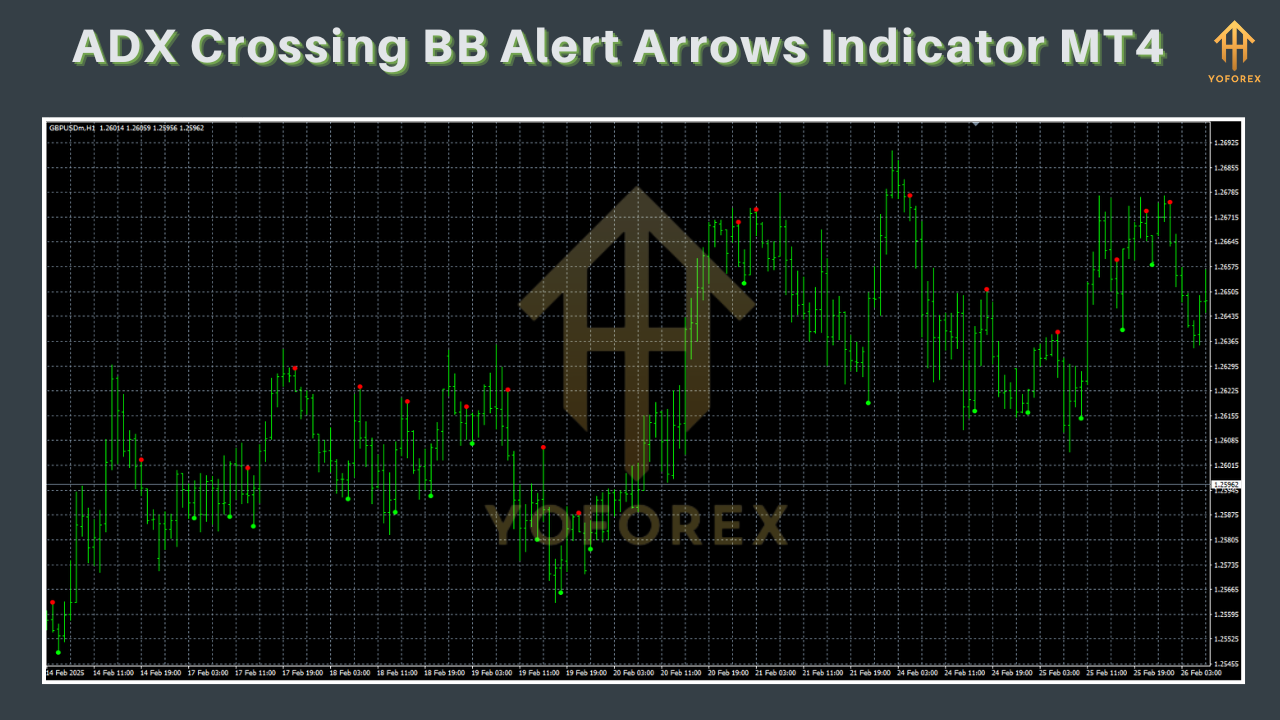
The ADX Crossing BB Alert Arrows Indicator integrates these tools to produce actionable signals. It plots:
-
Buy Arrows (typically green or blue) when a bullish ADX crossover (+DI > -DI) occurs, often confirmed by price touching or breaking below the lower Bollinger Band.
-
Sell Arrows (typically red) when a bearish ADX crossover (-DI > +DI) occurs, often confirmed by price touching or breaking above the upper Bollinger Band.
These arrows are accompanied by alerts (visual, sound, or email), ensuring traders don’t miss critical opportunities. The indicator’s strength lies in its ability to filter out noise by requiring confluence between trend strength (ADX) and volatility (BB).
Setting Up the Indicator on MT4
Installing and configuring the ADX Crossing BB Alert Arrows Indicator on MT4 is straightforward. Follow these steps:
-
Download the Indicator: Obtain the indicator file (e.g., .mq4 or .ex4) from a reputable source like MT4Collection, Best-MetaTrader-Indicators.com, or ForexStrategiesResources.com. Ensure the file is compatible with MT4.
-
Install the Indicator:
-
Open MT4 and go to File > Open Data Folder.
-
Navigate to MQL4 > Indicators.
-
Paste the downloaded .mq4 or .ex4 file into the Indicators folder.
-
Restart MT4 to load the indicator.
-
Apply to Chart:
-
Open a chart for your desired currency pair (e.g., EUR/USD, GBP/JPY) or index (e.g., DAX, S&P 500).
-
Drag the ADX Crossing BB Alert Arrows Indicator from the Navigator panel onto the chart.
-
Adjust settings in the pop-up window (see below for key parameters).
-
Key Settings:
-
ADX Period: Default is often 14, but you can adjust to 10 for faster signals or 20 for smoother trends.
-
ADX Threshold: Set to 20 or 25 to filter for strong trends.
-
Bollinger Bands Period: Typically 20, with 2 standard deviations.
-
Alert Settings: Enable sound, pop-up, or email alerts for real-time notifications.
-
Arrow Distance: Adjust the distance of arrows from candles to avoid overlap with other indicators.
-
Optional Additions: Some versions of the indicator support supplementary tools like Heiken Ashi candles or MBFX Timing for confirmation. If using a Renko chart, set the box size (e.g., 3 pips).
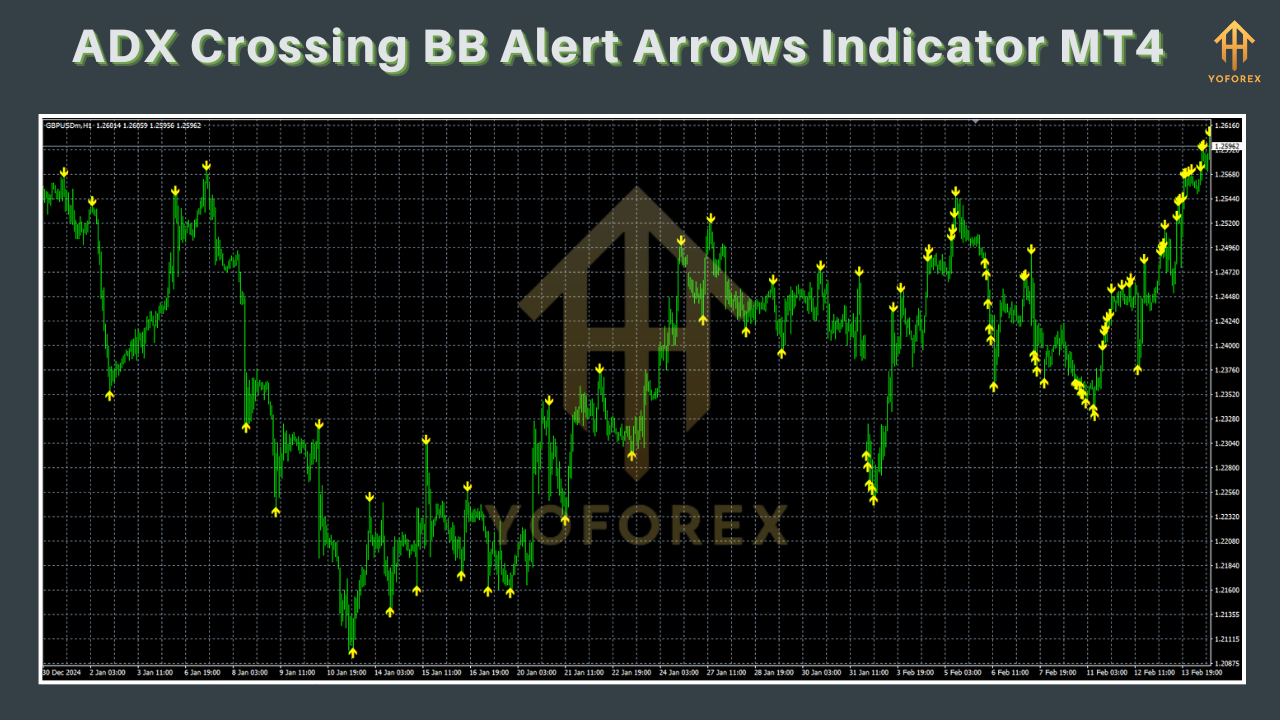
Once applied, the indicator will display arrows on the chart, with dots or signals indicating bullish (green/blue) or bearish (red) conditions.
Trading Strategies with the Indicator
The ADX Crossing BB Alert Arrows Indicator is versatile, supporting various trading styles. Below are three effective strategies:
1. Scalping on Lower Timeframes
For scalpers, the indicator excels on 5-minute or 15-minute charts for major currency pairs (e.g., EUR/USD, USD/JPY).
2. Swing Trading on Higher Timeframes
For swing traders, the indicator works well on 1-hour or 4-hour charts, especially for indices like DAX or S&P 500.
3. Binary Options Trading
The indicator is popular for binary options due to its clear signals and compatibility with 5-6 candle expiry times.
-
Entry Rules:
-
Call Option: Enter when a green arrow appears, +DI crosses above -DI, and price touches the lower Bollinger Band. Confirm with ADX above 20 and a green Heiken Ashi candle.
-
Put Option: Enter when a red arrow appears, -DI crosses above +DI, and price touches the upper Bollinger Band. Confirm with ADX above 20 and a red Heiken Ashi candle.
-
Expiry: Set to 5-6 candles (e.g., 25-30 minutes on a 5-minute chart).
-
Tips: Focus on high-volatility pairs during London or New York sessions. Avoid overtrading by limiting to 2-3 high-probability setups per session.
Advantages of the Indicator
-
Simplicity: Arrows and alerts make it beginner-friendly, reducing the need for complex analysis.
-
Versatility: Suitable for forex, indices, and binary options across multiple timeframes.
-
Confluence: Combines trend strength (ADX) and volatility (BB) for reliable signals.
-
Customizability: Adjustable settings allow tailoring to different trading styles.
Limitations and Challenges
-
False Signals: In choppy markets, the indicator may produce whipsaws, especially on lower timeframes.
-
Lagging Nature: As with most technical indicators, signals may lag behind rapid price movements.
-
Dependency on Confluence: The indicator performs best when used with other tools (e.g., Heiken Ashi, MBFX Timing), requiring additional analysis.
-
Overtrading Risk: Frequent alerts may tempt impulsive trading, particularly for beginners.
Tips for Maximizing Effectiveness
-
Combine with Price Action: Use candlestick patterns or support/resistance levels to confirm arrow signals. For example, a green arrow at a double bottom pattern strengthens a buy signal.
-
Filter with ADX Threshold: Set the ADX threshold to 25 or higher to focus on strong trends, reducing false signals.
-
Test on Demo: Backtest the indicator on historical data or a demo account to understand its behavior in different market conditions.
-
Avoid Overlapping Indicators: If using multiple indicators, adjust arrow distances to prevent clutter.
-
Risk Management: Use a risk-reward ratio of at least 1:2 and avoid risking more than 1-2% of your account per trade.
-
Stay Disciplined: Follow your trading plan and avoid chasing every signal, especially in low-volatility markets.
Common Issues and Fixes
-
Arrows Too Close to Candles: Adjust the arrow distance setting in the indicator’s input options.
-
Delayed Alerts: Ensure the “Use Sound” and “Sound File” settings are correctly configured. Test on a live chart to verify real-time alerts.
-
No Arrows Displayed: Check if the indicator is correctly installed and the chart timeframe is compatible. Restart MT4 if issues persist.
Real-World Application
Consider a scenario trading EUR/USD on a 15-minute chart. During the London session, price touches the lower Bollinger Band, and a green arrow appears with +DI crossing above -DI and ADX at 26. A green Heiken Ashi candle confirms the signal. You enter a buy trade with a 10-pip target and a 5-pip stop-loss. Within 30 minutes, price hits the target, yielding a 2:1 reward. This example highlights the indicator’s ability to capture short-term trends when conditions align.
Where to Find the Indicator
The ADX Crossing BB Alert Arrows Indicator is available for free on several platforms, including:
-
ForexStrategiesResources.com: Offers a detailed strategy guide and downloadable template.
-
MT4Collection.com: Provides the indicator with installation instructions.
-
Best-MetaTrader-Indicators.com: Features multiple ADX-based indicators, including this one.
-
PerfectTrendSystem.com: Includes a comprehensive tutorial for setup and trading.
Always download from trusted sources to avoid corrupted files or malware.
Conclusion
The ADX Crossing BB Alert Arrows Indicator for MT4 is a robust tool that blends the trend-following power of ADX with the volatility insights of Bollinger Bands. Its clear arrow signals and customizable alerts make it accessible to traders of all levels, from scalpers to swing traders and binary options enthusiasts. By understanding its components, setting it up correctly, and applying disciplined trading strategies, you can harness its potential to navigate the forex market with confidence. However, like any indicator, it’s not foolproof. Combine it with price action, robust risk management, and thorough testing to achieve consistent results. Whether you’re a novice or a seasoned trader, this indicator can be a valuable addition to your MT4 toolkit, helping you stay ahead in the fast-paced world of forex trading.



 EURJPY BUY&SELL EA V1.0 MT4