
Introduction
The world of forex trading is fast-paced and ever-evolving, with traders constantly seeking tools to gain an edge in the market. One such tool is the Apex Scalper V2.2 EA for MetaTrader 4 (MT4), an automated trading system designed to capitalize on short-term price movements through scalping strategies. In this blog post, we’ll dive deep into what Apex Scalper V2.2 EA is, how it works, its features, performance metrics, pros and cons, and tips for using it effectively. Whether you’re a seasoned trader or a beginner, this guide will help you understand if this Expert Advisor (EA) is the right fit for your trading goals.
What is Apex Scalper V2.2 EA MT4?
Apex Scalper V2.2 is an automated trading robot (Expert Advisor) developed for the MetaTrader 4 platform, one of the most popular trading platforms globally. Created by Joseph Smith of Cutting Edge Forex LLC, this EA is designed to execute scalping strategies, which involve making quick trades to capture small price movements in the forex market. First introduced in 2017, the Apex Scalper has undergone several updates, with version 2.2 being optimized for modern market conditions and compatible with MT4 Build 1441. It’s marketed as a low-risk, high-precision tool that avoids dangerous trading methods like martingale or grid strategies.
The EA focuses on identifying supply and demand zones in the market, entering trades at optimal levels, and managing them with robust risk management features. It’s primarily designed for currency pairs like EURUSD, GBPUSD, and USDJPY on the H1 (one-hour) timeframe, though it can be customized for other pairs and timeframes.
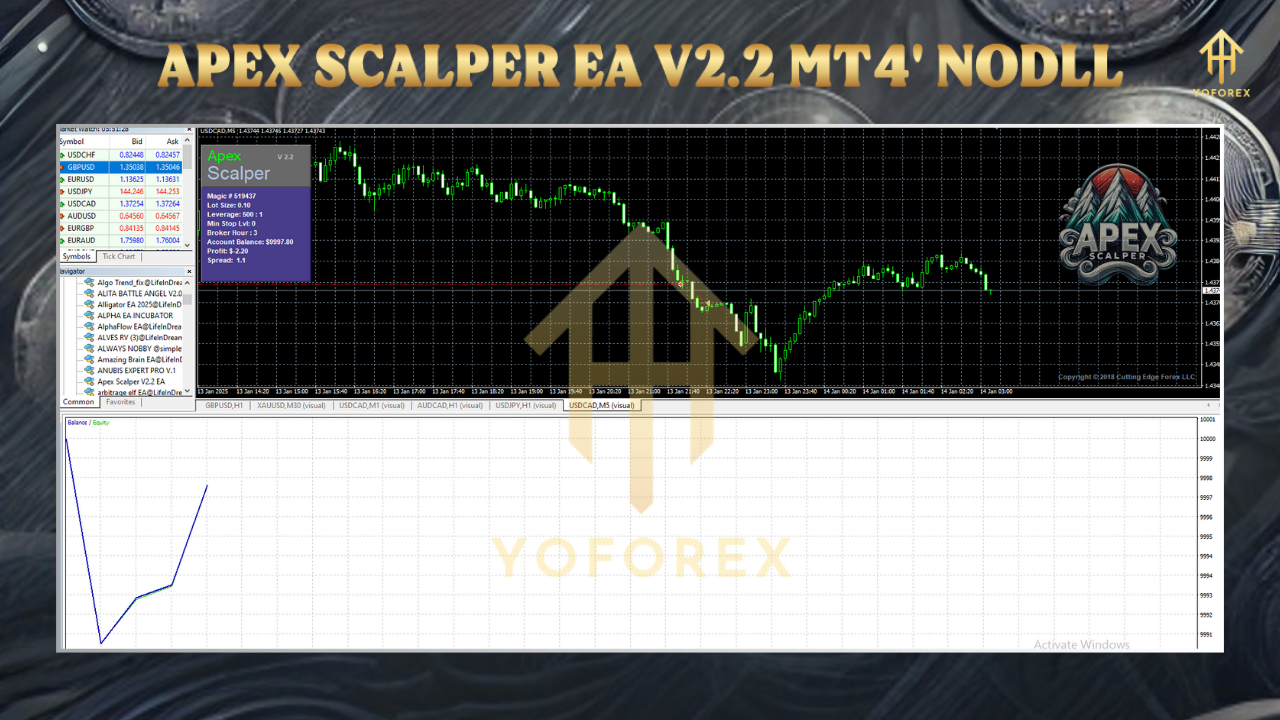
How Does Apex Scalper V2.2 Work?
At its core, Apex Scalper V2.2 uses a unique algorithm to detect emerging supply and demand zones in the forex market. These zones represent areas where institutional buyers and sellers are likely to act, creating opportunities for quick, profitable trades. The EA combines this algorithm with price action analysis to determine precise entry and exit points. Here’s a breakdown of its operational mechanics:
- Supply and Demand Zone Detection: The EA identifies key areas where price imbalances occur, signaling potential reversals or continuations.
- Price Action Analysis: It uses price movements and patterns to confirm trade entries, ensuring trades align with market momentum.
- Risk Management: Every trade is protected by a hard stop-loss, and the EA incorporates advanced exit strategies like trailing stops, break-even points, and partial position closing to lock in profits and minimize losses.
- FIFO Compliance: The EA adheres to First-In-First-Out (FIFO) order management, making it compatible with brokers that enforce this rule, particularly in the U.S.
- Volatility Protection: The system includes safeguards to protect against excessive market volatility, reducing the risk of large drawdowns during unpredictable market conditions.
The EA operates on the H1 timeframe by default, focusing on major currency pairs with low spreads to maximize profitability. Traders can customize parameters like lot size, risk levels, maximum spread, and trading hours to suit their preferences.
Key Features of Apex Scalper V2.2
Apex Scalper V2.2 comes packed with features that make it appealing to traders looking for automation without excessive risk. Here are some standout features:
- Customizable Parameters: Traders can adjust settings like lot size, risk percentage, stop-loss, take-profit, trailing stop, and trading hours. This flexibility allows the EA to adapt to different trading styles and risk tolerances.
- Low-Risk Scalping: Unlike some EAs that rely on high-risk strategies like martingale or grid trading, Apex Scalper focuses on low-risk scalping with defined stop-losses.
- Volatility Protection: The EA includes mechanisms to shield traders from sudden market spikes, which is crucial for scalping strategies that rely on small price movements.
- FIFO Compliance: Ensures compatibility with brokers that require FIFO order execution, making it suitable for a wide range of trading accounts.
- Backtesting Capabilities: Traders can test the EA on historical data to evaluate its performance before deploying it on live accounts.
- No Dangerous Strategies: The EA avoids risky methods like hedging, arbitrage, or martingale, prioritizing capital preservation.
Performance Metrics and Historical Results
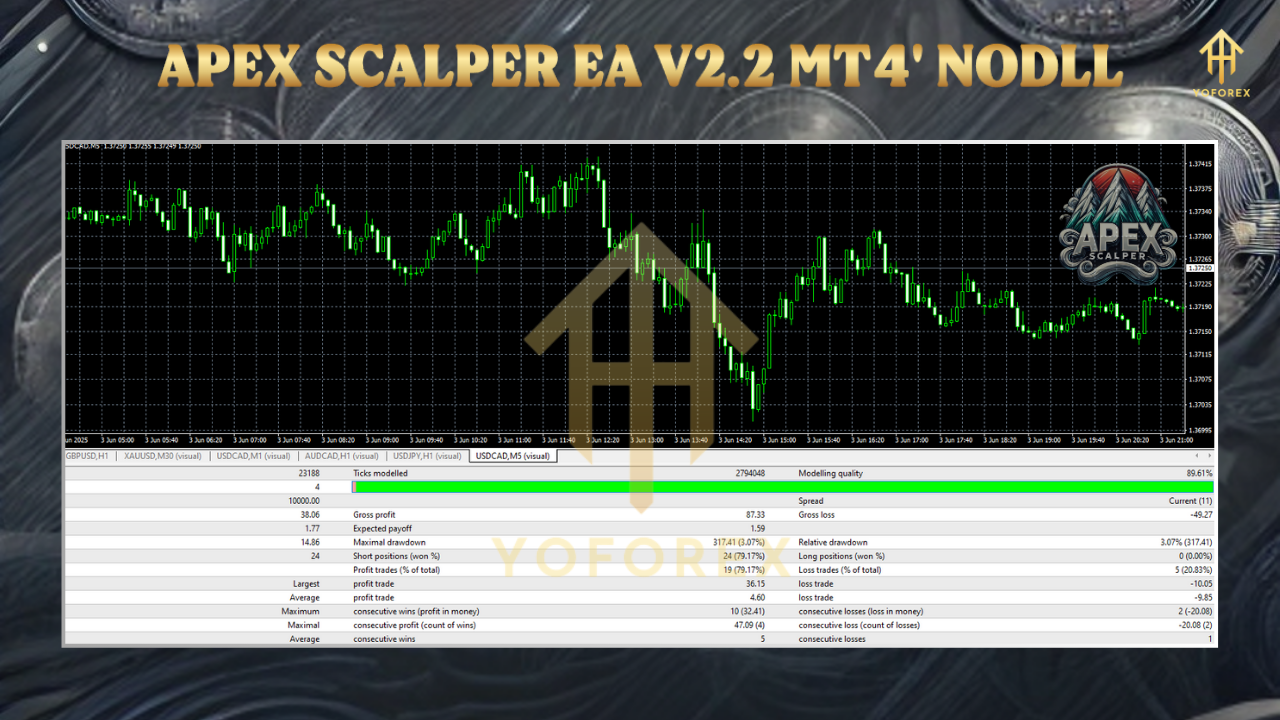
According to available data, Apex Scalper has shown promising results in backtests and live trading. A 26-week live trading signal on MQL5 reported a 108% gain with a 17.3% maximum drawdown and an 86.9% win rate. The average trade holding time was approximately 16 minutes, and the risk-reward ratio was 6:1, which is typical for scalping systems. These metrics suggest the EA can deliver consistent profits with moderate risk, provided it’s used with a low-spread ECN broker.
However, some user reviews indicate mixed performance. One trader reported that the EA performed well in backtests but struggled on live accounts, while another praised it as the best scalper for pairs like XAUUSD and EURJPY. These discrepancies highlight the importance of testing the EA on a demo account before committing real capital.
Pros of Apex Scalper V2.2
- Automation: The EA automates the entire trading process, saving time and reducing emotional decision-making.
- Risk Management: Built-in features like stop-losses, trailing stops, and volatility protection help protect trading capital.
- Customizability: Traders can tailor the EA to their preferred risk levels, currency pairs, and timeframes.
- FIFO Compliance: Suitable for brokers with strict regulatory requirements.
- Regular Updates: The vendor has a history of updating the EA to adapt to changing market conditions.
Cons of Apex Scalper V2.2
- Mixed User Feedback: Some users report inconsistent performance on live accounts compared to backtests.
- Limited Currency Pairs: The EA is optimized for only a few pairs (EURUSD, GBPUSD, USDJPY), which may limit diversification.
- Broker Dependency: Performance is highly dependent on using a low-spread ECN broker, which may not be accessible to all traders.
- Learning Curve: While the EA is automated, understanding and optimizing its parameters requires some trading knowledge.
- Cost: Priced at around $199-$299, it may be expensive for beginners, especially without guaranteed results.
How to Set Up Apex Scalper V2.2 on MT4
Setting up the EA is straightforward, but it requires careful configuration to ensure optimal performance. Follow these steps:
- Download and Install MT4: Ensure you have the MetaTrader 4 platform installed from a reputable broker.
- Acquire Apex Scalper V2.2: Purchase or download the EA from a trusted source like MQL5 or the vendor’s website.
- Install the EA:
- Open MT4 and go to “File” > “Open Data Folder” > “MQL4” > “Experts.”
- Drag and drop the Apex_Scalper_fix.ex4 file into the “Experts” folder.
- Configure Settings:
- Open MT4, go to “Tools” > “Options” > “Expert Advisors” tab, and enable “Allow automated trading” and “Allow DLL imports.”
- Attach the EA to a chart (e.g., EURUSD H1) by dragging it from the Navigator panel.
- Adjust parameters like lot size, risk level, and maximum spread based on your trading strategy.
- Test on Demo Account: Run the EA on a demo account for at least 1-2 months to evaluate its performance.
- Use a VPS: For uninterrupted trading, consider running the EA on a Virtual Private Server (VPS) to ensure 24/5 operation.
Tips for Maximizing Success with Apex Scalper V2.2
- Choose a Low-Spread Broker: Since scalping relies on small price movements, use an ECN broker with tight spreads (e.g., IC Markets, Pepperstone).
- Test Extensively: Backtest the EA using high-quality tick data (99% modeling quality) to understand its behavior in different market conditions.
- Avoid Major News Events: Scalping EAs can be sensitive to high-impact news, so use a news filter or pause trading during events like Non-Farm Payrolls.
- Monitor Performance: Regularly review the EA’s performance and adjust settings as needed to adapt to changing market conditions.
- Start Small: Begin with a small lot size and low risk to minimize potential losses while you gain confidence in the EA.
Is Apex Scalper V2.2 Worth It?
Apex Scalper V2.2 EA MT4 offers a compelling solution for traders seeking to automate their scalping strategies. Its focus on supply and demand zones, combined with robust risk management, makes it a viable tool for disciplined traders. However, its success depends on proper setup, broker choice, and market conditions. The mixed user reviews suggest that while it has potential, it’s not a guaranteed path to profits.
For traders willing to invest time in testing and optimization, Apex Scalper V2.2 can be a valuable addition to their trading arsenal. At $199-$299, it’s reasonably priced compared to other EAs, but beginners should approach with caution and prioritize demo testing. Always remember that no EA can replace a solid understanding of the forex market, and past performance is not a guarantee of future results.
Conclusion
The Apex Scalper V2.2 EA MT4 is a powerful tool for traders looking to capitalize on short-term market opportunities. Its sophisticated algorithm, customizable settings, and risk management features make it suitable for both novice and experienced traders. However, like any trading tool, it requires careful setup, testing, and monitoring to achieve optimal results. By choosing a reliable broker, testing on a demo account, and staying disciplined, traders can leverage Apex Scalper V2.2 to enhance their forex trading journey.
If you’re considering Apex Scalper V2.2, start with a demo account, explore its parameters, and see if it aligns with your trading goals. With the right approach, this EA could help you navigate the complexities of the forex market with greater ease and efficiency.