
In the world of automated forex trading, Expert Advisors (EAs) continue to evolve. The Black Ultras BT EA V4.2 (for MetaTrader 4) is one such offering that aims to deliver trend-following functionality adapted for volatile markets. Released on 4 November 2025, version 4.2 of this EA brings refined architecture and improved control features.
If you’re trading forex and want to explore automated tools, this article breaks down how Black Ultras BT works, where it excels, what to watch out for, and how to integrate it effectively into your trading plan.
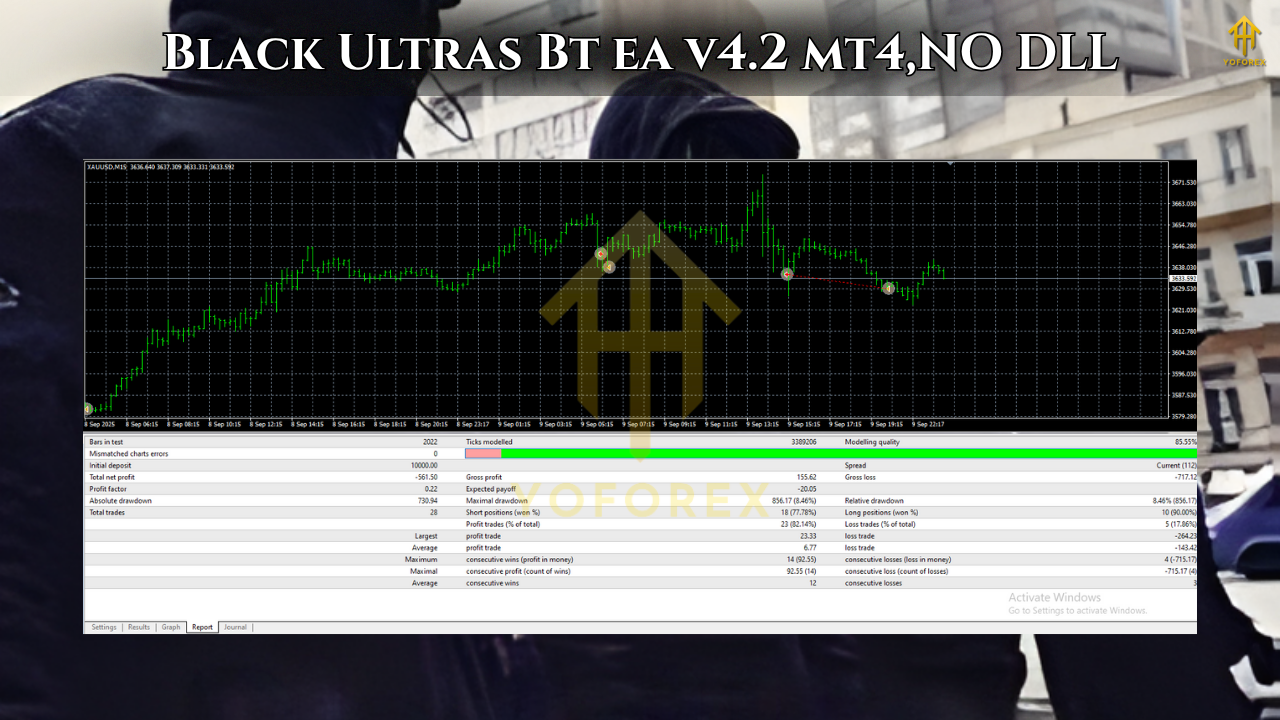
Key Features of Black Ultras BT EA V4.2
Here are the main features of the EA as per its official description:
-
Trend-following algorithm with pending orders: The EA uses pending orders to enter, rather than just market entry.
-
Uses Trailing Stops for both real (market) and pending orders, with separate Stop-Loss (SL) and Take-Profit (TP) levels for each type. Virtual Stop-Loss/Take-Profit also supported.
-
Supported account types: both netting and hedging.
-
Minimum recommended deposit: US $1,000 with a 0.01 lot size.
-
Works on liquid forex pairs, recommended during periods of increased volatility.
-
At time of listing: 5 activations allowed.
-
Customizable parameters include Magic number, Lot size, Risk (auto lot calc), Limit Trades, Grid Step, Real Stop Loss, Real Take Profit, Virt Stop Loss, Virt Take Profit, Real Trailing Start, Real Trailing Stop, Pending Trailing On, Pending Trailing Start, Pending Trailing Stop Loss, Pending Trailing Take Profit, Level Start, Type Filling.
These features make Black Ultras BT a flexible tool intended for traders who want to automate trend-capturing in high-volatility scenarios.
What Makes It Different? Unique Selling Points
Why might a trader consider Black Ultras BT over other EAs? Here are its differentiators:
-
Focus on volatility and trend movement
Many EAs rely purely on breakout or range-bound logic. Black Ultras BT is explicitly recommended for “highly volatile currency pairs or during periods of increased volatility”. This signals that the system may be designed more for momentum and trend bursts rather than flat markets. -
Dual trailing logic: real and pending orders
The EA supports both trailing for live market orders and for pending orders. That gives more tactical flexibility: you can place pending orders and let trailing logic manage exits once the order triggers. This is less common in many EAs. -
Virtual SL/TP support
Virtual Stop-Loss/Take-Profit means the EA monitors the position internally rather than relying solely on broker-level stops. That can be advantageous in certain broker conditions (e.g., low spread but potential stop-hunting). -
Account type flexibility
Supporting both netting and hedging account types broadens the broker compatibility for traders globally. -
Customizable settings for advanced users
With parameters like GridStep, LimitTrades, LevelStart, and TypeFilling, the EA offers enough depth for users wanting to fine-tune. -
Brand new version and limited activations
The release of version 4.2 suggests recent updates, and limiting activations (to 5) may indicate the author’s intention to keep usage exclusive or control load.
Ideal Use-Case & Trading Conditions
To maximise performance with Black Ultras BT, you should consider the following conditions and use-case guidelines:
-
Use on liquid currency pairs: As recommended, it’s best suited to major pairs with good liquidity (EURUSD, GBPUSD, USDJPY, etc.).
-
Periods of increased volatility: Since the EA is designed for strong market fluctuations, using it when markets are trending or breaking out will likely yield better results compared to quiet, flat ranges.
-
Broker choice and VPS: The description advises using a VPS for stable performance. This is standard for algorithmic trading but especially relevant when entry/exit precision matters.
-
Minimum deposit & lot sizing: The minimum recommended is $1,000 with lot size 0.01. If you have less capital, you might need to reduce lot size further or monitor risk aggressively.
-
Back-testing & broker conditions: The description specifically notes that spread can be adjusted during testing and recommends testing with “all ticks”. This means you should ensure your broker’s spread, latency, and slippage are accounted for in your simulation.
In short: the EA is best for traders who accept moderate risk, operating in more dynamic market phases, and who have proper infrastructure (broker, VPS, monitoring) in place.
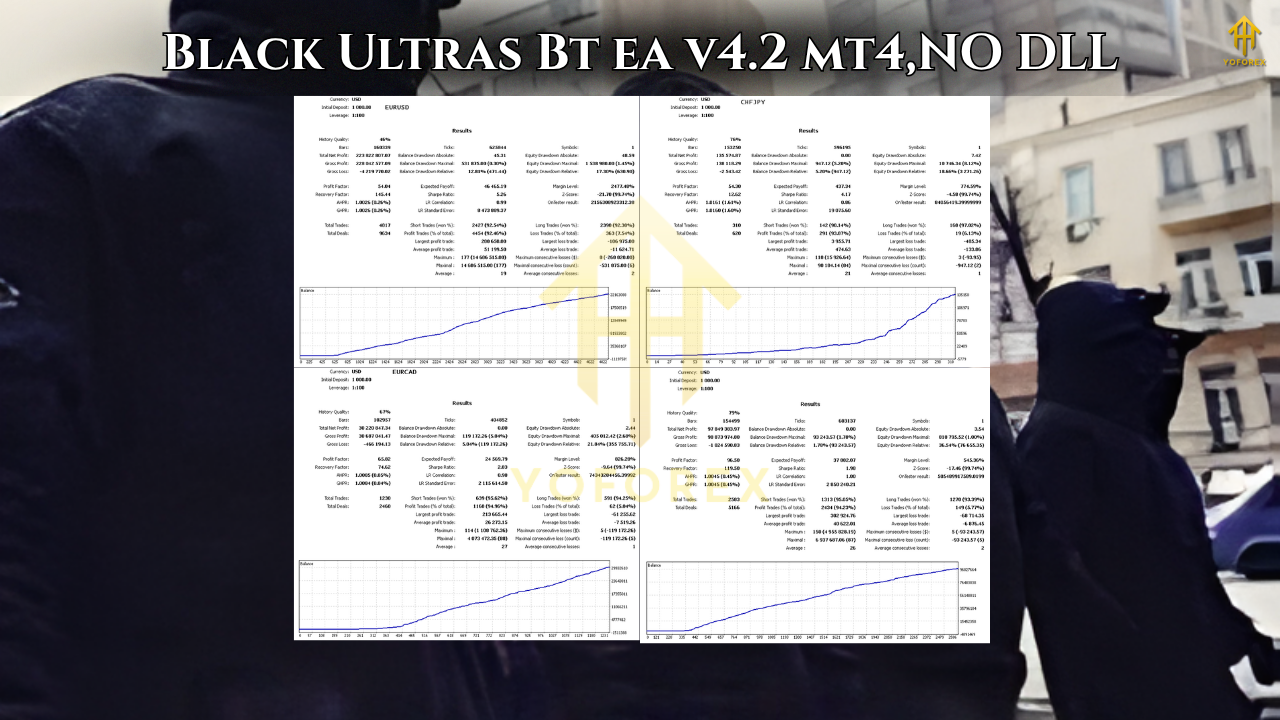
Performance Expectations, Back-Testing & Reality Check
While the official listing provides feature and recommendation details, as a prudent trader you’ll want to know how performance might look and what caveats exist.
-
There is no public live verified track record linked on the listing page. That means you will rely on your own back-testing and broker simulation to validate performance.
-
The author recommends using “pending orders” and “trailing stops” which can be reliable in trending environments, but can also lead to drawdowns when markets reverse quickly or when volatility dries up.
-
The requirement of a $1,000 minimum deposit with 0.01 lot implies a conservative capital requirement—not ultra-micro—but risk is still present.
-
Settings such as GridStep and LimitTrades indicate some ability to open multiple trades or a grid component. Grid and trailing combinations can increase exposure and risk if not carefully monitored.
-
The broker conditions (spread, slippage, latency) will strongly influence results. The listing emphasises testing with all ticks for accuracy.
-
Because the EA uses trailing stops and pending entries, if the broker execution is poor (e.g., wide requotes, freeze periods), the system could underperform compared to ideal simulation.
For SEO and practical blog purposes, you should emphasize that past performance is not guarantee of future returns, and due diligence is required.
Step-By-Step How to Set Up & Use Black Ultras BT EA
Here is a recommended workflow for setting up and using this EA:
-
Choose a suitable broker account
Ensure you have a broker offering MT4, low spread, fast execution, and preferably hedge or netting account support (both are supported). Use an ECN or similarly low-latency account. -
Download and install the EA
After purchase/install via the marketplace (linked at MQL5), copy the EA file into your MT4 Experts folder. Restart MT4 and ensure the EA is authorised for your account. -
Back-test the EA
-
Use the MT4 Strategy Tester.
-
Select the currency pair(s) you intend to trade.
-
Use a high-quality tick data set (every tick) to simulate realistic conditions.
-
Start with default settings.
-
Adjust deposit size, lot size (0.01 recommended at $1,000), spread factor, and any broker-specific filters.
-
Analyse drawdown, profit factor, max consecutive losses, and number of trades.
-
-
Set the EA parameters according to your risk appetite
-
Risk parameter: auto lot size calculation based on deposit.
-
LimitTrades: cap the number of orders in a series.
-
GridStep: minimum step between grid orders (if grid logic is enabled).
-
RealStopLoss / RealTakeProfit: for market entries.
-
VirtStopLoss / VirtTakeProfit: for virtual stops.
-
Trailing parameters: RealTrailingStart / RealTrailingStop, and similarly for pending orders.
-
LevelStart: define the level at which pending orders begin.
-
TypeFilling: execution type (relevant for certain brokers).
-
-
Deploy on a demo account first
Before going live, run the EA on a demo account under live market conditions for at least 1–2 months. Monitor how it handles market gaps, news events, volatility spikes, and broker quirks. -
Go live with monitored risk
Once comfortable, deploy with real funds. Consider:-
Start with small lots relative to capital (e.g., 0.01 on $1,000).
-
Use a dedicated VPS to ensure uninterrupted connection.
-
Monitor performance weekly.
-
Check for broker execution issues (slippage, requotes).
-
Adjust or disable the EA during major news or illiquid sessions if needed.
-
Pros & Cons – Balanced Assessment
When writing for your audience, it’s crucial to present both the strengths and limitations of the EA.
Pros
-
Designed for volatile/trending markets, giving potential to capture big moves.
-
Flexible settings (trailing for both market and pending orders).
-
Virtual stop capability adds a layer of risk-control adaptability.
-
Supports both hedging and netting; broad broker compatibility.
-
Suitable for traders who want to automate trend-based entries rather than purely range-based scalping.
Cons / Things to watch
-
No publicly verified extensive live results (at least not clearly linked).
-
Past market conditions may differ from future ones—trending markets may paradoxically turn into choppy ones, which may reduce performance.
-
Risk of drawdowns remains real, especially if the EA engages multiple orders (GridStep suggests grid logic).
-
Broker conditions matter a lot: if spread widens or execution delays occur, performance may degrade.
-
Automation can create a false sense of “set and forget”—users must still monitor and review settings.
Best Practice Tips for Indian / Asian Trader Perspective
Since your audience includes Indian / Asian traders (you’re located in Kolkata, West Bengal), consider the following region-specific tips:
-
Select a broker with INR-friendly deposit/withdraw options or widely accessible fiat/crypto funding options.
-
Time-zone awareness: The EA may perform differently in Asian session vs European/American session. Since volatility can vary, you may want to optimise the EA for sessions where major liquidity enters (London/New York).
-
VPS location: Choose a VPS with low latency to your broker’s execution server. If your broker’s server is in London or Equinix, pick a nearby VPS (e.g., Singapore, Hong Kong) to reduce slippage.
-
Regulatory & tax context: Make sure you understand how automated trading gains are treated in your jurisdiction (India has specific tax rules for capital gains / business income).
-
Start small: For local traders, converting USD 1,000 into INR means a sizable initial capital; ensure you’re comfortable with the deposit size and risk.
-
Consider local news/events: Volatility around INR pairs or Asia-Pacific sessions may differ from USD/EUR pairs—so if trading non-USD pairs, account accordingly.
Final Verdict & Recommendations
In conclusion, Black Ultras BT EA V4.2 is a worthy contender among trend-following automated systems, especially for traders who:
-
Have access to a decent capital base ($1,000+ recommended)
-
Trade in markets with strong volatility and clear directional moves
-
Have proper infrastructure (broker, VPS, monitoring)
-
Are willing to perform their own back-testing and tailor settings
-
Understand the risks of automated trading (drawdown, market reversals, broker execution issues)
However, it is not a “plug-and-forget” solution. Automation can help remove emotion, but it cannot remove risk. Make sure to:
-
Monitor how the EA handles new market conditions or low-volatility regimes
-
Adjust lot sizing and risk settings according to your account size
-
Have stop-loss awareness and know what your maximum drawdown tolerance is