
Blessing EA V3.9.6.09 MT4: A Comprehensive Guide to Features, Performance, Setup, and Best Practices
Introduction
Automated trading has transformed the forex landscape, enabling traders to execute strategies with speed, discipline, and minimal emotion. Among the myriad Expert Advisors (EAs) available for MetaTrader 4, Blessing EA V3.9.6.09 stands out for its adaptability, transparent design, and robust risk controls. Developed by J Talon LLC, this EA combines multiple technical indicators with grid‑based and martingale elements to pursue consistent returns across major currency pairs. In this guide, we explore every aspect of Blessing EA—what it is, how it works, its strengths and weaknesses, and practical advice for getting the most out of it.
What Is Blessing EA V3.9.6.09?
Blessing EA is an open‑architecture trading robot designed for MetaTrader 4 (MT4). Unlike “black box” commercial EAs, it exposes all parameters to the user, allowing full customization. At its core, it applies a grid trading approach—opening a basket of incremental orders to average down the entry price—augmented by a martingale-style lot sizing. It uses a suite of popular indicators to time entries and exits:
-
Moving Averages (MA): Identifies the prevailing trend direction.
-
Stochastic Oscillator: Flags overbought and oversold market zones.
-
Bollinger Bands: Measures volatility and potential price breakouts.
-
Commodity Channel Index (CCI): Highlights cyclical price extremes.
-
MACD (Moving Average Convergence Divergence): Detects momentum shifts.
Traders can enable or disable each indicator, tailoring the EA to their preferred style—whether trend‑following, scalping, or grid‑only.
Key Features
Blessing EA’s versatility and risk management features make it suitable for both conservative and aggressive traders. Its primary capabilities include:
-
Multi‑Strategy Support
-
Trend‑following setups using MA and MACD crossovers
-
Scalping modes on lower timeframes (M5)
-
Grid trading with customizable spacing and basket size
-
-
Advanced Risk Controls
-
Equity Protection: Automatically closes all positions if equity falls below a user‑defined percentage (e.g., 50% of starting balance).
-
Max Basket Orders: Limits the number of simultaneous trades in a grid to prevent runaway exposure.
-
Break‑Even and Trailing Stop: Moves stop‑loss to break‑even or trails profit as the basket reaches certain thresholds.
-
-
Customizable Presets
-
Includes preconfigured “set files” optimized for popular pairs (EURUSD, GBPUSD, USDJPY, EURCHF, XAUUSD) and timeframes (H1, M5).
-
Traders can load community‑shared profiles or build their own from scratch, adjusting every parameter from lot increments to indicator sensitivities.
-
-
User‑Friendly Interface
-
Intuitive Inputs tab in MT4 for parameter changes.
-
Clear on‑chart display of active baskets, equity thresholds, and pending orders.
-
Comprehensive PDF manual walks through installation, configuration, and troubleshooting.
-
-
Robust Backtesting Tools
-
Simulate performance over historical data within MT4’s Strategy Tester.
-
Examine profit factor, drawdown, and winning percentage across different market regimes.
-
Compare results for multiple set files side by side to identify the most resilient strategies.
-
-
Order Execution Safeguards
-
Checks for adequate margin before placing each grid order.
-
Configurable slippage tolerance to prevent orders triggering at unfavorable prices.
-
Option to disable trading around major news events by specifying blackout periods.
-
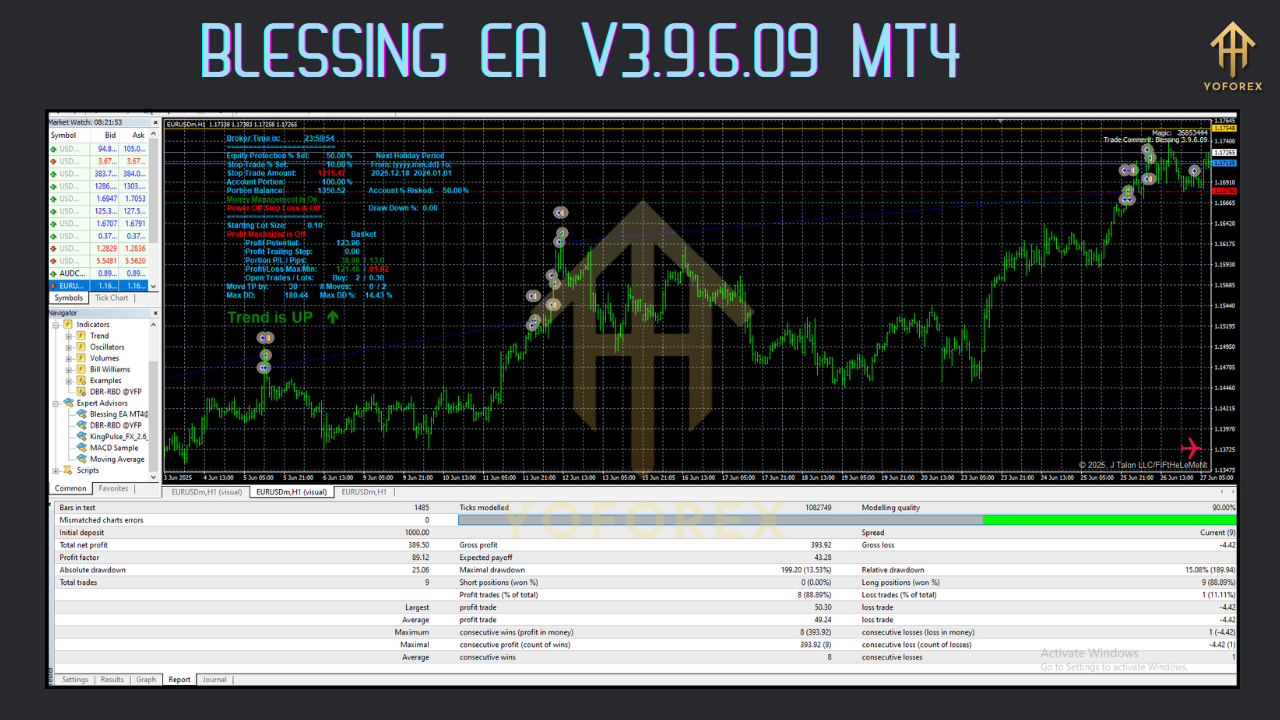
Performance and Backtesting Results
Blessing EA’s results vary widely based on pair selection, timeframe, and parameter choices. To illustrate its potential—and risks—we summarize two common backtests:
-
AUDNZD on M5 (2009–2014)
-
Initial Deposit: $1,000
-
Net Profit: $4,704 (≈470%)
-
Profit Factor: 2.02
-
Max Drawdown: 22.5%
-
Total Trades: 4,995
-
Win Rate: 87.6%
-
-
GBPUSD on H1 (2011–2014)
-
Initial Deposit: $1,000
-
Net Profit: $1,035 (≈104%)
-
Profit Factor: 2.14
-
Max Drawdown: 81.0%
-
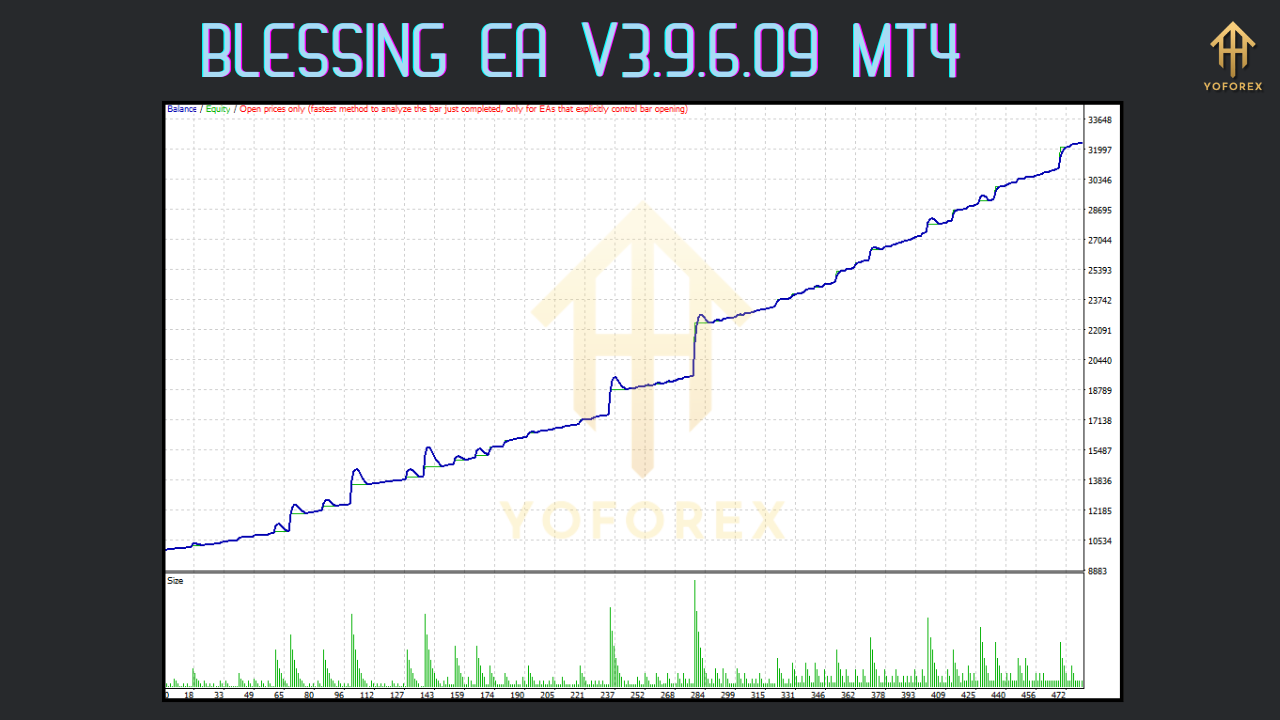
User reports echo these figures: conservative settings on AUDNZD have delivered steady gains with tolerable drawdowns, while aggressive GBPUSD grids have sometimes wiped out accounts during flash‑crash events or major political announcements.
Installation and Setup
1. Download and Install
-
Obtain the EA file (
.mq4or.ex4) from a reputable forum or archive. -
Copy it to your MT4 “Experts” directory (e.g.,
C:\Program Files\MetaTrader 4\experts). -
Restart MT4 to load the new EA.
2. Load Presets
-
Place community or vendor set files in the “Presets” folder.
-
In MT4’s Navigator panel, drag Blessing EA onto your chosen chart (e.g., EURUSD H1).
-
In the Inputs tab, click “Load” and select the desired
.setfile.
3. Configure Core Parameters
-
Lot Size: Start with 0.01 lots for every $1,000 of equity, adjusting for risk tolerance.
-
Grid Step: Distance between orders, typically 10–20 pips on major pairs.
-
Max Orders: 5–10 baskets to cap exposure.
-
Equity Stop‑Loss: 30–50% to safeguard against large losses.
-
Time Filters: Disable trading during weekends or specified “blackout” hours.
4. Enable Auto‑Trading
Ensure the MT4 toolbar’s AutoTrading button is green and that the EA’s top‑left smiley face icon appears on the chart.
Recommended Best Practices
-
Begin with a Demo Account
Test any new set file for at least two weeks in demo mode, observing behavior under varying volatility. -
Use Conservative Settings Initially
Smaller lot sizes and wider grid steps reduce the likelihood of account wipeout during black‑swan events. -
Diversify Across Pairs
Run parallel EAs on negatively correlated pairs (e.g., EURUSD and USDCHF) to smooth equity curves. -
Monitor Economic Calendars
Temporarily disable the EA around high‑impact news (NFP, Fed rate decisions) to avoid erratic price jumps. -
Withdraw Profits Regularly
Lock in gains and reduce account balance to maintain an optimal equity-to-risk ratio. -
Engage with the Community
Forums like Forex Factory and MT4talk host active discussions, shared set files, and live performance threads for continued learning.
Risks and Challenges
-
Grid & Martingale Drawdowns
The averaging‑down approach can amplify losses during persistent trends against your bias. Without strict equity protection, drawdowns can reach 50–80% before recovery. -
Broker Compatibility
Some brokers impose maximum order limits or require manual enabling of Expert Advisors on demo accounts. Always verify with small test trades. -
No Official Support
J Talon LLC’s original website (jtatoday.com) is defunct. Users depend on community contributions for updated set files and troubleshooting. -
Learning Curve
Mastering the balance between grid spacing, lot progression, and risk controls demands experience. Novices may struggle to optimize parameters, risking subpar results.
Community Feedback and Insights
-
Positive Experiences
-
Many traders highlight steady equity growth on AUDNZD using conservative grids.
-
Transparency of parameters is praised—users can audit every rule and tailor behavior.
-
-
Cautionary Tales
-
Several accounts have blown up on GBPUSD after large unpredictable moves (e.g., 600 pip Brexit gap in 2016).
-
Complaints about commercial “premium” set files with no refunds and limited customization.
-
-
Top Contributors
-
@mrtools: Regularly publishes updated set files with backtest screenshots.
-
@arsyadforex: Shares volatility‑adjusted presets for major news events.
-
Practical Tips for Long‑Term Success
-
Keep a Trading Journal
Record every parameter change, market condition, and outcome to identify profitable configurations. -
Implement Version Control
Store set files in a cloud or Git repository to track evolution and rollback to earlier, reliable versions. -
Automate Equity Alerts
Use third‑party tools or MT4 scripts to notify you when your account equity breaches critical levels. -
Blend with Manual Oversight
Periodically review open baskets and close trades if you see adverse fundamental developments. -
Reinvest Cautiously
As profits accumulate, only increase lot sizing in proportion to net equity growth to maintain the original risk profile.
Conclusion
Blessing EA V3.9.6.09 MT4 offers a powerful, transparent tool for traders willing to engage with grid and martingale methodologies. Its blend of multi‑strategy support, detailed risk controls, and user‑driven customization make it appealing for both novices and veterans. However, its aggressive potential must be balanced with prudent account sizing, rigorous backtesting, and ongoing community engagement. By following the setup guidelines, adopting conservative starting parameters, and staying vigilant around market‑moving events, traders can harness Blessing EA’s strengths while mitigating its inherent risks. With disciplined management and continuous learning, this EA can become a valuable component of a diversified automated trading portfolio.