The BSTrend V2.0 Indicator for MetaTrader 4 (MT4) is a strong trend-following instrument. It’s made to help forex traders spot market trends and make smart trading choices. Whether you’re a scalper, a day trader, or a swing trader, this indicator gives clear signals for seeing trend directions and potential changes. This guide covers the features, setup, trading methods, and benefits of the BSTrend V2.0 Indicator, along with helpful advice to improve its use.
What is the BSTrend V2.0 Indicator?
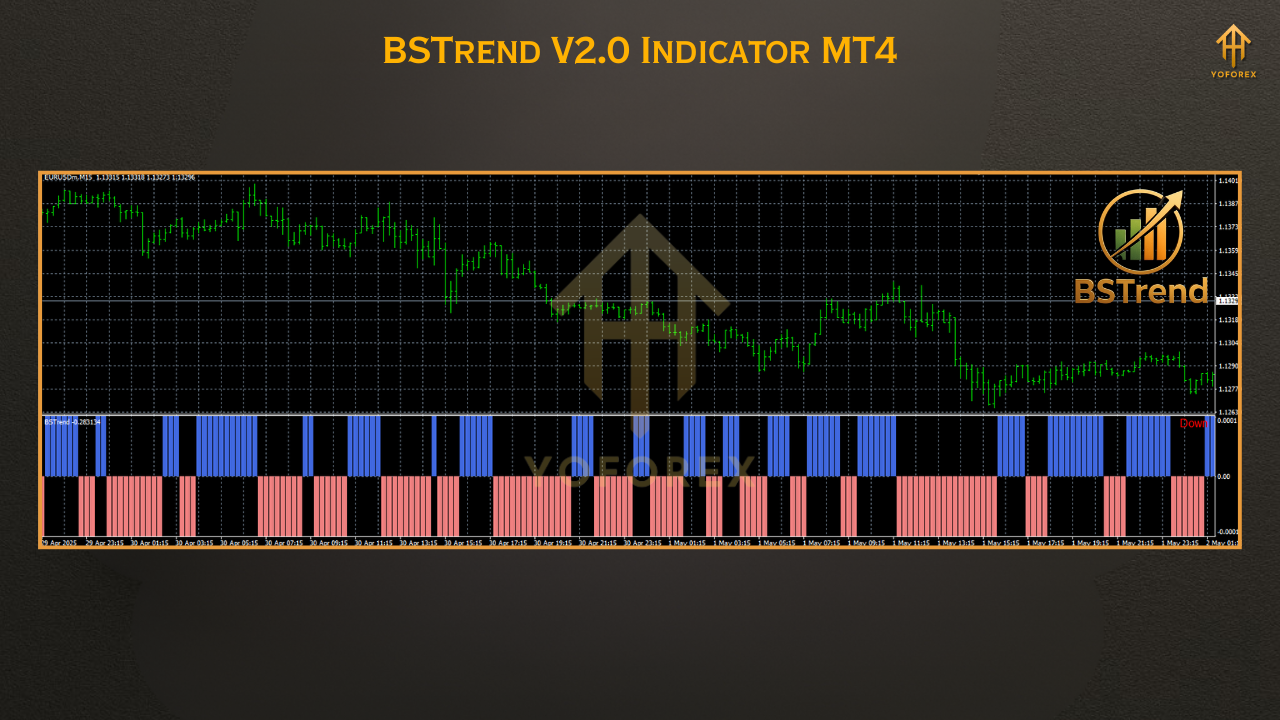
The BSTrend V2.0 Indicator is a custom technical analysis tool for MT4. It’s designed to find the main trend in the forex market. Unlike the original BSTrend Indicator, version 2.0 has better features and more accurate trend detection. It shows trend signals in a different window using histogram bars, which makes it easy to see market conditions quickly.
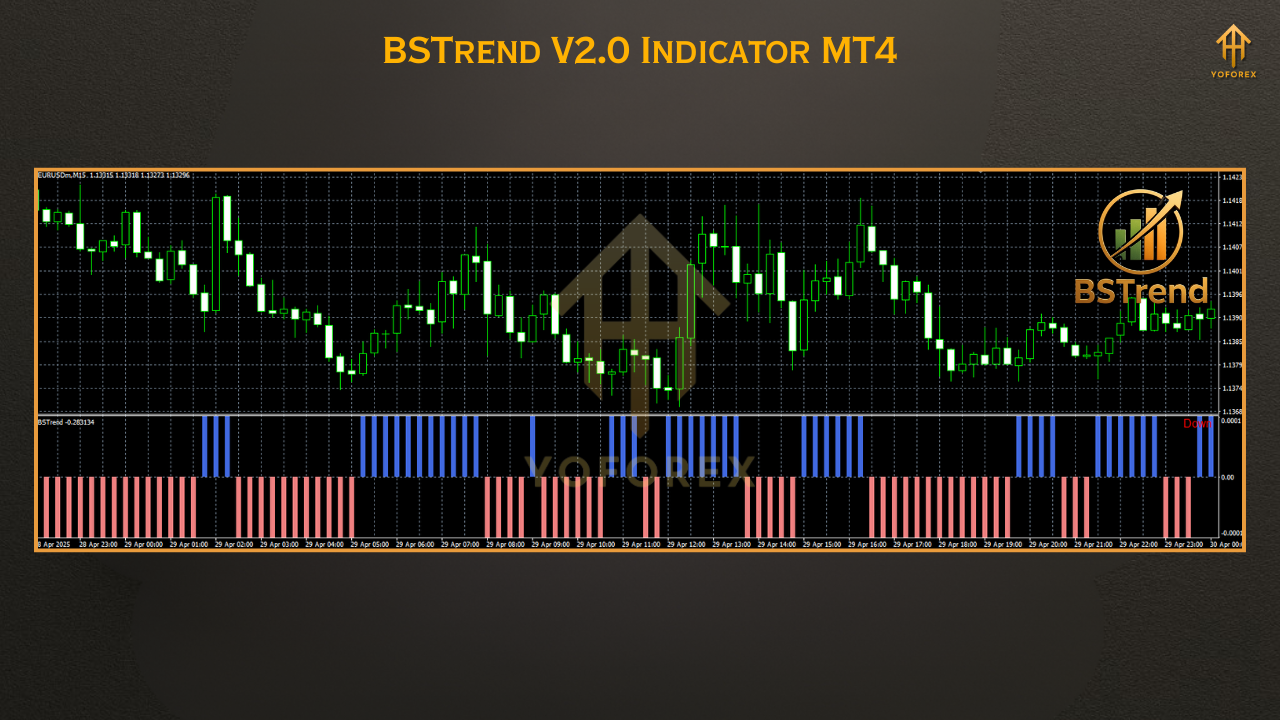
The indicator uses moving averages and other trend-based algorithms to draw blue and violet bars, which stand for bullish and bearish trends, respectively. Blue bars above the zero line mean an uptrend, while violet bars below the zero line show a downtrend. This simple visualization helps traders align their trades with market momentum.
Key Features of BSTrend V2.0 Indicator
Clear Trend Identification: The indicator uses blue bars for bullish trends and violet bars for bearish trends, shown in relation to a zero line. This gives a straightforward way to assess market direction.
Non-Repainting Signals: Unlike some indicators that change past data, BSTrend V2.0 gives dependable signals that don’t change once they’re confirmed. This ensures consistency in trading choices.
Multi-Timeframe Compatibility: The indicator works on all timeframes, from M1 to MN, which is good for scalpers, day traders, and long-term traders.
Versatile Application: It can be used for all currency pairs, and other financial instruments like stocks, commodities, and cryptocurrencies available on MT4.
Customizable Settings: Traders can adjust the indicator’s parameters to fit their trading style, like how sensitive it is to market movements or the frequency of signals.
How to Install BSTrend V2.0 Indicator in MT4
Download the Indicator File: Get the BSTrend V2.0 file (usually in .mq4 or .ex4 format) from a reliable source, such as a trusted forex indicator website or forum.
Open MT4 Data Folder: Open your MT4 platform, go to the File menu, and select Open Data Folder.
Navigate to Indicators Folder: In the data folder, open the MQL4 folder, then the Indicators folder.
Paste the Indicator File: Copy and paste the downloaded BSTrend V2.0 file into the Indicators folder.
Restart MT4: Close and reopen your MT4 platform to update the indicator list.
Apply to Chart: Open a chart, go to the Navigator panel, find the BSTrend V2.0 Indicator under Indicators, and drag it onto your chart. Alternatively, right-click the chart, select Indicators List, and add the indicator.
How to Use BSTrend V2.0 Indicator in Trading
The BSTrend V2.0 Indicator is designed to simplify trend-following strategies. Here are some ways to use it:
1. Trend Confirmation
Buy Signal: Start a long position when the indicator displays a blue bar above the zero line, meaning a bullish trend. To be extra sure, wait for the first blue bar after a series of violet bars to avoid false signals.
Sell Signal: Start a short position when a violet bar appears below the zero line, which indicates a bearish trend. Confirm this with the first violet bar after a series of blue bars.
2. Combining with Other Indicators
To make BSTrend V2.0 more accurate, combine it with other indicators like:
Moving Averages: Use a 50-period or 200-period moving average to confirm the trend direction. For example, a blue bar above the zero line with the price above a moving average supports a buy signal.
Oscillators: Tools like the Relative Strength Index (RSI) or Moving Average Convergence Divergence (MACD) can help find overbought or oversold conditions, reducing the number of low-probability trades.
Alligator Indicator: Some trading communities suggest using BSTrend V2.0 with the Alligator Indicator to confirm trend direction based on its lines’ alignment.
3. Exit Strategies
Trend Reversal: Exit a buy trade when a violet bar shows up, showing a possible bearish reversal. Similarly, exit a sell trade when a blue bar shows up.
Stop Loss: Place a stop loss 30-50 pips from the entry point or at the most recent swing high/low to manage risk.
Profit Targets: Use predefined profit targets based on support and resistance levels or a risk-reward ratio (e.g., 1:2).
4. Scalping and Intraday Trading
For scalpers, the BSTrend V2.0 Indicator works well on shorter timeframes (e.g., M1, M5, M15). Its responsiveness to price movements lets traders make small profits from short-term trends. However, always confirm signals with higher timeframes to avoid whipsaws during volatile market conditions.
Advantages of BSTrend V2.0 Indicator
User-Friendly Interface: The clear visual representation of trends makes it easy for traders of all levels.
Versatility: Suitable for different trading styles and asset classes, from forex to commodities.
High Accuracy: When used with proper confirmation, the indicator gives reliable signals for trend-following strategies.
Customizability: Adjustable parameters let traders fine-tune the indicator to match their risk tolerance and trading goals.
Limitations and Precautions
False Signals in Choppy Markets: Like most trend-following indicators, BSTrend V2.0 might produce false signals during sideways or ranging markets. Use extra filters to reduce this risk.
Not a Standalone Tool: Relying only on the indicator can lead to less-than-ideal results. Always combine it with other technical tools and fundamental analysis.
Platform Limitation: The indicator is made for MT4 and doesn’t work with MT5, mobile devices, or tablets without extra settings.
Tips for Maximizing BSTrend V2.0 Effectiveness
Backtest Thoroughly: Before using the indicator in live trading, test it on past data to see how it performs in different market conditions.
Use Multiple Timeframes: Confirm signals on higher timeframes (e.g., H1, H4) to ensure they match the wider market trend.
Practice Risk Management: Always use stop losses and position sizing to protect your capital, especially in volatile markets.
Stay Updated: Check for updates to the indicator on trusted platforms like Forex Factory or MQL5 to make sure you have the newest version.
Where to Download BSTrend V2.0 Indicator
The BSTrend V2.0 Indicator is free on various forex trading websites and communities, such as:
Best-MetaTrader-Indicators.com
ForexMT4Indicators.com
MQL5.com (for the original BSTrend or similar versions)
Always download from reliable sources to avoid malware or corrupted files. Check the file’s authenticity and make sure it’s in the .mq4 or .ex4 format for MT4.
Conclusion
The BSTrend V2.0 Indicator for MT4 is a useful and easy-to-use tool for traders who want to profit from market trends. Its clear visual signals, non-repainting nature, and compatibility with various timeframes make it a valuable addition to any trader’s toolbox. By combining it with other technical indicators and using good risk management, traders can improve their ability to spot profitable opportunities. Whether you’re new or experienced, the BSTrend V2.0 Indicator provides a reliable way to navigate the changing forex market.