
Introduction
The CCI with Arrow Indicator 2.0 for MetaTrader 4 (MT4) is a powerful tool designed to simplify trend analysis and enhance trading decisions for forex, commodities, indices, and stock traders. Built on the foundation of the Commodity Channel Index (CCI), this indicator adds intuitive arrow signals to pinpoint potential buy and sell opportunities. In this blog, we’ll explore the features, setup process, trading strategies, and benefits of the CCI with Arrow Indicator 2.0, making it an essential read for both novice and experienced traders.
What is the CCI with Arrow Indicator 2.0?
The Commodity Channel Index (CCI), developed by Donald Lambert in 1980, is a momentum-based oscillator that measures a security’s price deviation from its statistical mean. It helps traders identify overbought (above +100) and oversold (below -100) conditions, as well as potential trend reversals. The CCI with Arrow Indicator 2.0 enhances this classic indicator by displaying clear buy and sell arrows directly on the price chart when the CCI crosses specific levels, such as the zero line or predefined overbought/oversold thresholds.
This updated version, 2.0, introduces improvements like enhanced signal accuracy, customizable alerts (sound, email, or push notifications), and refined arrow placement with smart distance calculation to avoid chart clutter. Unlike the traditional CCI, which is displayed in a separate window, this indicator overlays arrows on the main chart, making it user-friendly and visually intuitive.
Key Features of CCI with Arrow Indicator 2.0
- Non-Repainting Signals: The arrows generated are stable and do not repaint, ensuring reliability for trading decisions.
- Minimal Lag: The indicator responds quickly to price changes, offering timely signals for scalpers, day traders, and swing traders.
- Customizable Parameters: Traders can adjust the CCI period (default is 14), overbought/oversold levels, and alert types to match their trading style.
- Multi-Timeframe Compatibility: Works across various timeframes (M1, M5, H1, etc.), suitable for scalping, intraday, or long-term trading.
- Alert System: Supports sound, email, and push notifications, ensuring traders never miss a signal, even when away from their platform.
- Versatility: Applicable to forex pairs, commodities, indices, and stocks, making it a flexible tool for diverse markets.
How to Install the CCI with Arrow Indicator 2.0 on MT4
- Download the Indicator: Obtain the indicator file (.mq4 or .ex4) from a trusted source, such as EarnForex, MQL5, or MT4Collection. Ensure you’re downloading version 2.0 for the latest features.
- Copy to MT4 Directory: Open your MT4 terminal, go to File > Open Data Folder > MQL4 > Indicators, and paste the indicator file here.
- Restart MT4: Close and reopen the MetaTrader 4 platform to load the indicator.
- Add to Chart: Navigate to Navigator > Indicators, drag the “CCI with Arrow 2.0” onto your desired chart, or right-click and select “Attach to Chart.”
- Customize Settings: Adjust the parameters in the indicator’s settings window:
- CCI_Period: Default is 14; increase for smoother signals or decrease for faster responses.
- Overbought/Oversold Levels: Default is +100/-100; adjust to +200/-200 for stricter signals.
- Alerts: Enable sound, email, or push notifications as preferred.
- Apply: Click “OK” to display the indicator on your chart.
How the CCI with Arrow Indicator 2.0 Works
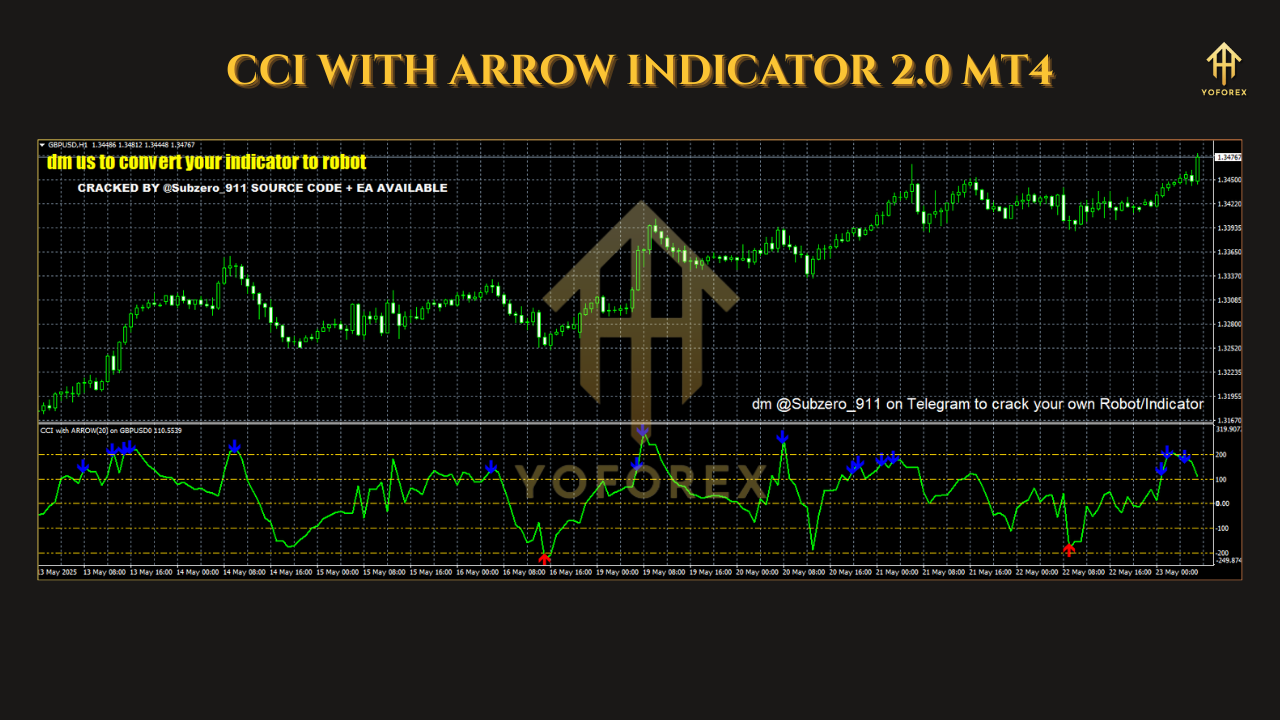
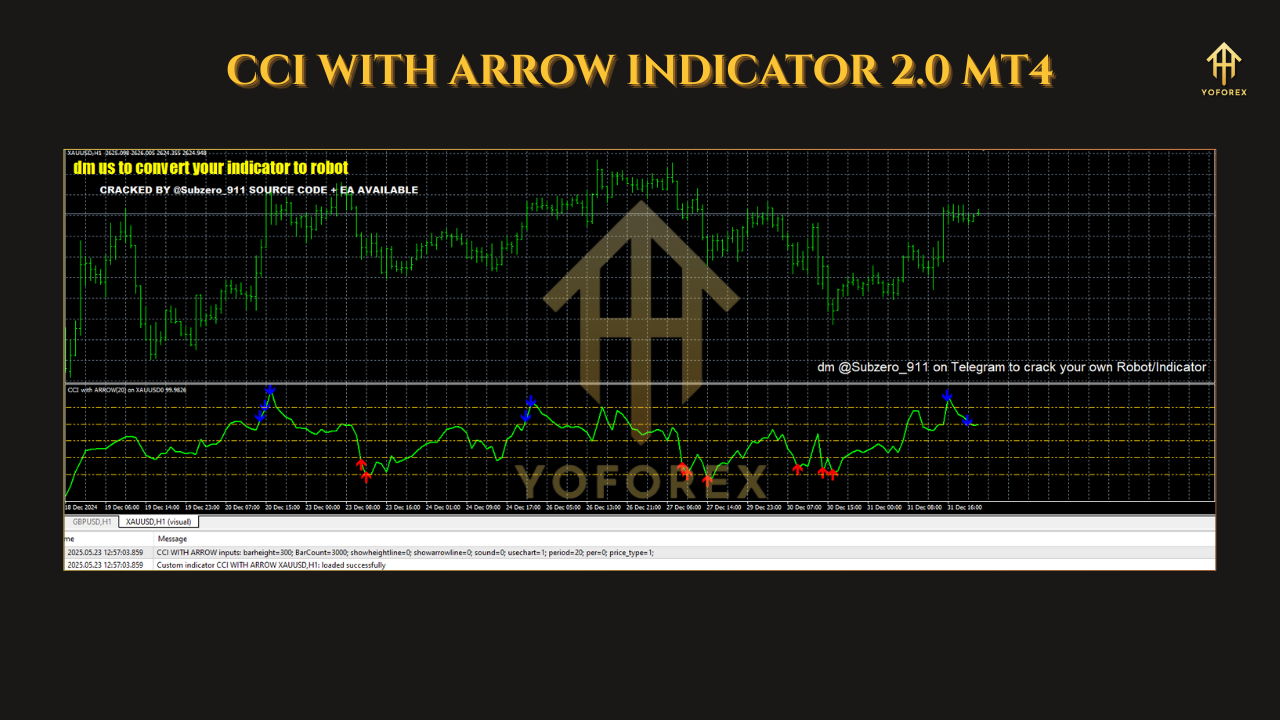
- Blue (Up) Arrow: Appears when the CCI crosses above the zero line or moves back above the oversold level (e.g., -100), signaling a potential buy opportunity.
- Red (Down) Arrow: Appears when the CCI crosses below the zero line or moves back below the overbought level (e.g., +100), indicating a potential sell opportunity.
For example, in a bullish setup on a 1-hour USD/CHF chart, a blue arrow appears when the CCI crosses above the zero line, suggesting upward momentum. Conversely, a red arrow on an Ethereum 15-minute chart signals a bearish move when the CCI drops below zero.
The indicator’s non-repainting nature ensures that once an arrow appears, it remains fixed, providing confidence in trade entries. However, it may have a slight lag, which is a trade-off for its high accuracy.
Trading Strategies Using CCI with Arrow Indicator 2.0
1. Trend-Following Strategy
- Setup: Use the indicator on a higher timeframe (e.g., H1 or H4) to identify the primary trend. Combine with a moving average (e.g., 50-period EMA) to confirm trend direction.
- Entry: Enter a buy trade when a blue arrow appears, and the price is above the EMA. Enter a sell trade when a red arrow appears, and the price is below the EMA.
- Exit: Close the trade when an opposite arrow appears or when the CCI crosses back through the zero line.
- Tip: Avoid trading against the trend to reduce false signals. For example, ignore blue arrows in a downtrend confirmed by the EMA.
2. Scalping Strategy
- Setup: Apply the indicator to a lower timeframe (e.g., M5 or M15) for quick trades. Pair with support/resistance levels for confirmation.
- Entry: Buy on a blue arrow near a support level; sell on a red arrow near a resistance level.
- Exit: Use a tight trailing stop or exit when the CCI crosses back to the opposite side of the zero line.
- Tip: Avoid trading during high-impact news events (e.g., NFP week) to minimize volatility-related false signals.
3. Reversal Strategy (Advanced)
- Setup: Set overbought/oversold levels to +200/-200 for stronger signals. Use the indicator alongside price action (e.g., pin bars) for confirmation.
- Entry: Buy when a blue arrow appears after the CCI moves above -200 (oversold). Sell when a red arrow appears after the CCI drops below +200 (overbought).
- Exit: Close the trade when the CCI returns to the zero line or an opposite arrow appears.
- Caution: Reversal trading is riskier and not recommended for beginners. Always confirm with other indicators.
Benefits of the CCI with Arrow Indicator 2.0
- Simplicity: The arrow-based signals eliminate the need to manually track CCI crossings, reducing chart clutter and eye strain.
- Beginner-Friendly: The clear buy/sell arrows make it accessible for novice traders, while customizable settings cater to advanced users.
- High Accuracy: With minimal lag and non-repainting signals, the indicator provides reliable entry and exit points.
- Versatile Alerts: Sound, email, and push notifications ensure traders stay informed, even when away from their screens.
- Multi-Market Use: Effective across forex, stocks, commodities, and indices, making it a go-to tool for diversified portfolios.
Practical Tips for Using the Indicator
- Combine with Other Tools: Pair the indicator with moving averages, volume indicators, or support/resistance levels to filter out false signals.
- Test on a Demo Account: Before using it in live trading, backtest the indicator on a demo account to understand its behavior in your preferred market and timeframe.
- Avoid Overtrading: Stick to signals aligned with the overall trend and avoid trading during volatile periods like major news releases.
- Adjust Settings: Experiment with the CCI period and overbought/oversold levels to optimize performance for your trading style. A higher CCI period (e.g., 20) reduces noise but increases lag, while a lower period (e.g., 10) offers faster signals with more noise.
- Use a Trailing Stop: To maximize profits, apply a trailing stop to lock in gains during strong trends.
Limitations and Considerations
While the CCI with Arrow Indicator 2.0 is a robust tool, it’s not infallible. Its slight lag may cause delayed entries in fast-moving markets, and it performs best in trending or ranging markets rather than choppy conditions. Additionally, traders should avoid relying solely on the indicator; combining it with other technical analysis tools and proper risk management is crucial for consistent success.
Conclusion
The CCI with Arrow Indicator 2.0 for MT4 is a versatile, user-friendly tool that simplifies trend analysis and enhances trading precision. Its non-repainting arrows, customizable settings, and robust alert system make it suitable for traders of all levels, from scalpers to long-term investors. By integrating this indicator into a well-rounded trading strategy, you can confidently navigate the markets and improve your trading outcomes. Download it today from trusted sources like EarnForex or MQL5, and start exploring its potential on a demo account.