
Confluencia 6 Indicator MT4: The Complete Guide to Smarter Forex Trading
The Confluencia 6 Indicator for MT4 has emerged as one of the most powerful trading tools available today, offering traders a unique edge through its innovative multi-indicator approach.
This comprehensive guide will walk you through everything you need to know about this remarkable indicator – from its core features and benefits to installation instructions and proven trading strategies. Whether you’re a beginner looking for reliable signals or an experienced trader seeking to refine your approach, this blog post will provide valuable insights to help you make the most of the Confluencia 6 Indicator.
What Makes Confluencia 6 Different?
- Moving Averages – Identifies the prevailing market trend
- Relative Strength Index (RSI) – Detects overbought/oversold conditions
- Bollinger Bands – Measures market volatility
- MACD – Confirms momentum and trend strength
- Stochastic Oscillator – Helps spot potential reversals
- Volume Analysis – Validates the strength behind price movements
Key Benefits for Traders
1. Enhanced Accuracy
By requiring confirmation from multiple indicators, the Confluencia 6 significantly reduces false signals compared to single-indicator systems.
2. Versatility Across Timeframes
Whether you’re a:
- Scalper (M1-M15 charts)
- Day trader (H1-H4 charts)
- Swing trader (D1-W1 charts)
This indicator adapts beautifully to your preferred trading style.
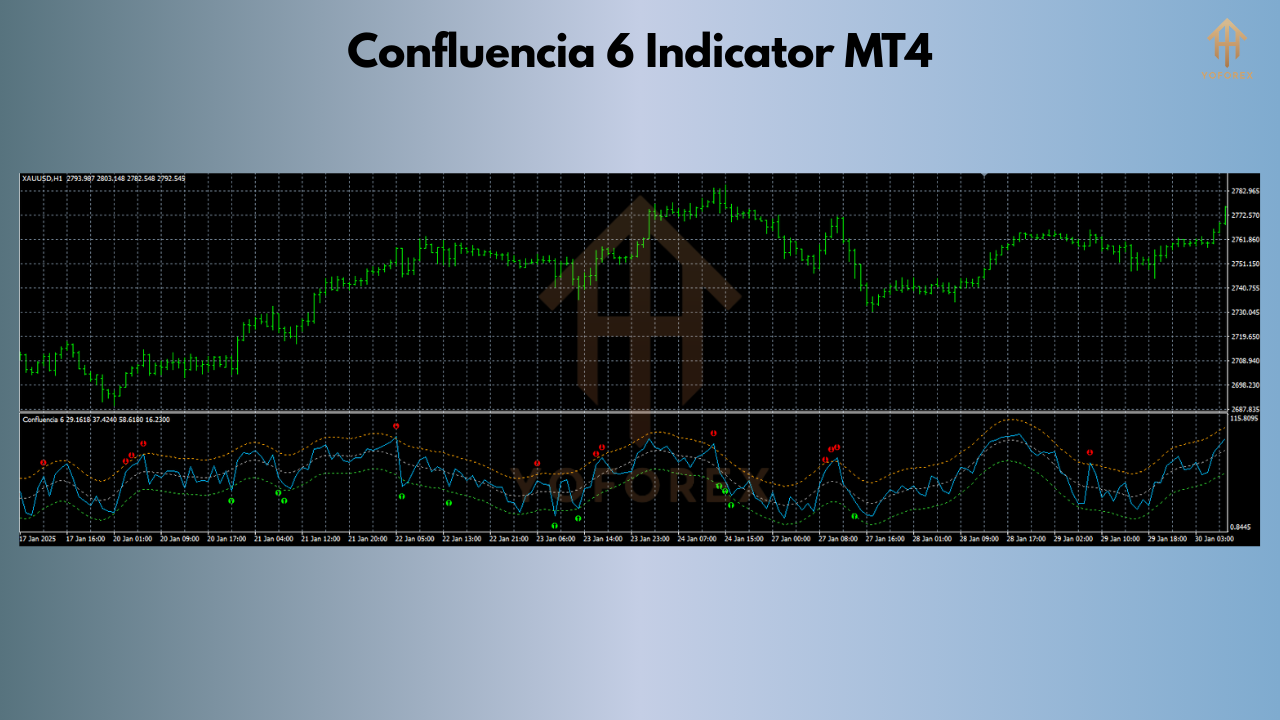
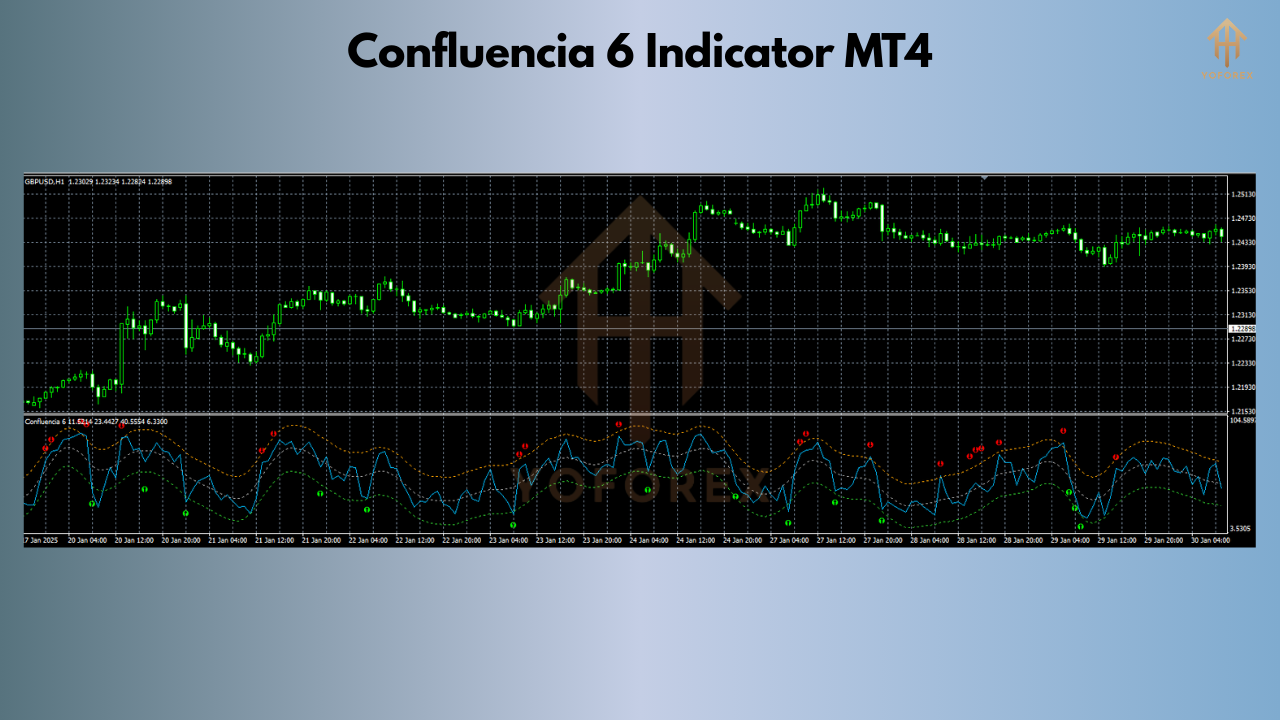
3. Clear Visual Signals
The system provides unmistakable:
- Blue arrows for buy signals
- Red arrows for sell signals
- Optional alerts (sound, email, push notifications)
4. No Repainting
Unlike some unreliable indicators, Confluencia 6’s signals remain fixed once they appear.
Getting Started: Installation Guide
- Download the indicator file (.ex4 or .mq4 format) from a trusted source
- Open your MT4 platform
- Navigate to File > Open Data Folder
- Locate the MQL4 > Indicators folder
- Paste the downloaded file here
- Restart MT4
- Find the indicator in your Navigator panel
- Drag and drop onto your chart
Recommended Settings
- Timeframes: H1 or H4 for optimal results
- Currency pairs: Major pairs like EUR/USD, GBP/USD
- Default settings work well for most traders
Proven Trading Strategies
1. Trend-Following Approach
- Entry: When all indicators align in the same direction
- Exit: At opposite signals or key support/resistance levels
- Risk Management: 20-30 pip stop loss, 2:1 reward ratio
2. Reversal Trading Strategy
- Identify overbought/oversold conditions
- Wait for Confluencia 6 confirmation arrows
- Combine with candlestick patterns for extra confirmation
3. News Trading Adaptation
- Let initial volatility settle after major news
- Only trade when Confluencia 6 gives clear signals
- Use tighter stops during high-impact news
Common Mistakes to Avoid
- Overtrading – Not every signal needs to be taken
- Ignoring risk management – Always use stop losses
- Using on illiquid pairs – Stick to major currency pairs
- Changing settings too frequently – Find what works and stick with it
Frequently Asked Questions
Q: Is there a free version available?
A: Some basic versions are free, while more advanced versions may require purchase.
Q: Can I use it for cryptocurrency trading?
A: While designed for forex, it can work on crypto pairs with proper adjustments.
Q: How does it perform in ranging markets?
A: Like most trend-based indicators, performance is best in trending conditions.
Q: Is coding knowledge required to use it?
A: No, it’s designed to be user-friendly for all skill levels.
Final Thoughts
The Confluencia 6 Indicator represents a significant advancement in technical analysis tools for MT4. By intelligently combining multiple indicators into one system, it provides traders with clearer, more reliable signals than most single-indicator approaches.
While no indicator is perfect, the Confluencia 6’s confluence-based methodology offers a substantial edge in the markets. Remember to:
- Always practice proper risk management
- Combine with price action analysis
- Test thoroughly on a demo account first
- Be patient – quality signals are worth waiting for