Exploring the Crypto Scalper EA V1.0 MQ4: A Comprehensive Guide to Automated Crypto Trading
Automation has become indispensable for traders seeking to capitalize on rapid market fluctuations. The Crypto Scalper EA V1.0 MQ4 brings advanced scalping logic to the MetaTrader 4 (MT4) platform, enabling both novice and seasoned traders to exploit short‑term price movements across cryptocurrencies and more. In this guide, you’ll discover everything from its core design and standout features to step‑by‑step setup instructions, optimization tips, real‑world performance insights, and risk considerations.
Introduction
In the ever‑volatile cryptocurrency market, price swings happen in the blink of an eye. While manual trading demands constant vigilance and split‑second decisions, automated tools can monitor multiple pairs around the clock, execute orders in milliseconds, and remove the psychological biases that often plague human traders. The Crypto Scalper EA V1.0 MQ4 is engineered precisely for this purpose: to identify small, high‑probability moves and enter and exit trades with precision.
Built in MQL4 for MT4, this open‑source EA leverages a proprietary scalping strategy combined with the Money Flow Index (MFI) indicator, dynamic risk controls, and flexible asset compatibility. Whether you want to scalp BTCUSD and ETHUSD or experiment with traditional forex pairs, this EA offers an accessible entry point for algorithmic trading—requiring as little as a $500 starting deposit.
What Is the Crypto Scalper EA V1.0 MQ4?
The Crypto Scalper EA V1.0 MQ4 is:
-
An automated trading robot coded in MQL4 for the MT4 platform.
-
Designed for scalping, capturing small price changes within minutes.
-
Optimized for cryptocurrencies such as BTCUSD and ETHUSD, but adaptable to forex pairs and indices.
-
Open‑source: you can view and modify its MQ4 code to tailor parameters to your personal strategy.
-
Fully hands‑free once configured: the EA monitors, signals, and executes trades without manual intervention.
Unlike grid or martingale systems that can expose you to runaway drawdowns, this EA adopts a disciplined approach—employing pending orders, smart entry filters, and adaptive stops to lock in profits and limit losses.
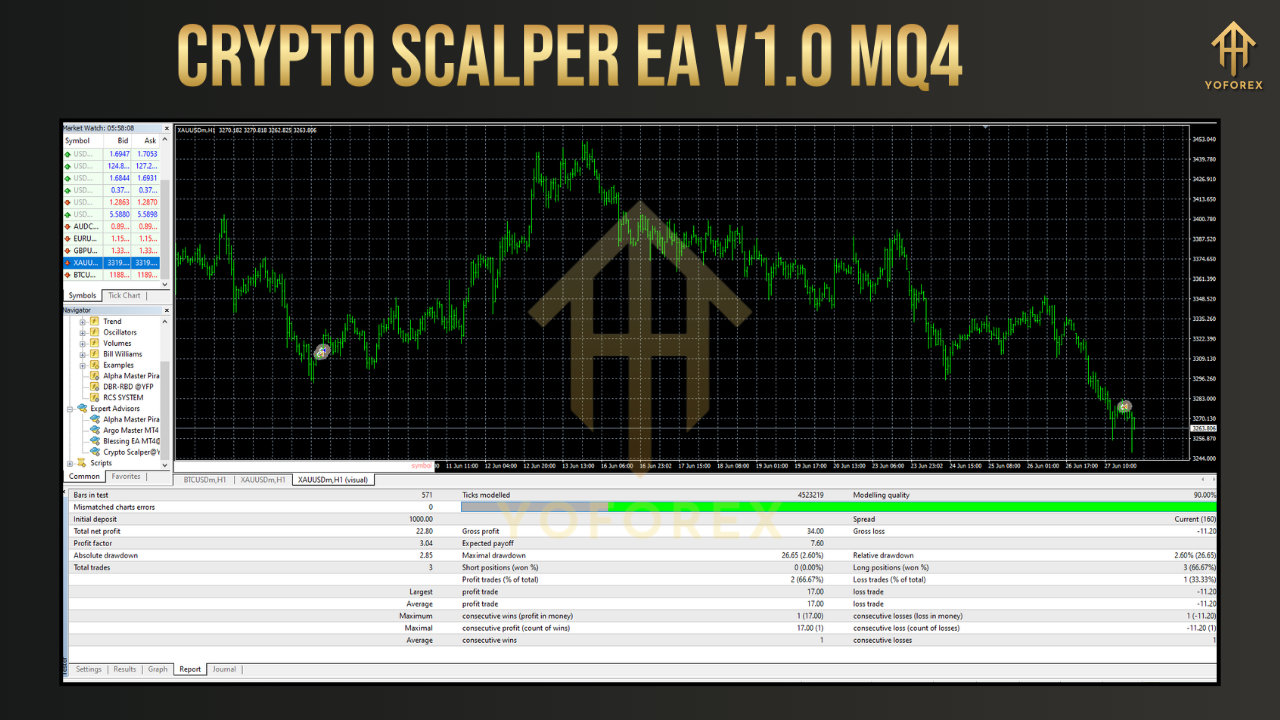
Key Features
-
Proprietary Scalping Strategy
-
Places pending buy/sell orders at calculated price levels.
-
Monitors real‑time market data across four timeframes for confirmation.
-
Executes trades only when multiple conditions align, reducing false signals.
-
-
Money Flow Index (MFI) Integration
-
Detects overbought and oversold conditions based on volume and price.
-
Identifies potential reversal points to time entries and exits more accurately.
-
-
Dynamic Trailing Stop Loss & Take Profit
-
Automatically adjusts stop loss to lock in gains as the price moves favorably.
-
Employs a sliding take‑profit mechanism to capture additional upside during strong trends.
-
-
Flexible Timeframe & Asset Compatibility
-
Out‑of‑the‑box default for M5 (5‑minute) charts.
-
Easily configurable for M1, M15, H1, or H4 timeframes.
-
Supports crypto, major forex, indices (e.g., US100), and metals (e.g., XAUUSD).
-
-
Low Minimum Deposit
-
Recommended starting capital: $500.
-
Demo‑account testing encouraged before going live.
-
-
Open‑Source Code
-
Full MQ4 source available for inspection.
-
Modify overbought/oversold thresholds, risk settings, or order logic as desired.
-
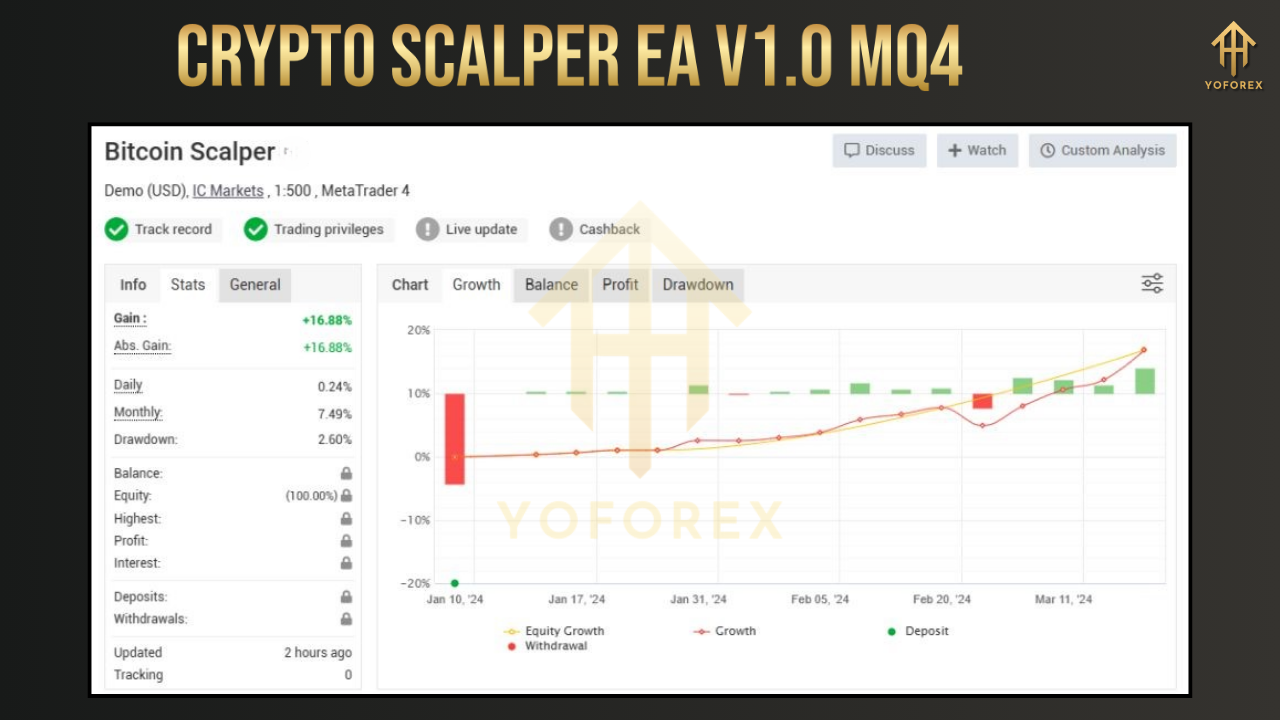
How the Crypto Scalper EA Works
At its core, the EA operates in four stages:
-
Market Scanning
-
Continuously reads real‑time price and volume data across selected pairs.
-
-
Signal Generation
-
Applies the proprietary algorithm and MFI filter to pinpoint high‑probability setups.
-
-
Order Placement
-
Deploys pending orders at strategic price levels.
-
Activates only when the market retraces to the entry zone, improving execution price.
-
-
Risk & Reward Management
-
Implements trailing stops to secure profits.
-
Closes trades automatically if adverse movements breach stop‑loss limits.
-
This systematic workflow repeats every candle, ensuring the EA seizes every valid scalping opportunity while adhering to defined risk parameters.
Setting Up the Crypto Scalper EA
Follow these steps to install and launch the EA on MT4:
-
Download & Install
-
Obtain the
CryptoScalperEA_V1.0.mq4file from a trusted source (e.g., fxcracked.org). -
In MT4, go to File > Open Data Folder > MQL4 > Experts.
-
Paste the
.mq4file into the Experts folder. -
Restart MT4 to refresh the Navigator panel.
-
-
Attach to Chart
-
Open an M5 chart for your chosen crypto pair (e.g., BTCUSD).
-
Drag Crypto Scalper EA V1.0 from Navigator onto the chart.
-
In the pop‑up, enable Allow Automated Trading.
-
-
Configure AutoTrading
-
Verify AutoTrading is active (green ▶️ at the MT4 toolbar).
-
Confirm the EA’s smiley face icon appears at the top right of the chart.
-
-
Select a VPS (Optional but Recommended)
-
To minimize latency and avoid downtime, host MT4 on a low‑latency VPS located close to your broker’s servers.
-
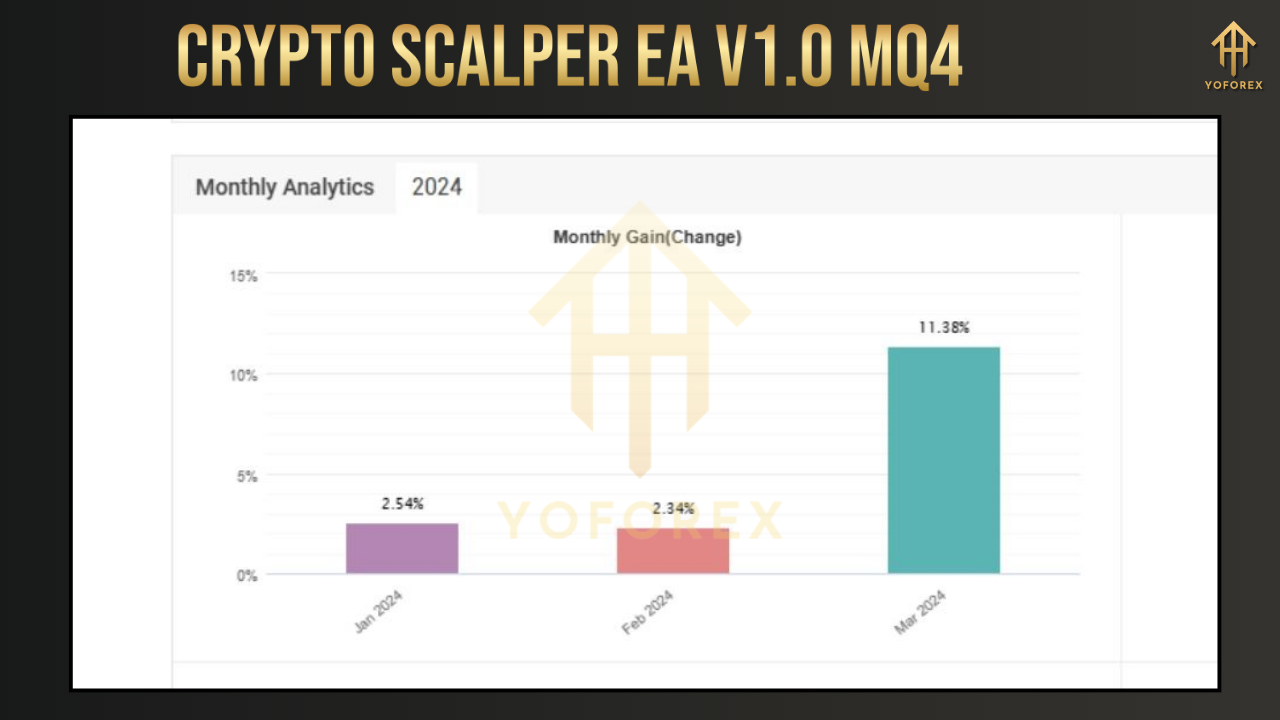
Configuring EA Parameters
Key inputs you can adjust in the EA’s settings:
-
Lot Size
-
Determines the trade volume.
-
Set relative to your account balance and risk appetite.
-
-
Stop Loss & Take Profit
-
Establish fixed pip distances or enable dynamic trailing modes.
-
-
MFI Period & Thresholds
-
Default MFI period: 14.
-
Overbought threshold: 80, Oversold threshold: 20 (customizable).
-
-
Max Spread Filter
-
Prevents trading when spreads exceed a set number of points (e.g., 30).
-
Ensures cost‑effective entries, particularly during high‑volatility news events.
-
-
Trading Hours
-
Define active sessions (e.g., 00:00–23:59) or restrict to peak volatility windows.
-
-
Magic Number
-
Unique identifier for EA‑generated orders, useful if running multiple EAs.
-
Adjust these parameters via the EA’s Inputs tab, then click OK to apply.
Backtesting & Optimization
Before deploying on a live account:
-
Strategy Tester
-
In MT4, open View > Strategy Tester.
-
Select Crypto Scalper EA V1.0 and your target pair/timeframe.
-
Use “Open Prices Only” modeling for faster tests or “Every Tick” for greater accuracy.
-
-
Parameter Sweep
-
Experiment with lot size, MFI thresholds, and spread filters.
-
Record performance metrics (net profit, drawdown, profit factor).
-
-
Walk‑Forward Analysis
-
Divide historical data into segments (in‑sample and out‑of‑sample).
-
Optimize on the first segment, then validate on the next.
-
Rotate through all segments to gauge robustness.
-
-
Periodic Re‑Optimization
-
Revisit parameters quarterly or after significant market regime shifts.
-
Backtesting helps you discover parameter sets that deliver consistent returns while controlling drawdown.
Live Trading & Performance
Real‑world application reveals how the EA behaves under live conditions:
-
High‑Frequency Execution
-
The EA can trigger dozens—or hundreds—of trades per day, each aiming for a few pips of profit.
-
-
Profit Potential
-
Demo tests suggest daily returns ranging from 0.5% to 2% on a $500 account, depending on market volatility.
-
-
Drawdown Management
-
Dynamic stops typically cap drawdowns below 10% when using conservative lot sizing.
-
-
Broker Selection
-
Opt for ECN/STP brokers with tight spreads and minimal requotes to maximize scalping efficiency.
-
Keep in mind: past performance does not guarantee future results. Monitor real‑time performance and adjust settings as needed.
Advantages of Crypto Scalper EA V1.0 MQ4
-
Full Automation
-
Executes trades 24/7 without human intervention.
-
-
Emotion‑Free Trading
-
Removes fear and greed from decision‑making.
-
-
Customizable & Extensible
-
Open‑source code lets you tailor or enhance logic.
-
-
Versatile Across Assets
-
Works on crypto, forex, indices, and metals.
-
-
Low Barrier to Entry
-
$500 minimum deposit; demo testing available.
-
Risks & Considerations
-
Market Volatility
-
Extreme price swings (e.g., during news releases) can trigger stop‑outs or slippage.
-
-
Spread & Slippage
-
High spreads or rapid price moves may widen actual entry/exit prices.
-
-
Broker Limitations
-
Some brokers restrict scalping or impose minimum stop distances.
-
-
Technical Failures
-
Power outages, internet disruptions, or VPS downtime can interrupt trading.
-
-
Over‑Optimization
-
Curve‑fitting backtests may fail in live markets. Aim for robustness, not perfection.
-
Mitigation tips:
-
Trade lower‑risk lot sizes.
-
Use reliable VPS hosting.
-
Disable trading during major economic announcements.
Community Support & Resources
Engage with fellow traders and developers:
-
Forums & Telegram Groups
-
Communities on mt4talk.com, EliteTrader, or dedicated Telegram channels often share optimal settings and custom builds.
-
-
Open‑Source Repositories
-
GitHub and MQL5 Code Base host variations you can compare against.
-
-
Regular Updates
-
Keep an eye on the EA’s source distribution page for bug fixes or feature enhancements.
-
Active participation helps you stay informed of market‑specific tweaks and novel indicator integrations.
Conclusion
The Crypto Scalper EA V1.0 MQ4 offers an accessible yet powerful toolkit for traders focused on leveraging the speed and volatility of crypto markets. By combining a proprietary scalping algorithm, MFI‑based filters, dynamic risk controls, and open‑source flexibility, it strikes a balance between automation and customization. While no EA guarantees profits, disciplined backtesting, prudent parameter selection, and constant performance monitoring can tilt the odds in your favor. Whether you’re automating your first scalping strategy or expanding an existing algorithmic portfolio, the Crypto Scalper EA V1.0 MQ4 is a compelling starting point for consistent, emotion‑free trading.