Exploring Dolphin EA V1.0 MT4: A Comprehensive Guide to Automated Forex Trading
Introduction
In the fast-paced world of forex trading, automation has become a game-changer for traders seeking efficiency, consistency, and reduced emotional bias. Among the many Expert Advisors (EAs) available for the MetaTrader 4 (MT4) platform, Dolphin EA V1.0 MT4 stands out as a trend-following forex robot designed to capitalize on market movements using technical indicators. This blog dives deep into the features, strategies, installation process, performance considerations, and practical tips for using Dolphin EA V1.0 MT4, offering a balanced perspective for both novice and experienced traders.
Forex trading robots like Dolphin EA V1.0 are automated systems that analyze market conditions, identify trading signals, and execute trades based on pre-programmed algorithms. By leveraging tools such as moving averages, the Average Directional Index (ADX), and the Relative Strength Index (RSI), Dolphin EA aims to filter out low-probability trades and focus on high-potential opportunities. This article will explore how Dolphin EA V1.0 operates, its strengths and limitations, and how traders can optimize its use to enhance their trading strategies.
What is Dolphin EA V1.0 MT4?
Dolphin EA V1.0 MT4 is a free trend-following Expert Advisor designed specifically for the MetaTrader 4 platform, one of the most widely used trading platforms in the forex market. Released around 2015, as noted on platforms like dolphintrader.com, Dolphin EA uses a combination of technical indicators to identify and trade in the direction of market trends. Its primary goal is to automate trading decisions, eliminating the emotional and psychological challenges that often hinder manual trading.
The EA is built to operate on higher timeframes, such as the 30-minute (M30) chart or above, making it suitable for traders who prefer swing or position trading over high-frequency scalping. Its algorithm relies on three key indicators:
-
Moving Averages (MA): Dolphin EA uses a short-term and long-term moving average crossover strategy to determine trade entries. A buy signal is generated when the short MA crosses above the long MA, and a sell signal occurs when the short MA crosses below the long MA.
-
Average Directional Index (ADX): The ADX is used to gauge the strength of a trend. Dolphin EA typically requires an ADX value greater than 27 to confirm a strong trend before initiating a trade, filtering out weak or ranging markets.
-
Relative Strength Index (RSI): The RSI acts as an additional filter to avoid overbought or oversold conditions. For example, the EA avoids buy trades if the RSI is above 65 and sell trades if the RSI is below 35, reducing the risk of entering trades at extreme price levels.
This combination of indicators ensures that Dolphin EA V1.0 focuses on high-probability trades in trending markets, making it a potentially valuable tool for traders seeking a systematic approach to forex trading.
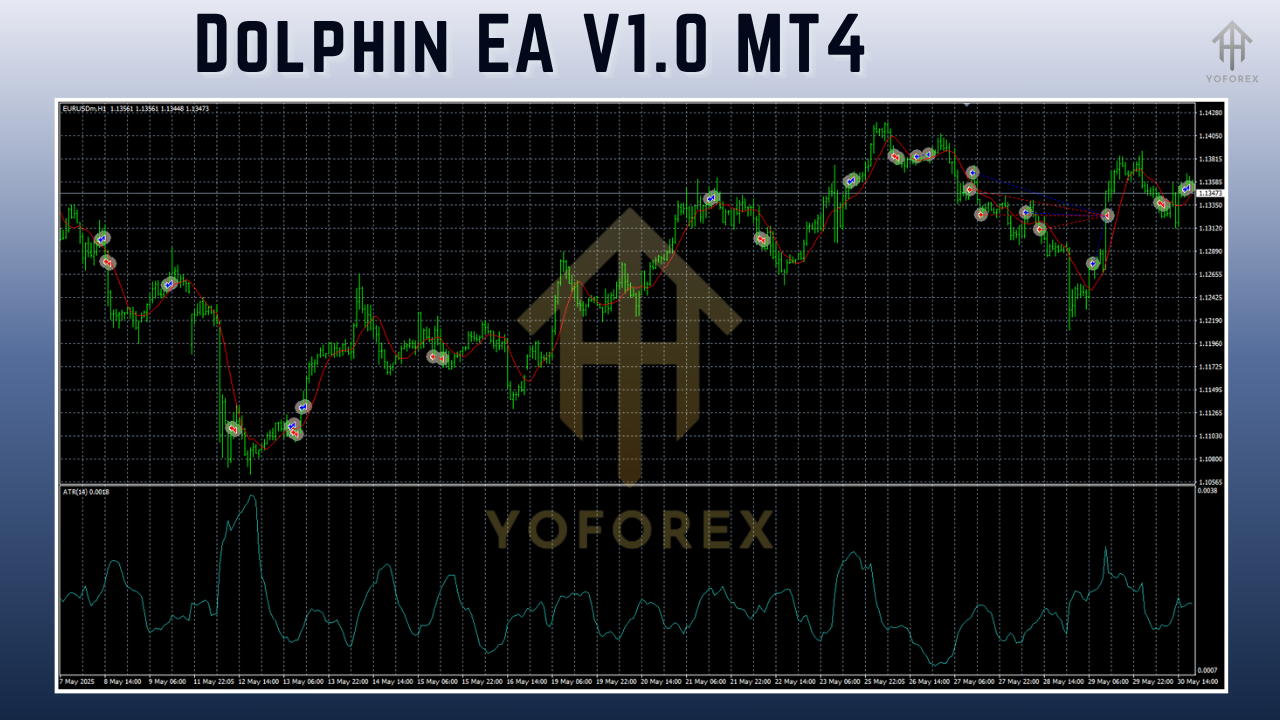
Key Features
Dolphin EA V1.0 offers several features that make it appealing to traders looking for a free, automated trading solution:
-
Trend-Following Strategy: The EA is designed to trade with the market’s momentum, capitalizing on sustained price movements rather than attempting to predict reversals. This approach aligns with the principle of “the trend is your friend.”
-
Customizable Parameters: Traders can adjust settings such as stop-loss, take-profit, moving average periods, ADX thresholds, and RSI levels to tailor the EA to their risk tolerance and trading preferences.
-
Free Availability: Unlike many premium EAs, Dolphin EA V1.0 is available for free download, as noted on dolphintrader.com, making it accessible to traders with limited budgets.
-
Compatibility with MT4: The EA is fully compatible with the MetaTrader 4 platform, which is widely supported by brokers worldwide and offers a user-friendly interface for managing automated trading systems.
-
Built-in Filters: The use of ADX and RSI as filters helps reduce false signals, increasing the likelihood of entering trades during favorable market conditions.
How to Install Dolphin EA V1.0 MT4
Installing Dolphin EA V1.0 on the MetaTrader 4 platform is straightforward, but it requires careful attention to ensure proper setup. Below is a step-by-step guide to get started:
-
Download the EA File: Obtain the Dolphin EA V1.0 file (typically named tiger.mq4 or similar) from a reputable source, such as dolphintrader.com. Ensure the file is legitimate to avoid malware or corrupted software.
-
Locate the MT4 Directory: Open your MetaTrader 4 platform, click “File” in the top left corner, and select “Open Data Folder.” Navigate to the “MQL4” folder, then the “Experts” subfolder.
-
Place the EA File: Copy the downloaded .mq4 file into the “Experts” folder.
-
Restart MT4: Close and reopen the MetaTrader 4 platform to ensure the EA appears in the “Navigator” panel under “Expert Advisors.”
-
Attach the EA to a Chart: Open a chart for your desired currency pair (e.g., EUR/USD) and timeframe (M30 or higher). Drag the Dolphin EA from the Navigator panel onto the chart. A settings window will appear, allowing you to configure parameters such as lot size, stop-loss, take-profit, and indicator settings.
-
Enable Auto-Trading: Ensure the “AutoTrading” button on the MT4 toolbar is active (it should be green). Adjust the EA’s settings as needed and click “OK” to activate it.
-
Verify Broker Compatibility: Confirm that your broker supports automated trading and that your account type (e.g., ECN, Standard) is compatible with the EA’s requirements.
For optimal performance, consider running the EA on a Virtual Private Server (VPS) to ensure 24/5 operation without interruptions, as recommended by many forex trading resources.
Performance and Backtesting
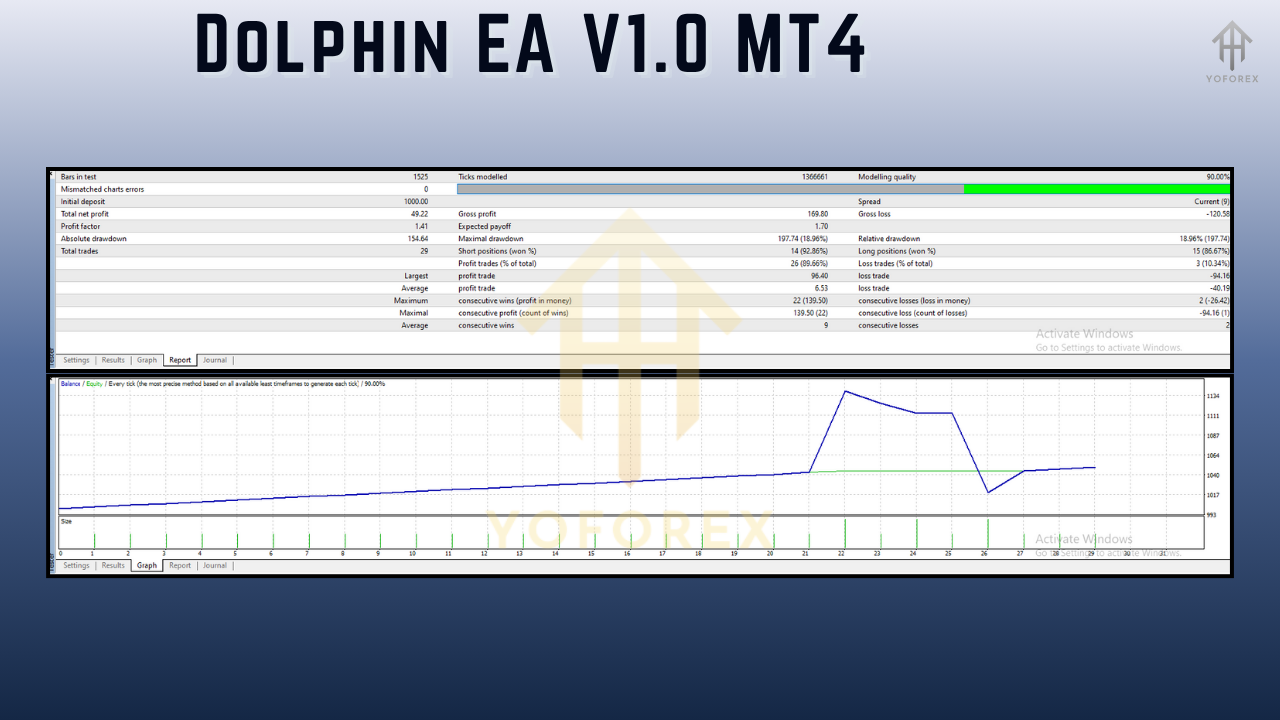
While specific performance data for Dolphin EA V1.0 is limited due to its free distribution and lack of extensive third-party verification (unlike premium EAs like Forex Robotron or Forex Fury), its trend-following strategy can be evaluated through backtesting. The EA’s reliance on moving averages, ADX, and RSI suggests it performs best in trending markets but may struggle during choppy or sideways conditions.
To assess its effectiveness, traders should backtest Dolphin EA V1.0 using the MT4 Strategy Tester with the following considerations:
-
Real Tick Data: Use high-quality tick data for accurate backtesting, as emphasized by sources like forexrobotron.com. This ensures realistic simulation of market conditions, including spreads and slippage.
-
Timeframe and Currency Pairs: Test the EA on M30 or higher timeframes and major currency pairs like EUR/USD, GBP/USD, or USD/JPY, as these are likely to exhibit stronger trends.
-
Risk Settings: Experiment with different lot sizes and risk percentages (e.g., 1-5% per trade) to find a balance between profitability and drawdown.
-
Historical Data: Backtest over a significant period (e.g., 5-10 years) to evaluate performance across various market conditions, including bullish, bearish, and volatile periods.
While Dolphin EA V1.0 lacks the extensive verified results of premium EAs like Forex Fury (93% win rate, per forexfury.com), its free nature makes it a low-risk option for testing and experimentation. Traders should be cautious, as free EAs often lack the rigorous testing and support provided by paid alternatives.
Strengths of Dolphin EA V1.0 MT4
-
Cost-Effective: As a free EA, Dolphin EA V1.0 is an excellent starting point for traders new to automation or those unwilling to invest in expensive software.
-
Simple Strategy: The use of well-known indicators like moving averages, ADX, and RSI makes the EA’s logic transparent and easy to understand, even for beginners.
-
Customizability: Traders can tweak indicator periods and risk settings to align with their trading style, offering flexibility compared to more rigid EAs.
-
Trend-Following Focus: By targeting strong trends, the EA aligns with a proven trading philosophy that can yield consistent results in favorable conditions.
Limitations and Risks
-
Limited Verification: Unlike premium EAs with verified Myfxbook results (e.g., Forex Robotron), Dolphin EA V1.0 lacks extensive third-party performance data, making its reliability harder to assess.
-
Market Dependency: The EA’s trend-following strategy may underperform in ranging or highly volatile markets, as noted in general forex robot discussions on quora.com.
-
No Official Support: As a free EA, it may not come with dedicated customer support, leaving traders to troubleshoot issues independently.
-
Risk of Over-Optimization: Over-tweaking settings during backtesting can lead to curve-fitting, where the EA performs well on historical data but poorly in live trading.
Tips for Optimizing Dolphin EA V1.0 MT4
To maximize the potential of Dolphin EA V1.0, consider the following tips:
-
Test on a Demo Account: Before deploying the EA on a live account, test it extensively on a demo account to understand its behavior and fine-tune settings.
-
Use a VPS: Running the EA on a VPS ensures uninterrupted operation, especially during the EA’s preferred trading hours (e.g., 21:00–23:00 GMT for some EAs, per forexrobotron.com).
-
Monitor Market Conditions: Avoid running the EA during major news events or low-liquidity periods, as these can disrupt trend-following strategies.
-
Implement Risk Management: Set conservative lot sizes and stop-loss levels to protect your capital. A risk of 1-2% per trade is generally recommended for automated trading.
-
Regularly Review Performance: Monitor the EA’s live performance and adjust settings as market conditions change. Avoid relying solely on backtest results.
Comparison with Other Forex EAs
Compared to premium EAs like Forex Robotron or Forex Fury, Dolphin EA V1.0 is less sophisticated but offers a cost-free alternative for traders. For example, Forex Robotron boasts a verified Myfxbook track record and advanced money management features, while Dolphin EA relies on simpler indicators and lacks official support. However, for traders seeking a low-risk entry into automated trading, Dolphin EA’s simplicity and accessibility make it a viable option.
Conclusion
Dolphin EA V1.0 MT4 is a compelling choice for traders interested in exploring automated forex trading without financial commitment. Its trend-following strategy, built on moving averages, ADX, and RSI, offers a straightforward approach to capturing market trends. While it lacks the verified performance data and support of premium EAs, its free availability and customizable settings make it an attractive tool for experimentation.
Traders should approach Dolphin EA V1.0 with realistic expectations, conducting thorough backtesting and demo trading before risking real capital. By combining the EA with sound risk management and an understanding of market conditions, traders can harness its potential to enhance their forex trading journey. As with any trading tool, success with Dolphin EA V1.0 depends on diligent monitoring, strategic optimization, and a commitment to continuous learning in the dynamic forex market.