
Dragonfly Indicator MT4—a powerful tool that helps traders identify potential bullish reversals through the iconic Dragonfly Doji candlestick pattern. If you’re using MetaTrader 4 (MT4) and looking to enhance your technical analysis, this indicator is a game-changer. In this comprehensive guide, we’ll dive deep into what the Dragonfly Indicator MT4 is, how to install it, and proven strategies to integrate it into your trading routine. Whether you’re a beginner or seasoned trader, mastering this indicator could skyrocket your success rate.
What is the Dragonfly Doji Pattern?
At its core, the **Dragonfly Indicator MT4** is designed to detect the Dragonfly Doji—a rare but reliable candlestick formation signaling market indecision followed by a potential upward shift. This pattern resembles a dragonfly’s wings: it features a long lower shadow (the tail), a tiny body at the high (the head), and virtually no upper shadow.
Key Characteristics of a Dragonfly Doji:
Open, High, and Close Prices: Nearly identical, creating a small or nonexistent body.
Lower Shadow: At least twice the length of the body, indicating sellers drove prices down but buyers pushed back aggressively.
Context: It typically appears at the end of a downtrend, hinting at exhaustion among bears.
This pattern isn’t just theory—it’s backed by decades of candlestick analysis from Japanese rice traders. In modern forex, stocks, or crypto markets, a Dragonfly Doji spotted via the MT4 indicator can flag entry points for long positions. According to trading experts, its accuracy jumps when confirmed with volume or other oscillators like RSI.
Why does it matter for MT4 users? Manual scanning charts is time-consuming. The Dragonfly Indicator automates detection, alerting you via arrows, colors, or pop-ups right on your platform.
How to Install the Dragonfly Indicator on MT4
Getting started with the Dragonfly Indicator MT4 is straightforward. Most versions are free downloads from reputable forex sites like Forex Factory or MQL5 community. Here’s a step-by-step guide:
1.Download the File: Search for “Dragonfly Doji Indicator MT4″ on trusted platforms. Ensure it’s an .ex4 or .mq4 file to avoid malware.
2.Open MT4: Launch your MetaTrader 4 terminal and go to File > Open Data Folder.
3. Navigate to Indicators Folder: Inside the data folder, find MQL4 > Indicators and paste the downloaded file there.
4.Restart and Apply: Close and reopen MT4. In the Navigator panel, expand Custom Indicators, drag the Dragonfly Indicator onto your chart.
5.Customize Settings: Tweak parameters like sensitivity (e.g., shadow length ratio) or alert types (email, sound) to suit your style.
Installation takes under 5 minutes, and once set, the indicator overlays signals directly on candlesticks—no cluttering your workspace. Pro tip: Test it on a demo account first to familiarize yourself with false signals in ranging markets.
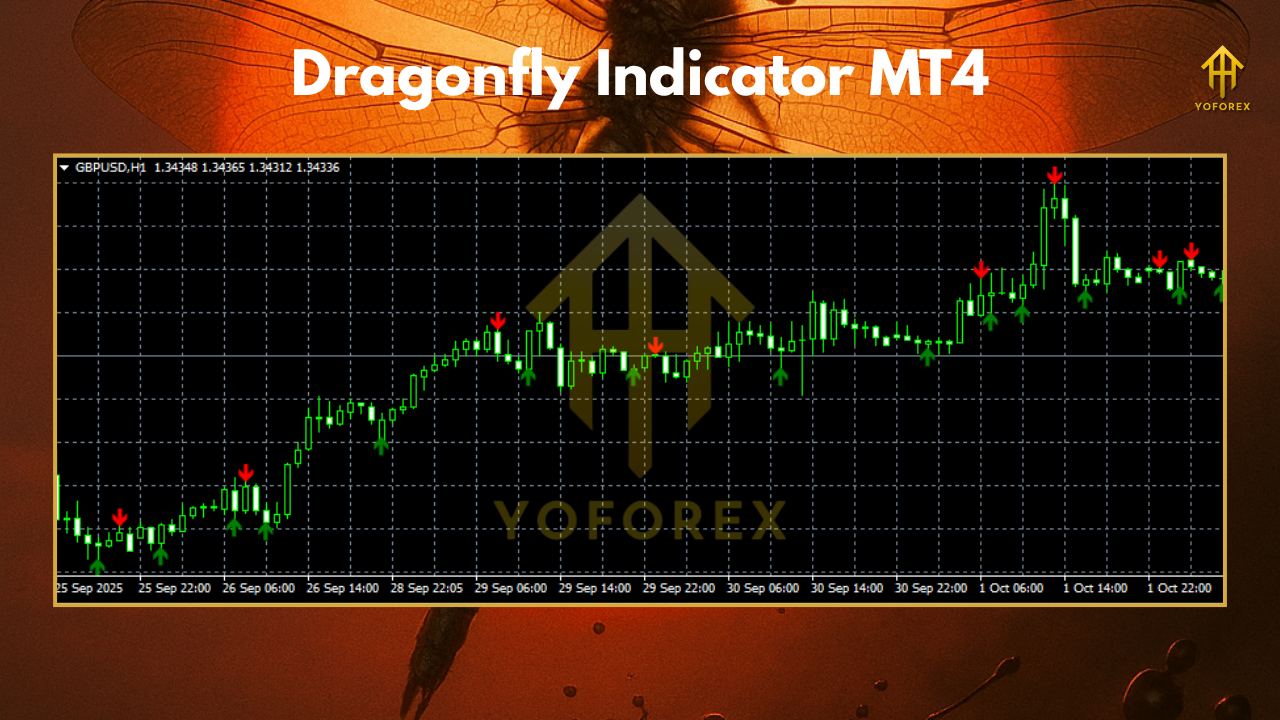
Interpreting Signals from the Dragonfly Indicator MT4
The beauty of the Dragonfly Indicator MT4 lies in its simplicity. When a valid pattern forms, it typically marks the candle with a green arrow below or a bullish label. But don’t trade blindly—context is king.
Bullish Confirmation:
– Trend Alignment: Best in downtrends; ignore if prices are sideways.
– Support Levels: Pair with horizontal support or Fibonacci retracements for stronger conviction.
– Volume Spike: Higher-than-average volume on the Doji reinforces buyer strength.
For example, on a EUR/USD 1-hour chart, a Dragonfly Doji at 1.0800 after a 200-pip drop could signal a buy at the next open, targeting 1.0900. The indicator often includes filters like Stochastic (e.g., 5,3,3 settings) to weed out weak signals, reducing whipsaws.
Remember, no indicator is 100% accurate. Backtest on historical data using MT4’s Strategy Tester to gauge its win rate—often hovering around 60-70% in trending forex pairs.
Proven Trading Strategies with Dragonfly Indicator MT4
Ready to trade? Here are two battle-tested strategies incorporating the Dragonfly Indicator MT4:
Strategy 1: Reversal Scalping
– Timeframe: M5 or M15 for quick entries.
– Entry: Buy on Dragonfly confirmation + RSI below 30 (oversold).
– Stop-Loss: Below the Doji’s low (risk 1% of capital).
– Take-Profit: 1:2 risk-reward, or next resistance.
– Exit: If price closes below the entry within 3 candles.
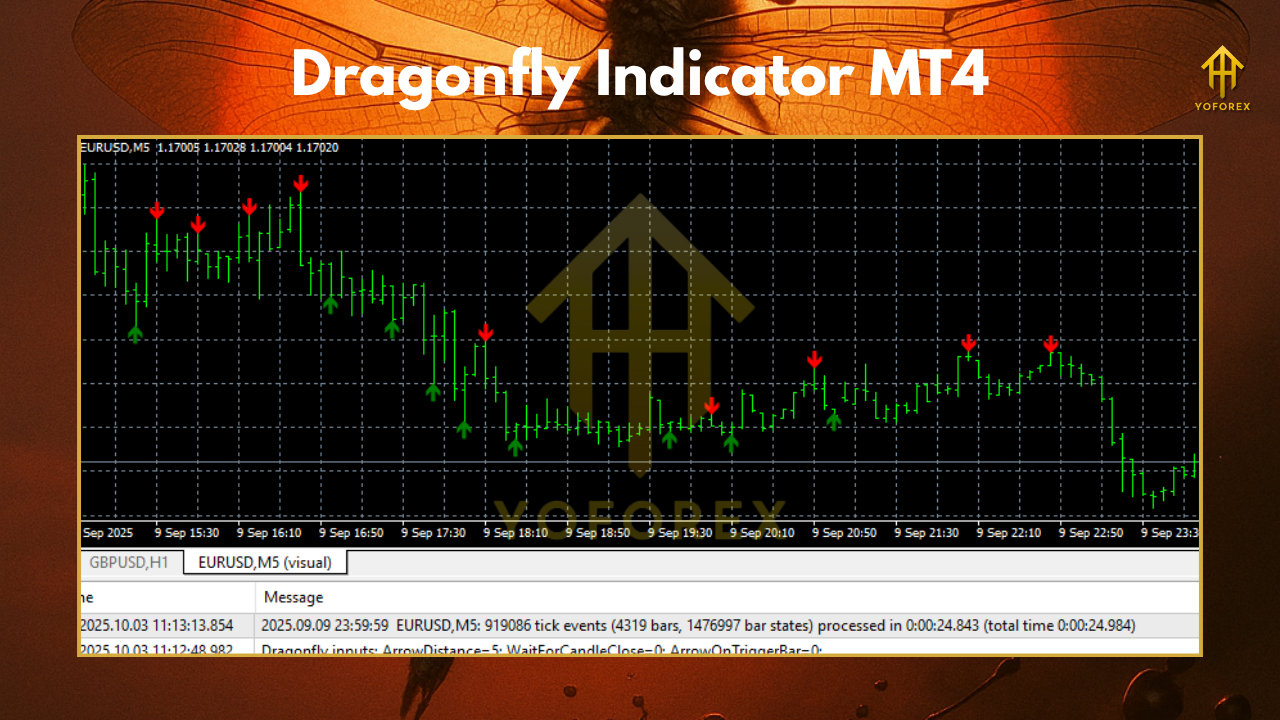
This setup shines in volatile sessions like London open, yielding 5-10 pips per trade.
Strategy 2: Swing Trading with Multi-Timeframe Analysis
– Timeframe: H4 for signal, D1 for trend.
– Entry: Long on H4 Dragonfly if D1 shows overall uptrend bias.
– Stop-Loss: 50 pips below swing low.
– Take-Profit: Trail with Parabolic SAR for 100+ pips.
– Filter: Avoid news events; use the indicator’s built-in Doji reader for precision.
Combine with moving averages (e.g., 50/200 EMA crossover) for confluence. Traders report 65% success rates on majors like GBP/JPY.
Advanced Tips for Maximizing the Dragonfly Indicator MT4
– Pair with Oscillators: Use MACD for divergence confirmation.
– Risk Management: Never risk more than 2% per trade.
– Market Conditions: Excel in forex but adapt for stocks via MT4’s multi-asset support.
– Updates: Check for MT4-compatible versions post-2025 builds.
Track your journal: Note win/loss ratios to refine over time.
Conclusion: Soar with the Dragonfly Indicator MT4 Today
The Dragonfly Indicator MT4 isn’t just a pattern detector—it’s your edge in spotting bullish reversals amid market chaos. From installation to advanced strategies, integrating this tool can transform your MT4 charts into profit machines. Download it now, demo trade for a week, and watch your confidence grow.