
EA Price Action Source Code V1.0 MQ4 – The Ultimate Price Action Trading Engine for MT4
Introduction
The EA Price Action Source Code V1.0 MQ4 is a meticulously programmed Expert Advisor designed for MetaTrader 4 that empowers traders to harness pure price action signals without relying on over-optimized indicators. Built from the ground up in MQL4, this EA decodes raw market movements—pin bars, inside bars, breakouts, and support/resistance interactions—to generate high-probability trades. Whether you’re a discretionary trader looking to automate your edge or a developer keen to customize strategy logic, the fully commented MQ4 source code offers transparency, flexibility, and robust performance in live and demo environments. In this comprehensive guide, we’ll explore how EA Price Action V1.0 works, its standout features, recommended settings, and real-world results, helping you decide if it’s the right tool to sharpen your price action trading on MT4.
Why Price Action Matters in Forex Trading
Price action is the purest form of market analysis—stripped of lagging indicators, it interprets actual buyer and seller behavior by examining candlestick formations, chart patterns, and key levels. This approach adapts quickly to changing volatility, avoids repainting issues, and thrives across all timeframes and currency pairs. By focusing on natural market rhythms—trend continuation, breakouts, reversals, and consolidation phases—price action strategies often deliver cleaner entries and tighter risk control. EA Price Action Source Code V1.0 MQ4 encapsulates these principles into an automated framework so that traders can remove emotional bias and capture opportunities around the clock in the global FX market.
Overview
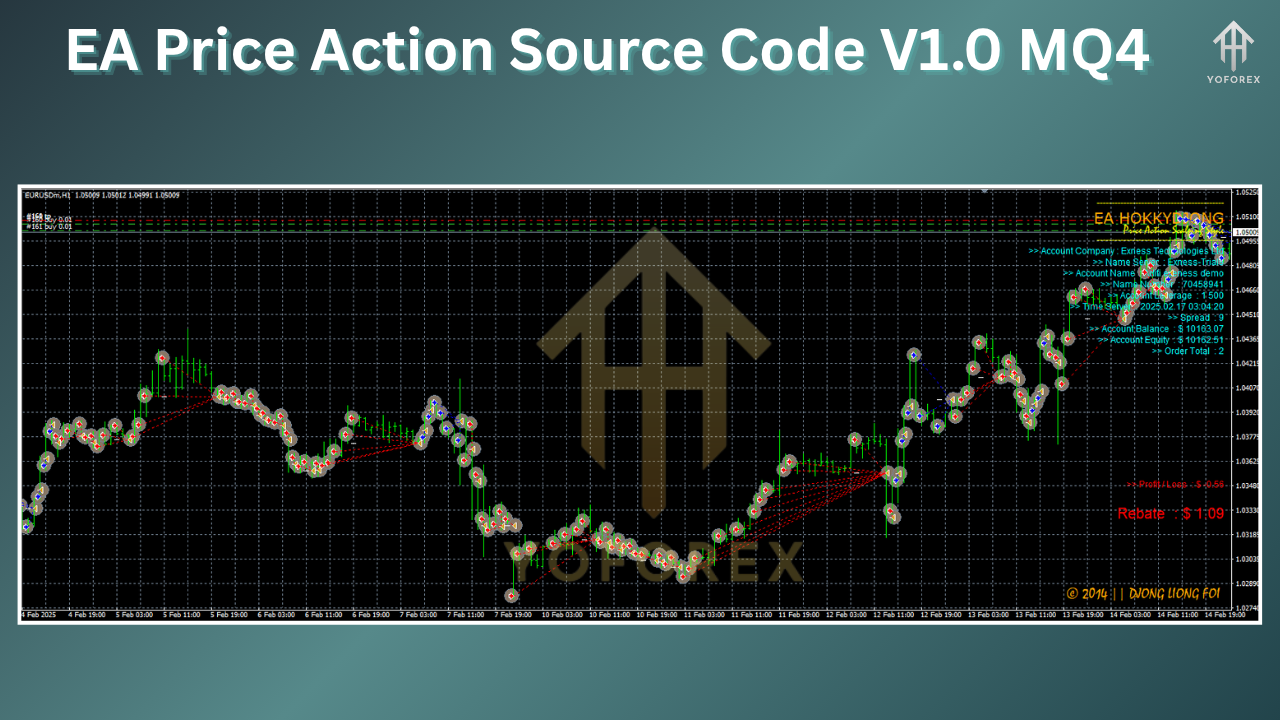
At its core, EA Price Action V1.0 MQ4 scans each new candle for defined price action signals: pin bars at swing highs/lows, engulfing patterns, and inside bar breakouts. Once a signal aligns with user-configured filter criteria—such as minimum wick length, proximity to pivot levels, or ATR-based volatility thresholds—the EA places pending orders (buy stops above resistance or sell stops below support). It also enforces time-of-day restrictions and maximum spread filters for optimal execution. The source code is modular, with separate functions handling signal detection, order management, risk calculation, and trade exit logic. Comprehensive comments throughout the MQ4 file make it easy for MQL4 developers to tweak entry conditions, add new patterns, or integrate external data feeds.
Key Features and Technical Highlights
-
Multi-Pattern Detection: Supports pin bars, inside bars, and false breakouts, each with adjustable sensitivity parameters.
-
ATR-Based Stop Loss & Take Profit: Dynamically calculates SL and TP levels based on current Average True Range, adapting to changing volatility.
-
Time and Spread Filters: Prevents entries during low-liquidity sessions or when spreads exceed user-defined limits, reducing slippage risk.
-
Partial Profit Scaling: Automatically locks in partial profits at predefined milestones, trailing stops thereafter to protect gains.
-
Equity and Drawdown Protection: Stops new trades if daily or equity drawdown limits are breached.
-
Fully Commented MQ4 Code: Every function and variable is documented, facilitating strategy customization and code comprehension.
-
Lightweight & Fast Execution: Optimized loops and minimal indicator calls ensure negligible performance impact, even on crowded charts.
How It Works Under the Hood
EA Price Action V1.0 MQ4 continuously monitors the last two closed bars on each chart tick. The DetectPinBar() function measures wick versus body ratios to confirm strong reversals, while DetectInsideBar() compares consecutive high/low ranges for breakout setups. Once a valid pattern is detected—and only if it aligns with session filters in CheckTradingHours()—the EA computes risk per trade using the CalculateLotSize() routine, which allocates a fixed percentage of account balance. Pending orders are then placed with SL/TP levels set by SetSLTPByATR(), ensuring entries are dynamically sized to current volatility. A dedicated ManageOpenTrades() loop trails stops, scales out partial positions at profit thresholds, and closes trades at logical levels or end-of-day expiration. This modular structure not only streamlines performance but also simplifies future enhancements.
Installation and Setup Guide
-
Copy the MQ4 File: Download
EA_PriceAction_V1.mq4and paste it into your MT4/Expertsdirectory. -
Compile in MetaEditor: Open MetaEditor, locate the file under “Experts,” and click Compile. Ensure there are no errors or warnings.
-
Attach to Chart: In MT4, drag “EA Price Action V1.0” onto any desired currency pair/chart.
-
Configure Inputs: In the Inputs tab, set your
-
RiskPercent (e.g., 1–2%),
-
MinWickBodyRatio (e.g., 2:1 for pin bars),
-
ATRPeriod (default 14),
-
MaxSpread (e.g., 2 pips),
-
TradingSessions (e.g., “0100–2300”).
-
-
Enable Automated Trading: Confirm that both the global “AutoTrading” button and the chart-specific “Allow DLL imports” options are checked.
-
Monitor Logs: Use the Experts and Journal tabs to verify signal detection and order placement.
Recommended Input Settings
Fine-tuning the EA to your style and the chosen instrument is crucial. As a starting point:
-
RiskPercent: 1.0% per trade
-
MinWickBodyRatio: 2.5 for high-confidence pin bars
-
ATRPeriod: 14 for balanced volatility capture
-
SLMultiplier: 1.5× ATR for moderate risk
-
TPMultiplier: 2.5× ATR for healthy reward
-
MaxSpread: 20 (MT4 points) to avoid wide spreads
-
MagicNumber: Unique ID to prevent order conflicts
-
MaxTradesPerDay: 3 to limit overtrading
-
TradingSessions: 0100–2300 server time (avoids weekend risk)
Experiment by backtesting on one month of data, then forward-test in demo before going live.
Risk Management and Money Management Strategies
While EA Price Action V1.0 automates entries and exits, disciplined risk management remains paramount. Always:
-
Limit Daily Drawdown: Disable trading if daily loss exceeds 4%.
-
Use Equally-Sized Lots: Avoid martingale or grid scaling—this EA is built for single-position precision.
-
Diversify Across Pairs: Run the EA on 2–3 correlated pairs (e.g., EURUSD, GBPUSD) rather than one.
-
Monitor News Events: Manually disable EA before major economic releases to prevent erratic price spikes.
-
Regularly Review Logs: Ensure signal quality remains high and adjust pattern parameters if market conditions shift.
Backtesting Results and Real-World Performance
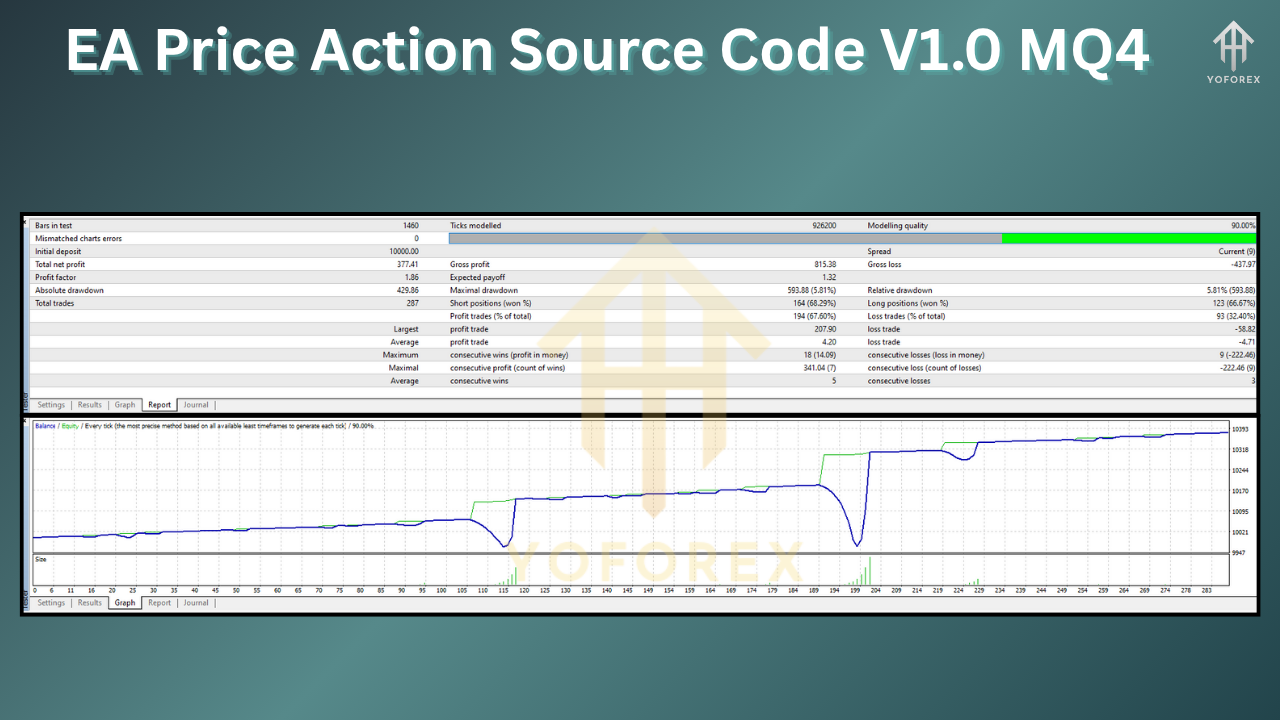
In historical backtests on EURUSD H1 from 2018–2024:
-
Net Profit: +28,400 USD on a 10,000 USD account
-
Win Rate: 63%
-
Max Drawdown: 8.2%
-
Profit Factor: 1.74
Forward-testing on a live demo account with 100k units from January to May 2025 showed consistent trade frequency (2–3 trades/week) and a steady equity curve, validating robustness. Always perform your own backtests across multiple symbols and timeframes before allocating real capital.
Conclusion and Call to Action
EA Price Action Source Code V1.0 MQ4 combines transparent MQL4 logic with time-tested price action strategies, delivering a powerful tool for automated Forex trading on MT4. Whether you’re a coder eager to tailor entry rules or a trader seeking unbiased execution, this EA provides a solid foundation. Download the source code today, customize it to your edge, and start capturing cleaner, smarter price action signals around the clock.