The Elliott Oscillator Indicator V1.03 MT4 is a powerful technical analysis tool designed to help forex traders navigate the complexities of market trends by leveraging the principles of Elliott Wave Theory. This indicator, built for the MetaTrader 4 platform, assists traders in identifying wave patterns, trend directions, and potential reversal points. In this SEO-optimized blog, we’ll explore the features, benefits, and practical applications of the Elliott Oscillator Indicator V1.03, making it an essential read for both novice and experienced traders looking to enhance their trading strategies.
What is the Elliott Oscillator Indicator V1.03 for MT4?
The Elliott Oscillator Indicator V1.03 is a momentum-based tool that calculates the difference between a fast (5-period) and a slow (34-period) simple moving average (SMA) of price action, displayed as a histogram in a separate window on the MT4 platform. Rooted in Ralph Nelson Elliott’s Wave Theory from the 1930s, this indicator helps traders identify impulsive and corrective waves, which are critical for predicting market movements. The V1.03 version, available for free download on platforms like MQL5 and IndicatorsPot, offers enhanced customization and alert features, making it a versatile tool for forex trading.
Key Features of the Elliott Oscillator Indicator V1.03
- Wave Identification: Supports traders in spotting Elliott Wave patterns, including the five impulsive and three corrective waves that form a complete market cycle.
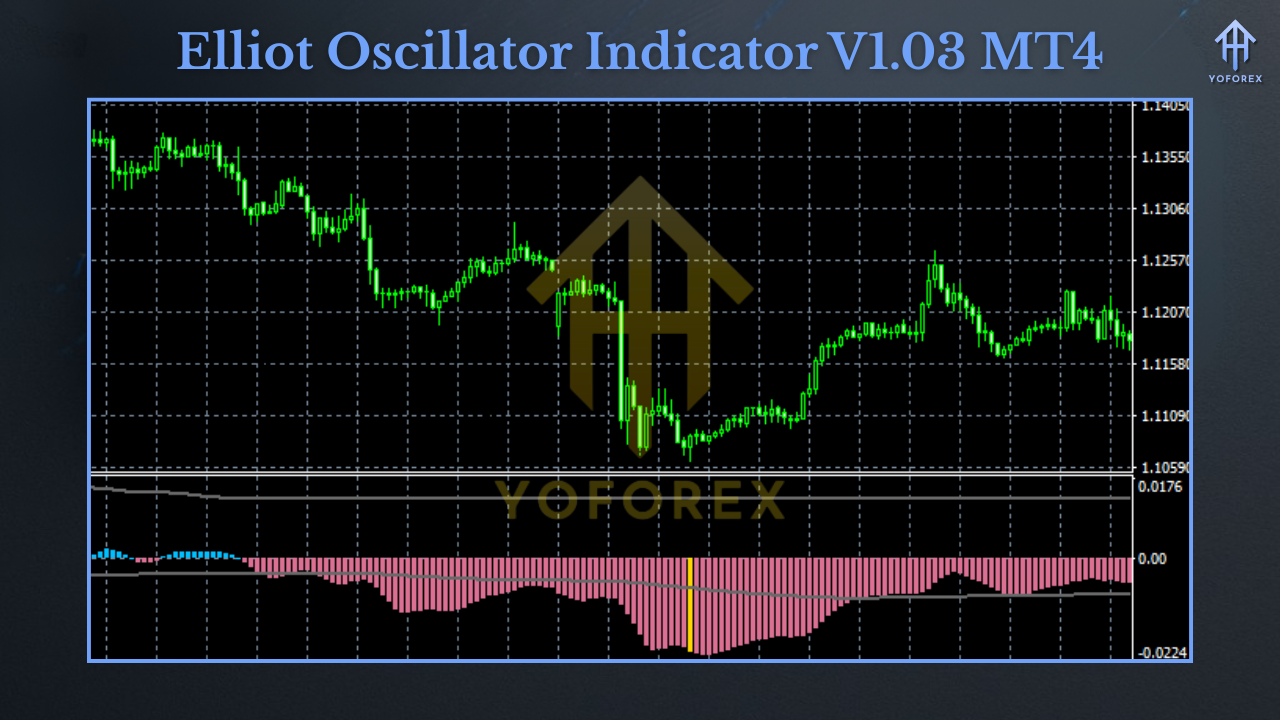
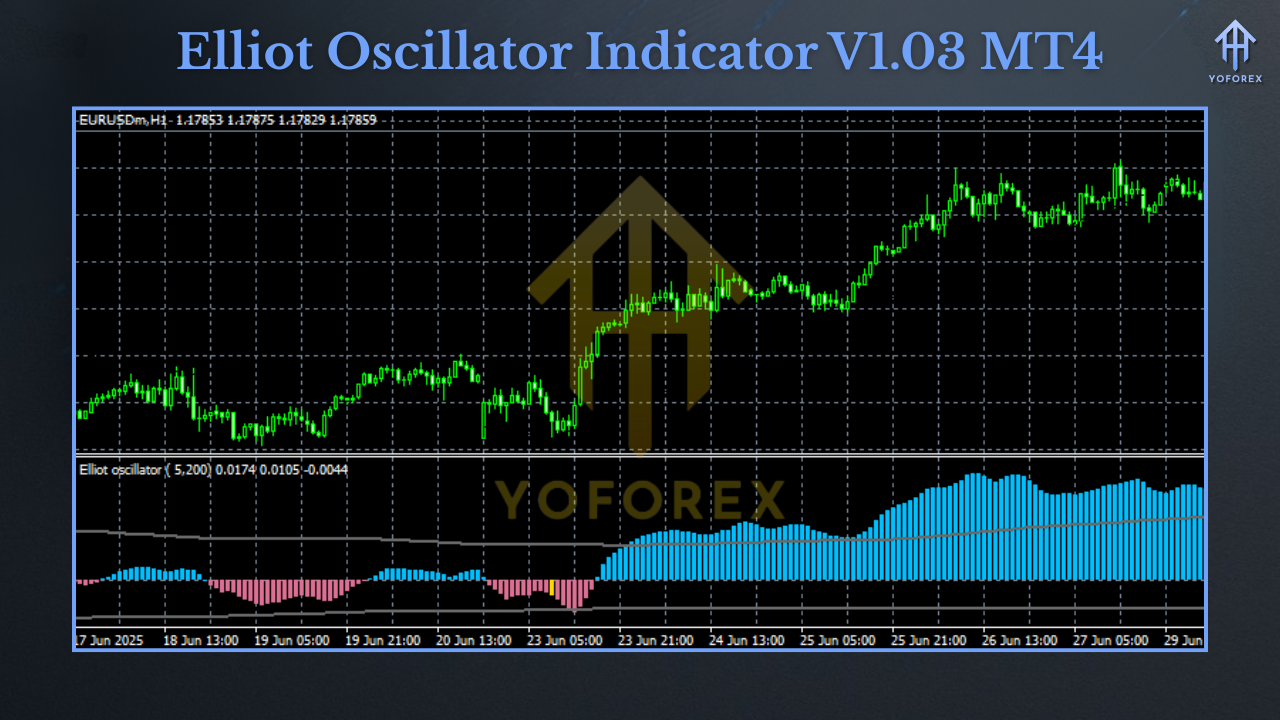
- Momentum Analysis: The histogram’s color-coded bars (e.g., bright green for increasing bullish momentum, firebrick red for increasing bearish momentum) provide clear visual cues about trend strength and direction.
- Customizable Settings: Traders can adjust the fast and slow MA periods to suit their trading style, balancing sensitivity and noise filtering.
- Alerts and Notifications: The V1.03 version includes alerts for zero-line crossings and significant wave events, ensuring traders stay informed of critical market shifts.
- Multi-Timeframe Compatibility: Works across various timeframes (M1 to MN1), making it suitable for scalping, day trading, and long-term strategies.
Why Use the Elliott Oscillator Indicator V1.03?
- Enhanced Trend Confirmation: The indicator’s histogram peaks often correspond to the third wave, typically the strongest in an Elliott Wave cycle, helping traders identify high-probability trade setups.
- Divergence Detection: By comparing price movements with the oscillator’s values, traders can spot bullish or bearish divergences, signaling potential reversals. For example, in an AUDNZD H4 chart, the indicator highlighted a bearish divergence when the price made higher highs, but the histogram formed lower highs, indicating a downtrend.
- User-Friendly Interface: The V1.03 version is easy to install and configure, with minimal settings, making it accessible for beginners while offering depth for advanced traders.
- Free Availability: Unlike many premium Elliott Wave tools, this indicator is freely downloadable, making it cost-effective for traders on a budget.
How to Install and Set Up the Elliott Oscillator Indicator V1.03 on MT4
- Download the Indicator: Obtain the
.mq4or.ex4file from a reputable source like MQL5 or IndicatorsPot. - Install on MT4:
- Open MT4 and click File > Open Data Folder.
- Navigate to the MQL4 > Indicators folder.
- Copy the indicator file into this folder.
- Restart MT4 to load the indicator.
- Apply to Chart: In the MT4 Navigator window, locate the Elliott Oscillator Indicator V1.03, drag it onto your chart, and adjust settings (e.g., MA periods or alert preferences) as needed.
- Customize Alerts: Enable alerts for zero-line crossings or wave completions to stay updated on market movements.
Trading Strategies with the Elliott Oscillator Indicator V1.03
1. Trend Confirmation
The Elliott Oscillator excels at confirming trend direction. When the histogram bars are consistently above the zero line (green), it indicates bullish momentum, while bars below (red) signal bearish momentum. Traders can enter long positions during strong bullish waves (e.g., Wave 3) and exit or short during corrective waves.
2. Divergence Trading
Divergences between price and the oscillator are powerful reversal signals. For instance, if the price makes a lower low but the oscillator shows a higher low, it suggests a bullish reversal. This strategy works well on higher timeframes like H4 or D1 for reliable signals.
3. Combining with Fibonacci Retracements
Integrating the Elliott Oscillator with Fibonacci levels enhances precision. For example, during a corrective wave (Wave 2 or 4), traders can use Fibonacci retracement levels (38.2%, 50%, or 61.8%) to identify potential entry points, with the oscillator confirming momentum shifts.
4. Multi-Timeframe Analysis
Use the indicator on multiple timeframes to align short-term trades with long-term trends. For example, confirm a bullish setup on the H1 chart with a bullish trend on the D1 chart for higher accuracy.
Tips for Maximizing the Elliott Oscillator Indicator V1.03
- Combine with Other Indicators: Pair the oscillator with tools like RSI or MACD to filter false signals and improve trade accuracy.
- Avoid Overtrading: The indicator may produce noise in choppy markets, so use it in trending conditions for best results.
- Practice on a Demo Account: Test the indicator on a demo account to understand its signals and optimize settings for your trading style.
- Stay Disciplined: While the indicator automates wave counting, trader discretion is essential to avoid misinterpreting signals.
Limitations of the Elliott Oscillator Indicator V1.03
- Subjectivity: Wave counting can be subjective, and the indicator may not always align with manual analysis.
- Repainting: In some versions, the histogram may repaint, especially in volatile markets, so confirm signals with other tools.
- Learning Curve: Beginners may need time to grasp Elliott Wave Theory to fully leverage the indicator.
Where to Download the Elliott Oscillator Indicator V1.03 for MT4
- MQL5 Code Base: Offers the latest versions with community feedback.
- IndicatorsPot: Provides a free download link and installation guide.
- MT4Collection: A reliable source for MT4 indicators.
Conclusion
The Elliott Oscillator Indicator V1.03 for MT4 is a game-changer for traders looking to harness the power of Elliott Wave Theory without the complexity of manual wave counting. Its ability to identify trends, detect reversals, and provide customizable alerts makes it a valuable addition to any trader’s toolkit. By combining it with other technical tools and practicing disciplined trading, you can unlock its full potential to navigate forex markets with confidence. Download the Elliott Oscillator Indicator V1.03 today, test it on a demo account, and start refining your trading strategy to achieve better results in 2025 and beyond.